我的 git 目录内容如下

我本地文件夹内容如下

部署结果如下

结果打开自己的 GitHub Pages 结果还是 404 (如图)
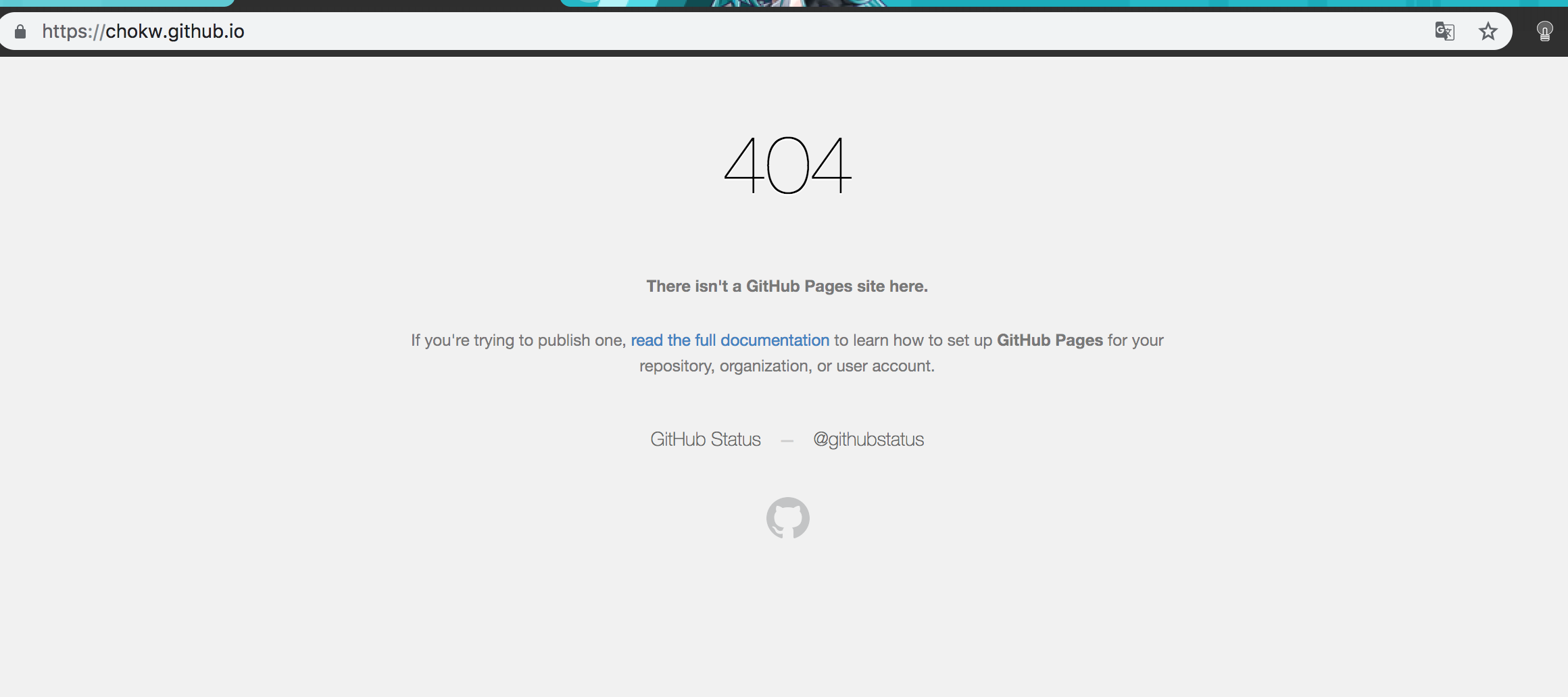
不知道该如何解决了 麻烦各位技术大大帮忙看看 救救孩子吧
 ChokW
ChokW
All 13 comments
GitHub free plan maybe can not use GitHub pages.
 YoshinoriN
on 23 Jan 2019
YoshinoriN
on 23 Jan 2019
GitHub免费计划可能无法使用GitHub页面。
I'm really sorry, I still need your help, I didn't see where the free plan can't be used
ChokW
on 25 Jan 2019
OK :)
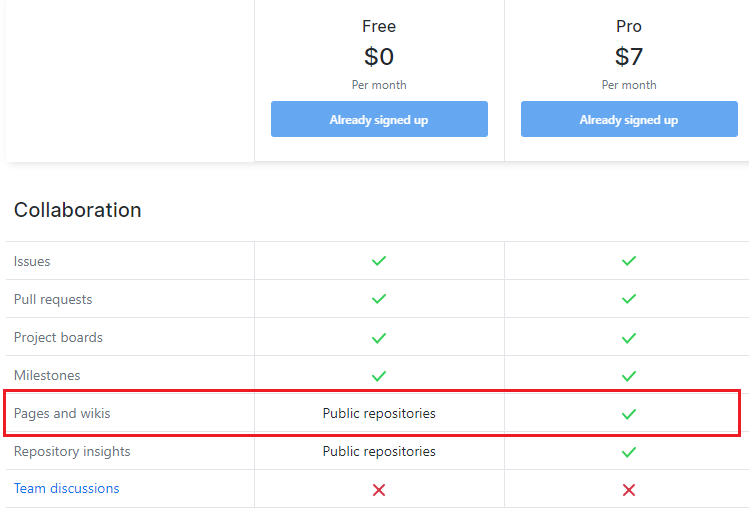
It seems free plan maybe can not use pages feature, if repository is private.
YoshinoriN
on 25 Jan 2019
GitHub免费计划可能无法使用GitHub页面。
I'm really sorry, I still need your help, I didn't see where the free plan can't be used
You are a Free Plan user but storing your Hexo site in a private repo.
For Free Plan users GitHub Pages are not supported in private repos. Please do the "make public" action where you can find it at the bottom of the Setting page of your repo.
For more detailed explanations, please see https://webcache.googleusercontent.com/search?q=cache:ZMdM8F0qLAsJ:https://justhx.com/knowledge/about-github-private-repo.html+&cd=2&hl=en&ct=clnk&gl=uk (Sorry, my blog was down)
 hifocus
on 27 Jan 2019
hifocus
on 27 Jan 2019
去该项目的setting查找GitHub Pages, 里面会显示域名,应该不是你访问的那一个!
比如我的 https://amoslovepython.github.io/blog/
一般都会有一个io/xxx/ ,你访问的就没有加上。
 amosnothing
on 27 Jan 2019
amosnothing
on 27 Jan 2019
去该项目的setting查找GitHub Pages, 里面会显示域名,应该不是你访问的那一个!
比如我的 https://amoslovepython.github.io/blog/
一般都会有一个io/xxx/ ,你访问的就没有加上。
他的截图里面用的就是 github.io,没有其他后缀
hifocus
on 28 Jan 2019
把你的hexo仓库改成公开的……免费用户不能在私有仓库上挂github pages
 shioko
on 29 Jan 2019
shioko
on 29 Jan 2019
嗯 感谢各位大大 改成公开的就好了..... @YoshinoriN @shioko @hifocus @amosnothing
ChokW
on 11 Feb 2019
我手贱了,一开始public可以访问,后来改成private访问不了,再改成public就访问不了了,什么情况
 261077486
on 13 May 2020
261077486
on 13 May 2020
我手贱了,一开始public可以访问,后来改成private访问不了,再改成public就访问不了了,什么情况
我也是这样QAQ,请问你解决了吗
 blackw4tch
on 13 Jul 2020
blackw4tch
on 13 Jul 2020
我手贱了,一开始public可以访问,后来改成private访问不了,再改成public就访问不了了,什么情况
我也是这样QAQ,请问你解决了吗
删除根目录下的.deploy文件夹,重新生成就好了
261077486
on 13 Jul 2020
我手贱了,一开始public可以访问,后来改成private访问不了,再改成public就访问不了了,什么情况
我也是这样QAQ,请问你解决了吗
删除根目录下的.deploy文件夹,重新生成就好了
解决了,THX !!
blackw4tch
on 13 Jul 2020
我手贱了,一开始public可以访问,后来改成private访问不了,再改成public就访问不了了,什么情况
我也是这样QAQ,请问你解决了吗
删除根目录下的.deploy文件夹,重新生成就好了
解决了,THX !!
.deploy 文件夹在哪儿 .
deploy_git吗
 JinxLori
on 9 Dec 2020
JinxLori
on 9 Dec 2020
Related issues
 awulkan
·
3Comments
awulkan
·
3Comments
 19uni94
·
3Comments
19uni94
·
3Comments
 enterhuiche
·
3Comments
enterhuiche
·
3Comments
 jakeg
·
3Comments
jakeg
·
3Comments
 jasoncheng911
·
3Comments
jasoncheng911
·
3Comments
Most helpful comment
删除根目录下的.deploy文件夹,重新生成就好了