Hexo: "Hexo g" command generated the public folder with html files lost CSS..
Environment

hexo s command testing

hexo g comand testing


How to fix this problem? thx
 Adolf-L
All 5 comments
It is no problem.
Because, the browser try to refer to local machine's css file and it does not exists.
For example. I open index.html in my local machine.
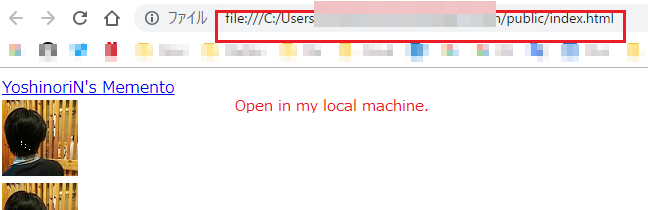
My css file path in index.html is below.

On my local machine does not exists above css's path. So, browser cannot find css file.
It will be fine, if you upload some hosting site or on your web server.
 YoshinoriN
on 5 Nov 2018
YoshinoriN
on 5 Nov 2018
Or you can serve the content from your local machine:
- Go to the public folder
- Execute python -m SimpleHTTPServer
It will serve the site at Port 5000
 tomap
on 5 Nov 2018
tomap
on 5 Nov 2018
@tomap I have solved this problem. Github repo is secondary directory the url setting seems like that!

Note: if you have bind a domain, Don't forget changing your url setting as following:


Adolf-L
on 6 Nov 2018
Glad to hear that the problem is solved. @Adolf-L Would you mind revise the documentation on the situation of secondary directory (that is, it should not end up with .git since it is not the url of the website but the git repository).
 JLHwung
on 7 Nov 2018
JLHwung
on 7 Nov 2018
Glad to hear that the problem is solved. @Adolf-L Would you mind revise the documentation on the situation of secondary directory (that is, it should not end up with
.gitsince it is not the url of the website but the git repository).
okay
Adolf-L
on 7 Nov 2018
Related issues
 enterhuiche
·
3Comments
enterhuiche
·
3Comments
 hjmJhon
·
3Comments
hjmJhon
·
3Comments
 jakeg
·
3Comments
jakeg
·
3Comments
 19uni94
·
3Comments
19uni94
·
3Comments
 jasoncheng911
·
3Comments
jasoncheng911
·
3Comments