Hero: In-call/hotspot status bar breaks transition
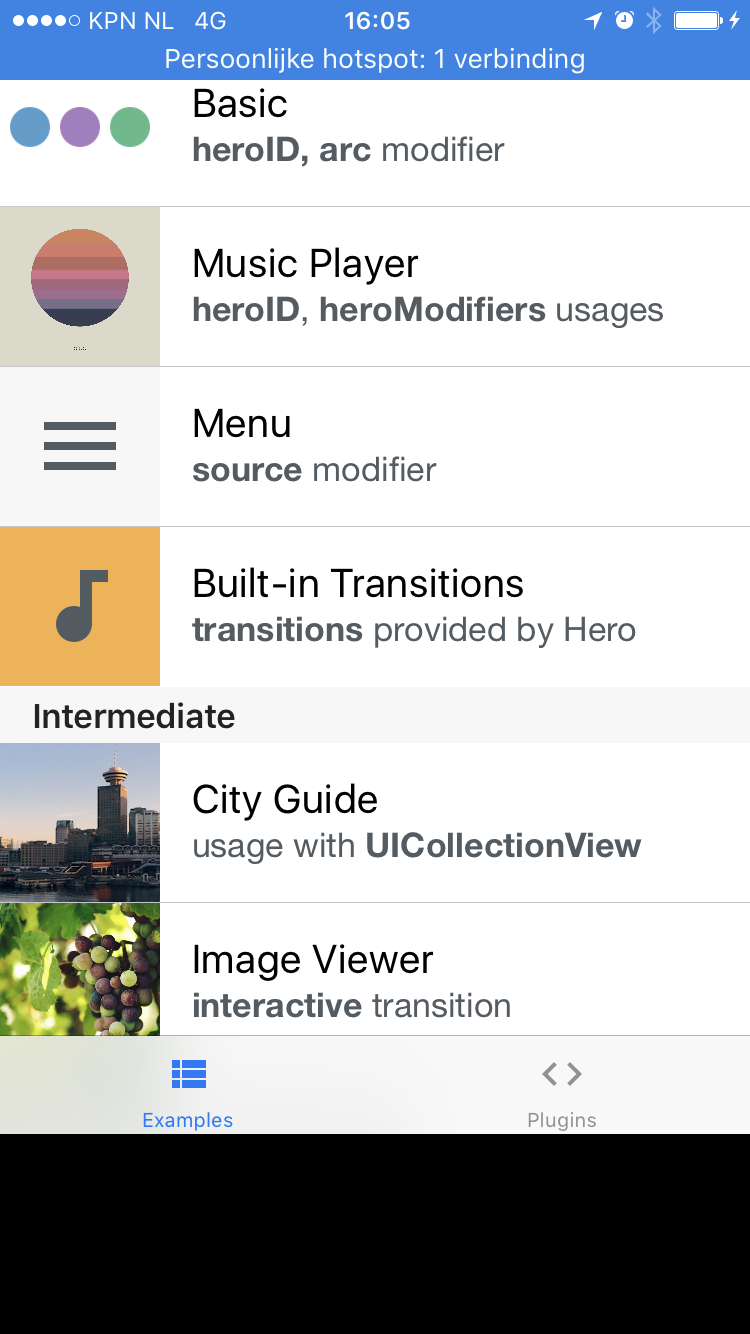
Transitioning between VC's during a call or when the phone is used as hotspot messes up their positions (frames get shifted upwards by 20 every transition)
This problem can be reproduced by enabling the status bar in the 'HeroExamples' applications, and perform some transitions.
Kind of a corner case scenario, but would still be nice if you can take a look at it!
 LcTwisk
All 6 comments
Just found out that setting:
modalPresentationStyle = .custom
modalPresentationCapturesStatusBarAppearance = true
in the presented VC kind of fixes the problem. The frame jumps back to the correct position after the transition is finished, which still looks a bit weird because the frame is just set without animation
LcTwisk
on 13 Jun 2017
Hmm, will double check this. thanks for reporting.
 lkzhao
on 30 Jun 2017
lkzhao
on 30 Jun 2017
@LcTwisk @lkzhao is there a workaround for that in navigationControllers ?
 baims
on 24 Jul 2017
baims
on 24 Jul 2017
Any possible workaround for this? I've tried @LcTwisk solution but it doesn't work either that way for me :(, The frame does not jumps back to the correct position after the transition is finished 👎
 ed-mejia
on 18 Oct 2017
ed-mejia
on 18 Oct 2017
@baims @ed-mejia
I wrote a extension of UIApplication:
extension UIApplication {
    func resetKeyViewPosition() {
        if statusBarFrame.height == 40 {
            if let window = keyWindow, let vc = window.rootViewController {
                let frame = vc.view.frame
                if frame.height + frame.minY + 20 == window.frame.height {
                    vc.view.frame = CGRect(x: frame.minX, y: frame.minY + 20, width: frame.width, height: frame.height)
                }
            }
        }
    }
}
Call UIApplication.shared.resetKeyViewPosition() after the transition was ended.
It did work for me. But I hope I can avoid these codes.
And thanks for @lkzhao 's working. Hero is a very powerful tool.
 zizicici
on 8 Mar 2018
zizicici
on 8 Mar 2018
Had the answer solved your issue?
 raulferrer
on 7 Nov 2019
raulferrer
on 7 Nov 2019
Related issues
 joeljfischer
·
3Comments
joeljfischer
·
3Comments
 nasht
·
3Comments
nasht
·
3Comments
 brendan-guegan-orange
·
4Comments
brendan-guegan-orange
·
4Comments
 Tibb
·
3Comments
Tibb
·
3Comments
 TheCodeTalker
·
4Comments
TheCodeTalker
·
4Comments
Most helpful comment
Hmm, will double check this. thanks for reporting.