Helm: Oversized helm window when running `helm-esh-pcomplete` with default display function
Hi,
I'm using helm-esh-pcomplete for auto-completion in Emacs Shell, and it seems that the window layout of Helm that displays the completion window is broken.
Here is my setting for helm-show-completion-display-function.
(setq helm-show-completion-display-function 'helm-show-completion-default-display-function)
When calling helm-esh-pcomplete, the displayed Helm window is oversized like below:

I would expect it in normal size, for example, like that of helm-compeletion-at-point.

Expected behavior
Normal window size like Helm Completion at point.
Actual behavior (from emacs-helm.sh if possible, see note at the bottom)
The displayed window of helm-esh-pcomplete is oversized.
Steps to reproduce (recipe)
- Open Emacs shell:
M-x eshell - Run
M-x helm-esh-pcomplete
Describe versions of Helm, Emacs, operating system, etc.
- Emacs 27.1, Linux Mint 20.1
- Helm 3.6.2 (elpa/helm-core-20200905)
Are you using emacs-helm.sh to reproduce this bug? (yes/no):
- I tried but couldn't use this script. There is always an error message when I run
helm-esh-pcomplete:Cannot open load file: No such file or directory, helm - But I install a fresh Spacemacs.
Are you using Spacemacs? (yes/no):
yes
 taquangtrung
All 5 comments
Ta Quang Trung notifications@github.com writes:
Hi,
I'm using helm-esh-pcomplete for auto-completion in Emacs Shell, and
it seems that the window layout of Helm that displays the completion
window is broken.
It is not, it is the expected behavior, it is oversized here because
your eshell buffer is displayed in full frame, so the function tries to
display the completion as close as possible from the prompt, which is a
good thing, try to split your eshell window and you will see that now
the function display completion in a smaller window under your prompt.
Here is my setting for helm-show-completion-display-function.
(setq helm-show-completion-display-function 'helm-show-completion-default-display-function)
When calling helm-esh-pcomplete, the displayed Helm window is oversized like below:
helm-esh
I would expect it in normal size, for example, like that of helm-compeletion-at-point.
So if you really want this, you can use
(setq helm-show-completion-display-function 'helm-default-display-buffer)
Describe versions of Helm, Emacs, operating system, etc.
• Emacs 27.1, Linux Mint 20.1
• Helm 3.6.2 (elpa/helm-core-20200905)Are you using emacs-helm.sh to reproduce this bug? (yes/no):
• I tried but couldn't use this script. There is always an error
message when I run helm-esh-pcomplete: Cannot open load file: No
such file or directory, helm •
Probably because the autoload file have not been found, I have not this
problem with a standard install either with package.el, make+make
install, or straight, I guess spacemacs make a non standard installation...
--
Thierry
 thierryvolpiatto
on 8 Sep 2020
thierryvolpiatto
on 8 Sep 2020
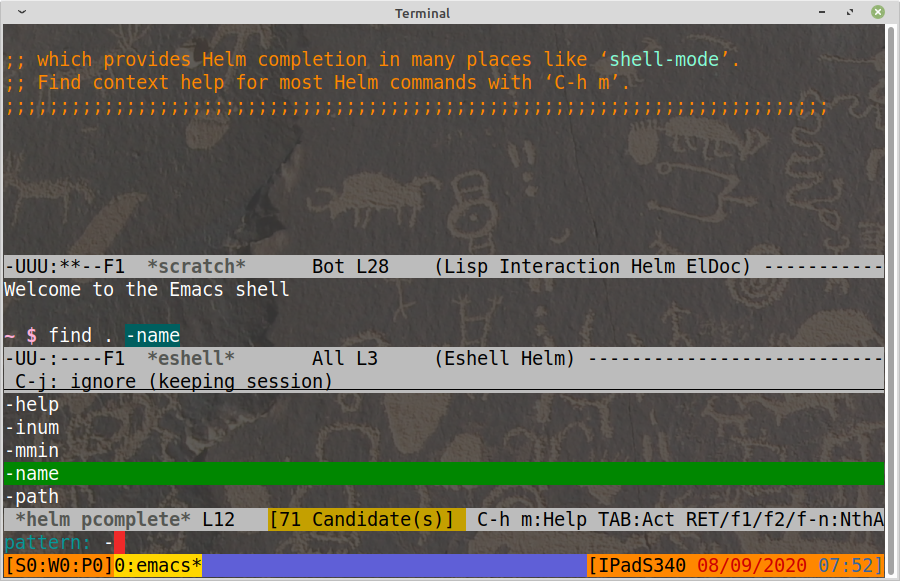
Here a screenshot from helm -nw iwith eshell in a splitted window:
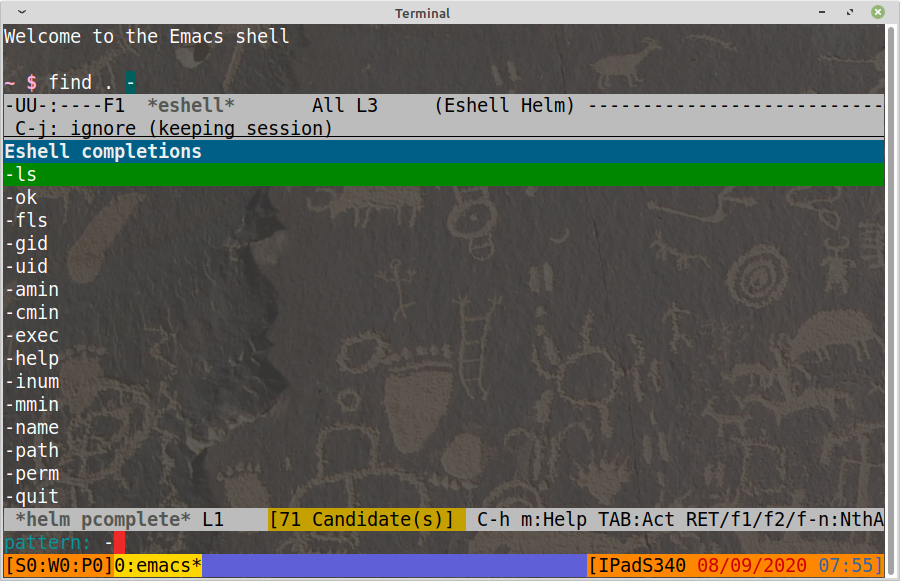
Here in full frame:
thierryvolpiatto
on 8 Sep 2020
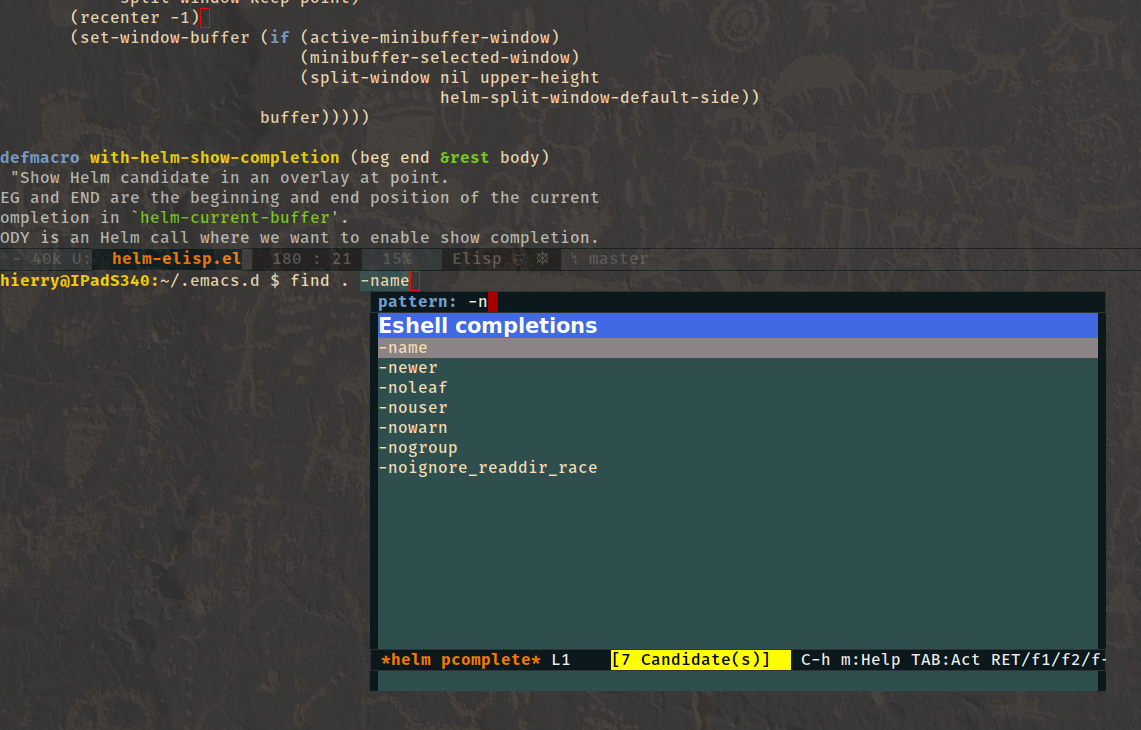
The default value is to display a frame, which is nice as well:
thierryvolpiatto
on 8 Sep 2020
Thank you very much for your explanation.
Indeed, I also prefer the display of helm completion in its own frame ('helm-display-buffer-in-own-frame) like what you described.
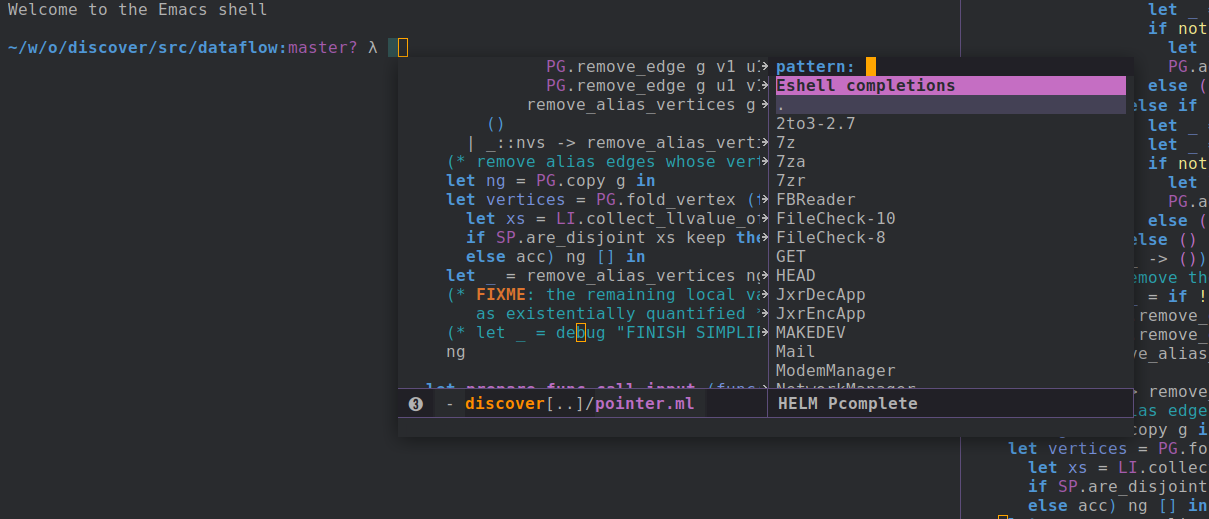
However, in my Emacs, the popup frame of Helm randomly split into two windows, like below. I haven't figured out what is wrong with my Emacs setting. But, it is basically that sometimes, I run a new Emacs instance, and the popup Helm frame appears just fine. Sometimes, it split into two windows. It is very random that I don't know what is wrong with my configuration of Helm.
Here is my setting of Helm:
  (setq helm-ag-insert-at-point 'symbol
        helm-split-window-inside-p t
        helm-always-two-windows t
        helm-display-buffer-reuse-frame nil
        helm-use-undecorated-frame-option t
        helm-ff-file-name-history-use-recentf t
        helm-ff-transformer-show-only-basename nil
        helm-show-completion-min-window-height 15)
Do you know what is wrong with it?
taquangtrung
on 8 Sep 2020
Ta Quang Trung notifications@github.com writes:
Thank you very much for your explanation.
Indeed, I also prefer the display of helm completion in its own frame ('helm-display-buffer-in-own-frame) like what you described.
However, in my Emacs, the popup frame of Helm randomly split into two
windows, like below. I haven't figured out what is wrong with my Emacs
setting.
Nothing wrong I guess, IIRC Spacemacs uses a specific helm-display-function which
break most of helm display mechanism.
--
Thierry
thierryvolpiatto
on 8 Sep 2020
Related issues
 radix
·
7Comments
radix
·
7Comments
 opsound
·
6Comments
opsound
·
6Comments
 pcompassion
·
3Comments
pcompassion
·
3Comments
 tuhdo
·
8Comments
tuhdo
·
8Comments
 stakemori
·
7Comments
stakemori
·
7Comments
Most helpful comment
Ta Quang Trung notifications@github.com writes:
Nothing wrong I guess, IIRC Spacemacs uses a specific
helm-display-functionwhichbreak most of helm display mechanism.
--
Thierry