Touch not working on Nyx, but after loading OFW or Atmosphere works perfectly
 paink1ller64
All 125 comments
After testing, it seems that this specific touch panel needs extra configuration for mapping the area correctly.

This will need investigation via the full STMFTS driver.
 CTCaer
on 28 Jul 2019
CTCaer
on 28 Jul 2019
interesting...are there actually different models/SKUs of the panels in circulation?
 r1cola
on 29 Jul 2019
r1cola
on 29 Jul 2019
found some information about it:
"this is some info from china.
nintendo switches are manufactured with two different models of touchscreen.
one is "NFT-K12D C2", AKA"K12D";
another is "E226116".
These two types of touchsceen are non-interchangable with each other (and I am so sure about that).
and AFAIK, the basic hardware drivers are diffrent."
paink1ller64
on 29 Jul 2019
Well there are 4 actually. Touch IC remains the same. Same goes for the drivers (they cover the different cases, based on calibration info).
Only touch panels should change.
The fw sent is what probably defines the API that the panel must speak to IC.
CTCaer
on 29 Jul 2019
Just here to say that Hekate v.5.0.0 and v.5.0.1 don't work for me; just reformatted my microSD card, downloaded everything again from sdsetup.com (so everything should be up-to-date), and have been on OFW 8.1.0 for ages on an unpatched console I bought in September 2018.
The top four options (Home, Tools, Console Info, Options) work fine enough, but anything below them doesn't work _at all_, no matter how I try to tap or push them. I don't know what kind of touchscreen I have, but when I boot into OFW or CFW using Hekate 4.10.1, the touchscreen works perfectly well. My screen isn't dirty either, due to me using a glass screen protector and rarely playing undocked.
If this isn't the place to post this, then I apologise.
 MasterDriverRex
on 4 Aug 2019
MasterDriverRex
on 4 Aug 2019
If I could humbly suggest something, could you please fork this and add emuMMC to 4.10 (the one controlled via power and volume buttons instead of touch), or allow buttons to be used? I have no idea whether either idea's feasible, but they should provide workarounds for those like me and paink1ller64 who are having issues.
MasterDriverRex
on 4 Aug 2019
If you delete /bootloader/sys/res.pak it will revert to the old text interface for hekate @MasterDriverRex
 fennectech
on 5 Aug 2019
fennectech
on 5 Aug 2019
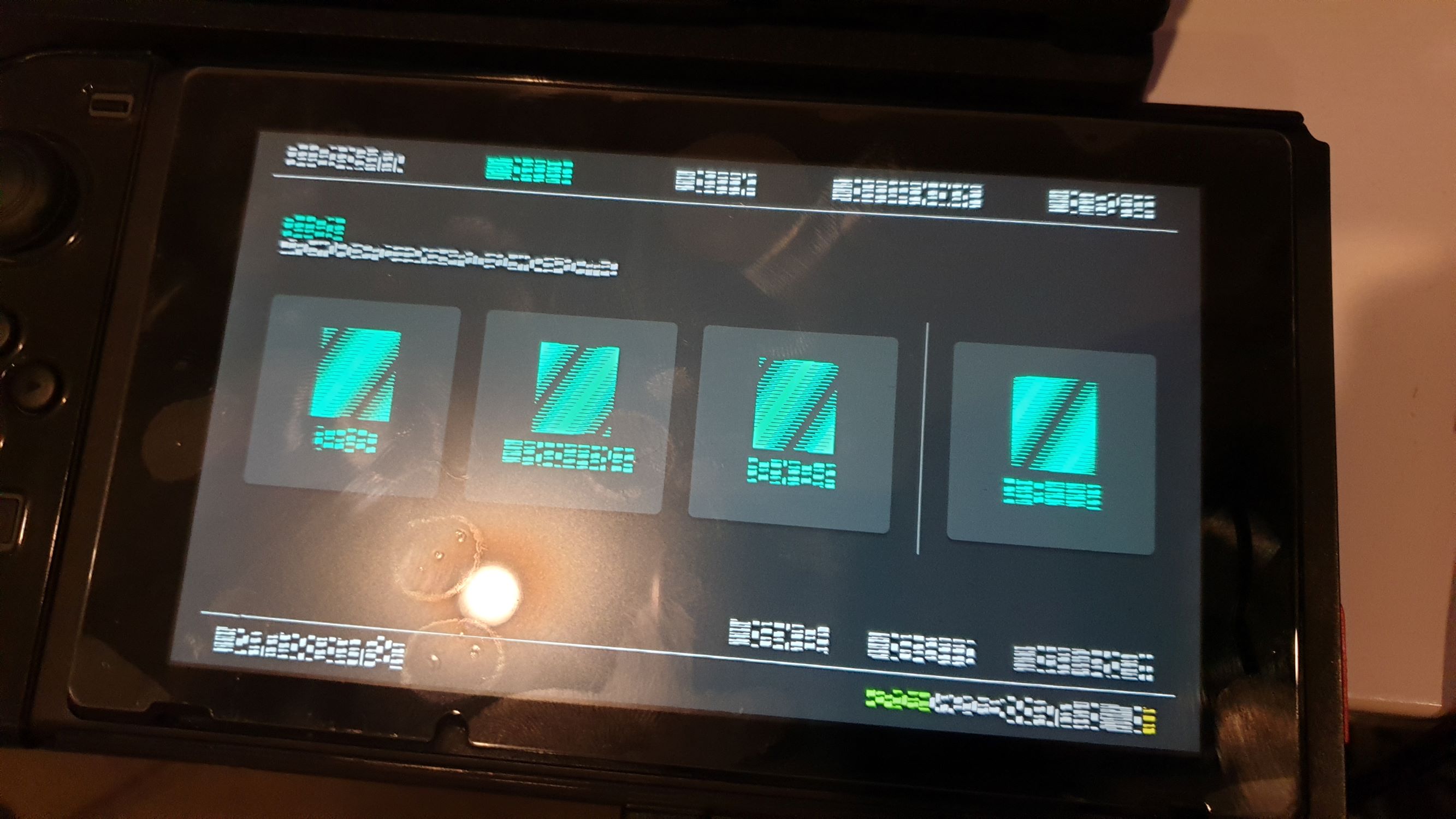
@fennectech When I delete res.pak and use TegraRcmGUI to upload hekate_ctcaer_5.0.1.bin, I don't get the old text interface; I get the new interface, but with the text and images scrambled.
MasterDriverRex
on 6 Aug 2019
Woah. Thats trippy ill take a peek at what needs to be changed to disable nyx.
fennectech
on 6 Aug 2019
nyx.bin needs to be deleted to go back to the old interface.
 NickHam13
on 6 Aug 2019
NickHam13
on 6 Aug 2019
Was just about to reply with this. You beat me to it :)
fennectech
on 6 Aug 2019
@CTCaer Can you satisfy a curiosity of mine and explain what’s causing the neat patterns? Garbage in the buffer? If its just random garbage why does it seem to have a pattern to it.
fennectech
on 7 Aug 2019
@fennectech My theory is that Nyx is attempting to read null data because it's looking for res.pak, however it can't find anything so it just reads a bunch of 1's and 0's or whatever is occupying the space.
NickHam13
on 7 Aug 2019
Undefined behavior
 m4xw
on 7 Aug 2019
m4xw
on 7 Aug 2019
I wish I knew how to program so I could understand what that means.
NickHam13
on 7 Aug 2019
It simply means behavior that is not intentionally created by the developer. Generally its a bug.
fennectech
on 7 Aug 2019
Ah, gotcha. That makes sense.
NickHam13
on 7 Aug 2019
I’m just wondering WHY it has a pattern instaid of random noise My theory is the pattern is a result of how the memory is initialized. (Ie when it’s initialized a repeating pattern is written to memory
fennectech
on 7 Aug 2019
I wonder why everything retains the same color it's supposed to be too. Maybe that color data is stored in nyx.bin?
NickHam13
on 7 Aug 2019
From how text works the color is specified within the program. The font / image data is monochromatic. You’ll notice anywhere the same letter is is going to be identical. (But lets take this to discord. AtlasNX? This is most definitly off topic
fennectech
on 7 Aug 2019
Anyway, yeah, deleting nyx.bin did bring back the old interface; thank you for that, @NickHam13 and @fennectech. Still unfortunate how emuMMC is restricted to Nyx, when Nyx doesn't work at all on my system, but oh well.
MasterDriverRex
on 7 Aug 2019
You can still set up emuMMC without Nyx. I'm pretty sure you need to compile it yourself at the emuMMC repo, extract everything to the right place, combine your boot0, boot1 and rawnand.bin, then dd it to a partition on your SD card. It should work the same.
NickHam13
on 7 Aug 2019
I’m pretty sure you dont need to compile emummc yourself. Its just a mater of setting up the config properly
fennectech
on 7 Aug 2019
Yeah, I think everything required actually comes with hekate. So he would need to flash his boot0, boot1 and rawnand.bin all combined into a single file to a partition on his SD card and set up his config file.
NickHam13
on 7 Aug 2019
@NickHam13 Which config file?
MasterDriverRex
on 7 Aug 2019
@MasterDriverRex Creating emuMMC from hekate main is not possible, because it doesn't fit in the binary. My mitigation for touchscreen like these, will be at start, a joycon driver.
Which config file?
emuMMC/emummc.ini
About the fonts/icons, it has that pattern because when RAM powers on, it doesn't have all bits as 1 or 0. They are randomly populated. There's always a MBIST that writes values for testing the ram.
Anyway let's not derail the touch panel convo here.
CTCaer
on 7 Aug 2019
I have the same problem , i used hekate to boot Android then 2 days after that when i try to use hekate the touch screen didn't work properly , just can press in some points , but on sysnand everything works fine , hope to see controller support soon.
 vassall89
on 14 Aug 2019
vassall89
on 14 Aug 2019
@vassall89 Oh, that's peculiar.
So you could use touch before.
What changed inside these 2 days? For example, did you update HOS?
CTCaer
on 15 Aug 2019
Well nothing happened in the next 2 days after trying Android... In fact i tried Android for 6 hours rebooted the console and used hekate for the second time because the playstore wasn't working... so it worked 2 times for me before stop register touch in the entire middle section of the screen,Sorry for my ignorance but what is HOS? I pretty sure didn't update nothing after tried Android!
vassall89
on 15 Aug 2019
HOS Is horizon. The nintendo switch’s operating system. (The one nintendo
made and is on all switches
FennecTECH
fennectech
on 15 Aug 2019
Sorry for my ignorance but what is HOS?
Official firmware.
MasterDriverRex
on 15 Aug 2019
So next version will have Joy-Con support as a fallback for these issues (weird or shuttered touch)
CTCaer
on 29 Aug 2019
I have the same problem , i used hekate to boot Android then 2 days after that when i try to use hekate the touch screen didn't work properly , just can press in some points , but on sysnand everything works fine , hope to see controller support soon.
same thing happen to me, touch screen work well before. i have try at least 10 times, the top menu sometimes not working too, the sub menu always not working
 taufikismailn
on 13 Sep 2019
taufikismailn
on 13 Sep 2019
Does Nyx 0.8.2 have Joy-Con support? I don't see it listed on the release page, is all...
MasterDriverRex
on 15 Sep 2019
@MasterDriverRex Next bigger version will (5.1.0).
CTCaer
on 15 Sep 2019
Just an update on this matter. It seems that newer touch panel firmware from HOS causes that issue. It may be possible to reset that state, but what I tried till now, it didn't work.
CTCaer
on 17 Sep 2019
I have the same problem , i used hekate to boot Android then 2 days after that when i try to use hekate the touch screen didn't work properly , just can press in some points , but on sysnand everything works fine , hope to see controller support soon.
same thing happen to me, touch screen work well before. i have try at least 10 times, the top menu sometimes not working too, the sub menu always not working
Fix on 5.0.2
taufikismailn
on 18 Sep 2019
@taufikismailn huh? 5.0.2 fixed the issue for you?
CTCaer
on 18 Sep 2019
@taufikismailn huh? 5.0.2 fixed the issue for you?
Yes, Touchscreen on hekate 5.0.2 now working perfectly for me
taufikismailn
on 28 Sep 2019
I tried hekate 5.0.2, nothing changes for me
paink1ller64
on 28 Sep 2019
@paink1ller64 @taufikismailn
HOS version? Asking this because 9.0.0 seems to have updated touch firmwares.
CTCaer
on 29 Sep 2019
@paink1ller64 @taufikismailn
HOS version? Asking this because 9.0.0 seems to have updated touch firmwares.
8.1.0
paink1ller64
on 29 Sep 2019
Hi same issue here, touch screen not working with Hekate, having same issue with SX OS
I also changed the Touch Screen for a new one, still not working, only top button are clickable.
Current OS 9.0.1
 CPO-EH
on 12 Oct 2019
CPO-EH
on 12 Oct 2019
@paink1ller64 @taufikismailn
HOS version? Asking this because 9.0.0 seems to have updated touch firmwares.
7.0.1 sysnand when the problem occur, i update the hekate 5.0.2 (from atlas kosmos) then it fix it by itself. Then I create emunand 7.0.1, 8.1 and 9.0.1 with sysnand still on 7.0.1 and touchscreen still working till now
When the problem happen, i've try to fix it by using exfat/fat32, use hekate from here and kosmos, restore ofw 7.0.1, using different card, but neither fix it
Sorry for late reply
taufikismailn
on 13 Oct 2019
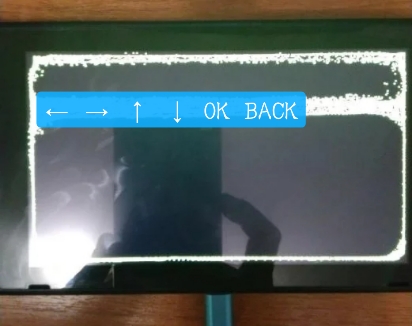
Maybe there's alternative workaround of menu navigation with touch button mapped in the effective screen area. no need for touch panel mapping info or hekate joycon driver.
 maskmark
on 19 Oct 2019
maskmark
on 19 Oct 2019
i doubt joycons will ever work in hekate.
fennectech
on 19 Oct 2019
Nyx used to work for 9.0.0 and 9.0.1, but I've updated to 9.0.2 and the latest Kosmos (via KosmosUpdater app), only for it to stop working.
Sigh...
MasterDriverRex
on 31 Oct 2019
9.0.2?
CTCaer
on 31 Oct 2019
Sorry, 9.0.1.
Nyx used to work on 9.0.0 when I manually put all the homebrew files (from SDSetup) on my microSD card; now, on 9.0.1 (not 9.0.2), Nyx is again unresponsive to touch inputs.
MasterDriverRex
on 31 Oct 2019
Yeah that's caused by hos. If you are willing, can you try these sensitivity options in HOS settings?
I'll also try some new touch commands these days and see if it fixes it.
CTCaer
on 31 Oct 2019
Wait, what "sensitivity options"?
MasterDriverRex
on 31 Oct 2019
There are options in Settings -> Controllers and sensors.
CTCaer
on 31 Oct 2019
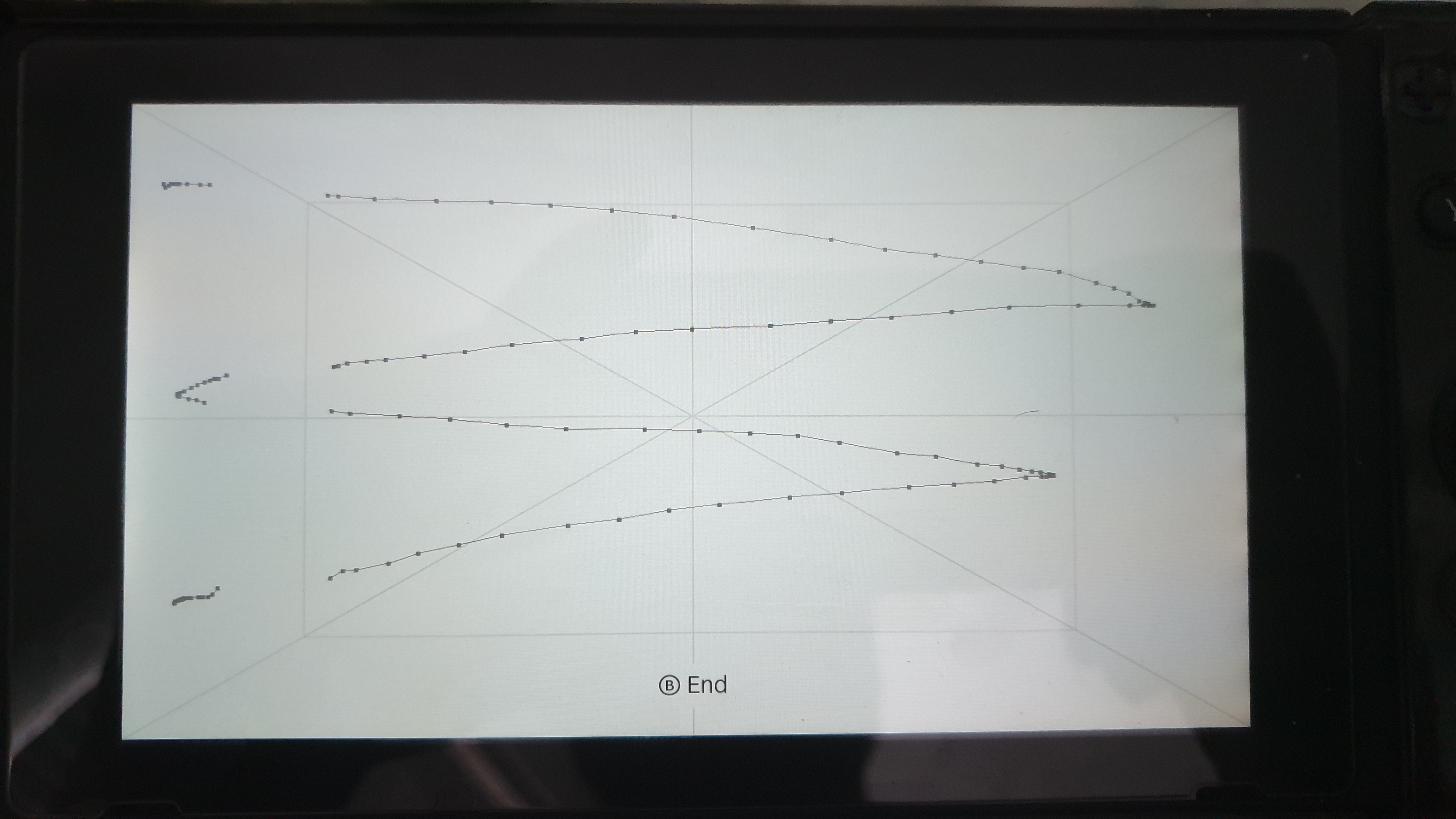
That's odd...there's a band on the left side where it suddenly jumps further to the left than I'm touching...tested it with both 'Standard' sensitivity and 'Stylus' sensitivity, and that band's still there. Also, the left border of that rectangle? It resets whatever I drew, as if I had lifted my finger up, even when I'm going in circles around it.
Touchscreen Sensitivity Issues.zip
(Had to take 8-second videos on my phone, transfer them to laptop via OneDrive, export the .mp4 files to 480p, then compress the two .mov files into that 5.5 MB .zip to upload - GitHub doesn't support .mp4 or .mov or files > 10 MB)
MasterDriverRex
on 31 Oct 2019
that's odd, but you never noticed any issues with the touch in those areas in actual games though?
and this was a launch unit?
r1cola
on 1 Nov 2019
This is a hardware fault. That space is not sensing your finger at all. you might be able to replace the digitizer if nintendo wont. Sadly can almst garentee youll get back a patched unit.
fennectech
on 1 Nov 2019
This is a hardware fault. Call nintendo mate
...or not, hehe
likely they would be able to tell that unit's "illicit" history ;)
r1cola
on 1 Nov 2019
Well. if you use choidujorNX to do a downgrade while factory resetting it. then updating it with no autorcm and booting stock. it will line everything up. Youll prolly be just fine.
fennectech
on 1 Nov 2019
But. youll likely get back an ipatched unit if not mariko. so. thats one down side. You can send it to a 3rd party repair place
fennectech
on 1 Nov 2019
Not at all familiar with choidujorNX (and almost certainly burned those 'fuses' anyway), and I haven't used autoRCM in a while.
Besides, I mostly use my Switch in docked mode - for better visuals, and to use my Wii U Pro Controller via Magic-NS (which is a much more comfortable controller than the official two options) - so the band doesn't really bother me much, and I've got homebrew set up so as soon as I send the hekate_ctcaer payload it goes straight to emuMMC, skipping past Nyx.
This does mean I can't change any Nyx/hekate settings, but that's not really a problem; it's only when I have to reboot to Nyx/Hekate Menu that it becomes slightly annoying (having to hard reset my Switch then connect it to my laptop for the payload).
MasterDriverRex
on 1 Nov 2019
Anyway, doesn't most of the homebrew stuff live on the microSD card? What would Nintendo be able to find on my system memory, if I were to send my console in? Lastly, wouldn't a reformat ("Restore Factory Settings") clear out leftover homebrew in system memory?
MasterDriverRex
on 1 Nov 2019
there are definitly stuff on the console. efuses mismatching system software version. Reminants and homebrew titleIDs. who knows what else is in the system storage. restore factory settings in the switch’s settings wont work becuase it doesnt actualy reset it to a factory state just resets all settings and formats /user . ChoidujorNX is idiot proof. just follow the directions
fennectech
on 1 Nov 2019
digressed again haven't we.
maskmark
on 7 Nov 2019
Lol. Its verry easy to drag me off topic.
fennectech
on 7 Nov 2019
Please try the new version. I made a change to the driver.
The fall back way is moved for v5.2.0. Which will happen in the next 1-2 weeks
CTCaer
on 8 Dec 2019
Decided to update Atmosphere and CTCaer in order to then update to ofw 9.1.0.
Touch still not working on Nyx.
MasterDriverRex
on 10 Dec 2019
I see. Nyx update in the next weeks will bring the fallback support.
I will still try and investigate that issue though.
CTCaer
on 10 Dec 2019
boot hekate 5.1.0 with sysnand horizon 7.0.1, touch still not working in nyx.
maskmark
on 11 Dec 2019
boot hekate 5.1.0 with sysnand horizon 7.0.1, touch still not working in nyx.
Horizon 7.0.1? I'm guessing there's a reason you haven't updated in about a year - patched unit?
i don't see such reason matters or just ur curiosity haha.i have 3 units with hos ver 4.1.0,7.0.1and 9.1.0. only this one encounters the nyx touch bug(and also sx os boot screen touch bug).
maskmark
on 11 Dec 2019
Dude, chill. Sometimes, a question is just a question. Not every sentence has to be important to be useful to the curious
 Masamune3210
on 11 Dec 2019
Masamune3210
on 11 Dec 2019
I'm having this issue with my touch screen not working with Nyx. Any suggestions on how to get this fixed? If I keep tapping the screen a whole lot I can sometimes get into one of the top tabs (Home, Tools, Options, etc.) I can also sometimes take a screen show if I tap the screen with three fingers. My touch screen works normally if I play a game.
 oster200
on 13 Jan 2020
oster200
on 13 Jan 2020
Well there are 4 actually. Touch IC remains the same. Same goes for the drivers (they cover the different cases, based on calibration info).
Only touch panels should change.
The fw sent is what probably defines the API that the panel must speak to IC.
Is it possible to specify/override and tell the payload (such as AMS or other HOS variants) which one we have, through a config or similar?
I seem to need E226116, though I keep getting K12D from sellers, and touch doesn't work in the central area of the screen in HOS.
Works perfect in Nyx.
EDIT for clarification: So I essentially have the reverse issue.
Panel doesn't work in HOS, but works fine in Nyx (HOS 9.1.0 with Hekate 5.1.1)
 Nitrus
on 23 Jan 2020
Nitrus
on 23 Jan 2020
@Nitrus
There is versioning that HOS checks and acts upon it.
It's how it finds what fw to use for that panel. And ofc this function has a default if a suitable panel hw version is not found.
@oster200
I still haven't found out the cause of that. But at least the new version will have a fallback.
CTCaer
on 23 Jan 2020
That's odd...there's a band on the left side where it suddenly jumps further to the left than I'm touching...tested it with both 'Standard' sensitivity and 'Stylus' sensitivity, and that band's still there. Also, the left border of that rectangle? It resets whatever I drew, as if I had lifted my finger up, even when I'm going in circles around it.
Touchscreen Sensitivity Issues.zip
(Had to take 8-second videos on my phone, transfer them to laptop via OneDrive, export the .mp4 files to 480p, then compress the two .mov files into that 5.5 MB .zip to upload - GitHub doesn't support .mp4 or .mov or files > 10 MB)
My touchscreen not working (again). i have similar result by test touch screen. im on v5.1.1 and working fine before
Could you please add button(power+volume button) support for next release?
taufikismailn
on 3 Feb 2020
@taufikismailn yeah it's in my plans. But it will be something faster.
As for the issue, I don't really know why that happens. The fw that HOS uploads seems funky.
Plus that it makes replacing the panel a nightmare.
HOS only has fw for the panels btw. The touch chip is the same to all.
CTCaer
on 3 Feb 2020
@taufikismailn yeah it's in my plans. But it will be something faster.
As for the issue, I don't really know why that happens. The fw that HOS uploads seems funky.
Plus that it makes replacing the panel a nightmare.HOS only has fw for the panels btw. The touch chip is the same to all.
Thank you very much!
taufikismailn
on 3 Feb 2020
@CTCaer
I still haven't found out the cause of that. But at least the new version will have a fallback.
I just wanted to update this post and say that I got mine to work. I had a feeling it was something hardware related. This switch was used when I bought it, and had a scratched screen. When I tested the screen it worked fine, but had a very small section that didn't. You would never notice it when playing games. I bought a new digitizer and LCD screen. I replaced them and its working great.
oster200
on 6 Feb 2020
Would I still be able to an emuMMC if I delete Nyx and use the text options? If so, how?
 Twinsrule90
on 12 Feb 2020
Twinsrule90
on 12 Feb 2020
@Twinsrule90 to an emuMMC what? Please insert verb.
If you mean create, no. If you mean boot, yes.
CTCaer
on 12 Feb 2020
Sorry I meant create and okay good to know.
Twinsrule90
on 12 Feb 2020
this got fixed in rev5.1.2 or not guys?i can't test right now.
maskmark
on 3 Mar 2020
@maskmark Probably not, but you can try because I added one more command on the touch init.
CTCaer
on 3 Mar 2020
this got fixed in rev5.1.2 or not guys?i can't test right now.
still not working for me
taufikismailn
on 7 Mar 2020
There are some reports that say that running stock once, fixes the issue.
Can someone try that?
CTCaer
on 7 Mar 2020
After replacing my touchscreen with a new one, the problem was solved. Everything works fine for me now
paink1ller64
on 11 Mar 2020
After replacing my touchscreen with a new one, the problem was solved. Everything works fine for me now
but of course——if that was a touch screen of another type
maskmark
on 11 Mar 2020
@CTCaer might be intristed in getting your touch screen that didn’t work
fennectech
on 11 Mar 2020
We checked it already with @paink1ller64
Turns out both old and new touch panels are the same model NFT-K12D. Even the revision is same (C3)...
CTCaer
on 11 Mar 2020
So what's the takeway? The old panel was faulty or that there are differences in even the same model of panels?
Nitrus
on 11 Mar 2020
The takeway is unknown.
I will make a new touchscreen init today btw. Whoever wants to test it, find me in retronx discord.
You will be added to a testing group.
CTCaer
on 12 Mar 2020
I will need testers for this: https://github.com/CTCaer/hekate/commit/8539095bdbe1f5ca20aa98cd8447577aea384a46
EDIT:
test binary: https://github.com/CTCaer/hekate/files/4328504/nyx.zip
Replace /bootloader/sys/nyx.bin
CTCaer
on 13 Mar 2020
I will need testers for this: 8539095
EDIT:
test binary: https://github.com/CTCaer/hekate/files/4328504/nyx.zip
Replace/bootloader/sys/nyx.bin
HOS ver 7.0.1 ,hekate rev 5.1.2 with original nyx 0.85 , boot good but nyx touch not working;
with the 8539095 commit nyx.bin replacing the originla one, boot stuck on the "Hekate-ipl" screen.
enter the offical HOS once and inject hekate again, still stuck on the "hekate-ipl" logo.
9.0.1 not tested.
maskmark
on 13 Mar 2020
@maskmark
try this one:
nyx2.zip
CTCaer
on 13 Mar 2020
@maskmark
try this one:
nyx2.zip
no luck. still stuck on ''hekate-ipl'' logo. while the original nyx 0.85 can boot to HOS UI.
maskmark
on 13 Mar 2020
You have discord? You can find me in retronx discord. It would be faster to debug where it stops this way.
CTCaer
on 13 Mar 2020
You have discord? You can find me in retronx discord. It would be faster to debug where it stops this way.in
My discord and vpn both got blocked these days cuz I live in China. Sorry for the inconvience,CTCaer.
maskmark
on 13 Mar 2020
Added display reinit at start and prints (numbers), it might shed some light on where it stops:
nyx3.zip
(if you see black and white stripes, they are normal with this build)
CTCaer
on 13 Mar 2020
Added display reinit at start and prints (numbers), it might shed some light on where it stops:
nyx3.zip
(if you see black and white stripes, they are normal with this build)
result in this.
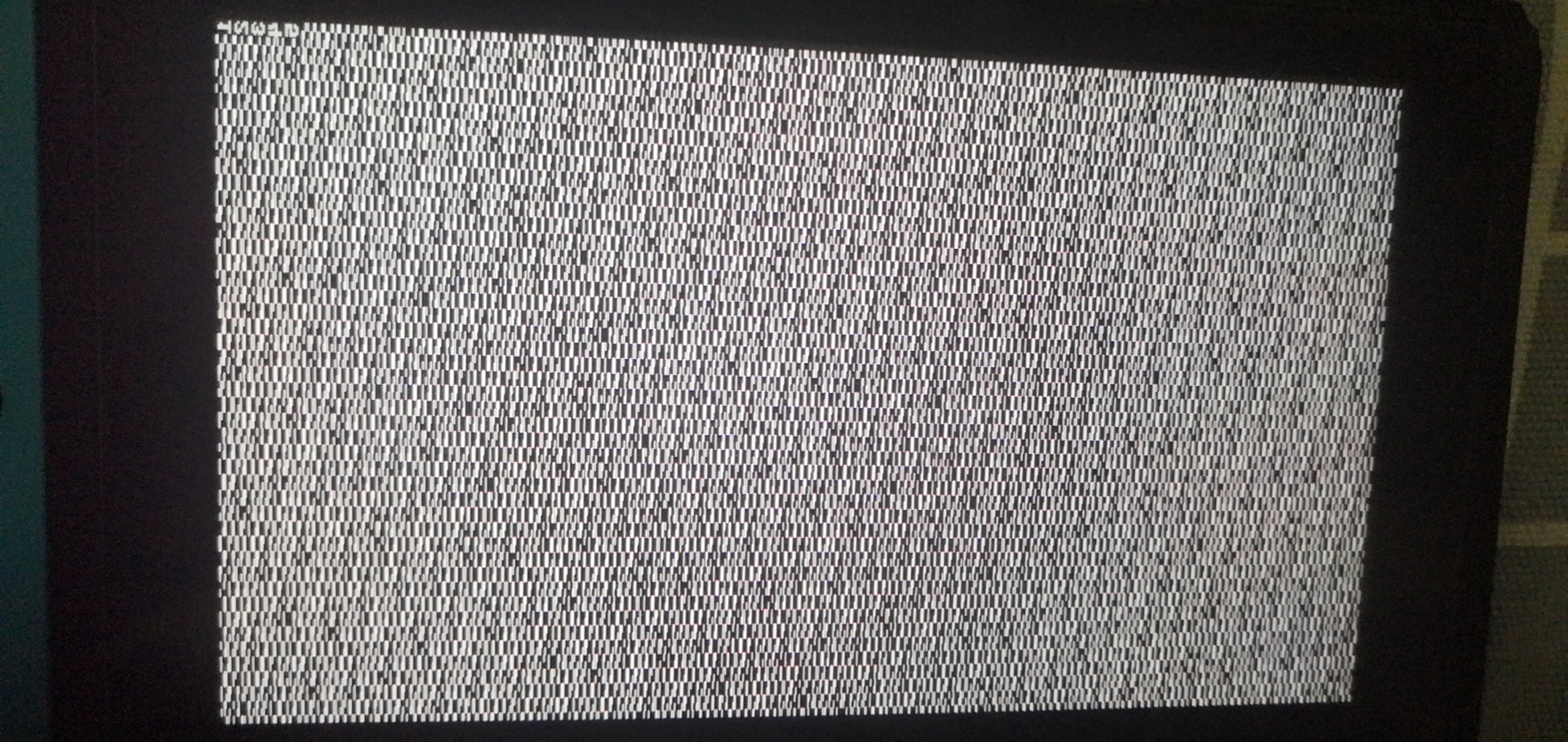
can you guys see the pic?
maskmark
on 13 Mar 2020
Hmm so it reaches that point. Next:
nyx4.zip
CTCaer
on 13 Mar 2020
Hmm so it reaches that point. Next:
nyx4.zip
this time it's like this.
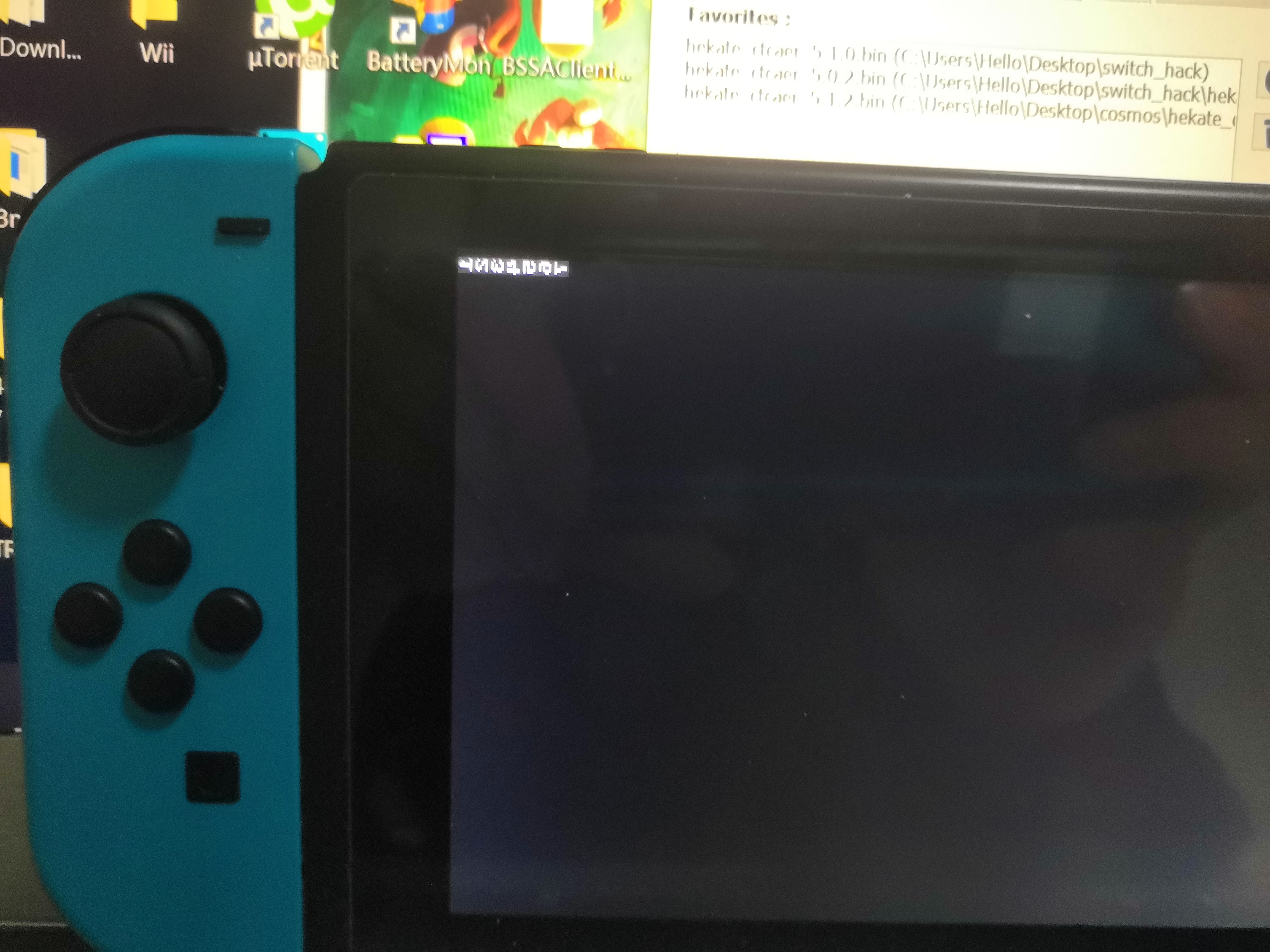
maskmark
on 13 Mar 2020
@maskmark Bingo it's the new touchscreen init. It stucks on wait controller ready.
Try this one:
nyx5.zip
I made some changes to the order. It now waits for controller to get ready without the need of sleeping. Then it resets, waits 10ms and waits for the controller. I may need to up this to 20ms though, or just remove the reset (it's not really needed in our case).
CTCaer
on 13 Mar 2020
@maskmark Bingo it's the new touchscreen init. It stucks on wait controller ready.
Try this one:
nyx5.zipI made some changes to the order. It now waits for controller to get ready without the need of sleeping. Then it resets, waits 10ms and waits for the controller. I may need to up this to 20ms though, or just remove the reset (it's not really needed in our case).
hahaha!finally
when I inject hekate512 with nyx5.bin,it was like this——
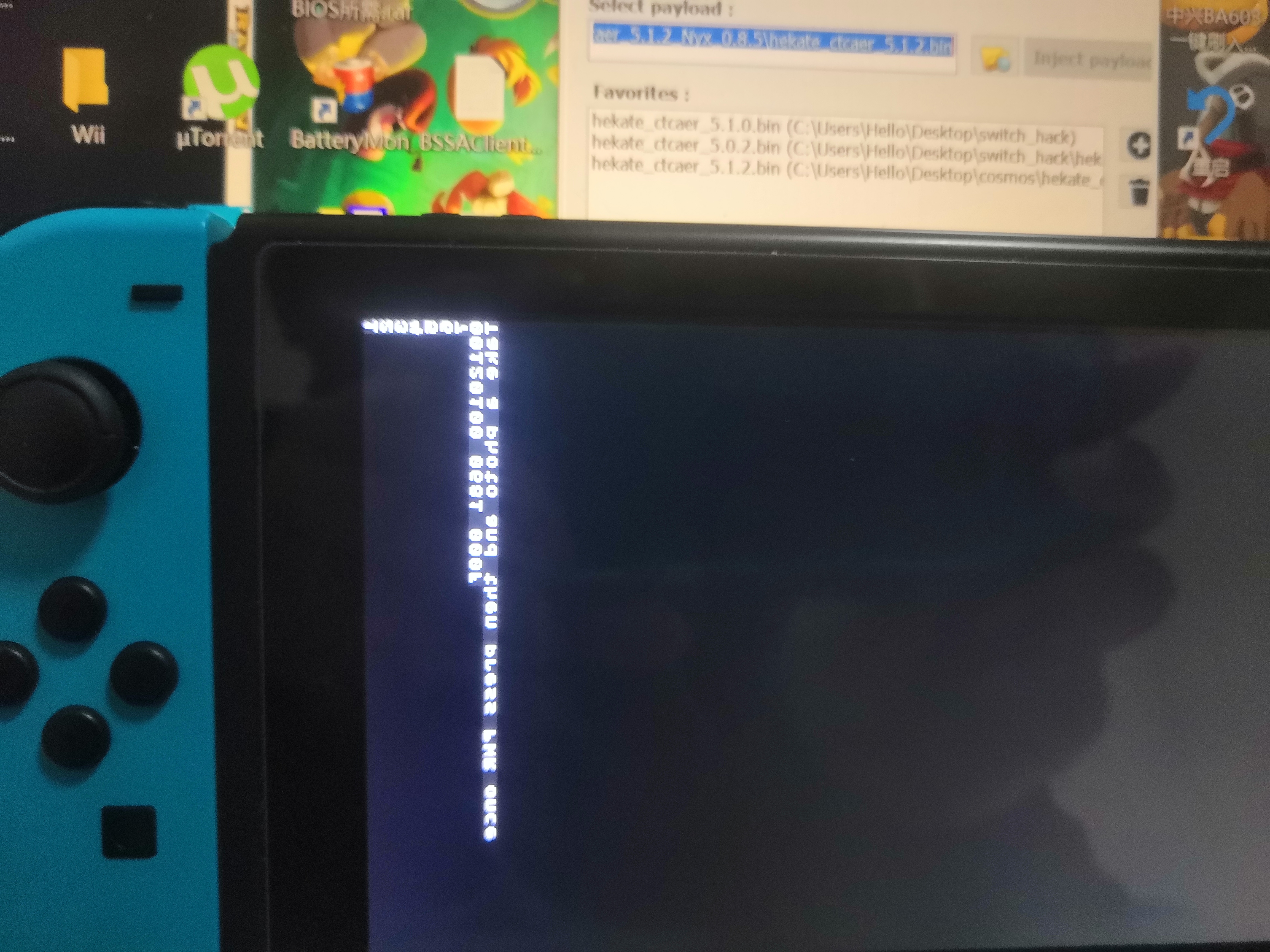
then I took the pic for report and press the power button,screen turned up to this——
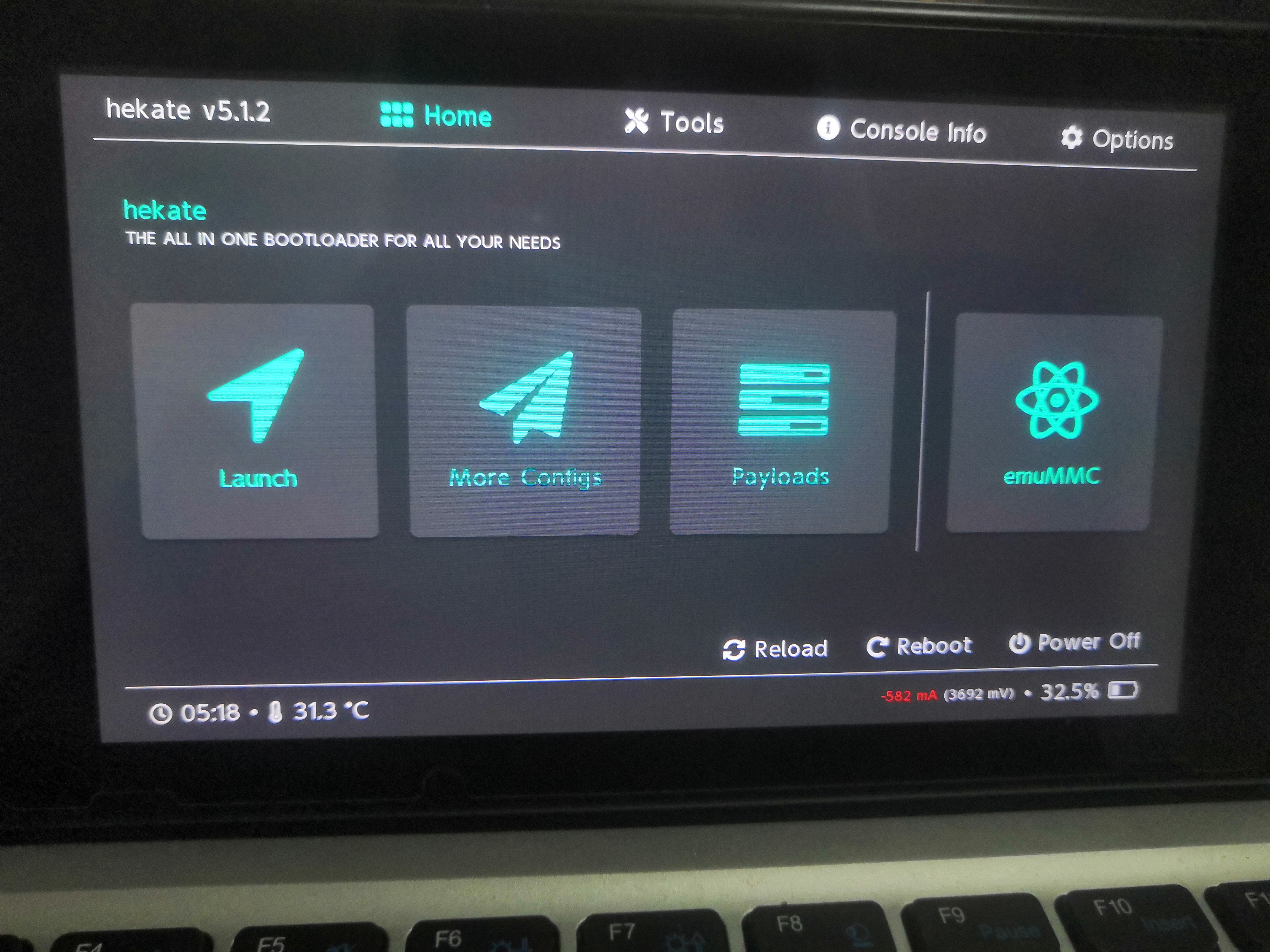
then I tested the touch——it was initialed CORRECTLY and fully usable, I mean every screen area or buttons I test for a few minutes.
the I used the power off feature to shut down the unit and tried again. it was like this——
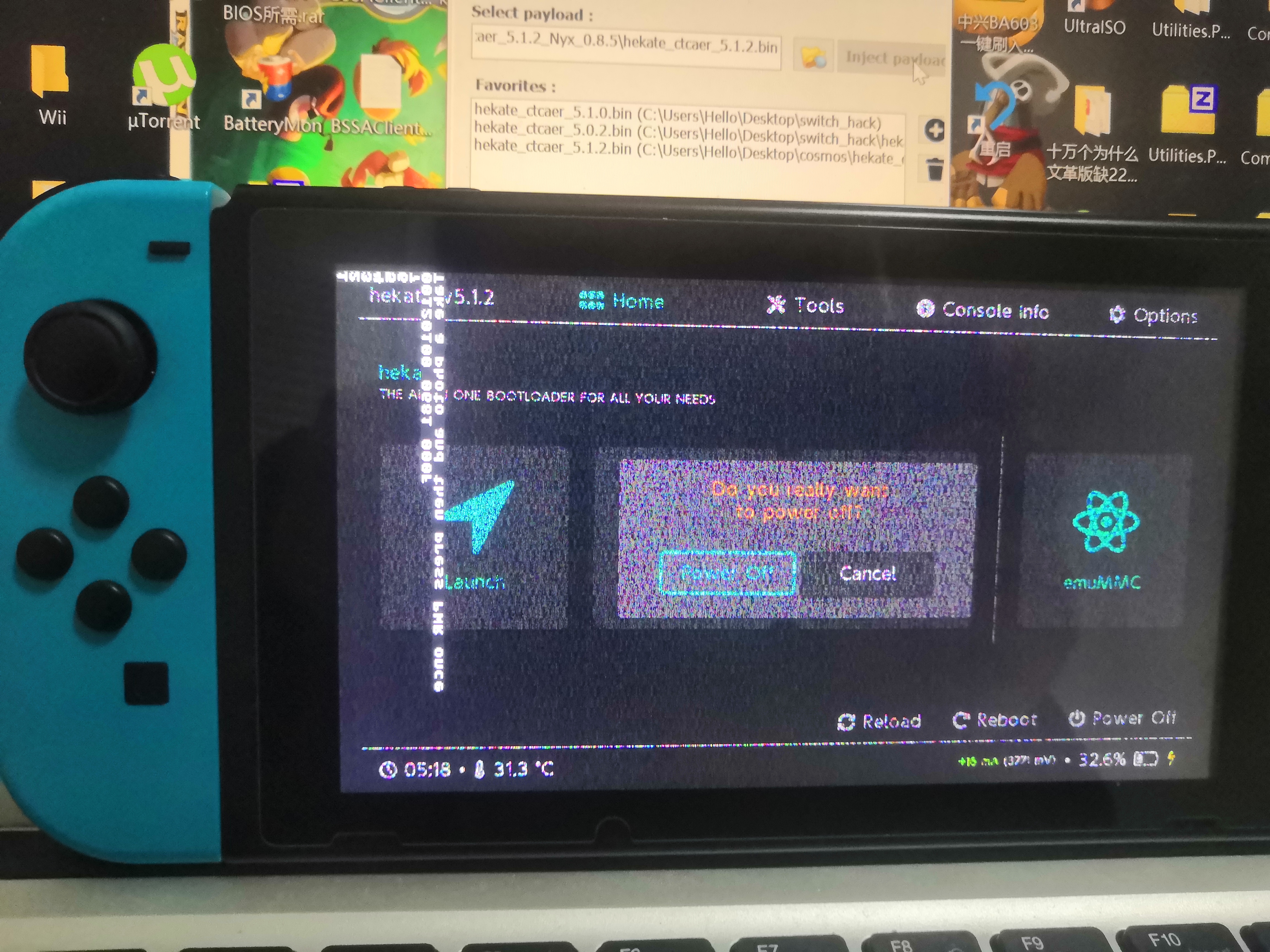
press po'wer button once and it was still functioning great.
U R GREAT CTCaer
maskmark
on 13 Mar 2020
BTW, I test the controller support.if this meant to be a controller-supporting nyx,niether the system buttons or joycon's functioned.
maskmark
on 13 Mar 2020
Yeah these glitches are normal on this build because of what I did.
So I suppose it's now fixed once and for all.
Just to make sure, here's another one, that has all debugging stuff disabled:
nyx6.zip
Please test the following:
- Works everytime you reboot or power off (2 different things).
- Works everytime you power off or reboot from HOS (CFW or OFW)
- Make sure that you can't hover touch (if you place the finger close but without touching the screen, it should not register a touch).
PS: By controller, I mean the touch screen controller (IC).
EDIT:
Btw your touchscreen fw is the same as mine.
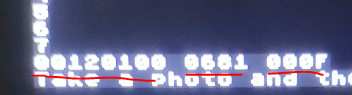
But it seems that all the previous Nyx releases didn't work for you, but worked for me. Strange.
CTCaer
on 13 Mar 2020
Yeah these glitches are normal on this build because of what I did.
So I suppose it's now fixed once and for all.
Just to make sure, here's another one, that has all debugging stuff disabled:
nyx6.zipPlease test the following:
- Works everytime you reboot or power off (2 different things).
- Works everytime you power off or reboot from HOS (CFW or OFW)
- Make sure that you can't hove touch (if you place the finger close but without touching the screen, it should not register a touch).
PS: By controller, I mean the touch screen controller (IC).
yeah i got it. I m stuck in creating EMUMMC right now and will test that in a few minute. thanks CTCaer!
maskmark
on 13 Mar 2020
No problem. Thanks for testing.
CTCaer
on 13 Mar 2020
No problem. Thanks for testing.
tested all these boot case (reboot to RCM in nyx/cfw, power off in nyx/cfw/ofw and then power on into RCM,and reboot from ofw then power off then power on into RCM)and tested touch in NYX, twice for each,it seemed to function correct in all cases.
tested for touch sensitivity, no weird things happen. no exact touch , no UI react.
maskmark
on 13 Mar 2020
unfortunately, no matter how I tried deleting nand games,format SD card or format the console before I create a EMUMMC, it turned out every time I load a CFW with the EMUMMC made by the nyx there will always be a error screen says program 0100000000001000 error 2021-0003.always the same.anybody knows why? is this a nyx-related issue?

maskmark
on 13 Mar 2020
unfortunately, no matter how I tried deleting nand games,format SD card or format the console before I create a EMUMMC, it turned out every time I load a CFW with the EMUMMC made by the nyx there will always be a error screen says program 0100000000001000 error 2021-0003.always the same.anybody knows why? is this a nyx-related issue?
good.when I used hekate 5.02 and AMS0.94, it works.
no idea it's hekate or AMS related. go on testing.
update: it's an AMS0.10.3 issue(on HOS7.0.1). AMS0.10.2 can do with hekate 5.11 or 5.12 on EMUMMC CFW loading. case closed.
maskmark
on 13 Mar 2020
It's a sysmodule or archive bits or a theme issue. But anyway it has nothing to do with hekate.
Thanks for testing. I will mark the issue fixed but not close it until release.
CTCaer
on 14 Mar 2020
Fixed via:
https://github.com/CTCaer/hekate/commit/8539095bdbe1f5ca20aa98cd8447577aea384a46
https://github.com/CTCaer/hekate/commit/c9c3c8f7163641e44e86b072f92cebe3620e4b04
Testing nyx.bin
CTCaer
on 14 Mar 2020
So is Nyx6.zip safe to use outside of testing?
MasterDriverRex
on 14 Mar 2020
@MasterDriverRex
Yeah. It's dev branch based on https://github.com/CTCaer/hekate/commit/c9c3c8f7163641e44e86b072f92cebe3620e4b04
If you try it, report results here.
CTCaer
on 14 Mar 2020
Touch now works, but now when I try to Launch into CFW it cycles back around to the Hekate menu. Odd.
Tried it both with Nyx6 and without Nyx entirely (the old Power, Vol + and Vol - menu), but still refuses to boot into CFW.
Likely unrelated and due to me cutting everything from my SD card (and pasting on my computer), including the Nintendo and emuMMC folders, in order to get a clean CFW install (no more junk on the card, hogging space), but still weird. Nyx works now, which is likely the only related thing. shrug
MasterDriverRex
on 14 Mar 2020
@CTCaer I have proven this works - this makes Nyx inherit the touch behaviour from HOS, so in that regard it's great.
This poses a problem for me though - I have one of those K12D vs. E226116 issues.
This means that when I boot into Nyx now, the touch doesn't work across the whole screen - just like in HOS.
It is however working okay with the old nyx.bin (from official release)
I know my issue isn't relevant to Nyx, it only proves that your changes work.
However, do you have any suggestions to help me with my issue?
Nitrus
on 14 Mar 2020
Which parts do not work? Normally these are on the left side and should't affect nyx match.
Also, I prefer having some tests first instead of having a configurable init.
CTCaer
on 14 Mar 2020
Everything seems to work fine on my end. Initially got a red screen loading sysnand, but simply had to update my modules (downloaded/used the latest cosmos package since I don’t know where those kips come from... they don’t match the kips built in Atmosphere... I did remember to replace Atmosphere and nyx.bin again after doing so).
 urherenow
on 15 Mar 2020
urherenow
on 15 Mar 2020
@CTCaer only about 1cm from the edges works reliably. The whole central area does not work - I've had the same behaviour with multiple different K12 panels (I think 4 at this point), two different gamecard slots and three different displays although the display shouldn't matter I think. My original E226116 works most reliably actually, though that one has a rectangular area on the right side that's gone due to physical damage.
With the new nyx.bin I am barely able to run Atmo, though "More configs" or "Payloads" are impossible to get to (for e.g. android)
Is it possible to forward the Nyx values to HOS somehow? I started looking into a custom sysmodule but I am too inexperienced on this platform still.
Nitrus
on 15 Mar 2020
@Nitrus
Can you find me in retronx discord?
CTCaer
on 15 Mar 2020
So with @Nitrus testing, I found a way that fixes all issues with touch screens.
It also fixes them inside HOS.
This means that you don't need to even search for the correct model when buying replacements anymore.
I will add a tool inside nyx that fixes them.
CTCaer
on 15 Mar 2020
Thats actually pretty rad!
fennectech
on 15 Mar 2020
Hmm...I've now reformatted my microSD card several times and used Nyx6 to create emuMMC all those times.
It either loops back around to Hekate (I don't know how that works) or brings up a yellow "Panic occurred while running Atmosphere" error (TitleID: 010041544D530000. Error desc: std::abort() (0xFFE)).
Even when I copy over all the files from a fresh Atmosphere+Hekate download or a Kosmos download, replacing Nyx6 with the official non-functional release and almost surely getting rid of pretty much all traces of Nyx6 - aside from the emuMMC folder; that remains untouched since it didn't come with the .zips - I still get issues.
Spent the last couple of days trying to get it to work, I have. No clue where to go from here.
MasterDriverRex
on 17 Mar 2020
nyx and hekate has nothing to do with that. You just did a correlation.
Run archive bit fix. Both options.
CTCaer
on 17 Mar 2020
That worked!
I didn't even _think_ of fixing the archive bits, since I have no idea what that means and what they do.
Thank you, @CTCaer !
MasterDriverRex
on 17 Mar 2020
Archive bits are something that old operating systems used to decide weather a file has been backed up or not. Switch uses them to indicate to the os that its a split file thats over 4gb. Archive bits on non spit folders will trigger general weirdness
fennectech
on 17 Mar 2020
Finally this can be closed with https://github.com/CTCaer/hekate/commit/91a241dafa8a55a2fe2f07e75a798441d75fcbd6
For anyone that has a touchscreen with the issue, just boot Nyx while holding VOL- and VOL+.
And do not touch the screen until you see the home screen.
The tool version of this will come later.
CTCaer
on 21 Mar 2020
Related issues
 coffeeken
·
4Comments
coffeeken
·
4Comments
 H4X0R46
·
7Comments
H4X0R46
·
7Comments
 tegutistgut
·
3Comments
tegutistgut
·
3Comments
 Darky2k1
·
4Comments
Darky2k1
·
4Comments
 Klauserus
·
4Comments
Klauserus
·
4Comments
Most helpful comment
So with @Nitrus testing, I found a way that fixes all issues with touch screens.
It also fixes them inside HOS.
This means that you don't need to even search for the correct model when buying replacements anymore.
I will add a tool inside nyx that fixes them.