Heidisql: Query tab resizes after minimize then maximize
Steps to reproduce this issue
- Open a Query tab
- Drag the bottom of it to make it bigger
- Minimize HeidiSQL to toolbar
- Click to refocus/maximize HeidiSQL from the toolbar
- Observe the query tab having been resized
Current behavior
Unexpected resize of ALL tabs on maximize following minimize. Not sure when this started happening. Maybe a week or so now.
Expected behavior
Maximize after minimize to preserve query tab size
Environment
- HeidiSQL version:
11.0.0.6067 - Operating system:
Windows 10 Version 1909 OS Build 18363.959
 WesleyM77
All 5 comments
Just tried to reproduce that here, with a fourth query tab having 19 visible lines, after minimize/maximize still 19. Increasing to 39 lines does the same. Please post a screen of the sizes, so I can dig into that.
 ansgarbecker
on 4 Aug 2020
ansgarbecker
on 4 Aug 2020
Is this what you need?
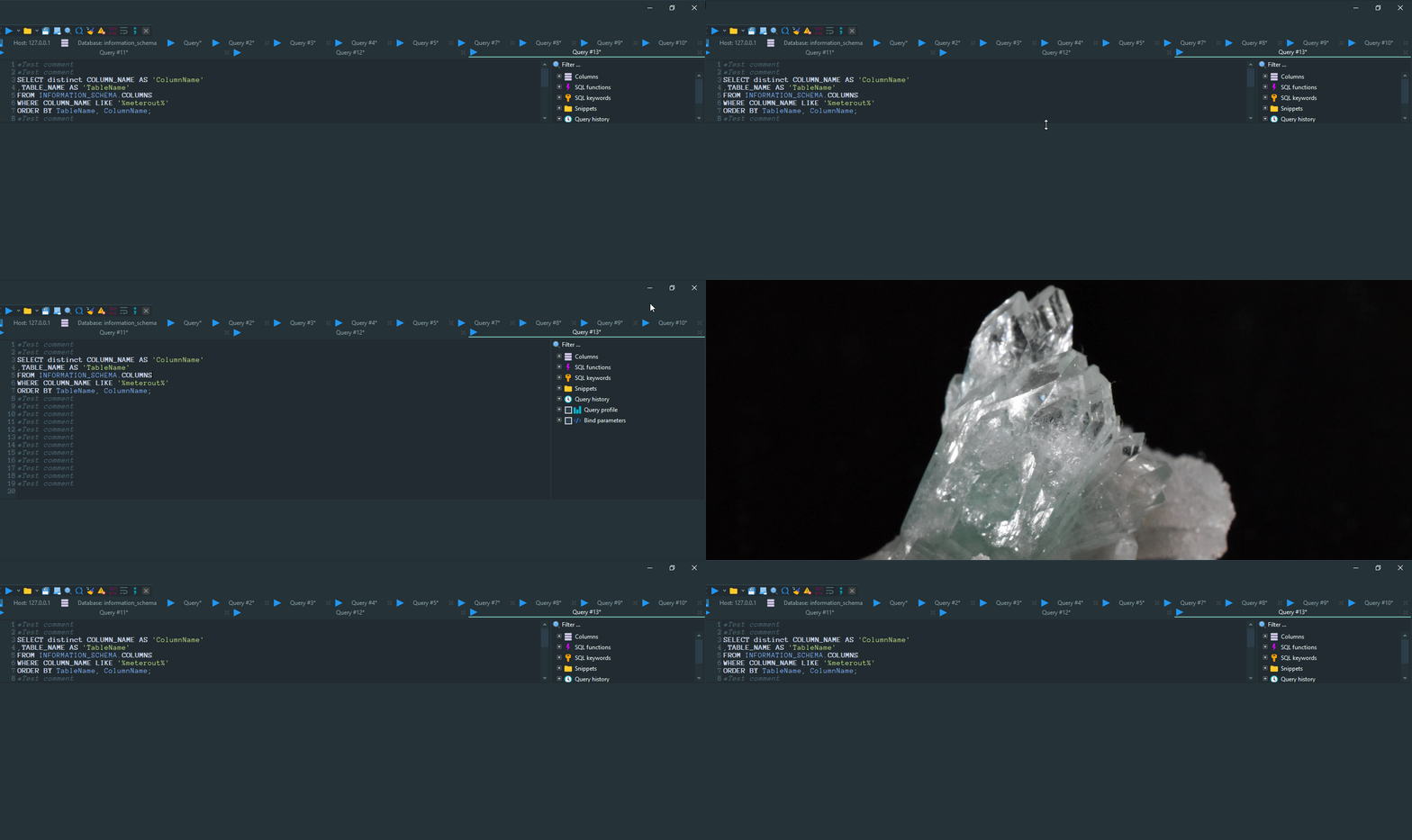
The dragging to make it bigger is the beginning of the loop, btw.
WesleyM77
on 4 Aug 2020
After some more investigation, here's the steps I found in order to get this to _stop_ happening:
- Open a fresh HeidiSQL session.
- Observe the above behavior by increasing a query tab's height, minimizing, and maximizing to get the query tab height to reset.
- Restore down (the button between minimize and close).
- Now, if you were to maximize at this point, you could still compete step 2.
- Drag the bottom right corner of the window to make the window larger.
- Maximize.
- Drag query tab to a larger height.
- Minimize, then Maximize.
- No longer observe auto-resizing of query tab behavior.
I hope this is clear enough to help reproduce and possibly find a cause.
WesleyM77
on 5 Aug 2020
I have the same problem, it's super annoying.
 HerrimanCoder
on 20 Oct 2020
HerrimanCoder
on 20 Oct 2020
This is still an issue, My heidisql resizes all my query tabs to "2 lines height" when I minimize and maximize every time.
Any progress on fixing this problem?
 nrazon
on 19 Jan 2021
nrazon
on 19 Jan 2021
Related issues
 mpaland
·
5Comments
mpaland
·
5Comments
 rentalhost
·
5Comments
rentalhost
·
5Comments
 naoma123
·
3Comments
naoma123
·
3Comments
 hrvoj3e
·
4Comments
hrvoj3e
·
4Comments
 hkaraoglu
·
3Comments
hkaraoglu
·
3Comments