Hammerspoon: Detect re-draw/re-position in macOS
Hello,
It would be a "nice to have" to be able to detect when an on-screen element has changed position.
My particular use-case involves hs.menubar. macOS Menubar items are frequently appearing and/or changing their widths. This affects the positioning of every other macOS menubar item to that item's left. In my case, I'm using hs.spotify to get the current track's position and am displaying a progress bar under the track's title in my hs.menubar instance. When the track changes and the length of the track title changes (or something else in the macOS menubar changes), the position of the hs.menubar item changes, too, making my progressbar paint off. I get around this by running a timer to check for new track and new position every X seconds, but this seems a bit hacky. It would be great to detect "on-screen position of hs.menubar has changed" and act accordingly.
Thoughts? Thanks for all the work done on Hammerspoon.

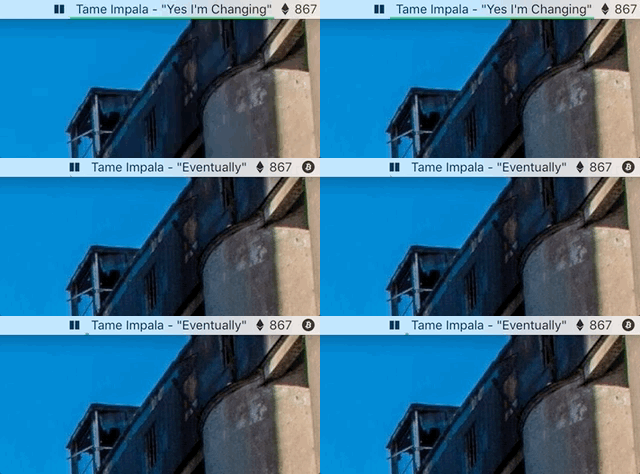
Basics of current progress bar:
currentSongPositionPercentage = obj.currentSongPosition / obj.currentSongDuration

obj.spotifyTitleMenuFrame = obj.spotifyTitleMenu:frame()
if obj.currentSongProgressBar then
  obj.currentSongProgressBar:delete()
end
obj.currentSongProgressBar = hs.drawing.line({
  x = obj.spotifyTitleMenuFrame.x,
  y = obj.spotifyTitleMenuFrame.h - 2
},
{
  x = obj.spotifyTitleMenuFrame.x + (obj.spotifyTitleMenuFrame.w * currentSongPositionPercentage),
  y = obj.spotifyTitleMenuFrame.h - 2
})
alpha = 1
obj.currentSongProgressBar:setStrokeColor({['hex'] = '1db954', ['alpha'] = alpha})
obj.currentSongProgressBar:setStrokeWidth(4)
obj.currentSongProgressBar:show()
Call function that re-titles menubar item and re-draws progress bar:
obj.spotifyTimer = hs.timer.doEvery(0.5, function()
  if hs.spotify:isRunning() then
    obj:setSpotifyMenus() -- execute the above code + a bunch of unrelated things
  end
end)
Edit: full lua file for my Spotify spoon is here.
 rsefer
All 10 comments
The only way I can think of doing this is via @asmagill's experimental hs._asm.axuielement.observer extension, unless there's an AppleScript callback when Spotify changes tracks?
Maybe something like this:
on displayTrackName(trackName)
  display notification "Currently playing " & trackName

  -- A delay is set added make sure the notification is shown long enough before the script ends
  delay 1

end displayTrackName
...as documented here.
 latenitefilms
on 27 Feb 2018
latenitefilms
on 27 Feb 2018
Actually... thinking about it, another option would be to use hs.canvas to draw an image which includes the text and the progress bar as a single image object which you could use as an icon in the menubar?
latenitefilms
on 27 Feb 2018
@latenitefilms Brilliant! I would have never thought of using hs.canvas -> hs.image -> hs.menubar:setIcon() but it worked. Thanks so much.
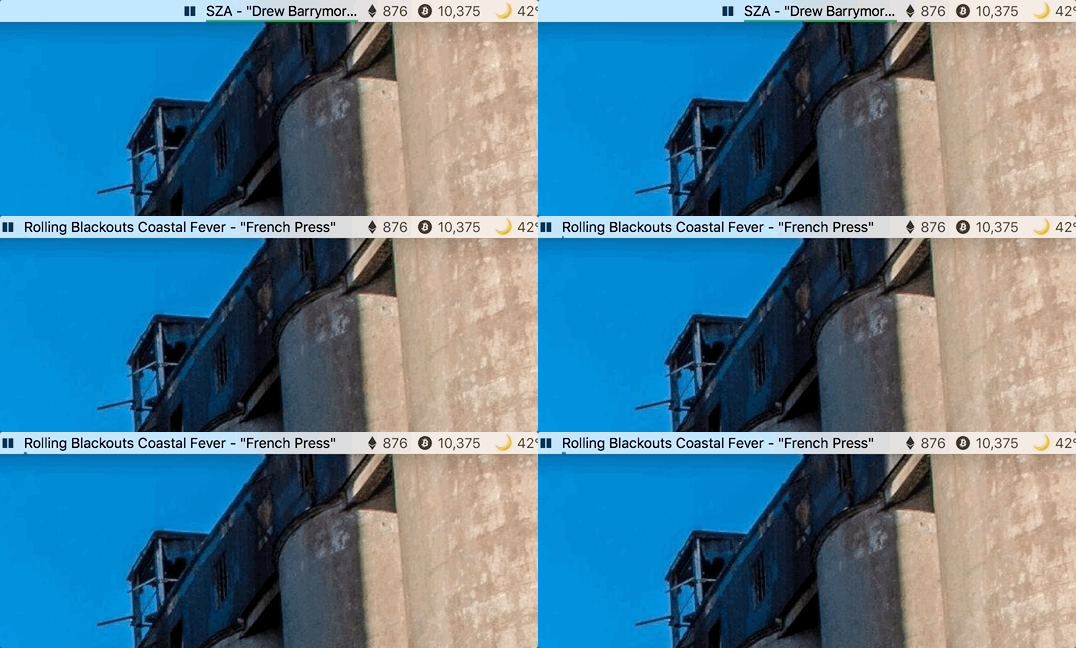
Hangups to keep in mind for anyone who might be interested in trying this:
- Be sure to include the 2nd argument of
falseinsetIcon()if you want your colors to work, like so:yourMenu:setIcon(yourCanvas:imageFromCanvas(), false). More here. Lost a good half hour trying to figure out why every color was black! - I couldn't find a way to reliably determine the exact width of the text. macOS's default font of San Francisco – used in the example gif – is serif and doesn't work very well, hence the ellipses. Using a monospace font allows for an approximate calculation. Measure the approximate width of each character at your desired textSize and multiply it by the number of characters in your string.
- This chunk of code causes Hammerspoon to crash about 25% of the time when I happen to reload Hammerspoon while Spotify is playing. Unclear if this is due to my bad code or possibly a bug in hs.canvas
if obj.showCurrentSongProgressBar then
  currentSongPositionPercentage = obj.currentSongPosition / obj.currentSongDuration

  -- at textSize 14...San Francisco: 7, SF Mono: 8
  fontCharacterWidth = 8
  menubarHeight = 22

  obj.menubarCanvas = hs.canvas.new({ x = 0, y = 0, h = menubarHeight, w = (string.len(newSongString)) * fontCharacterWidth })
    :appendElements({
      id = 'songProgress',
      type = 'rectangle',
      action = 'fill',
      frame = {
        x = '0%',
        y = menubarHeight - 2,
        h = 2,
        w = round(currentSongPositionPercentage * 100, 2) .. '%'
      },
      fillColor = { ['hex'] = '1db954', ['alpha'] = 1.0 }
    },
    {
      id = 'songText',
      type = 'text',
      text = newSongString,
      textSize = 14,
      textLineBreak = 'truncateTail',
      textColor = { black = 1.0 },
      textFont = 'SF Mono',
      frame = { x = '0%', y = 1, h = '100%', w = '100%' }
    })

  obj.spotifyTitleMenu:setIcon(obj.menubarCanvas:imageFromCanvas(), false)
end
and the timer referenced in my initial comment:
obj.spotifyTimer = hs.timer.doEvery(0.5, function()
  if hs.spotify:isRunning() then
    obj:setSpotifyMenus() -- execute the above code + a bunch of unrelated things
  end
end)
Full code here:
https://github.com/rsefer/dotfiles/blob/b4ad3b2e6b407b2e4507ae4fd4178518a06148d0/hammerspoon.symlink/Spoons/SDCSpotify.spoon/init.lua#L62
rsefer
on 27 Feb 2018
@asmagill might have some thoughts on the crash?
latenitefilms
on 27 Feb 2018
@rsefer are you running a release build of Hammerspoon? Or did you build it locally? I'd really like to see a crash report!
 cmsj
on 3 Mar 2018
cmsj
on 3 Mar 2018
@cmsj Running v0.9.60 (latest as of this comment). According to Info.plist the build is 17D47. Dumb question: where can I find the crash logs?
rsefer
on 6 Mar 2018
@rsefer hmm, if you have the crash uploading enabled in the preferences, we should have it in Crashlytics. Now we just need to figure out which one it is ;)
As for where the crash logs go, you ought to be able to find them somewhere in the Console app - likely ~/Library/Logs/DiagnosticReports, but I'm not actually sure if Crashlytics interferes with that crash log writing mechanism.
cmsj
on 3 Apr 2018
@cmsj Just sent you the crash logs directly via email
rsefer
on 5 Apr 2018
This is very weird. I did a very quick replacement of spotify with itunes (the two modules work the same way, via AppleScript) and added the spoon to my config. I've been reloading it pretty much continuously for about 5 minutes and I've not had any crashes with the very latest Hammerspoon code. Also tried with an init.lua that does nothing but load this spoon (that might actually be a useful test for you to replicate).
cmsj
on 5 Apr 2018
As far as I can tell, this is not causing any crashes
rsefer
on 26 Sep 2019
Related issues
 agzam
·
3Comments
agzam
·
3Comments
 jasonrudolph
·
4Comments
jasonrudolph
·
4Comments
 iliyang
·
4Comments
iliyang
·
4Comments
 tomrbowden
·
3Comments
tomrbowden
·
3Comments
 aaronjensen
·
3Comments
aaronjensen
·
3Comments
Most helpful comment
@cmsj Just sent you the crash logs directly via email