Habitica: "View Progress of" and "Select a winner" cannot be used for all Challenge participants
_EDIT by Alys 2018-07-08_
Suggested solution (from here):
The list you get to from the participants badge could have a "view progress" button next to each member (in addition to the three-dots menu so you'd still have access to those functions). When you click the "view progress" button, you see the modal that you can get now from the view progress drop-down. That modal would have an extra button for making that user the winner.
It's not possible to use the "View Progress of" feature on a challenge for all participants, at least not without significant time-consuming effort.
Only 10 participants are shown in the list there and the search function at the top of the list requires you to type or copy-paste names to see the progress of any other participant. It is not easy to get the names into there. If you try to get them from the exported CSV file it does not always work because if the name contains any odd formatting or characters in a font that your computer doesn't properly support, then what you see in the CSV file can be a corrupted version of the real name, which won't work when you paste it into the search box.
This means that to see the progress of some participants, you need to find their names by clicking on the Challenge's participant badge (usually you'll have to "load more" to find them), then copy to the clipboard (being careful to not accidentally click on the name because that opens the profile which introduces another step that you have to go through to close it), then you go back to the "View Progress of" menu and paste in the name, then to see another player you go back to the participant badge list, maybe click "view more" again....
It becomes an enormous chore to fairly judge a challenge. The time and effort required to view the progress of all participants is far too large. Most challenge creators will likely just view the ten that appear in the View Progress list by default and choose from amongst them, which gives an unfair advantage to those players (and you can't blame the challenge creators for that since Habitica's about productivity and they can't justify the time to repeatedly copy and paste between two menus, or even between a CSV file and a menu for those names that do work from the CSV file).
To allow fair judging of challenges, there should be a way to view the progress of every participant by clicking on a list, not by copy-pasting or typing names.
As one solution, we could add a "view progress" item to the three-dots menu in the list you get to from the participants badge. I know that would open up one modal over the top of another but if it could be made to work it would be more usable than the current feature. (It would be better still if the "view progress" link was not hidden within the three-dots menu so that it could be accessed with a single click instead of two clicks.)
As another solution, we could allow the "View Progress of" menu to have a "load more" button so that you can scroll through all participants there.
There could be other, better solutions too.
This is an important issue for improving the usability of challenges for the challenge creators. Here's an example of a conversation from the Report a Bug guild highlighting this problem:
Mich M (b6164a46-c94b-4f20-ba4d-eca5cda7c1e4): "Hey guys! I'm not able to view the progress of all of the participants in a challenge I'm hosting. It gives me a short but incomplete list. Thanks!"
citrusella, the serving wench: "This might only be helpful if you know everyone's name (you can most easily get this by exporting the CSV file and opening it using a spreadsheet program), but does the search field at the top of the dropdown bring up anyone that's not initially loaded into the list?"
Mich M: "I am able to do the search, but some people's names change when exported due to formatting differences between the site and excel. I'll keep plugging away doing my best. I just want to make sure people get fairly rewarded. Thanks!"
 Alys
Alys
All 15 comments
A similar problem occurs when trying to select a winner.
The way I'd love it to work is if the list you get to from the participants badge had a "view progress" button next to each member (in addition to the three-dots menu so you'd still have access to those functions). When you clicked the "view progress" button, you'd see the modal that you can get now from the view progress drop-down. That modal could have an extra button for making that user the winner. This way we'd need just one list of members rather than three, and we'd be able to scroll through the whole list, so no need to copy-paste names between lists.
@Tressley can we consider something like this, or anything else that improves the situation?
Alys
on 18 Feb 2018
I think this is a duplicate of https://github.com/HabitRPG/habitica/issues/9333
 lemoness
on 21 Feb 2018
lemoness
on 21 Feb 2018
The search feature in the "Select Member" drop-down for selecting the winner isn't working at all any more. When you try to click into the search box, the menu closes (at least in Firefox on Linux). This means there's no way to select the winner if they don't appear in the list of the first ten members, and many challenges have many more participants than that. Even when the drop-down was working, it wasn't a convenient way of selecting a winner for the reasons given in the top post.
Can we please consider the idea from my previous post or a better idea if anyone has one?
@Tressley
Alys
on 6 Mar 2018
The most recent comment from @Alys re: the drop-down not working seems to have been incidentally fixed somehow? At least, I'm unable to reproduce it in Staging while it does still happen to me in production.
If you're affected by that, there is a workaround: click the search field and drag away. That seems to keep your cursor in the field without closing it.
 SabreCat
on 17 Apr 2018
SabreCat
on 17 Apr 2018
Going to tackle this
 paglias
on 30 May 2018
paglias
on 30 May 2018
I'm going to work on fixing the issues with the search box not working correctly, for the other problems unfortunately right now there's not too much that can be done like the names not being correct in csv
paglias
on 30 May 2018
Another report of this from AnneLine (16a107de-d519-43ce-8c30-8da5cbcbb237), one of our high-volume challenge creators.
_"I have also found a most irritating bug. I am trying to select 'Moosy' as the WINNER of the June 2018 dolphin dishes challenge in the STAG guild. I've tried about 5 times. She won it fair and square. The problem is that that Habitican's is 'below' the list of people who are showing in the list of participants, although I CAN get it to pull up their name, I can't get it to award the award to them. All I get is an Invalid request parameters. message. Now I could award the 7 gem to someone else, but this is simply unfair and unjust."_
_"With all due respect, this comes up every month at least once. Can we not get a challenge awarding tool that allows us to see a list of who really is in the challenge (almost always at least one name is missing...) and that allows us to just award that person??? Please?"_
_"Thank you, and I really do respect how hard the developers and blacksmiths work on this.... really, you are (((((hugged)))) if you want that!"_
I've checked the logs and the API call that Habitica was doing for AnneLine's attempt was this:
{"method":"POST","originalUrl":"/api/v4/challenges/6c7cb7f4-4231-4bc3-aebc-f9cd55d66f72/selectWinner/undefined","headers":{...,"referer":"https://habitica.com/challenges/6c7cb7f4-4231-4bc3-aebc-f9cd55d66f72",..., "x-api-user":"16a107de-d519-43ce-8c30-8da5cbcbb237"...
So somehow it was not using the winner's User ID after the winner had been searched for in the list for awarding a winner. We've seen other reports of the same incorrect behaviour too.
I was able to assign that person as the winner myself, so it's an intermittent bug.
Please can we consider my suggestion above from February, or something better if anyone has better ideas? As well as getting rid of this bug, I believe it would make challenge management simpler and less confusing since there'd be just one list that the challenge owner had to look at instead of three, and it would be more convenient since you'd be able to award the winner immediately after viewing their progress. It would also do something about names not being correct in csv (see the comment above by paglias) since it would no longer be necessary to copy names from the csv in many cases.
Alys
on 8 Jul 2018
Is your suggested that in the memober modal we allow the leader to view progress and Mark the user as the winner?
Can we post the recommended solution at the top in 1-3 sentences?
 TheHollidayInn
on 8 Jul 2018
TheHollidayInn
on 8 Jul 2018
@TheHollidayInn Thanks! I've added this to the top post:
Suggested solution (from here):
The list you get to from the participants badge could have a "view progress" button next to each member (in addition to the three-dots menu so you'd still have access to those functions). When you click the "view progress" button, you see the modal that you can get now from the view progress drop-down. That modal would have an extra button for making that user the winner.
Alys
on 8 Jul 2018
@Alys @TheHollidayInn -- I would prefer if "View Progress" wasn't it's own button but in the menu with the rest of the options. 👍
 Tressley
on 10 Jul 2018
Tressley
on 10 Jul 2018
@Tressley My reasoning for suggesting "View Progress" as its own button was that while it would look neater if there wasn't a separate button, it would be more usable if there was. Viewing progress will be by far the most common action for anyone using the challenge's participant list. A frequent use case will be examining the progress of all participants and if there's a dedicated button for that, it's one click per user. If the view progress option is in the menu, it's two clicks with a mouse movement in between each click. Having a separate button will add a little clutter but will significantly increase ease of use. I feel that the challenge owners won't mind the extra clutter, and probably won't even register it as clutter since the button will be so useful to them. Is that something you'd be willing to consider?
Alys
on 11 Jul 2018
@Alys -- I see where you're coming from, but it breaks the existing pattern established with the options menu for each user. I would say that rather than shift items around to accommodate a new button, we can add the View Progress option to the top of the menu (to account for being the common action.) In this case one click is negligible when it is a menu interaction.
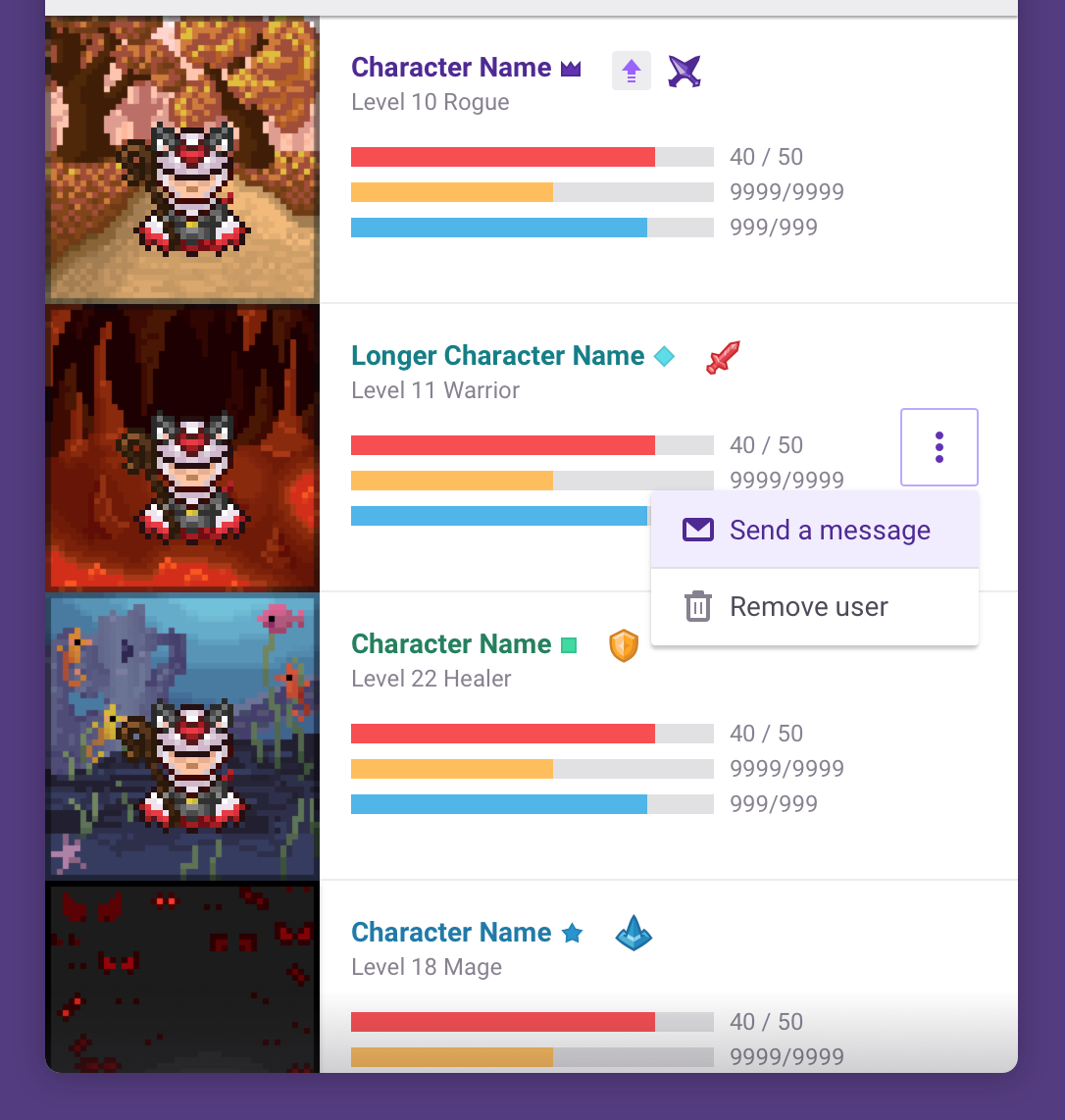
For now, let's continue with the existing pattern and place "View Progress" at the top of the user menu. I'll want to have an icon associated with the menu option (to follow the others), but I can wrap that up today. 👍
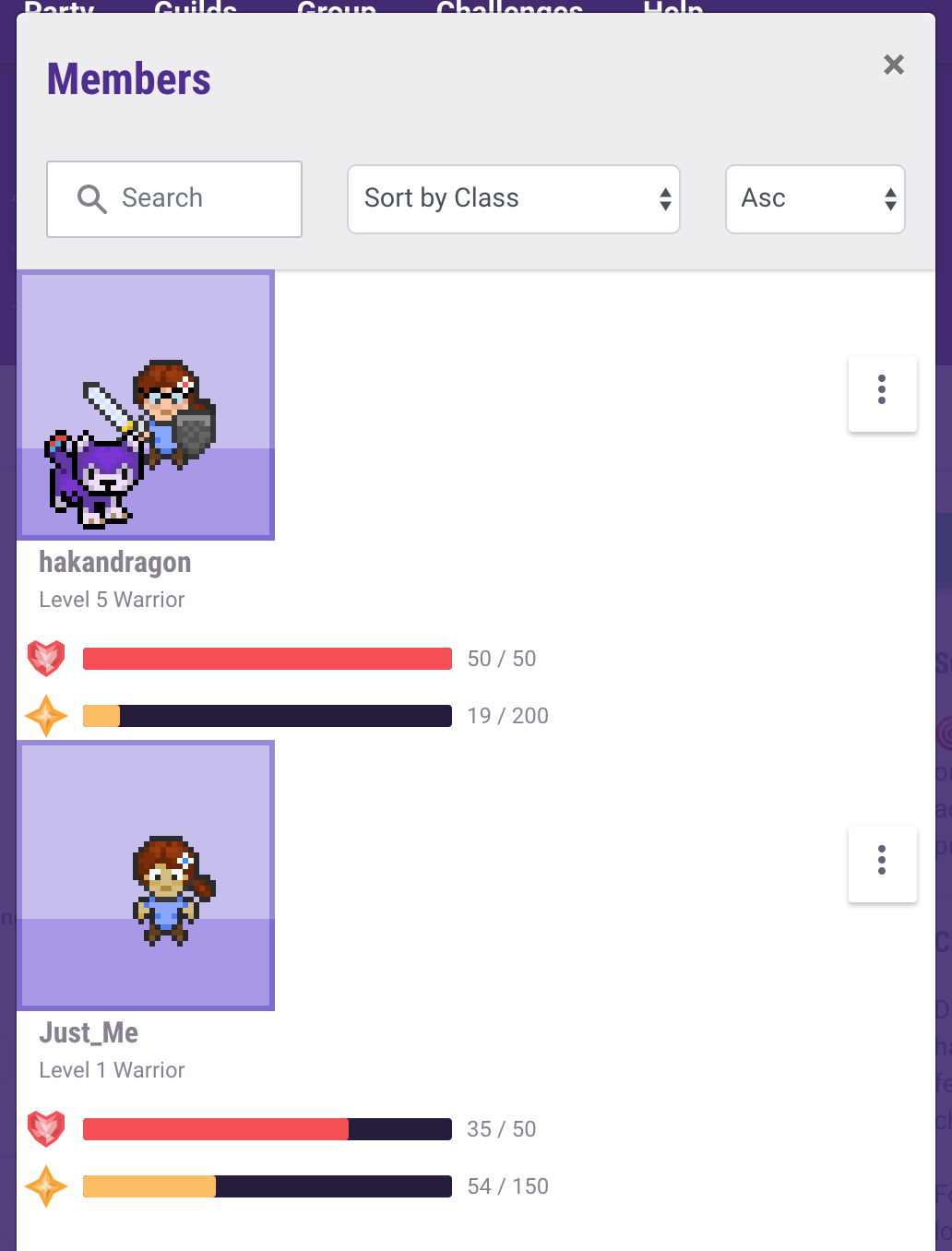
In the mean time, the Participants menu looks to be completely broken. Perhaps we should look into addressing that while adding in this feature?
Here's a screenshot of how the layout should look:
Tressley
on 11 Jul 2018
Updated Zeplin artboard with new icon and menu option: https://zpl.io/VKZK1X2
Tressley
on 11 Jul 2018
I did add this as a menu option in my PR. Also, I think there is a separate PR fixing the member modal styles.
TheHollidayInn
on 11 Jul 2018
@TheHollidayInn: Yep, fixed that in #10504.
 aszlig
on 11 Jul 2018
aszlig
on 11 Jul 2018
Related issues
 khipkin
·
3Comments
Alys
·
4Comments
khipkin
·
3Comments
Alys
·
4Comments
 evanostroski
·
4Comments
Alys
·
3Comments
evanostroski
·
4Comments
Alys
·
3Comments
 keccy
·
4Comments
keccy
·
4Comments
Most helpful comment
@TheHollidayInn: Yep, fixed that in #10504.