Gutenberg: Bulk editing images links to "Media File" is not working as intended
Describe the bug
When bulk editing images, setting the link to "Media File" is setting the link of all images to the first selected image media file.
I'm 99% sure it's a bug (if not, it's a very weird feature) and it should set the associated Media File for each image instead.
To reproduce
Add multiple Image blocks.
Select several images blocks to bulk edit
Insert link > Media File
Select the images to see what media file is linked and see it's the first selected image in the bulk.
Expected behavior
Each image should link to its own media file.
Screenshots
First step
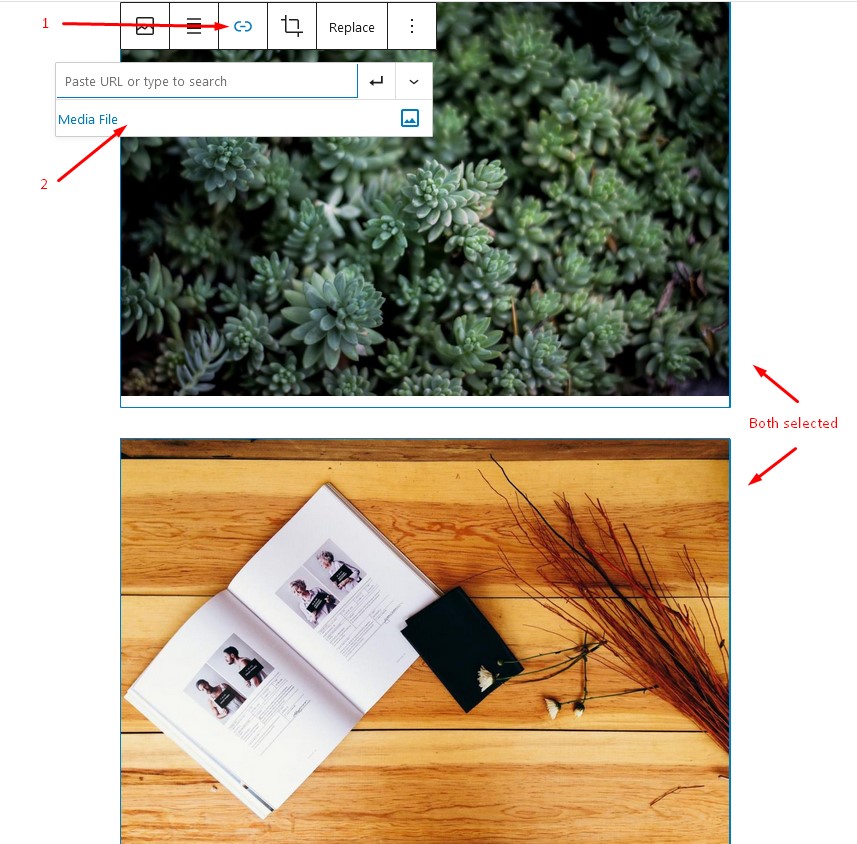
Second step
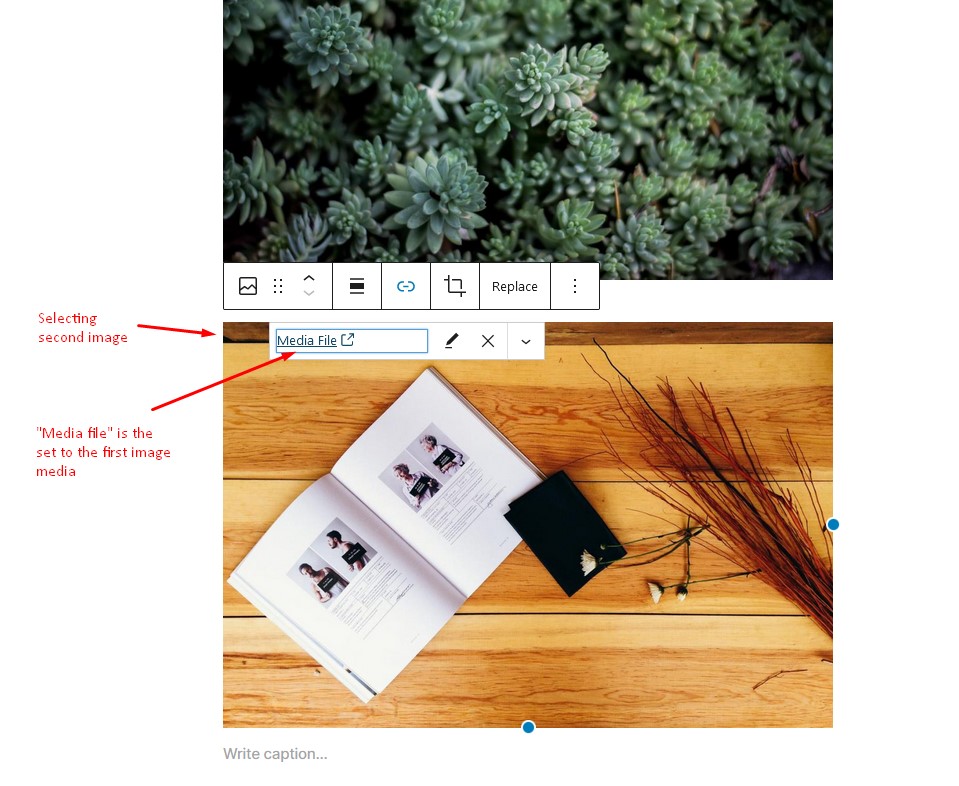
Editor version:
WordPress version: 5.5.3
Gutenberg plugin v9.2.2 installed.
 Socrapop
All 3 comments
@Socrapop I tried reproducing the bug in at my end. On selecting multiple images, the Insert Link feature isn't working. It doesn't do anything.
I don't have the Gutenberg plugin but the Block Editor. in WordPress 5.5.3. Do you need it specifically for the plugin?
 davy440
on 1 Nov 2020
davy440
on 1 Nov 2020
@davy440 Well, I thought the plugin was a version ahead of the block editor, that's why I tested with it :)
Yes indeed, it's not working at all without the plugin and I think it should too.
Socrapop
on 1 Nov 2020
Editing multiple images is, I think, a new feature, which is why it's not in WordPress 5.5.3.
I've labelled as a bug, thanks for reporting!
 talldan
on 3 Nov 2020
talldan
on 3 Nov 2020
Related issues
 hedgefield
·
3Comments
hedgefield
·
3Comments
 ellatrix
·
3Comments
ellatrix
·
3Comments
 aaronjorbin
·
3Comments
aaronjorbin
·
3Comments
 maddisondesigns
·
3Comments
maddisondesigns
·
3Comments
 pfefferle
·
3Comments
pfefferle
·
3Comments
Most helpful comment
Editing multiple images is, I think, a new feature, which is why it's not in WordPress 5.5.3.
I've labelled as a bug, thanks for reporting!