Gutenberg: I should be able to drag and drop an image as the Cover block's background
Is your feature request related to a problem? Please describe.
We currently have a few inconsistencies with media uploaders, one of which is the dropzone upload/replace flow that exists within the core image/gallery and soon to be Media & Text block. We should consider adding that same drop zone/replace functionality to the Cover block, as it exists in each other instance of media blocks.
Screenshot
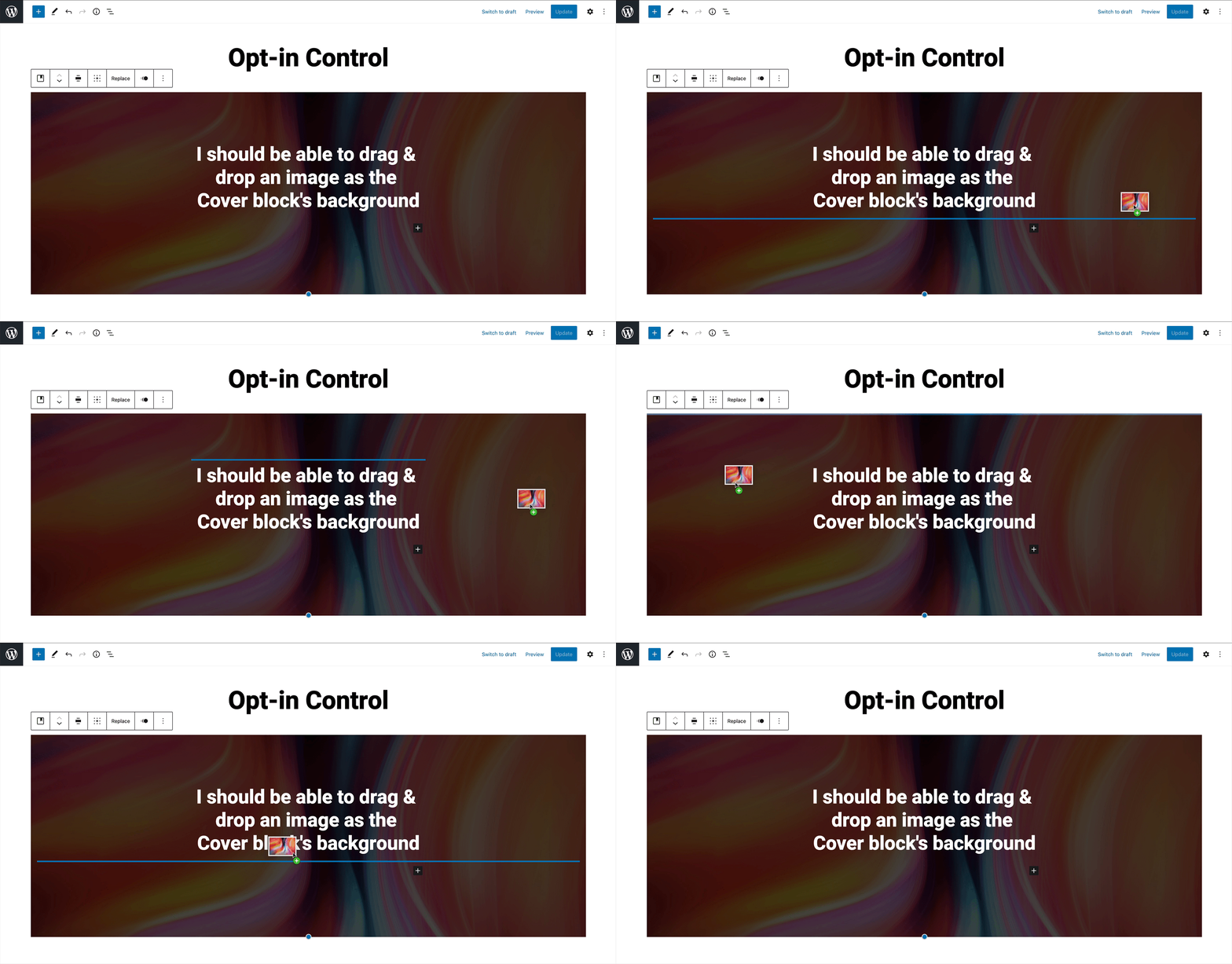
Describe the solution you'd like
When dragging an image/video over the left or right area of the cover block (the areas not managed via InnerBlocks component), I can drop it in and the media is assigned as the Cover block's background media.
Describe alternatives you've considered
None, other than having to different edit flow for this block, compared to other image/gallery blocks.
 richtabor
All 6 comments
Hmmm an image block, a gallery and text/media all have 1 thing in common: They have a single image.
The cover block however can have multiple. You can add a background image to the block itself, and then add a nested image block inside it to create cool effects when using images with transparencies etc.
I don't think that dropping an image to the cover block should add that image as its background... It's equally reasonable to expect that dropping an image to the cover block will create a new image block inside the cover container.
 aristath
on 22 Oct 2020
aristath
on 22 Oct 2020
@ItsJonQ @jasmussen perhaps you have some thoughts on how we could communicate different drop zones here. We'd need to clearly discriminate between:
- Changing the background.
- Inserting a new image block within the cover (the blue horizontal lines).
- Replacing an existing block image or adding to an existing gallery block within _Cover_.
 mtias
on 22 Oct 2020
mtias
on 22 Oct 2020
Cool.
We have this big blue and obvious background change for Image blocks:

And in this specific case of the Cover image, the contents inside don't actually take up all the space — so we could presumably know fairly well what's background and what's content:
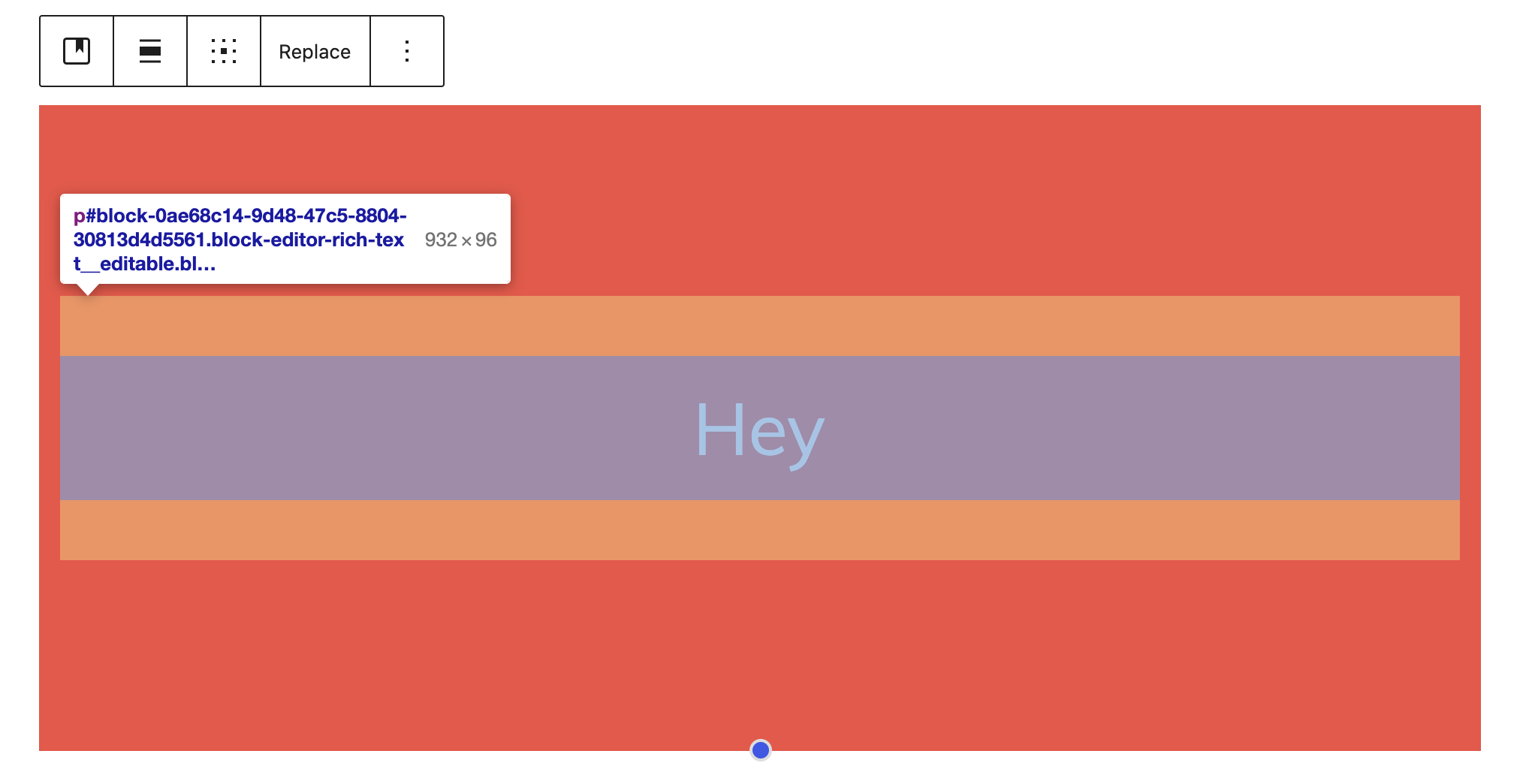
So we could do this:
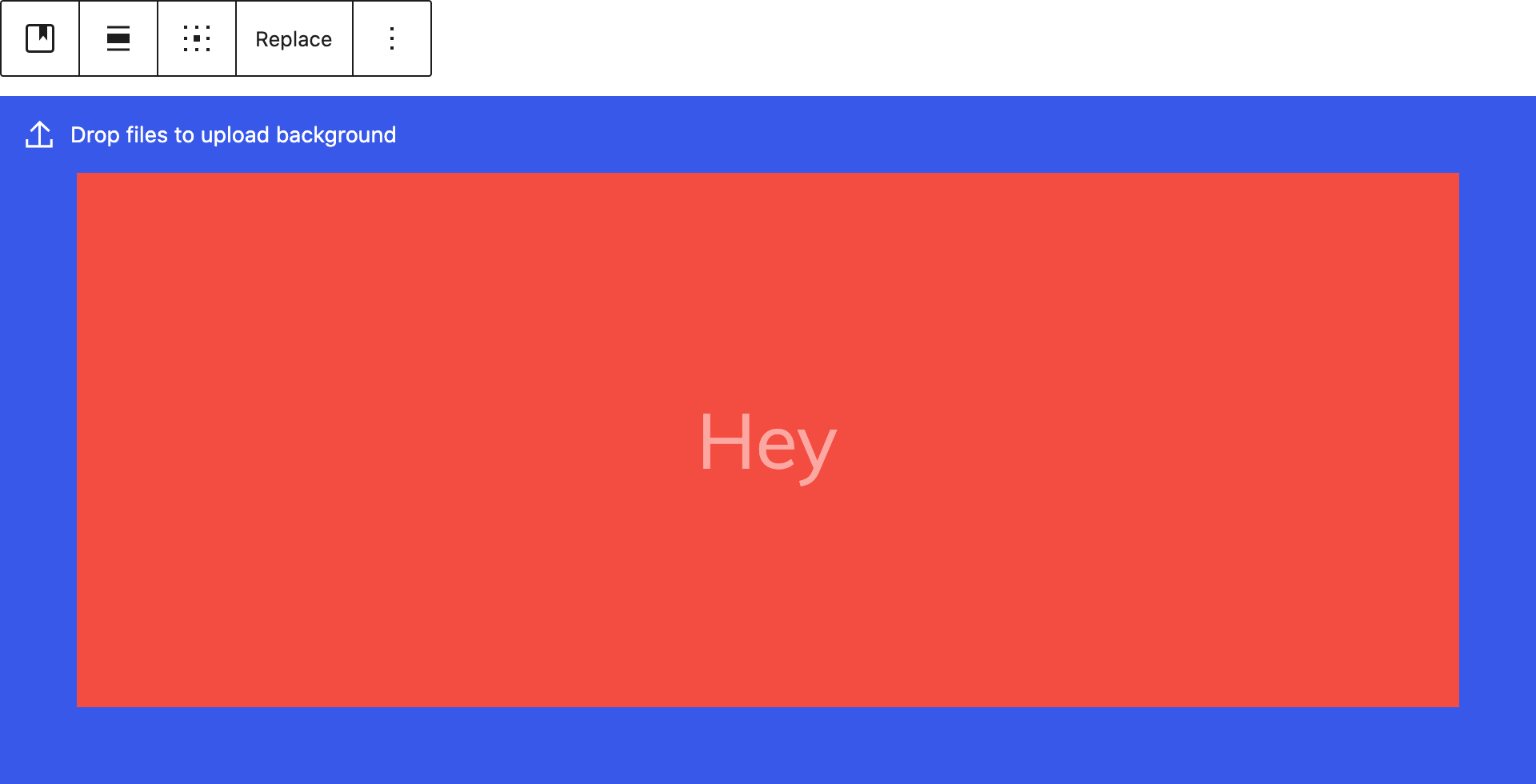
👆 that is, when you drag/drop an image over the cover block and aren't touching any of the dropzones near the content, a thick 48px stroke animates in and shows a little message in the top left corner, that you can drop to set the background.
 jasmussen
on 26 Oct 2020
jasmussen
on 26 Oct 2020
I like that idea!
richtabor
on 26 Oct 2020
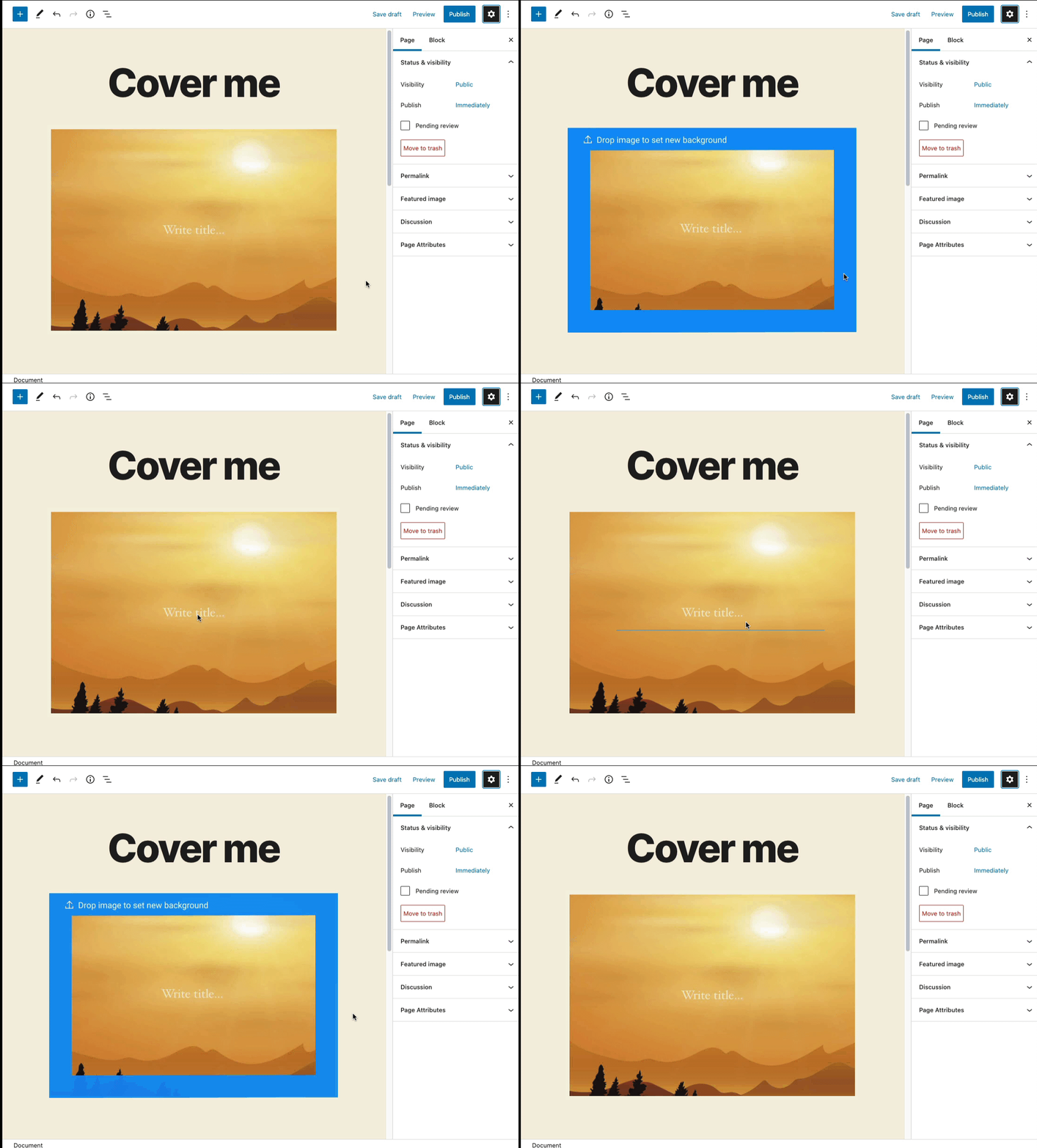
Here is a version animated in Figma:
 paaljoachim
on 27 Oct 2020
paaljoachim
on 27 Oct 2020
Thanks for the animated GIF. Outside of some of the metrics/font sizes/border widths, the general behavior was the one I was thinking!
jasmussen
on 27 Oct 2020
Related issues
 wpalchemist
·
3Comments
wpalchemist
·
3Comments
 maddisondesigns
·
3Comments
maddisondesigns
·
3Comments
 youknowriad
·
3Comments
youknowriad
·
3Comments
 BE-Webdesign
·
3Comments
BE-Webdesign
·
3Comments
 aduth
·
3Comments
aduth
·
3Comments
Most helpful comment
Thanks for the animated GIF. Outside of some of the metrics/font sizes/border widths, the general behavior was the one I was thinking!