Gutenberg: Receiving Gutenberg Widget Block Errors/Can't be previewed
Describe the bug
After the Gutenburg widget blocks updated, I can no longer edit or preview my widgets under each block.
Screenshots
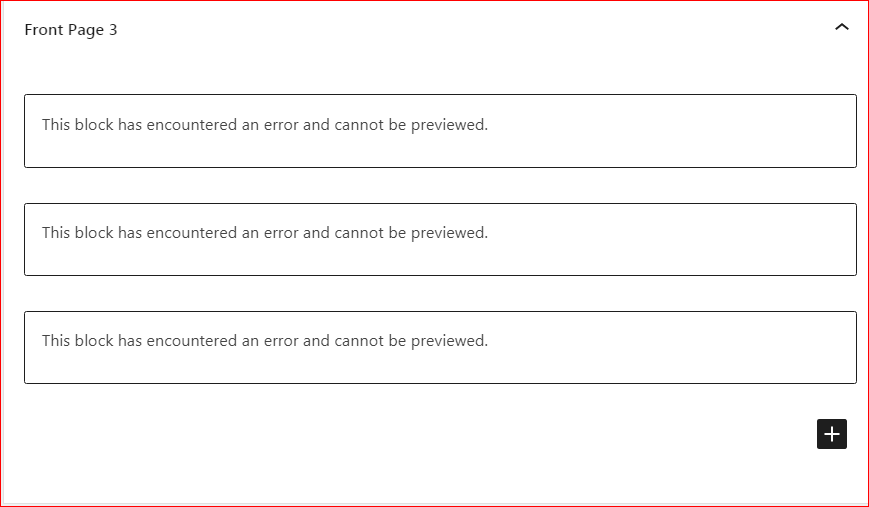
Editor version (please complete the following information):
- WordPress version: I've updated to WordPress 5.5.1 running Refined Theme theme. Using Genesis 3.3.3.
- Does the website has Gutenberg plugin installed, or is it using the block editor that comes by default? [e.g: "gutenberg plugin", "default"] I believe the Gutenberg plugin has been installed
- If the Gutenberg plugin is installed, which version is it? Version 9.1.1
Desktop (please complete the following information):
- OS: PC
- Browser Chrome
- Version
Additional context
- To report a security issue, please visit the WordPress HackerOne program: https://hackerone.com/wordpress.
 wball1
All 18 comments
Hi @wball1 To help us reproduce the issue, do you know what widgets you had active? Also any particular plugins you use for widgets?
 talldan
on 13 Oct 2020
talldan
on 13 Oct 2020
I don't know the names of all widgets, however my home page template is made up with widgets.
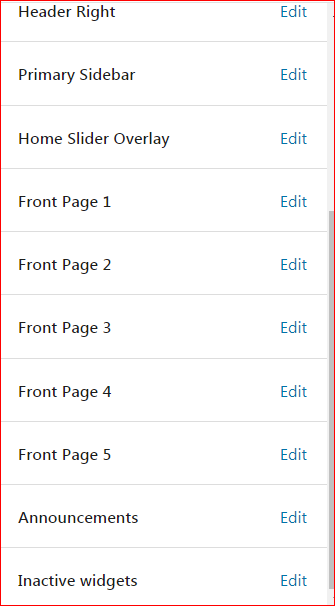
Have the Widget Importer & Exporter plugin that was added with my Refined Theme I believe.
wball1
on 13 Oct 2020
As I have an account at StudioPress I downloaded Genesis 3.3.3 and Refined Pro theme.
Installed it locally.
In Chrome.
Desktop Server.
WP 5.5.1
Gutenberg plugin 9.1.1 installed.
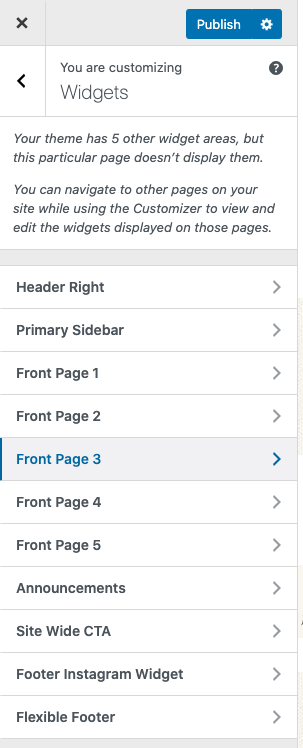
This is what I see in the customizer (just to compare to the Widget screen)
In the Widget screen I see a blank Inserter panel.
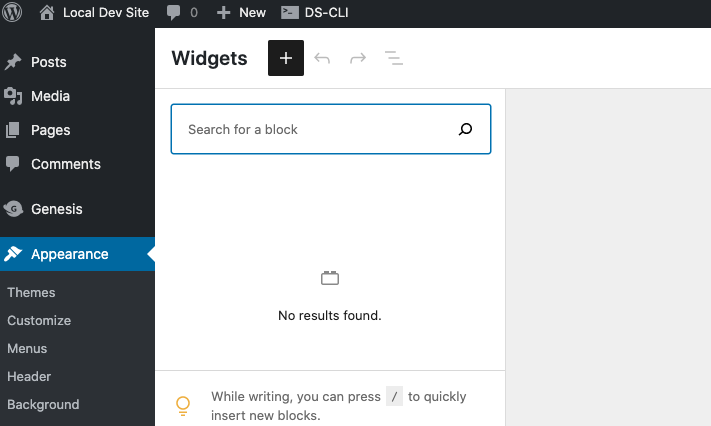
I see no Widget areas.
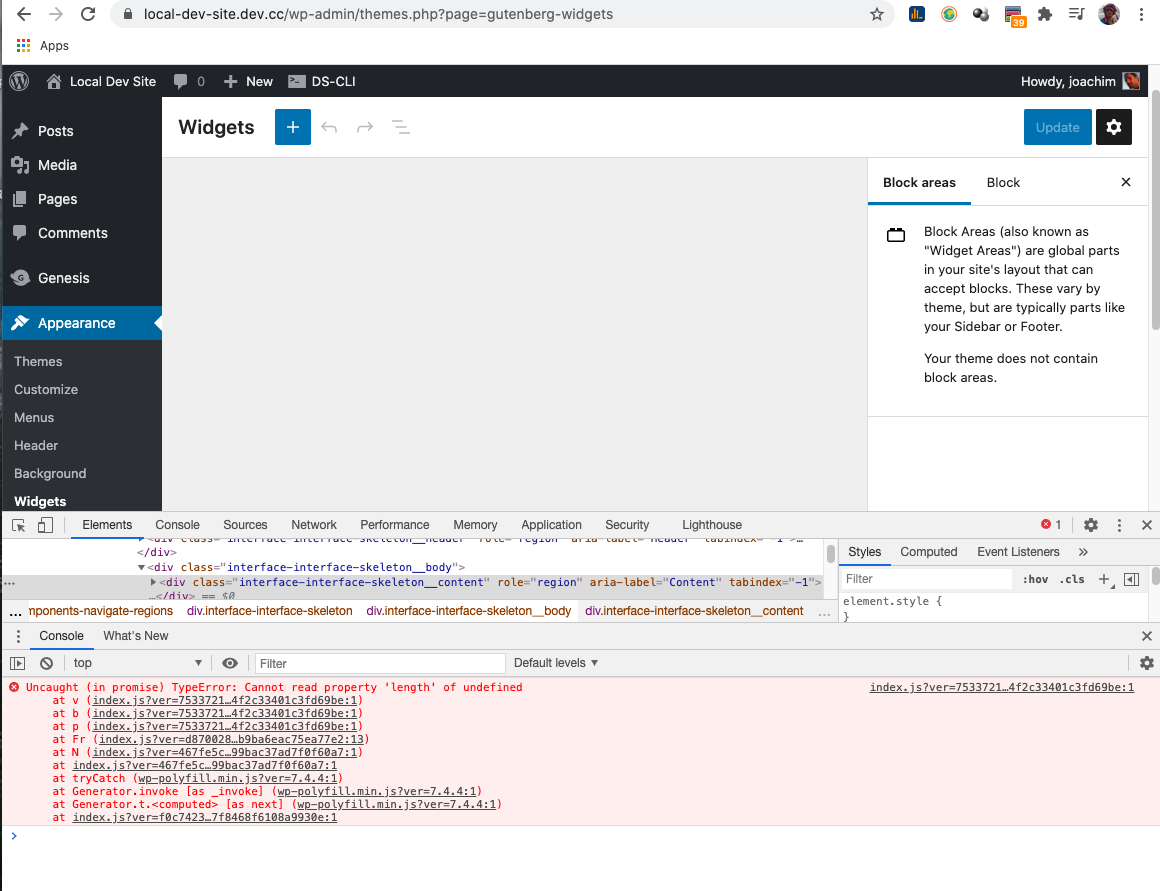
I did notice this error when right clicking inside the widget screen and selecting Inspect -> Console
(@wball1 see if you can follow the same steps as I am doing so we can get the error message you get in the Console screen, as it might be a little different from what I have.)
Uncaught (in promise) TypeError: Cannot read property 'length' of undefined
at v (index.js?ver=7533721b7d38f164f2c33401c3fd69be:1)
at b (index.js?ver=7533721b7d38f164f2c33401c3fd69be:1)
at p (index.js?ver=7533721b7d38f164f2c33401c3fd69be:1)
at Fr (index.js?ver=d87002844aa02dc6b9ba6eac75ea77e2:13)
at N (index.js?ver=467fe5c057c7af899bac37ad7f0f60a7:1)
at index.js?ver=467fe5c057c7af899bac37ad7f0f60a7:1
at tryCatch (wp-polyfill.min.js?ver=7.4.4:1)
at Generator.invoke [as _invoke] (wp-polyfill.min.js?ver=7.4.4:1)
at Generator.t.
at index.js?ver=f0c7423d9d652387f8468f6108a9930e:1
NB! What I have above might be an unrelated error.
 paaljoachim
on 14 Oct 2020
paaljoachim
on 14 Oct 2020
This is what mine looks like. Is this the correct view? Sorry I don't know much about this
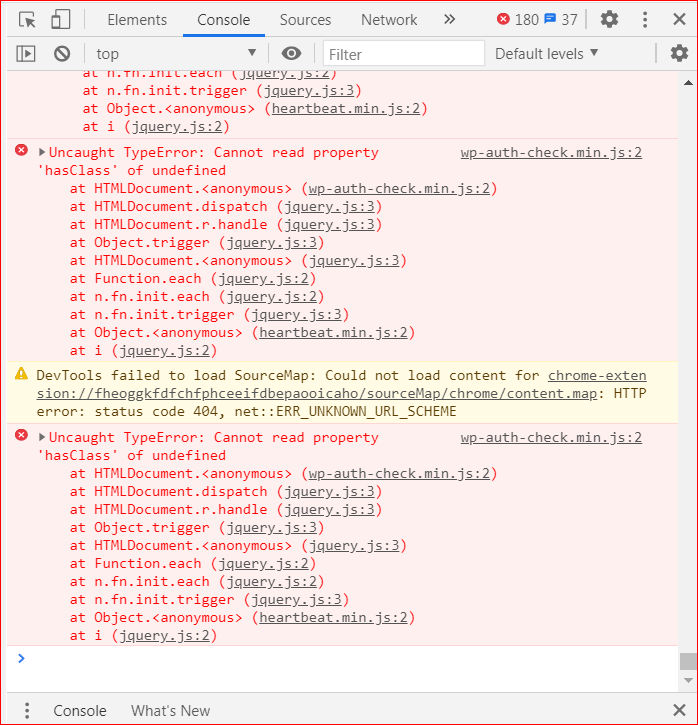
wball1
on 14 Oct 2020
Errors From the beginning
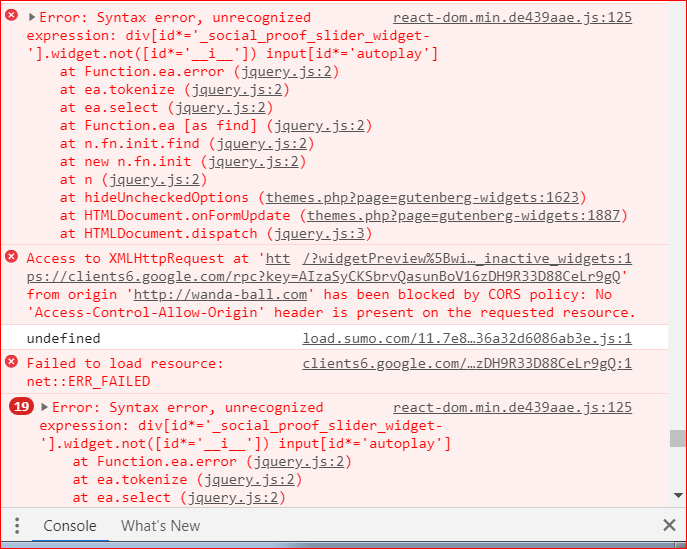
wball1
on 14 Oct 2020
I was able to replicate with Gutenberg 9.1.1 and WordPress 5.5.1 using the "Classic editor" block and Calendar block.
 annezazu
on 16 Oct 2020
annezazu
on 16 Oct 2020
Is there a resolution for this problem. I'm unable to edit my website front page because of this! Thanks
wball1
on 16 Oct 2020
Hey @wball1 I believe one temporary work-around is to while logged in go to the frontend.
Select the site name -> Widgets.
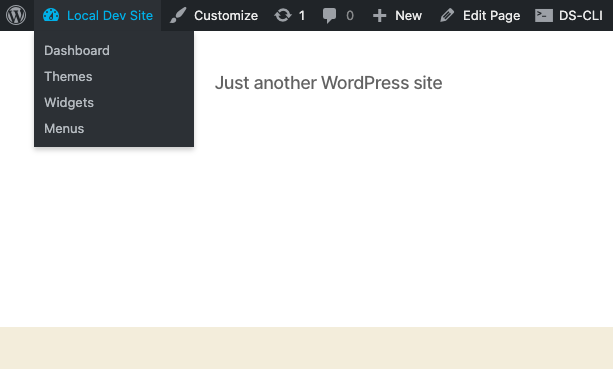
One then enters the old widget screen.
paaljoachim
on 18 Oct 2020
How do I view this screen? How can I view Local Dev Site to click Widgets?

wball1
on 18 Oct 2020
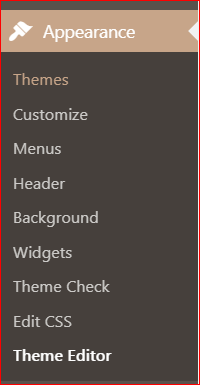
This is how I get to my widget page now and it takes me to the problem page.
wball1
on 18 Oct 2020
"Local dev site" is just the name of a test site I use. It looks like you are using a wordpress.com site. I have sites that use WordPress from wordpress.org and create freestanding sites outside of wordpress.com. I did not even know that wordpress.com uses the new widget screen.
Appearance -> Widgets will take you to the new widgets screen. A better work around would be to add code to the functions file.
Disabling the new Widgets Screen
Users of the plugin who do not want to test the new Widgets Screen or who require the old screen, can use a simple filter to disable the new Widgets Screen. Just place this in your theme’s functions.php file:
add_filter( 'gutenberg_use_widgets_block_editor', '__return_false', 100 );
https://make.wordpress.org/core/2020/09/30/call-for-testing-the-widgets-screen-in-gutenberg-9-1/
Hopefully you will be able to add the code to disable the new widget screen.
paaljoachim
on 18 Oct 2020
I just click on WP Admin tab to get to my wordpress.org site
Do I place this filter at the beginning of the theme's functions.php file? I don't want to mess anything up! :) Yes I just want to go back to the old way of accessing my widgets!
wball1
on 18 Oct 2020
I would likely do something like this, and add a comment first.
/* The following code brings back the original Widgets screen. */
add_filter( 'gutenberg_use_widgets_block_editor', '__return_false', 100 );
Then add it to the end of the Refined Pro theme functions file. Add the code and save the file. Then test to see that it brings back the original widget screen. If it messes up anything (it should not).
Then go back and for instance comment out the code by adding /* here is the code */
paaljoachim
on 19 Oct 2020
/add_filter( 'gutenberg_use_widgets_block_editor', '__return_false', 100 );/
Do I add this above to the end of it?
What do you mean by adding a comment /* here is the code */
wball1
on 19 Oct 2020
I finally got it to revert back to my old widget screen! Thanks so much for your help. I really appreciate it.
wball1
on 19 Oct 2020
I've been doing some testing on this screen and there appears to be many widgets that cause this issue.
For example, one that uses a wp-color-picker results in wpColorPicker is not a function. Example plugin used as basis: https://core.trac.wordpress.org/attachment/ticket/25809/color-picker-widget.php
 dreamwhisper
on 19 Oct 2020
dreamwhisper
on 19 Oct 2020
@wball1 I think we need to leave this issue open as a few developers will need to dig into it and figure out what is going on.
paaljoachim
on 19 Oct 2020
Ok no problem! I wasn't aware.
wball1
on 19 Oct 2020
Related issues
 JohnPixle
·
3Comments
JohnPixle
·
3Comments
 aaronjorbin
·
3Comments
aaronjorbin
·
3Comments
 pfefferle
·
3Comments
pfefferle
·
3Comments
 jasmussen
·
3Comments
jasmussen
·
3Comments
jasmussen
·
3Comments
jasmussen
·
3Comments