Gutenberg: Link editing: Pressing space at the end of linktext that has custom colors visually hides the color.
Describe the bug
After choosing a different color for a hyperlinked text and pressing Space on the keyboard, the color resets to the default one in the Editor but not on the front-end.
So far I was able to reproduce this inside paragraph, quote, and list blocks. Possibly it's happening everywhere where Text Color option is available in the block's toolbar.
To reproduce
Steps to reproduce the behavior:
- Select any text within a paragraph block
- Hyperlink it
- Change the color of the hyperlinked text via
Text Colorin the toolbar - Press space
Expected behavior
I expect the chosen color not to reset in the Editor.
Screenshots
View from block editor that comes by default:
_Link: https://d.pr/i/71FlEH_
View of Gutenberg 8.7
_Link: https://d.pr/i/RqqXQK_
Editor version:
- WordPress version: 5.4.2
- Does the website has Gutenberg plugin installed, or is it using the block editor that comes by default? "gutenberg plugin" & "default"
- If the Gutenberg plugin is installed, which version is it? 8.7
Desktop:
- OS: macOS Catalina 10.15.6
- Browser: Chrome
- Version: 84
 zdenys
All 3 comments
Thanks for the ticket! From the GIFs, I believe this is working as intended. When you click the pink color in the color dialog, focus is set there, which means if you press Space or Enter it toggles the color swatch:
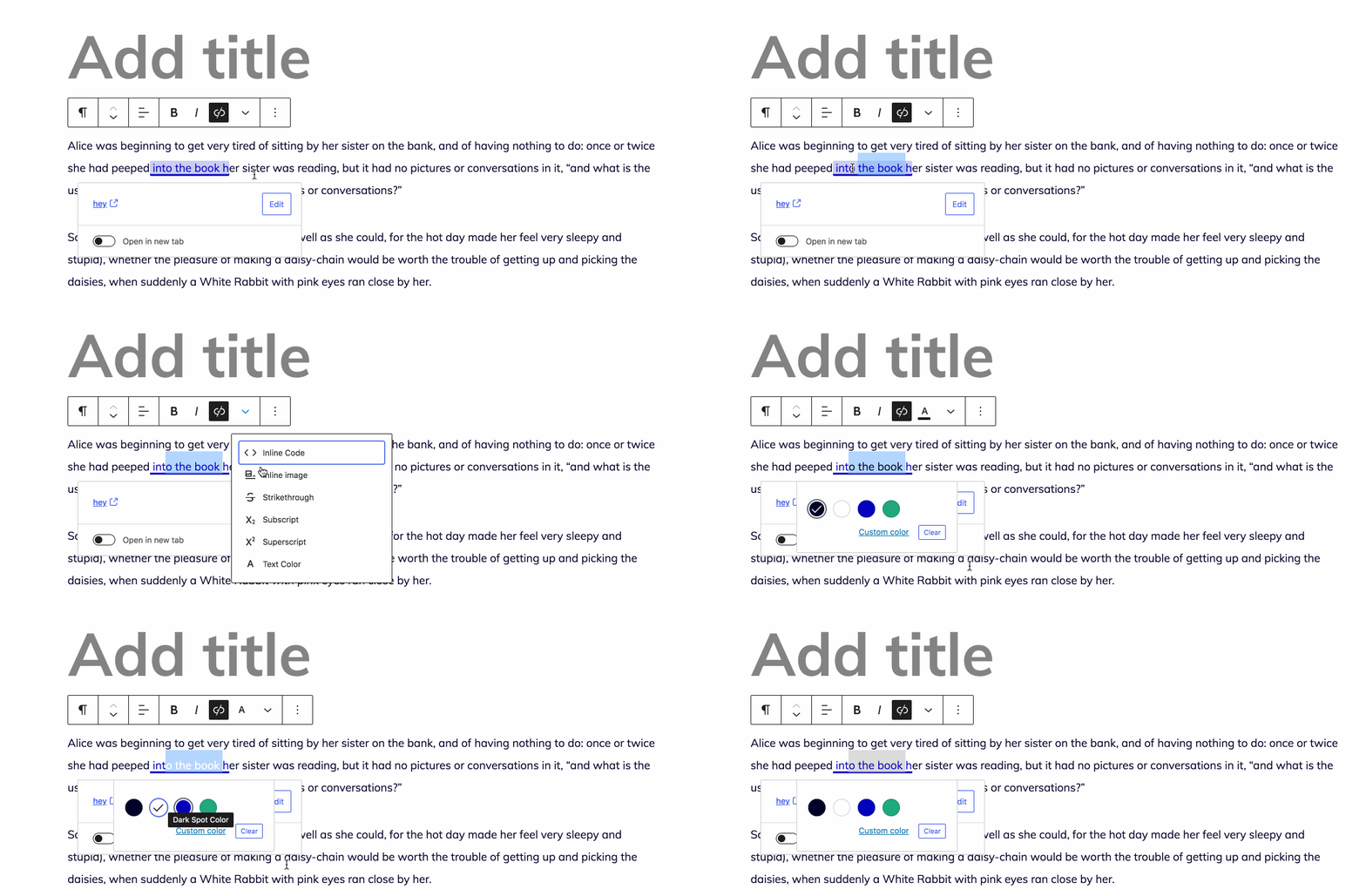
I think there's an opportunity to unify the focus style with other focus styles so it's the same blue color used elsewhere. Another option is to make the selected color swatch still clearer.
Did I miss any steps?
 jasmussen
on 14 Aug 2020
jasmussen
on 14 Aug 2020
The issue happens not only if you press Space while the color picker is opened, but also if you position the mouse cursor right after the link and then press Space to enter further text there. The color of the link resets.
_Link: https://d.pr/i/4O4Yra_
It is particularly annoying if the link happens to be at the end instead of in the middle of a sentence.
_Link: https://d.pr/i/h2ImRa_
I hope the above captures the annoyance better than initially.
zdenys
on 14 Aug 2020
Thank you for the additional information. I believe I've narrowed it down a bit:
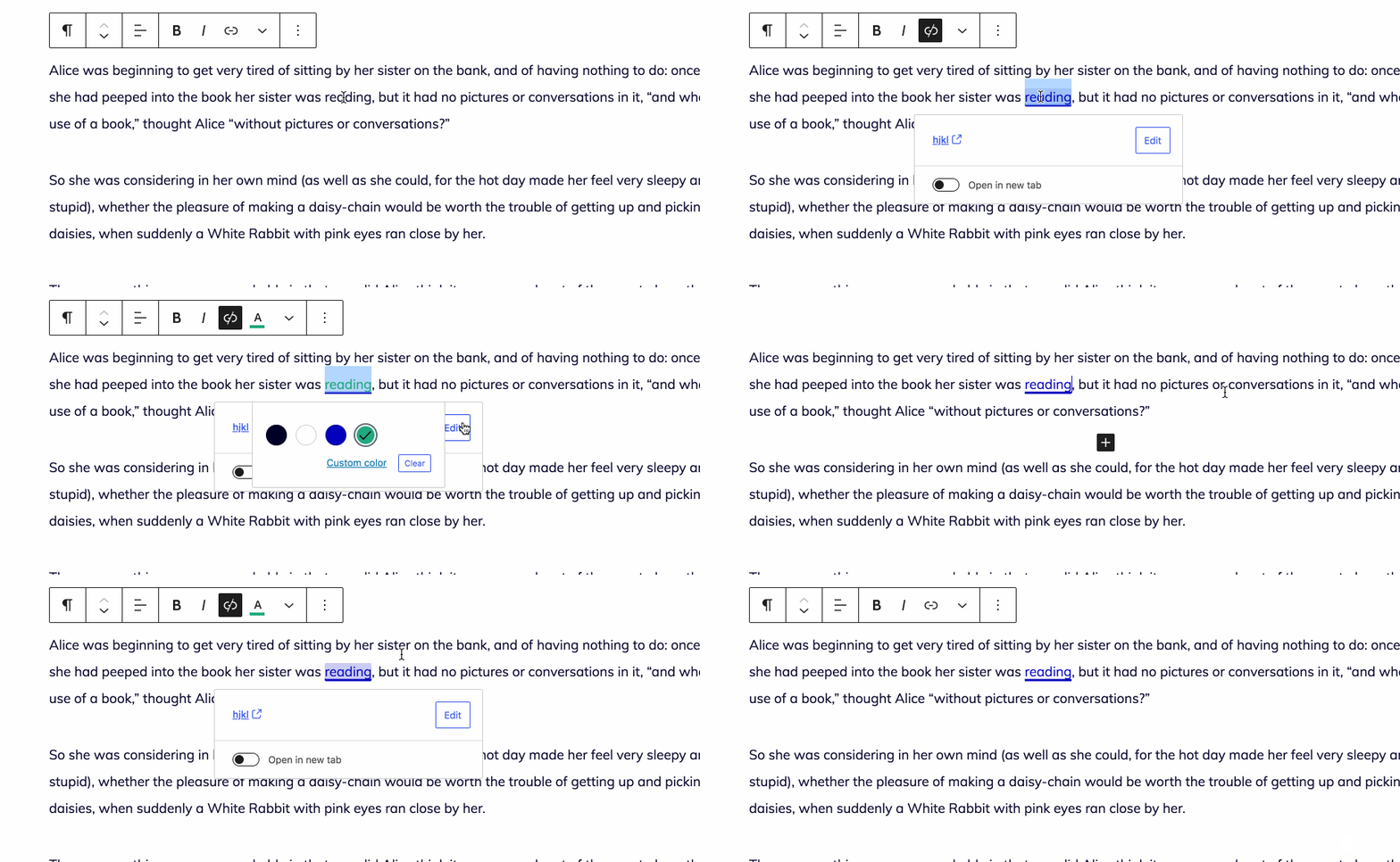
It has nothing to do with button focus and untoggling as it did in the initial GIF I had.
From what I can tell, the color you set is still _technically there_, but by setting the caret at the end of the link and pressing space, _visually_ the link goes blue/default color again.
I believe it has to do with the link boundary feature, which puts an extra keyboard stop before and after a hyperlink, so as to more easily "enter it" and add text to the link. This is denoted by a background color, and the JS that does this may be interfering.
I'll try and triage this and edit the ticket label if you will permit me!
jasmussen
on 14 Aug 2020
Related issues
 spocke
·
3Comments
spocke
·
3Comments
 JohnPixle
·
3Comments
JohnPixle
·
3Comments
 aaronjorbin
·
3Comments
aaronjorbin
·
3Comments
 aduth
·
3Comments
aduth
·
3Comments
 maddisondesigns
·
3Comments
maddisondesigns
·
3Comments
Most helpful comment
Thank you for the additional information. I believe I've narrowed it down a bit:
It has nothing to do with button focus and untoggling as it did in the initial GIF I had.
From what I can tell, the color you set is still _technically there_, but by setting the caret at the end of the link and pressing space, _visually_ the link goes blue/default color again.
I believe it has to do with the link boundary feature, which puts an extra keyboard stop before and after a hyperlink, so as to more easily "enter it" and add text to the link. This is denoted by a background color, and the JS that does this may be interfering.
I'll try and triage this and edit the ticket label if you will permit me!