Gutenberg: Calendar not closing after clicking help in Chrome
Describe the bug
Merged PR: https://github.com/WordPress/gutenberg/pull/20824
I just tested...
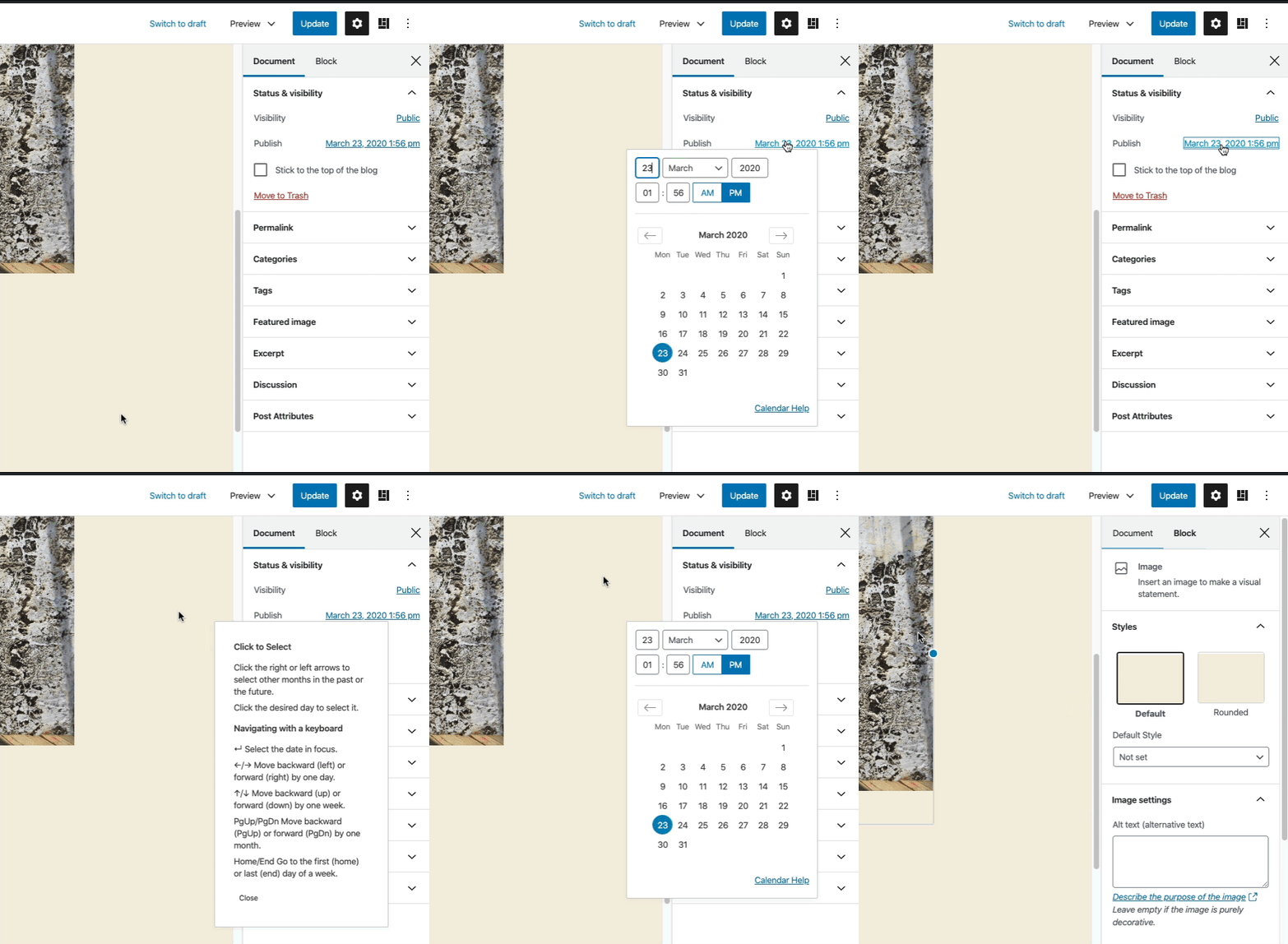
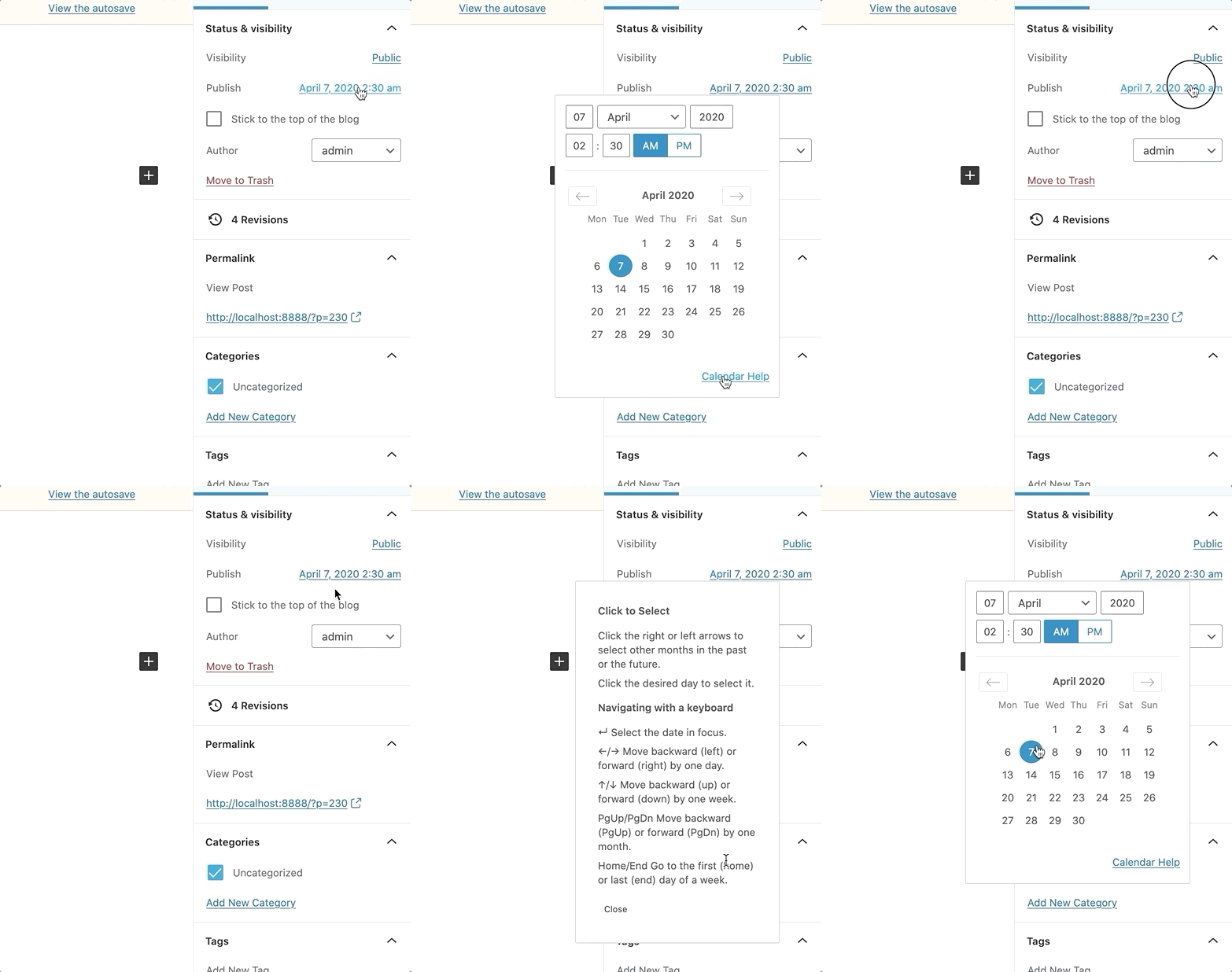
Clicking the Calendar help link to view the information then clicking outside the box (into empty space) it does not close.
Steps to reproduce
- In Chrome, create a new post
- From the Document panel in the sidebar click the 'Immediately' button for the Publish option
- When the calendar opens, click Calendar Help
- Try clicking outside of the popover
Expected behaviour - The popover closes
Actual behaviour - The popover stays open
 paaljoachim
All 5 comments
I can't reproduce this @paaljoachim. It may have already been fixed:
 talldan
on 7 Apr 2020
talldan
on 7 Apr 2020
Hey Dan @talldan
I am retesting locally using Chrome and Twenty Twenty.
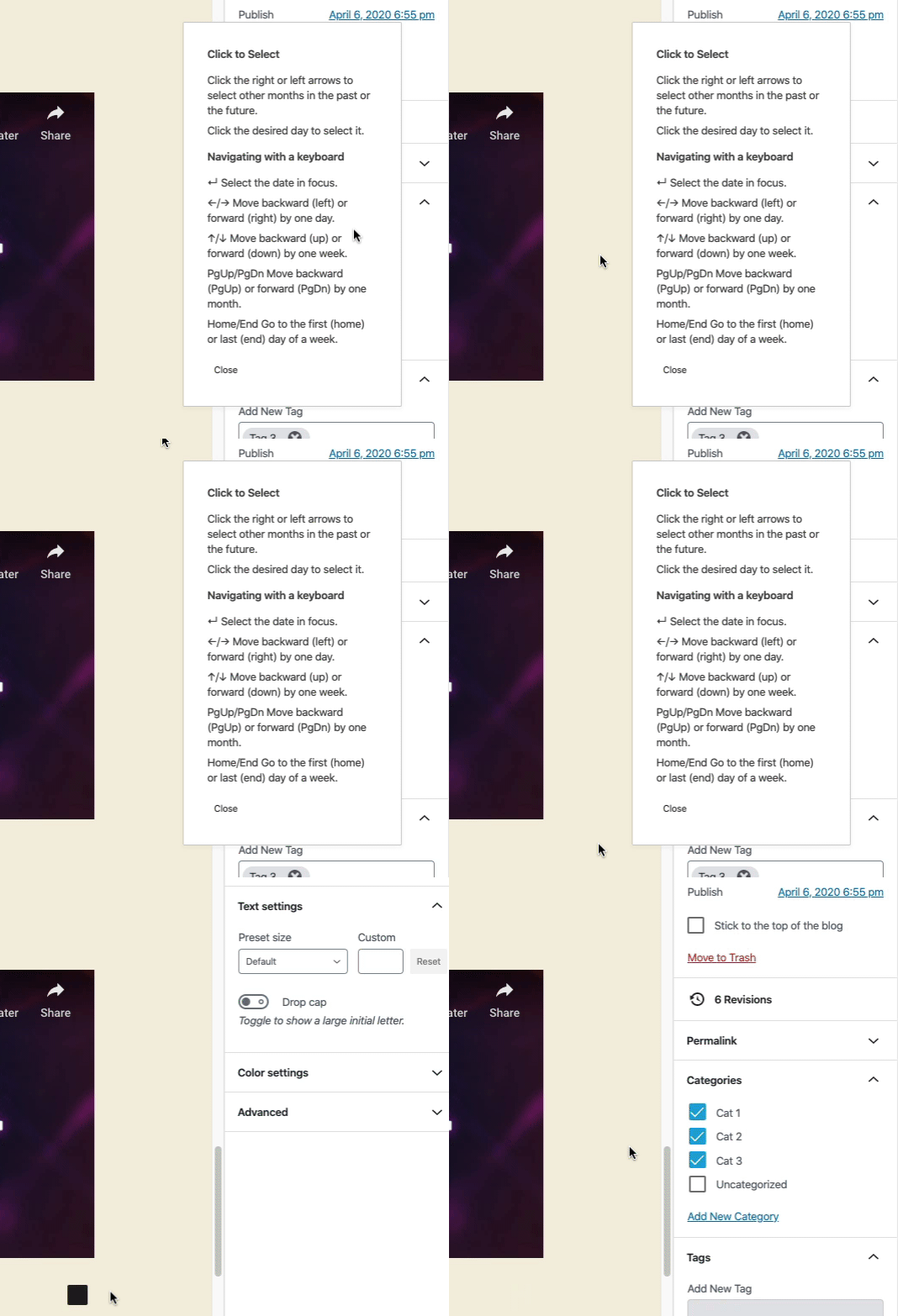
The same problem is still in effect.
Clicking outside the Calendar Help screen into an empty area does not close the help screen.
It does close it once I click into an empty paragraph block or another block is selected.
paaljoachim
on 7 Apr 2020
Ah ok. I use Firefox. I can reproduce in Chrome, but still seems fine in Firefox. It would be great if you can include browser info when reporting as that'll prompt me to test the right browser 👍
talldan
on 7 Apr 2020
I just checked the original post and noticed that I included a mention of browser in step 1, but it is probably easy to overlook. I will remember to keep browser info, theme etc separate from the steps. Making it more obvious. Thanks for checking Dan!
paaljoachim
on 7 Apr 2020
@paaljoachim I edited the description to include those details, they weren't there originally 😄
talldan
on 7 Apr 2020
Related issues
 JohnPixle
·
3Comments
JohnPixle
·
3Comments
 davidsword
·
3Comments
davidsword
·
3Comments
 nylen
·
3Comments
nylen
·
3Comments
 maddisondesigns
·
3Comments
maddisondesigns
·
3Comments
 BE-Webdesign
·
3Comments
BE-Webdesign
·
3Comments
Most helpful comment
@paaljoachim I edited the description to include those details, they weren't there originally 😄