Gutenberg: Gutenberg conflicts with Starter Content widgets
Describe the bug
When Gutenberg is installed, and a site is set to "fresh", error messages are shown in the customizer for widgets included in a theme's starter content.
The site with the starter content can not be published until the widgets are edited.
In my tests, changing the widget title or content removed the error.
I am not familiar with the any changes made for the "Widget blocks in the customizer", but perhaps it is related.
It does not seem to be theme dependent, I tested different themes that includes starter content.
I only tested with Gutenberg 7.7.0 so I am not sure when the problem was introduced.
Code relevant to widgets in starter content:
https://core.trac.wordpress.org/browser/trunk/src/wp-includes/theme.php#L2035
To reproduce
Steps to reproduce the behavior:
- Create a new WordPress site or reset an existing install
- Activate Gutenberg
- Activate a theme with starter content, for example Twenty Twenty or Twenty Seventeen.
- Go to the Customizer.
- Press Publish
- See the error: _Unable to save due to 2 invalid settings._
Expected behavior
I expect the starter content to be saved without errors.
Screenshots
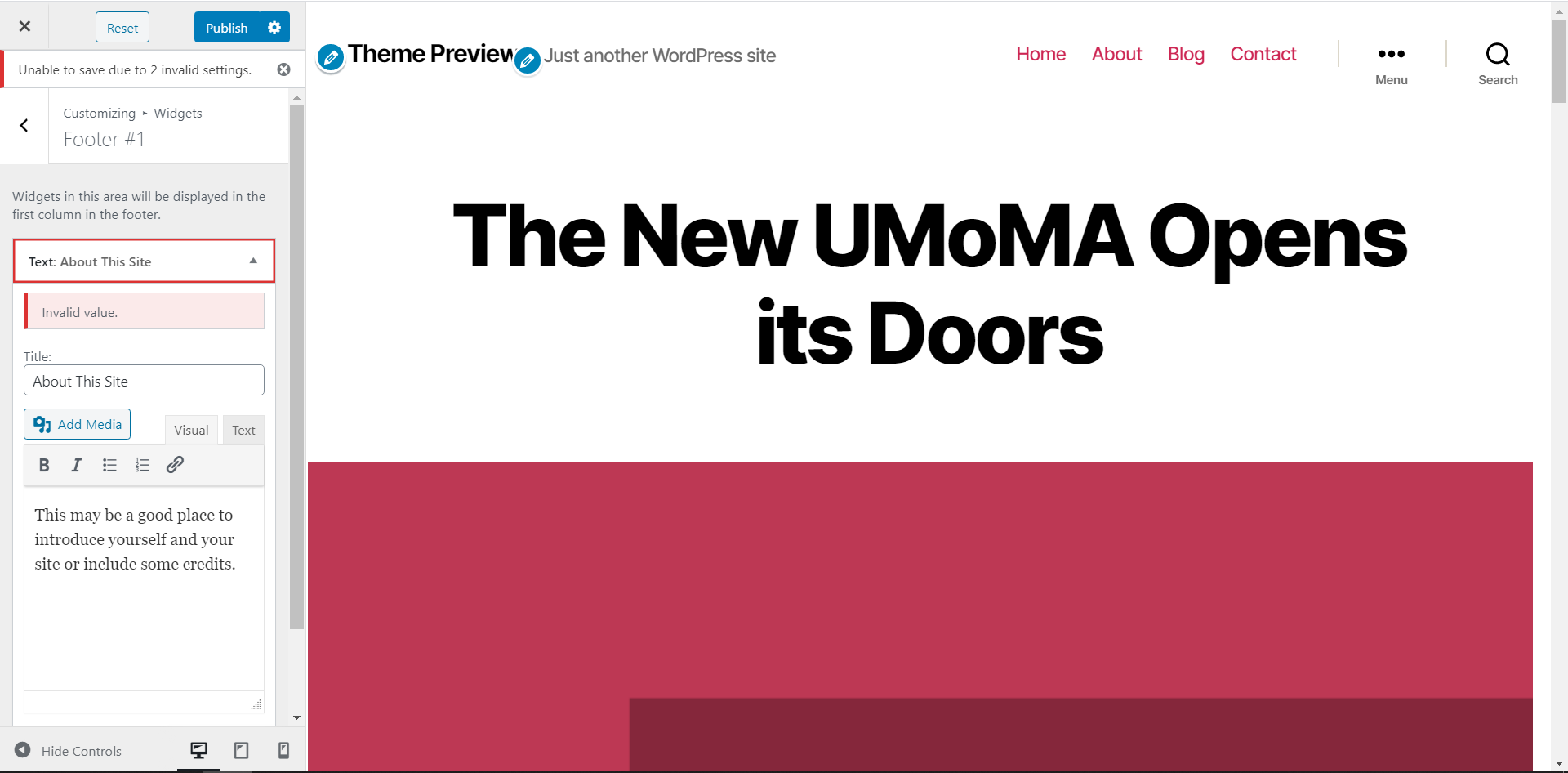
OS: Win10
Browser: Chrome Version 80.0.3987.132
Additional context
Please add the version of Gutenberg you are using in the description.
Version 7.7.0
WordPress Version 5.3.2
 carolinan
All 11 comments
Thank you for the excellent reproduction steps! This made it very easy for me to tackle this. I was able to replicate this following the steps outlined above using the following setup:
- TwentySeventeen theme
- WordPress: 5.4
- Gutenberg: 7.9.1
- Chrome 81.0.4044.122
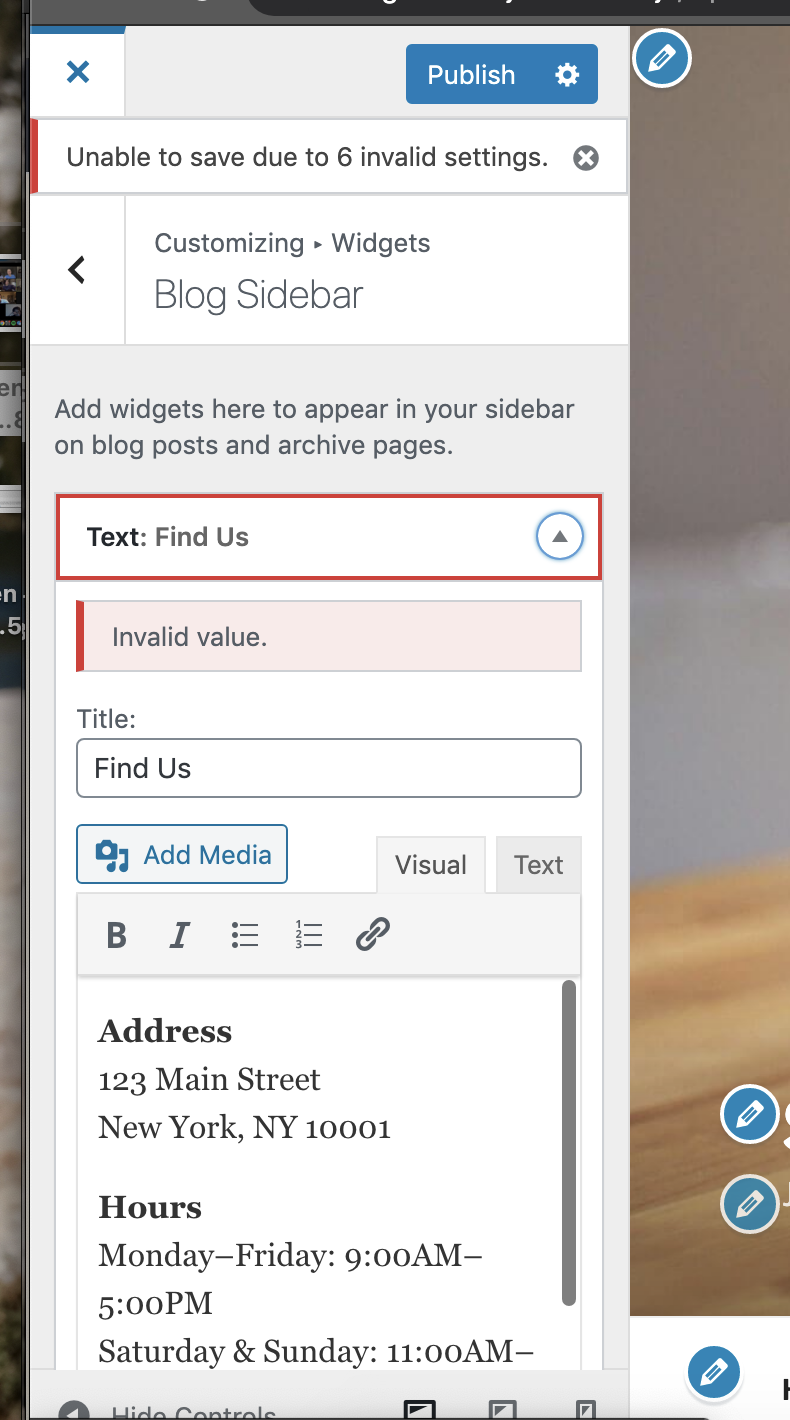
 annezazu
on 23 Apr 2020
annezazu
on 23 Apr 2020
Confirmed that this is still an issue with Gutenberg version 8.1
carolinan
on 14 May 2020
Same issue on
TwentySeventeen theme
WordPress: 5.4.2
Gutenberg: 8.3.0
 katiebethbrown
on 21 Jul 2020
katiebethbrown
on 21 Jul 2020
I can still reproduce with:
Twenty Twenty Theme
WordPress 5.4.2
Gutenberg 8.5.1
 zdenys
on 21 Jul 2020
zdenys
on 21 Jul 2020
I'm investigating this.
 alshakero
on 21 Jul 2020
alshakero
on 21 Jul 2020
It seems to be a core issue. I've created a Trac ticket and sent a pull request with the fix.
alshakero
on 22 Jul 2020
I came across the same issue this morning, where the user was unable to delete widgets from their footer after their site was reset.
Theme: Twenty Twenty
WordPress: 5.4.2
Gutenberg: 8.7.0
 geekinthegirl
on 9 Aug 2020
geekinthegirl
on 9 Aug 2020
Had a similar situation. Disabling Gutenberg and saving customizer settings made the trick. Now, with Gutenberg enabled again customizer settings are saving with no error.
Gutenberg 9.0.0.
Twenty Seventeen.
WordPress 5.5.1.
 jartes
on 2 Oct 2020
jartes
on 2 Oct 2020
I was trying to dig into a fix for this, but I haven't been able to replicate this on any combination of:
WP: 5.5.1
Gutenberg: 9.1.0; 9.0.0
Themes: Twenty Twenty; Twenty Seventeen
Themes: Twenty Twenty and Twenty Seventeen.
Are people changing any values in the Customizer before saving? Which ones? I have tried saving the Starter Content as-is and also editing some widgets and still can't produce an error.
 mattwiebe
on 5 Oct 2020
mattwiebe
on 5 Oct 2020
Tested on 5.6-beta3-49486 with and without Gutenberg 9.3.0. Twenty Twenty-One and some personal theme projects.
I am no longer able to reproduce this issue.
carolinan
on 8 Nov 2020
@carolinan thanks for updating! @mattwiebe thanks for testing! I'm going to go ahead and close this out as a result since this no longer seems to be an active issue. Please re-open if that's not the case.
annezazu
on 16 Nov 2020
Related issues
 mhenrylucero
·
3Comments
mhenrylucero
·
3Comments
 aaronjorbin
·
3Comments
aaronjorbin
·
3Comments
 youknowriad
·
3Comments
youknowriad
·
3Comments
 JohnPixle
·
3Comments
JohnPixle
·
3Comments
 jasmussen
·
3Comments
jasmussen
·
3Comments
Most helpful comment
It seems to be a core issue. I've created a Trac ticket and sent a pull request with the fix.