Gutenberg: Screen focus is lost when a user clicks on a list item in a lengthy list block
Describe the bug
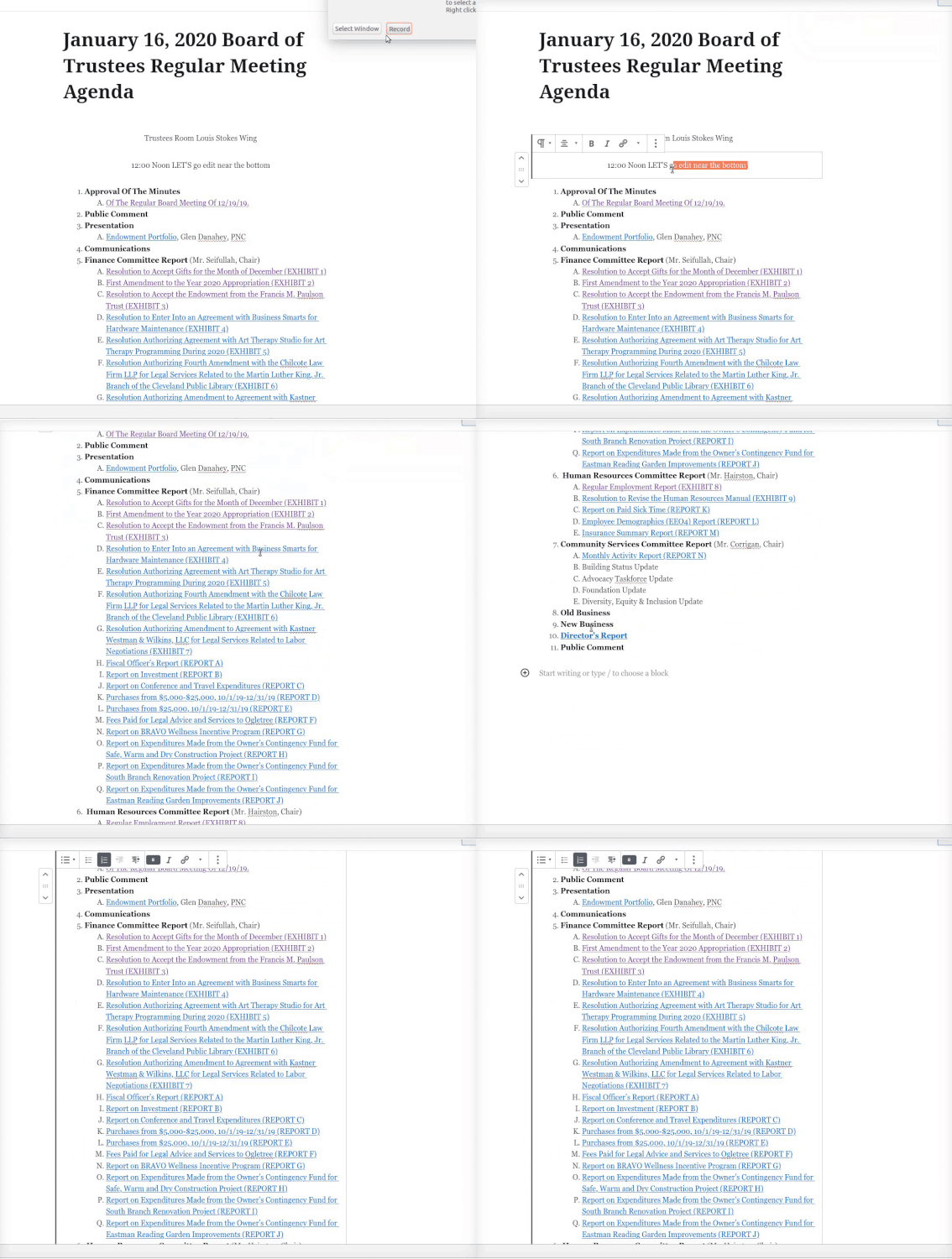
When a user tries to edit an item near the end of a list block with lengthy content, is not alread in that block, and clicks on the list item, the user is brought to the center of the list block. For longer lists, this behavior (re-centering/focusing) is problematic for users who expect the screen to remain where they clicked.
It is a bit difficult to exactly express this behavior, but this GIF captures it quite nicely.
To reproduce
Steps to reproduce the behavior:
- Create a list with lengthy items that would extend beyond the current view of the desktop.
- scroll to a list item that is near the end of the list
- click on a list item
Expected behavior
When a user clicks on a list item, the current view of the screen would remain where the user clicked; not towards the center of the block.
Desktop (please complete the following information):
- Firefox (have not tested this on Chrome) on both linux and windows
- Gutenberg v7.2.0;
- replicated this on both TwentyTwenty theme and our internal custom theme.
Work around
I've been able to workaround this with our content editors by instructing them to first click anywhere within the list block (which establishes initial focus), and then click the list item that they wish to edit.
 skorasaurus
All 2 comments
Thanks for creating the issue. I think this issue is independent of the block used. It happens with any lengthy.
 youknowriad
on 16 Jan 2020
youknowriad
on 16 Jan 2020
as @log1x pointed out in the related issue #20111, blocks immediately scroll to bottom when clicked.
the expected behaviour stays the same: users expect the screen to remain where they clicked.
 maxlisewski
on 7 Apr 2020
maxlisewski
on 7 Apr 2020
Related issues
 cr101
·
3Comments
cr101
·
3Comments
 BE-Webdesign
·
3Comments
BE-Webdesign
·
3Comments
 nylen
·
3Comments
nylen
·
3Comments
 maddisondesigns
·
3Comments
maddisondesigns
·
3Comments
 aaronjorbin
·
3Comments
aaronjorbin
·
3Comments
Most helpful comment
as @log1x pointed out in the related issue #20111, blocks immediately scroll to bottom when clicked.
the expected behaviour stays the same: users expect the screen to remain where they clicked.