Gutenberg: Navigation Block adds an empty link for untitled pages
Describe the bug
When creating a navigation block from all top pages, if there are untitled pages, the links to these pages not added.
To reproduce
Steps to reproduce the behavior:
- Make sure you have at least 1 page published with no title.
- Add a Navigation Block to a page.
- Click on "Create from all top pages"
- A menu item is added for the untitled page but it doesn't have a link to the page like the other pages.
Expected behavior
I would expect that the link to the page would be pulled just like it does for pages with titles. I also find that it would be more clear if instead of "Add link" the menu item was named "Untitled" just like it appears for untitled pages.
Screenshots
I recorded this video to show:
 guicmazeredo
All 3 comments
I would expect that the link to the page would be pulled just like it does for pages with titles.
I can see that the link is actually pulled correctly there:
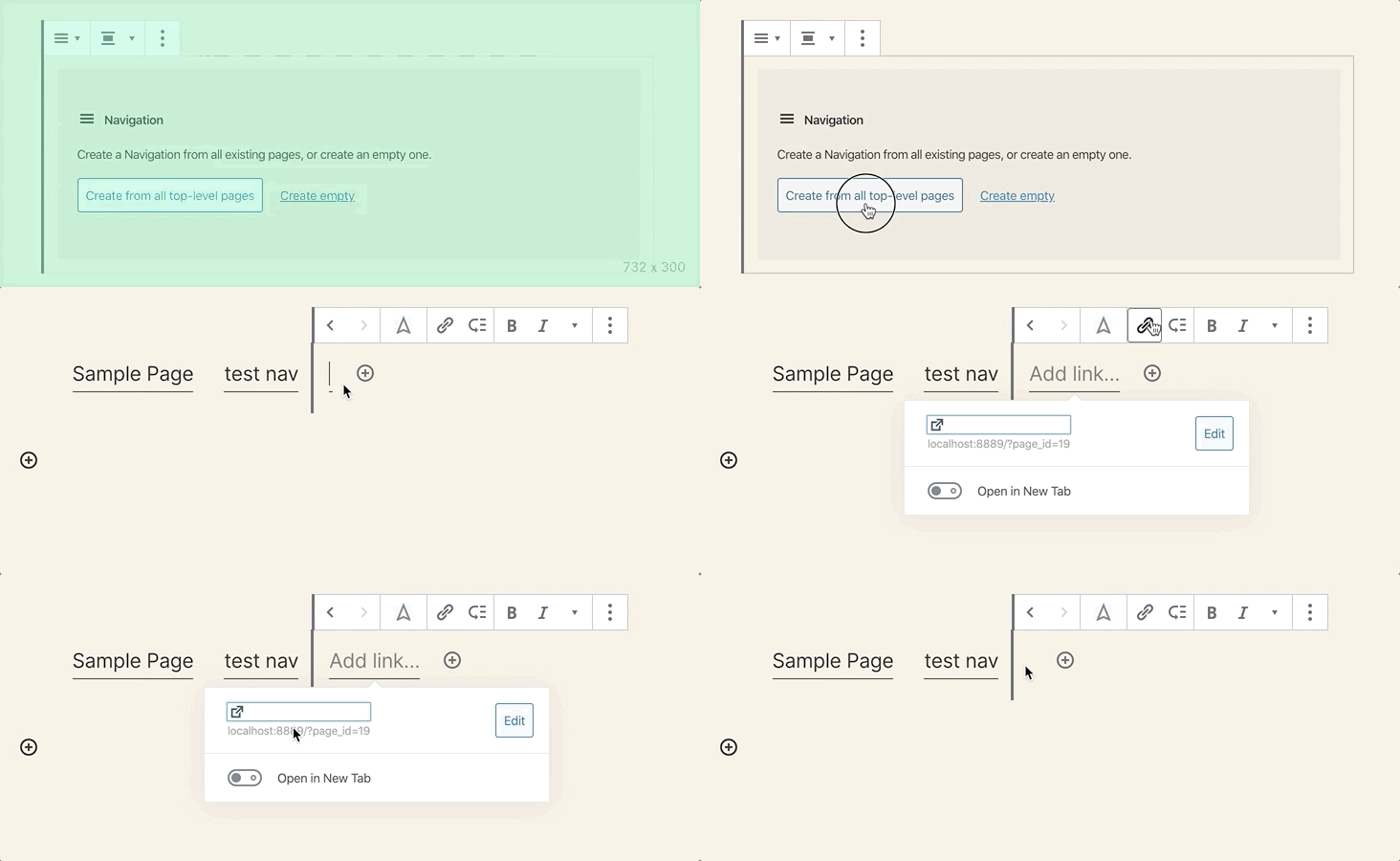
Could you confirm, @guicmazeredo?
 WunderBart
on 8 Jan 2020
WunderBart
on 8 Jan 2020
it would be more clear if instead of "Add link" the menu item was named "Untitled" just like it appears for untitled pages.
Should we use (no title) instead of Untitled as we currently do for posts without titles? I'd also suggest to prepend the post number to (no title) as it's currently done in the Primary Menu:

Adding the post number should become possible when the https://github.com/WordPress/gutenberg/pull/18641 is in.
WunderBart
on 8 Jan 2020
it sounds reasonable to match (no title) from other places 👍
 marekhrabe
on 8 Jan 2020
marekhrabe
on 8 Jan 2020
Related issues
 franz-josef-kaiser
·
3Comments
franz-josef-kaiser
·
3Comments
 mhenrylucero
·
3Comments
mhenrylucero
·
3Comments
 youknowriad
·
3Comments
youknowriad
·
3Comments
 spocke
·
3Comments
spocke
·
3Comments
 maddisondesigns
·
3Comments
maddisondesigns
·
3Comments
Most helpful comment
it sounds reasonable to match
(no title)from other places 👍