Gutenberg: 500 error and 'Reusable' tab disappears when a reusable block is embedded into itself
Describe the bug
When a reusable block has a reusable block embedded (containing the same ID) it throws a 500 error and the 'Reusable' tab disappears in WP 5.3.
To reproduce
1 Go to wp-admin/edit.php?post_type=wp_block&paged=1
Create a new reusable block. For this test, I am calling it 'Reusable Block Test'. You can call it anything you'd like. Publish and save, note the post ID from the URL.
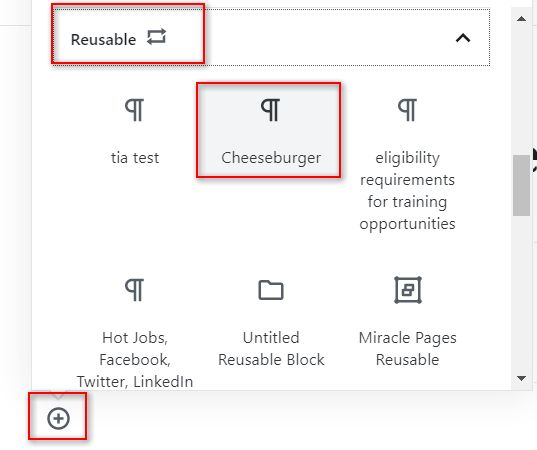
Embed a new reusable block into the one you just created. Pick a random block.
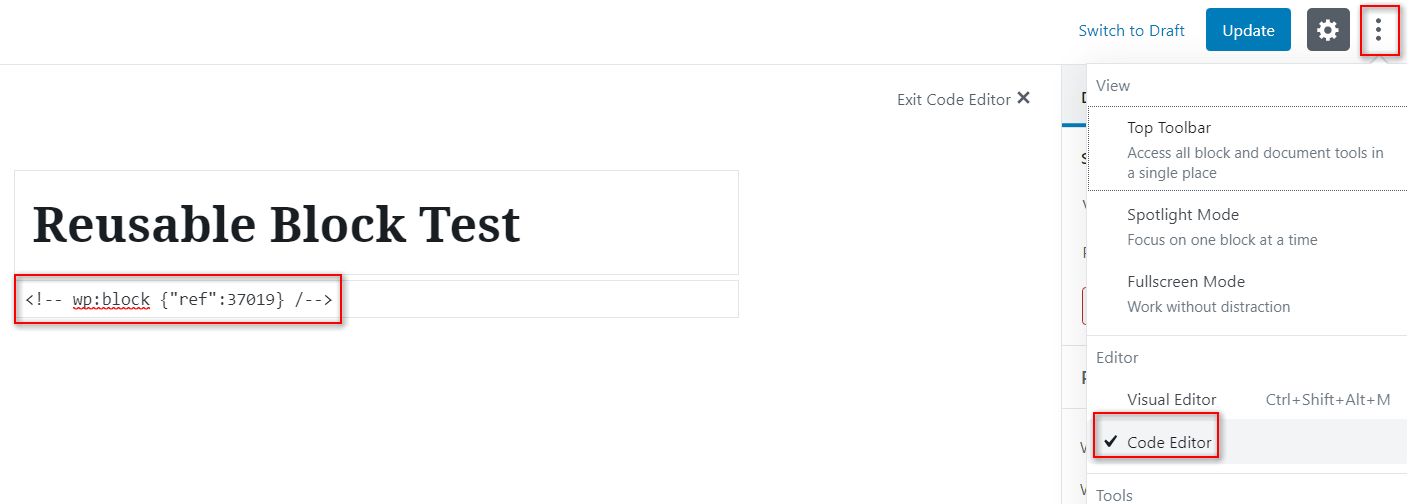
- Switch the view to 'Code Editor' and enter the ID from step #2. Update the post.
You should get an error : 'Updating failed. or Updating failed. Error message: The response is not a valid JSON response. (note that it did update)
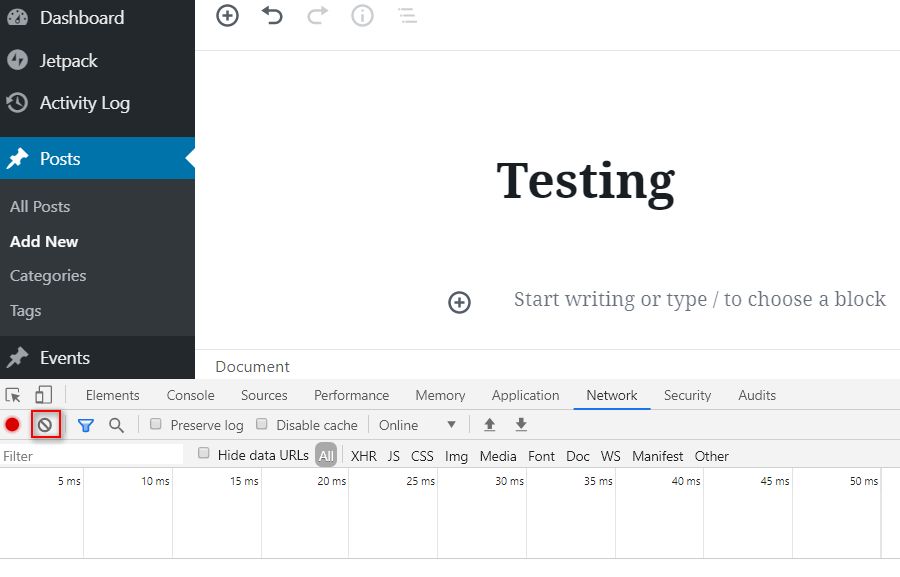
Go to Posts -> Add New. Open up the "Network" tab in Google Chrome. Clear anything there to get a fresh list.
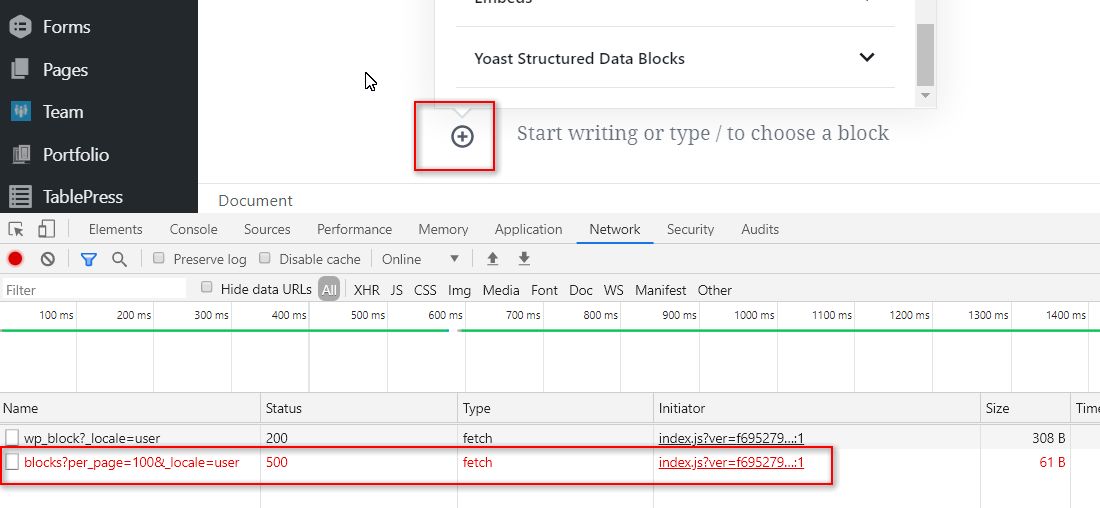
- Add a new block. You should get a 500 error and the "Reusable" tab is missing.

Request URL: */wp-json/wp/v2/blocks?per_page=100&_locale=user
Request Method: GET
Status Code: 500
Remote Address: 127.0.0.1:8080
Referrer Policy: strict-origin-when-cross-origin
- Editing the reusable block from step 2 results in a frontend error:
"There has been a critical error on your website. Please check your site admin email inbox for instructions"
Expected behavior
Adding a block allows you to add previously created Reusable Blocks by using the "Reusable" tab
Desktop (please complete the following information):
- OS: [e.g. iOS] Windows 10
- Browser [e.g. chrome, safari]: Chrome
- Version [e.g. 22] 78.0.3904.108
Additional context
WP Version: 5.3
 ladyzyra
All 10 comments
I was able to replicated this on a clean install.
Here is a video: http://bit.ly/2OFt2UW
and a screenshot:
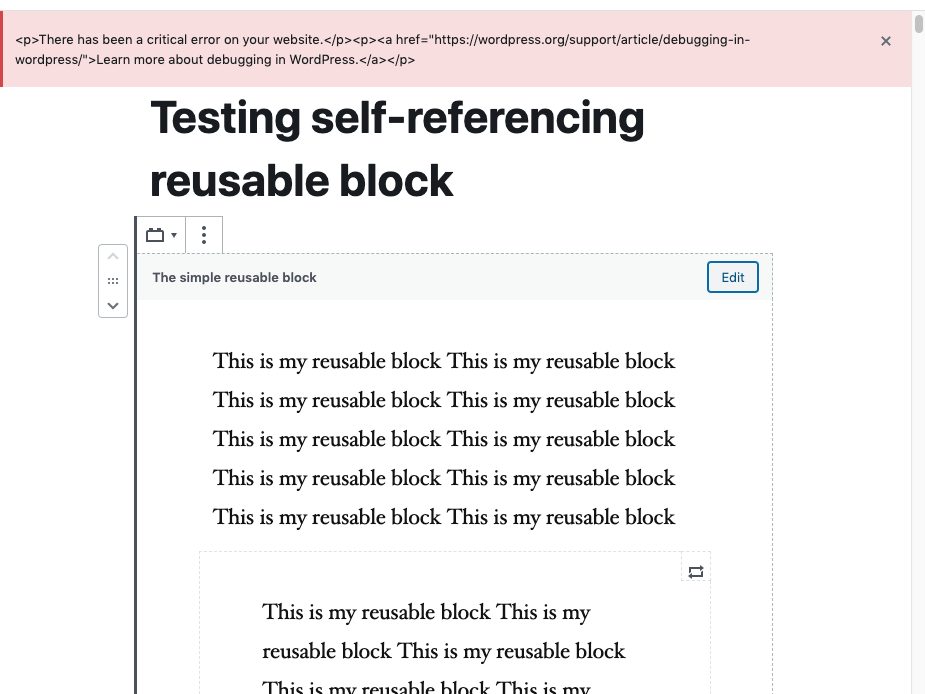
I also encountered this error message:
Fatal error: Allowed memory size of 268435456 bytes exhausted (tried to allocate 262144 bytes) in /app/public/wp-includes/class-wp-block-parser.php on line 256 Fatal error: Allowed memory size of 268435456 bytes exhausted (tried to allocate 262144 bytes) in /app/public/wp-includes/class-wp-fatal-error-handler.php on line 35
- This is not a 5.3 regression, though. It also happened in 5.2. (tested in 5.2.1)
- You can create reusable blocks containing other reusable blocks, just not itself.
Props to @ladyzyra for doing some great sleuthing!
 bph
on 23 Nov 2019
bph
on 23 Nov 2019
Until this is solved, how do you know that is the cause for your reusable block troubles? If you are a developer, look into the database and examine each listed reusable block, if you find one with ID - double-check it's not its own id. If it is delete the entry.
If you don't have access to the database
- Go to manage reusable blocks
- Open Browser Console on the Errors screen
- Try to download "export" each block.
- If you get a 'This is not proper JSON' format in the browser console, that's probably the culprit, the block that references itself.
- Move it to trash
- Open another post and try to add a block via inserter, the reusable block category should show up again.
bph
on 25 Nov 2019
Discussed this quickly, I think our best bet here is to fail gracefully instead of trying to eliminate the possibility to create a loop. The possibilities of creation are endless including writing HTML.
 youknowriad
on 27 Nov 2019
youknowriad
on 27 Nov 2019
Note that the duplicate issue https://github.com/WordPress/gutenberg/issues/21117 has some detailed steps for reproducing this.
Agree with Riad that we only need to fail gracefully here.
 noisysocks
on 21 Apr 2020
noisysocks
on 21 Apr 2020
@noisysocks @youknowriad is self-referencing a valid use case? If not we could update the Reusable Block search logic to filter out self. If the approach sounds good I can create PR for this.
 dpkm95
on 22 Sep 2020
dpkm95
on 22 Sep 2020
@noisysocks @youknowriad is self-referencing a valid use case?
No, it's not but I remember looking at this a long time ago and add a check before insertion is very complex:
These are all bad use-cases:
- You can have A nested in A.
- You can have A nested in B nested in A.
- You can have a reusable block A inside a template part B inside a reusable A.
- Users can edit the HTML directly and bypass the UI validation.
I worry about the added complexity compared to the value of the check and I might think adding a check post insertion/rendering is better. (showing a warning if we detect errors somehow).
youknowriad
on 23 Sep 2020
25472 was also closed as a duplicate of this issue.
 talldan
on 24 Sep 2020
talldan
on 24 Sep 2020
In case it's a useful data point, we encountered this situation in the wild yesterday. A client of ours was editing an existing reusable block and managed to make it self-referential, thus cratering a number of posts. I only discovered what had happened after the fact, so I can't provide the exact sequence of steps they used, but the end result was a block whose wp_content was a wp:block reference to itself.
 jboonstra
on 6 Oct 2020
jboonstra
on 6 Oct 2020
Closed #26542 as a duplicate.
edit: oops, didn't mean to close this one!
talldan
on 29 Oct 2020
Please see #26951
 carlomanf
on 13 Nov 2020
carlomanf
on 13 Nov 2020
Related issues
 BE-Webdesign
·
3Comments
BE-Webdesign
·
3Comments
 JohnPixle
·
3Comments
JohnPixle
·
3Comments
 jasmussen
·
3Comments
jasmussen
·
3Comments
 cr101
·
3Comments
cr101
·
3Comments
 wpalchemist
·
3Comments
wpalchemist
·
3Comments
Most helpful comment
Discussed this quickly, I think our best bet here is to fail gracefully instead of trying to eliminate the possibility to create a loop. The possibilities of creation are endless including writing HTML.