Gutenberg: Safari: Moving Blocks is SUPER slow
Describe the bug
To reproduce
Steps to reproduce the behavior:
- Use Safari.
- Create a few blocks or open the demo content.
- Use the block movers.
- The block(s) move very slowly to the target position. This is even more annoying when you want to move the block(s) several positions up or down.
Expected behavior
Moving blocks should be (near) instant.
Screenshots
If applicable, add screenshots to help explain your problem.
Desktop (please complete the following information):
- OS: Mac
- Browser: Safari
- Version: 12.1.1 (14607.2.6.1.1)
 ellatrix
All 17 comments
Cc @youknowriad if you have any idea why it's so slow. :)
ellatrix
on 9 Sep 2019
Anything particular in the testing environment. Quickly testing this, I was not able to notice laginess.
 youknowriad
on 9 Sep 2019
youknowriad
on 9 Sep 2019
cannot reproduce as well
worth noting, there was a discussion in slack about something similar with large blocks here
 senadir
on 9 Sep 2019
senadir
on 9 Sep 2019
@youknowriad The block movement animation just doesn't happen at all for me on large posts with lots of blocks, but there is still about a second of delay between clicking the button and the block moving. Even on smaller posts when the animation does occur, there seems to be a brief delay before the animation starts.
(I'm using a Chromium-based browser on Linux.)
 ZebulanStanphill
on 9 Sep 2019
ZebulanStanphill
on 9 Sep 2019
I would appreciate if one of the people reproducing this could debug a bit and see if there's anything obvious we're missing?
youknowriad
on 11 Sep 2019
I didn’t see anything obvious but I’ll look again when I have the chance.
ellatrix
on 13 Sep 2019
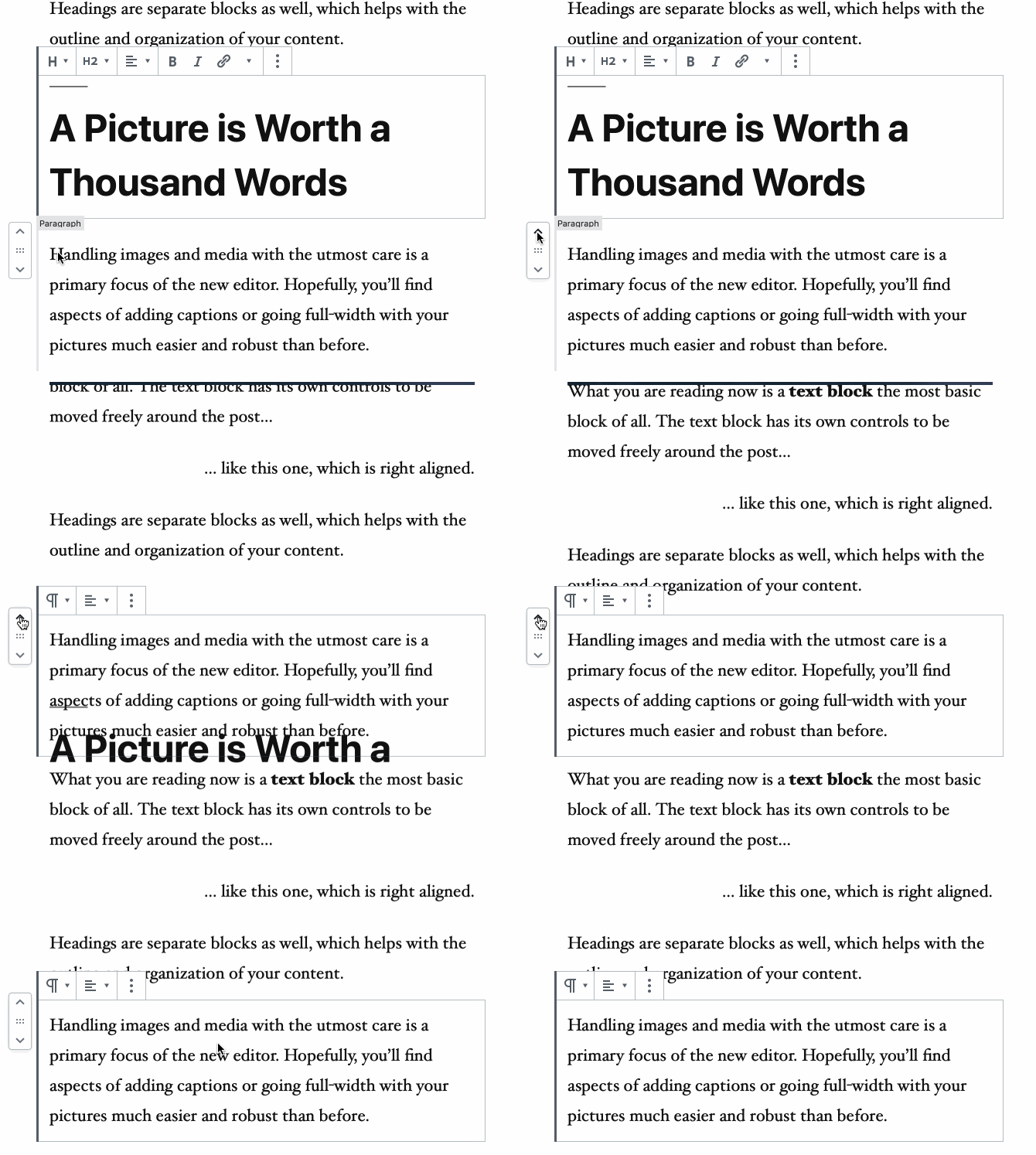
I was again able to reproduce with the Gutenberg plugin demo content in Safari Version 12.1.2 (14607.3.9). My battery is 92% charged and I have normal CPU activity. I recorded a GIF:
ellatrix
on 16 Sep 2019
There's another slowness for me, clearly felt in master+Safari, that isn't just animation-related. It's a general sluggishness and tendency to stall — sometimes for several seconds, during which I face the macOS beachball. Have you noticed it, @ellatrix? Should we report that separately?
 mcsf
on 24 Sep 2019
mcsf
on 24 Sep 2019
I'm trying this again, and the block movers are hidden...
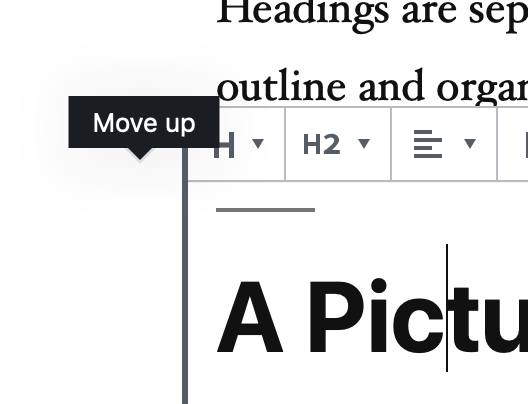
I don't see the "beachball" at any point though.
When working on native cross block selection, I did notice that Safari was really slow in updating the DOM tree of asynchronously rendered blocks (the ones that are not selected). May be related?
ellatrix
on 24 Sep 2019
About the async rendering and whether it's related. It make me think that we use a self-polifilled version of requestIdleCallback in the priority-queue package to handle that, and it seems Safari doesn't support it https://caniuse.com/#search=requestidlecallback
So maybe we have an issue with our polyfill.
youknowriad
on 24 Sep 2019
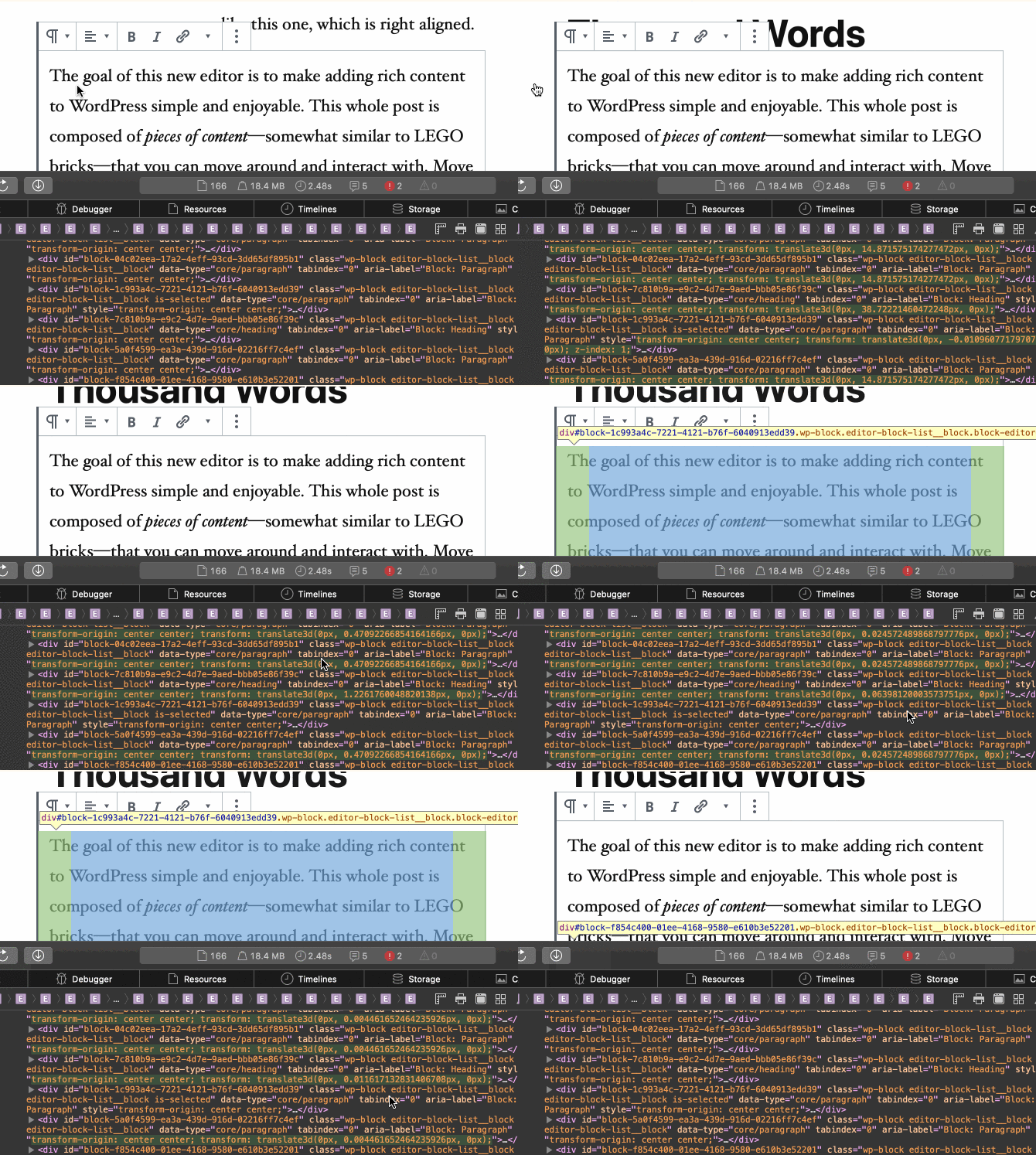
Here you can see the DOM updates in Safari. The whole animation takes well over 10 seconds.
ellatrix
on 24 Sep 2019
To be honest I had no idea the animation requires _all_ blocks to be updated. This might even be slow in other browsers for a big number of blocks. The benefit this animation brings seems small for the amount of DOM updates and calculations it brings. Is there no way it could be limited to one or two blocks, and done in CSS?
ellatrix
on 24 Sep 2019
I can reproduce this. The more blocks on the page, the slower it gets. Potentially #17534 is related, since the things are there just with zero opacity.
Idea: instead of updating _every block_ on the page, only update the ones visible in the viewport. Since the point for moving block is to show the context, these are the only ones that need to animate, anyway. The total height of the entire document remains the same.
So if we could make it so _the selected block and the preceding ten blocks, and the subsequent 10 blocks_ were the only ones that got animated, presumably this would fix the animation performance issue entirely?
 jasmussen
on 25 Sep 2019
jasmussen
on 25 Sep 2019
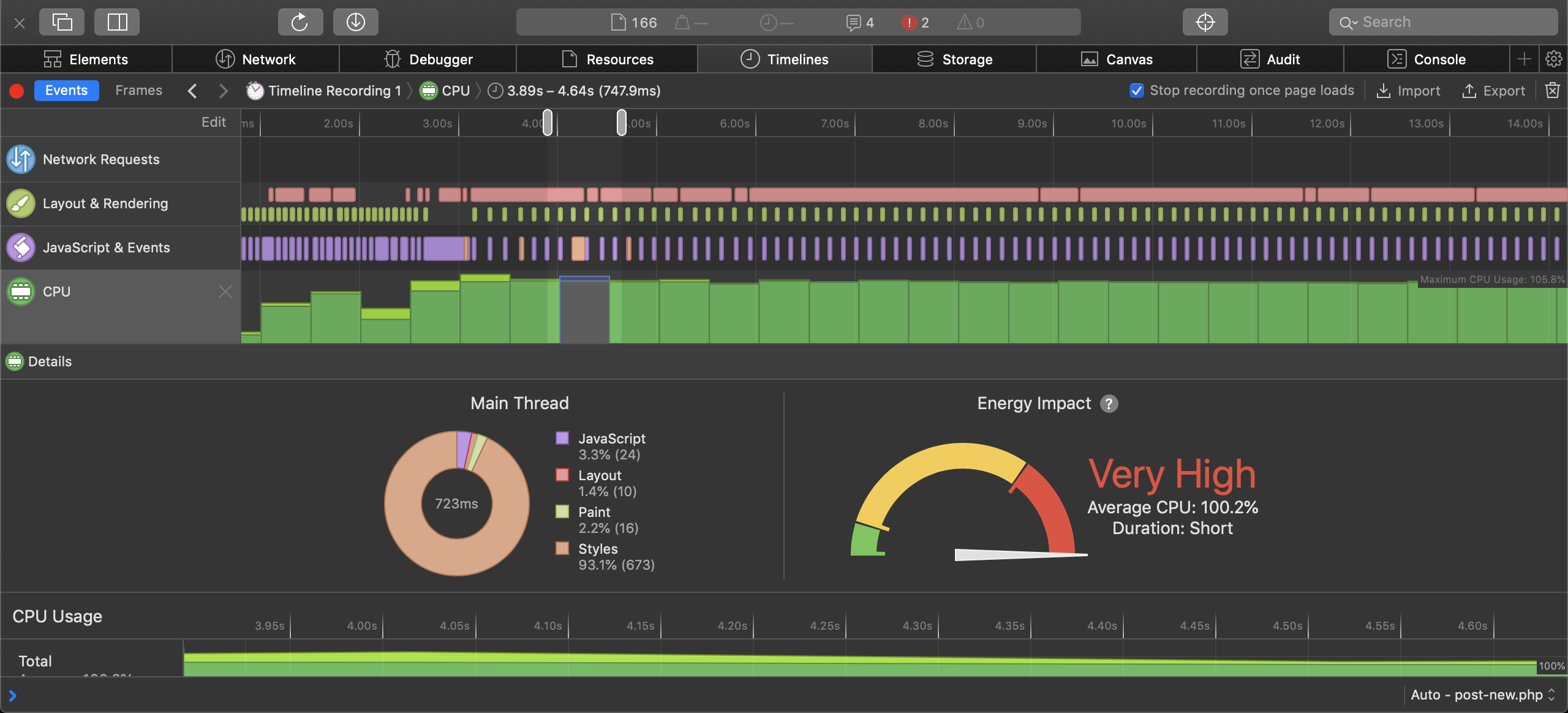
This is a timeline recording in Safari. The moving takes 12 seconds (!) to complete with very high CPU usage.
ellatrix
on 25 Sep 2019
Updated to Safari Version 13.0.1 (14608.2.11.1.11), and it's still slow.
ellatrix
on 25 Sep 2019
I would like to add that not only moving but, as @mcsf mentioned, generally everything is slow, for example selecting blocks or deselecting blocks.
Also this is an issue I could reproduce in iPadOS 's Safari and iOS 13. On tablet and mobile it is even worse with seconds of lag between keystroke and text showing up on screen.
 draganescu
on 25 Sep 2019
draganescu
on 25 Sep 2019
I have a beginning for a fix in #17573
youknowriad
on 25 Sep 2019
Related issues
youknowriad
·
3Comments
 spocke
·
3Comments
spocke
·
3Comments
 maddisondesigns
·
3Comments
maddisondesigns
·
3Comments
 aaronjorbin
·
3Comments
aaronjorbin
·
3Comments
 nylen
·
3Comments
nylen
·
3Comments
Most helpful comment
To be honest I had no idea the animation requires _all_ blocks to be updated. This might even be slow in other browsers for a big number of blocks. The benefit this animation brings seems small for the amount of DOM updates and calculations it brings. Is there no way it could be limited to one or two blocks, and done in CSS?