Gutenberg: wp component in a plugin admin
Hi,
I would like to use wp-components in a plugin admin development to make it compatible with future versions of Wordpress, but I have some questions and issues, so please help me to make the right decision.
Questions:
- Is it possible to create a bundle for previous versions of Wordpress, versions lower than wp5.
- Using pure
reactor'@wordpress/element', which one is better at this point? Please note that I would like to support versions lower than wp5.
Issue:
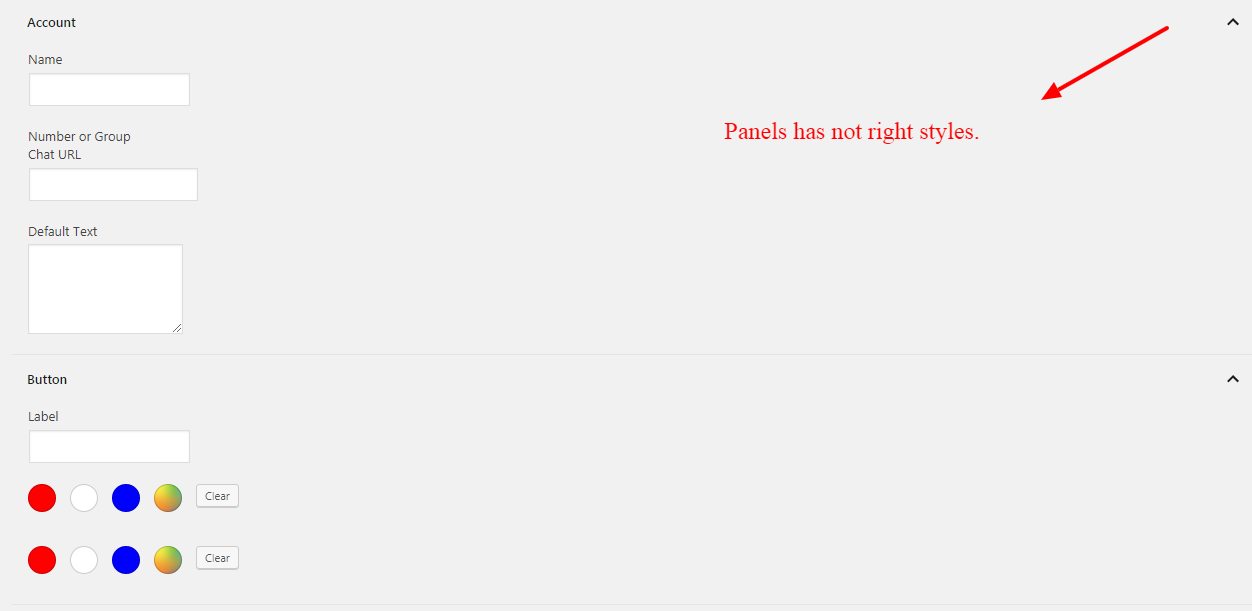
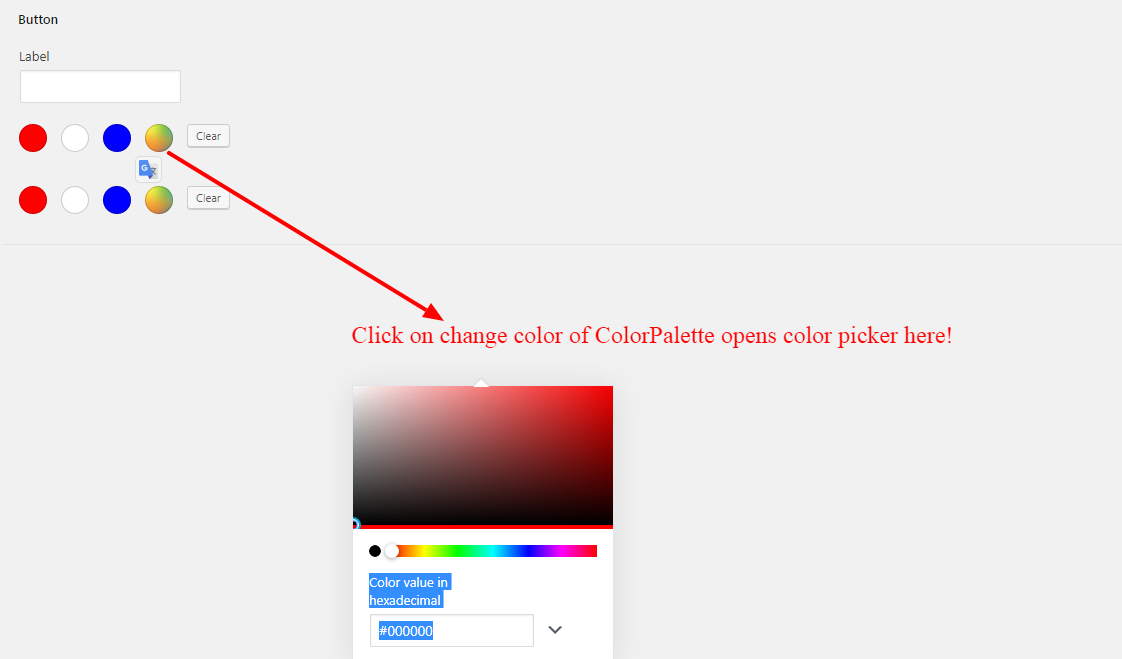
I created a sample component with Gutenberg components but it has style issues and you can see them in the attached images.
import { __ } from '@wordpress/i18n';
import { Component } from '@wordpress/element';
import {
    Panel,
    PanelBody,
    PanelRow,
    TextControl,
    TextareaControl,
    ColorPalette
} from '@wordpress/components';

export default class Account extends Component {
    constructor() {
        super( ...arguments );

        this.state = {
            name: '',
            number: '',
            default_text: '',
            button_label: '',
            button_color: '',
            button_text_color: ''
        };
    }

    render() {
        const colors = [
            { name: 'red', color: '#f00' },
            { name: 'white', color: '#fff' },
            { name: 'blue', color: '#00f' },
        ];

        return (
            <div>
                {/* <Panel header={ __( 'Account', 'easy-wordpress-whatsapp' ) }> */}
                    <PanelBody initialOpen={ true } title={ __( 'Account', 'easy-wordpress-whatsapp' ) }>
                        <PanelRow>
                            <TextControl
                                label={ __( 'Name', 'easy-wordpress-whatsapp' ) }
                                onChange={ value => this.setState( { name: value } ) }
                                required
                                value={ this.state.name }
                            />
                        </PanelRow>

                        <PanelRow>
                            <TextControl
                                label={ __( 'Number or Group Chat URL', 'easy-wordpress-whatsapp' ) }
                                onChange={ value => this.setState( { number: value } ) }
                                required
                                value={ this.state.number }
                            />
                        </PanelRow>

                        <PanelRow>
                            <TextareaControl
                                label={ __( 'Default Text', 'easy-wordpress-whatsapp' ) }
                                onChange={ value => this.setState( { default_text: value } ) }
                                value={ this.state.default_text }
                            />
                        </PanelRow>
                    </PanelBody>
                {/* </Panel> */}

                {/* <Panel header={ __( 'Button', 'easy-wordpress-whatsapp' ) }> */}
                    <PanelBody initialOpen={ true } title={ __( 'Button', 'easy-wordpress-whatsapp' ) }>
                        <PanelRow>
                            <TextControl
                                label={ __( 'Label', 'easy-wordpress-whatsapp' ) }
                                onChange={ value => this.setState( { button_label: value } ) }
                                required
                                value={ this.state.button_label }
                            />
                        </PanelRow>

                        <PanelRow>
                            <ColorPalette
                                colors={ colors }
                                value={ this.state.button_color }
                                onChange={ ( color ) => this.setState( { color } ) }
                            />
                        </PanelRow>

                        <PanelRow>
                            <ColorPalette
                                colors={ colors }
                                value={ this.state.button_text_color }
                                onChange={ ( color ) => this.setState( { color } ) }
                            />
                        </PanelRow>
                    </PanelBody>
                {/* </Panel> */}

            </div>
        )
    }
}
Enqueued styles.
$this->enqueue_style( 'wp-components' );
I asked the same question at StackOverflow but I think that the right place for asking this question is here, because Gutenberg developers are here and can help me fast and easy.
Thanks.
 codewp
All 5 comments
I think we try to reduce the amount of help requests here on GitHub, so Stack Overflow is a perfectly valid place to ask questions. Definitely better than asking in multiple places :-)
If you want to support WordPress < 5.0, I recommend you to bundle the necessary scripts in your plugin and register the scripts handles if they are not yet registered. The same goes for @wordpress/element.
Some prior art:
 swissspidy
on 4 Jul 2019
swissspidy
on 4 Jul 2019
Hi @swissspidy
Thank you for your help about creating bundles for WordPress < 5.0 it helped me more.
Please let me know do you have any experience or sample code for using @wordpress/components in a plugin admin?
I used @wordpress/components to create an admin interface of the plugin but it seems that it has style and some functionality issues. Please refer to attached images.
Thanks.
codewp
on 4 Jul 2019
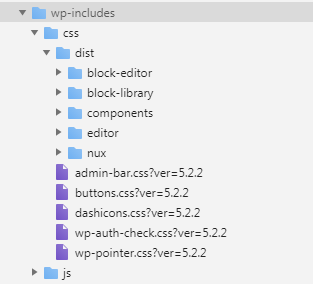
@codewp have you enqueued the component styles?
wp_enqueue_style( 'wp-edit-blocks' );
This may help get some of the styling necessary to render the components correctly.
 chrisvanpatten
on 5 Jul 2019
chrisvanpatten
on 5 Jul 2019
Hi @chrisvanpatten
Thank you for your response.
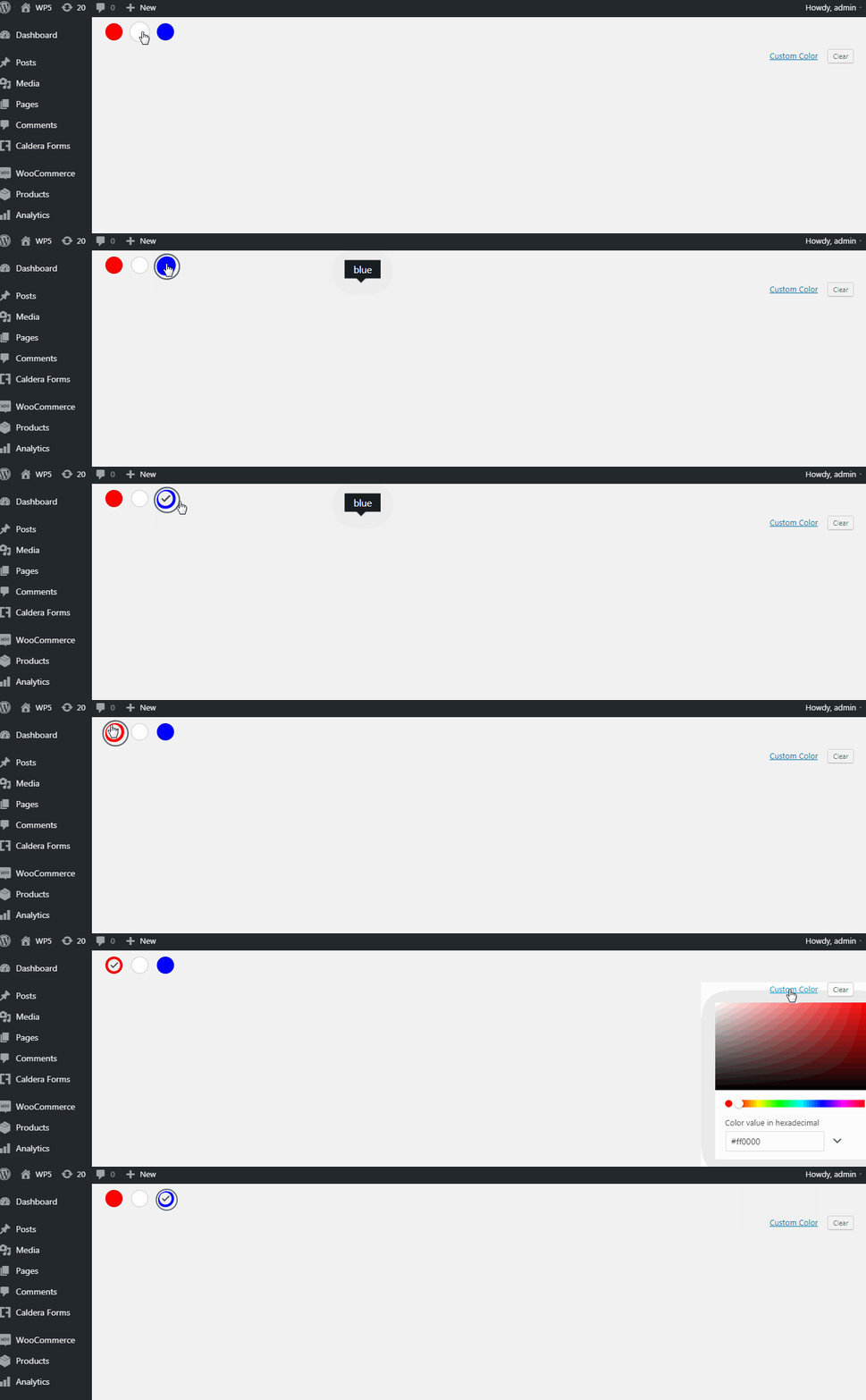
I tried it but ColorPalette component issue exists yet, please look at attached gif file.
$this->enqueue_style( 'asnp-ewwsapp-admin', $this->get_asset_url( 'admin/css/admin' . $suffix . '.css' ), array( 'wp-components', 'wp-edit-blocks' ) );

$this->enqueue_script(
 'whatsapp',
 $this->get_asset_url( 'dist/admin/index.js' ),
 array(
  'wp-components',
  'wp-data',
  'wp-element',
  'wp-hooks',
  'wp-i18n',
 )
);
import { __ } from '@wordpress/i18n';
import { Component } from '@wordpress/element';
import { ColorPalette } from '@wordpress/components';

export default class Button extends Component {
    constructor() {
        super( ...arguments );

        this.state = {
            color: '',
            text_color: ''
        };
    }

    render() {
        const colors = [
            { name: 'red', color: '#f00' },
            { name: 'white', color: '#fff' },
            { name: 'blue', color: '#00f' },
        ];

        return (
            <div>
                <ColorPalette
                    colors={ colors }
                    value={ this.state.color }
                    onChange={ ( color ) => this.setState( { color } ) }
                />
            </div>
        )
    }
}
your issue might come from the fact that you need to wrap your UI in PopoverProvider component.
Please note that for general help requests, you have to post in the support forum at https://wordpress.org/support/forum/how-to-and-troubleshooting/.
Technical help requests have their own section of the support forum at https://wordpress.org/support/forum/wp-advanced/.
You may also ask for technical support at https://wordpress.stackexchange.com/.
 youknowriad
on 25 Jul 2019
youknowriad
on 25 Jul 2019
Related issues
 afercia
·
73Comments
afercia
·
73Comments
 melchoyce
·
169Comments
melchoyce
·
169Comments
 maddisondesigns
·
79Comments
maddisondesigns
·
79Comments
 Pikkals
·
98Comments
Pikkals
·
98Comments
 jasmussen
·
74Comments
jasmussen
·
74Comments