Gutenberg: Close/open parent categories in sidebar.
Is your feature request related to a problem? Please describe.
I have made a top parent category named Archive. Inside it is all the old posts of the site. There are a lot of child categories. I have to scroll past all the Archive children categories to get to the newer categories below.
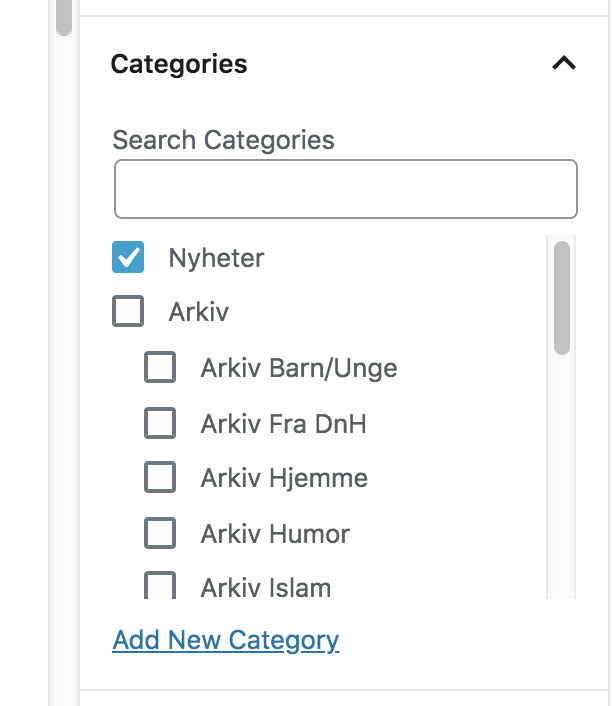
Describe the solution you'd like
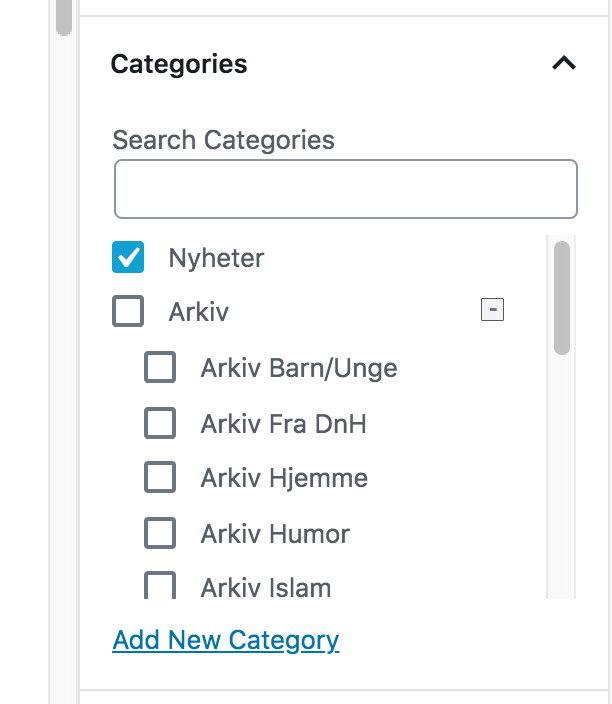
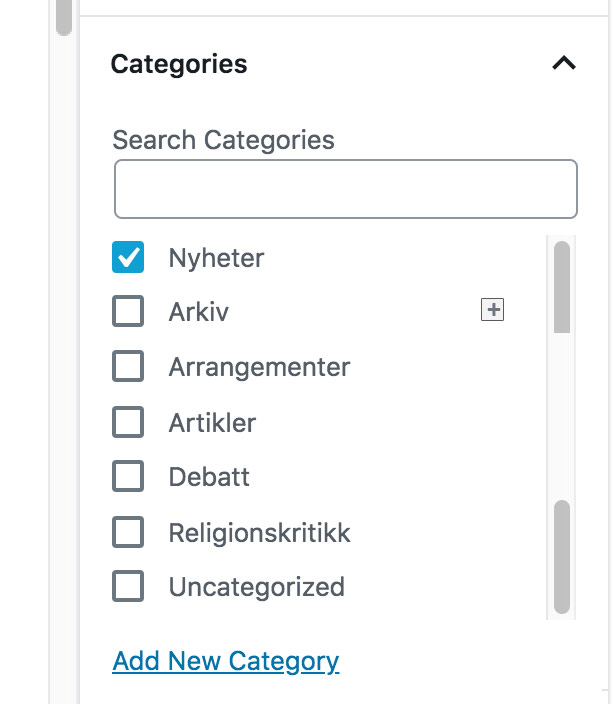
I would like a standard open/close sub page icons.
Perhaps something like this:
Describe alternatives you've considered
Scrolling in the sidebar categories list.
 paaljoachim
All 3 comments
This would no doubt be useful to some users — mostly in larger corporate sites. But it's largely an edge case. As such, it may make sense to only include this in a plugin.
That said, if someone were dedicated to this, and wanted to open up a PR here, I don't think it'd do any harm to have it included.
Some design questions:
- How would these show/hide sections persist on page loads? If you expanded a section, would it remain expanded when you loaded up a new post?
- I don't believe we have a slim show/hide control like that (other than maybe just our expand/collapse arrows?). Are there other areas where this would be useful?
 kjellr
on 2 Jul 2019
kjellr
on 2 Jul 2019
See this example from Ant Design that has the same idea. It's helpful to see how it's implemented and how it feels. https://ant.design/components/tree/#header
 davewhitley
on 3 Jul 2019
davewhitley
on 3 Jul 2019
My feeling is this should be in a plugin in agreement with @kjellr so let's close for now. If there is a plugin it could be great to then see that considered.
 karmatosed
on 31 Aug 2019
karmatosed
on 31 Aug 2019
Related issues
 mhenrylucero
·
3Comments
mhenrylucero
·
3Comments
 ellatrix
·
3Comments
ellatrix
·
3Comments
 maddisondesigns
·
3Comments
maddisondesigns
·
3Comments
 moorscode
·
3Comments
moorscode
·
3Comments
 JohnPixle
·
3Comments
JohnPixle
·
3Comments
Most helpful comment
See this example from Ant Design that has the same idea. It's helpful to see how it's implemented and how it feels. https://ant.design/components/tree/#header