Gutenberg: The response is not a valid JSON response when uploading images via Gutenberg in IIS
Describe the bug
I cannot upload images in Gutenberg when running IIS 8.5 and PHP 7.2.3. Same site works with ngix.
To Reproduce
Steps to reproduce the behavior:
- Run WordPress with Gutenberg on IIS 8.5 and PHP 7.2.3
- Goto insert image block in Gutenberg
- Press upload and choose an image
- Click open, wait a while and then you get the error "The response is not a valid JSON response"
- The responce after insert is https://...../wp-admin/undefined (404)
Additional context
Inserting an image to media first works as a workaround.
 Niklassandqvist
All 27 comments
Same error here. IIS 7.5 and PHP 5.6.26
Image blocks and image gallery blocks.
Nothing in the WP_DEBUG_LOG
Same .../wp-admin/undefined as Niklassandqvist
This request originates in plugins/gutenberg/build/block-library/index.js

 carolynzinn
on 6 Dec 2018
carolynzinn
on 6 Dec 2018
same issue here
 mairin
on 8 Jan 2019
mairin
on 8 Jan 2019
For what it's worth, I'm running a server with Microsoft-IIS/7.5 with PHP 7.1.13.
Creating a reusable block and or uploading an image results in the same error.
The reusable block posts the error at the top of the page while the image posts the error within the image block upload area.

Although the error appears a reusable block is created and the image is uploaded to the media library.
I wasn't able to recreate this conflict on a LAMP server or in Desktop Server on Windows
 josephdickson
on 14 Jan 2019
josephdickson
on 14 Jan 2019
Confirmed on Windows Plesk hosting (at GoDaddy) running IIS 7 on PHP 5.2.17, 5.4.45, 5.6.33 (tested each version) running as a FastCGI application, WordPress version 5.0.3
Workaround: Upload through "media" or using a Classic Block/Classic Editor
 mclancy3
on 16 Jan 2019
mclancy3
on 16 Jan 2019
I'm having the same issue on SmarterASP hosting. PHP version 7.0.14., WordPress version 5.0.3.
 bperniciaro
on 28 Jan 2019
bperniciaro
on 28 Jan 2019
I have the same problem on a new site I set up with the latest version of Wordpress and it's the same hosting provider as my older site that works fine using and an older version of Wordpress.
note: Replicated on a different hosting provider and it works OK with the latest version of Wordpress
 AngelicaPerduta
on 12 Feb 2019
AngelicaPerduta
on 12 Feb 2019
Same issue here.
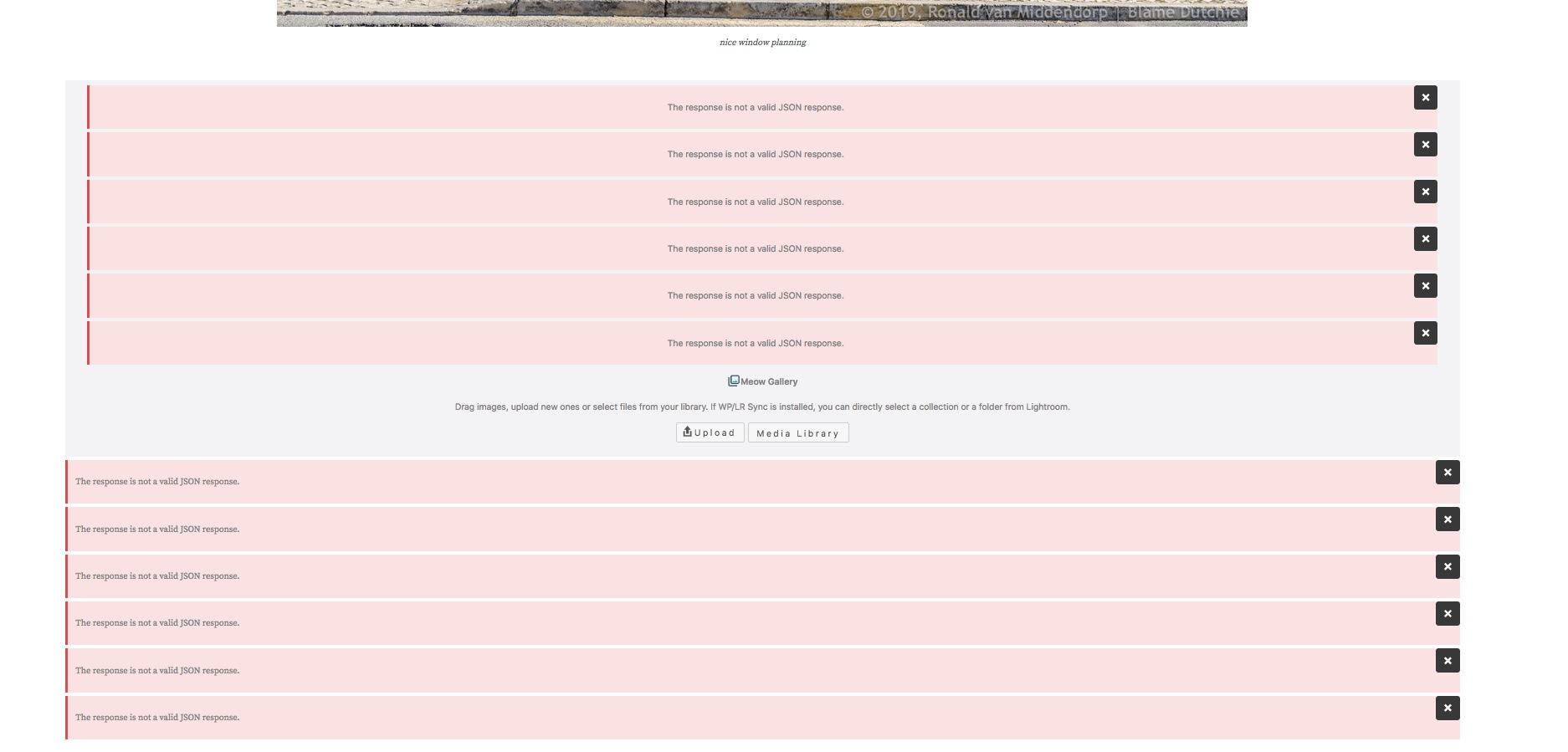
Attempt to add an image block & a gallery.
Ubuntu 16.04.1 / Apache 2.4.18 / PHP 7.0.33 / MySQL 5.7.25 / Wordpress 5.0.3
 BlameDutchie
on 18 Feb 2019
BlameDutchie
on 18 Feb 2019
Same issue here.
Attempt to add an image block & a gallery.
Ubuntu 16.04.1 / Apache 2.4.18 / PHP 7.0.33 / MySQL 5.7.25 / Wordpress 5.0.3If U have control of the server settings then the following worked for my WAMP (Windows, Apache, MySQL, Php) server:
edit php.ini to specify:
post_max_size = 32M
upload_max_filesize = 32M
memory_limit = 128M
AngelicaPerduta
on 19 Feb 2019
Same issue here.
Attempt to add an image block & a gallery.
Ubuntu 16.04.1 / Apache 2.4.18 / PHP 7.0.33 / MySQL 5.7.25 / Wordpress 5.0.3If U have control of the server settings then the following worked for my WAMP (Windows, Apache, MySQL, Php) server:
edit php.ini to specify:post_max_size = 32M
upload_max_filesize = 32M
memory_limit = 128M
I have checked the settings, we have:
post_max_size = 200M
upload_max_filesize = 200M
memory_limit = 512M
Niklassandqvist
on 19 Feb 2019
I wonder if it's a Windows/Linux difference?
I don't have a Linux machine to do the same test and I don't have access to
the server configuration on the hosting provider where my same installation
malfunctions.
Maybe if you have a Windows computer you can try a WAMP server and if that
works try to see what difference there is? Note: I also tried a MAMP server
on the same computer.
Wordpress malfunctioned in several ways on that, but the symptoms were
different and MAMP do say they don't support AMD processors (which is what
I have)... so it was not conclusive.
On Tue, Feb 19, 2019 at 11:20 PM Niklassandqvist notifications@github.com
wrote:
Same issue here.
Attempt to add an image block & a gallery.
Ubuntu 16.04.1 / Apache 2.4.18 / PHP 7.0.33 / MySQL 5.7.25 / Wordpress
5.0.3If U have control of the server settings then the following worked for my
WAMP (Windows, Apache, MySQL, Php) server:
edit php.ini to specify:post_max_size = 32M
upload_max_filesize = 32M
memory_limit = 128MI have checked the settings, we have:
post_max_size = 200M
upload_max_filesize = 200M
memory_limit = 512M—
You are receiving this because you commented.
Reply to this email directly, view it on GitHub
https://github.com/WordPress/gutenberg/issues/12532#issuecomment-465073188,
or mute the thread
https://github.com/notifications/unsubscribe-auth/Abaembm--HWHSYemYOMxEffg3eu6Lsluks5vO8_5gaJpZM4Y-FtW
.
--
~ PEr aRDUa ad asTrA ~
(Through adversity to the stars)
AngelicaPerduta
on 19 Feb 2019
Same issue here.
Attempt to add an image block & a gallery.
Ubuntu 16.04.1 / Apache 2.4.18 / PHP 7.0.33 / MySQL 5.7.25 / Wordpress 5.0.3If U have control of the server settings then the following worked for my WAMP (Windows, Apache, MySQL, Php) server:
edit php.ini to specify:
post_max_size = 32M
upload_max_filesize = 32M
memory_limit = 128MI have checked the settings, we have:
post_max_size = 200M
upload_max_filesize = 200M
memory_limit = 512M
It would be interesting to see what the response that is "not a valid JSON response" actually was, because we know that the files are in fact uploaded correctly. Maybe it's false negative. I'm just not confident of finding my way round the Wordpress Php and I would need an installation where it malfunctions, preferably on my local computer.
AngelicaPerduta
on 19 Feb 2019
Well, I don't really think so...
I have several setups in VirtualBox, and they all have their own issues ;-)
Interestingly, after upping the post_max and upload_max values, I edited the same test-post and did not see the _not a valid JSON_ error, but only the Updating Failed warning. Viewing the post, shows an updated post...
Later - today, tomorrow, not sure, I do have a life outside Wordpress - I will try the Health Check plugin to see what that brings, but for me it's becoming pretty obvious that Wordpress 5 ... brought us an entire new universe of bugs... Unfortunately, it seems that the team behind it does not really want to acknowledge that. But that is a discussion for another place/time, I don't want to be banned.
BlameDutchie
on 19 Feb 2019
I will try uploading Wordpress 4.9.6 on the hosting service where 5.0.3 is
malfunctioning.
On Wed, Feb 20, 2019 at 8:01 AM BlameDutchie notifications@github.com
wrote:
Well, I don't really think so...
I have several setups in VirtualBox, and they all have their own issues ;-)
Interestingly, after upping the post_max and upload_max values, I edited
the same test-post and did not see the not a valid JSON error, but only
the Updating Failed warning. Viewing the post, shows an updated post...Later - today, tomorrow, not sure, I do have a life outside Wordpress - I
will try the Health Check plugin to see what that brings, but for me it's
becoming pretty obvious that Wordpress 5 ... brought us entire new universe
of bugs... Unfortunately, it seems that the team behind it does not really
want to acknowledge that. But that is a discussion for another place/time,
I don't want to be banned.—
You are receiving this because you commented.
Reply to this email directly, view it on GitHub
https://github.com/WordPress/gutenberg/issues/12532#issuecomment-465266276,
or mute the thread
https://github.com/notifications/unsubscribe-auth/AbaemWq_2VnS1s9w10t39FsLC4k2_gUpks5vPEolgaJpZM4Y-FtW
.
--
~ PEr aRDUa ad asTrA ~
(Through adversity to the stars)
AngelicaPerduta
on 19 Feb 2019
Is there any way to increase the visibility of this issue? If core features don't work, you'd think that would be a high-priority issue.
bperniciaro
on 19 Feb 2019
We have the same issue!
Linux 4.9.0 / Apache 2.4.38 / PHP 7.2.14 / MySQL 5.0.12-dev / Wordpress 5.0.3
 TuB-Klub
on 19 Feb 2019
TuB-Klub
on 19 Feb 2019
I tested if the malfunction is due to mounting Wordpress in the root folder rather than a subfolder, but that didn't help.
I tested version 4.9.6 of Wordpress (which is the one that is working just fine for me on line).
Alas, something forced the new installation to "upgrade" automatically to version 4.9.9... and that malfunctions, not with a "invalid JSON" error, but with an HTTP error message.
I'm going to abandon the service provider where it doesn't work (hostinger) and switch to one where it does work (x10host).. and they can sort it out between them and Wordpress.
As someone else said ... we have a life beyond "oh the latest upgrade".
If something works, don't fix it is my view.
AngelicaPerduta
on 20 Feb 2019
I am not saying that WP5 was not a logical step. The Gutenberg editor? Sure, progress is inevitable! But to let the userbase - who made Wordpress as big as they are - do the bug-hunting? And I don't even want to explain why not, because any decent - open-minded - person should already have got the picture...
Maybe a change for Joomla to jump into this developers-who-want-to-make-a-buck-rule-all vacuum?
Oh boy... Here comes the hammer of the ban?
BlameDutchie
on 20 Feb 2019
I've created a ticket on trac to cover this, as it seems as though this needs to be solved in core:
https://core.trac.wordpress.org/ticket/46311
I've also created this ticket for non-IIS servers:
https://core.trac.wordpress.org/ticket/46309
 talldan
on 22 Feb 2019
talldan
on 22 Feb 2019
Please use Really Simple SSL .
 perfectclippingpath
on 6 Mar 2019
perfectclippingpath
on 6 Mar 2019
having the same issue too :(
 lcswolf
on 19 Jun 2019
lcswolf
on 19 Jun 2019
I found out your Location URL must be http://domainName, it must not have www in it if you DO NOT have SSL install on website hosting.
So make sure your WordPress Location URL has NO www in if you have no SSL Certificate
 Yusufyagz
on 20 Sep 2019
Yusufyagz
on 20 Sep 2019
Same problem here. I've been battling this on and off for months, maybe as long as a year. Certainly since 5.0.
 instamattic
on 12 Oct 2019
instamattic
on 12 Oct 2019
Same error.
 dreemcatcher
on 26 Nov 2019
dreemcatcher
on 26 Nov 2019
Same error for me while updating any post with wordpress 5.3
 sajeevsahadev
on 29 Nov 2019
sajeevsahadev
on 29 Nov 2019
Same error here. :(
I found out your Location URL must be http://domainName, it must not have www in it if you DO
NOT have SSL install on website hosting.So make sure your WordPress Location URL has NO www in if you have no SSL Certificate
Actually, this solved the problem. Thank you! :)
 ttimot24
on 11 Dec 2019
ttimot24
on 11 Dec 2019
The problem for me occurred as I changed the permalink to postname. The solution is to reset the option or to allow writing .htaccess in the apache conig as described in the following post:
https://stackoverflow.com/questions/55599878/how-do-i-get-access-to-my-htaccess-files-on-google-cloud-for-my-wordpress-websi
 jooan84
on 6 Jan 2020
jooan84
on 6 Jan 2020
Changed the permalink structure and worked.
 tintinve
on 27 Feb 2020
tintinve
on 27 Feb 2020
Related issues
 youknowriad
·
3Comments
youknowriad
·
3Comments
 JohnPixle
·
3Comments
JohnPixle
·
3Comments
 franz-josef-kaiser
·
3Comments
franz-josef-kaiser
·
3Comments
 moorscode
·
3Comments
moorscode
·
3Comments
 aduth
·
3Comments
aduth
·
3Comments
Most helpful comment
same issue here