Gutenberg: Deleted tweets store frontend information only
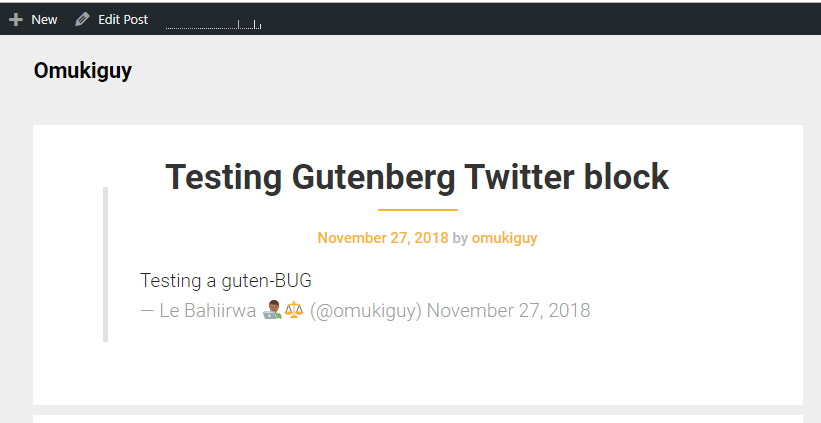
When a tweet is reference via the twitter block. Works like a charm as a point of reference for rich content. However once the owner of the tweet deletes it for whatever reason, the front end information is reserved, while the back end goes kaput - dead white.
To Reproduce
Steps to reproduce the behavior:
- Reference a tweet in the backend.
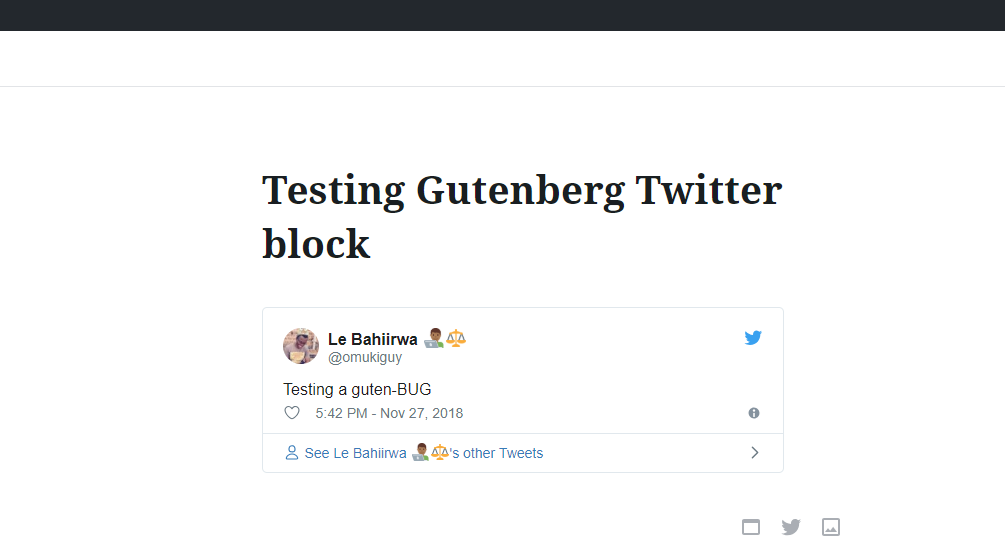
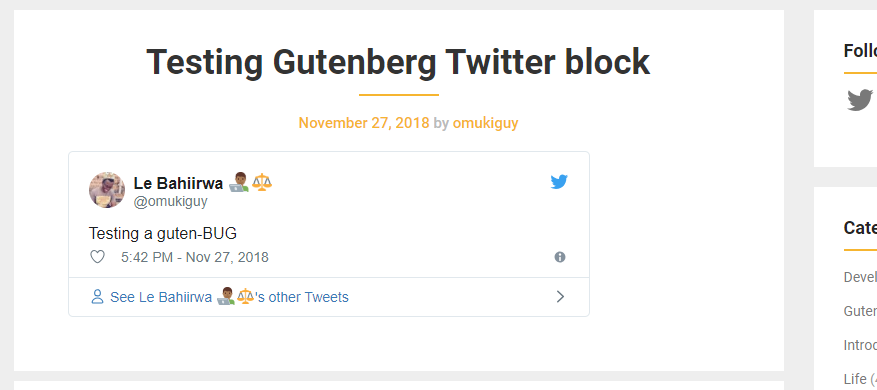
- Preview the front end on save or publish
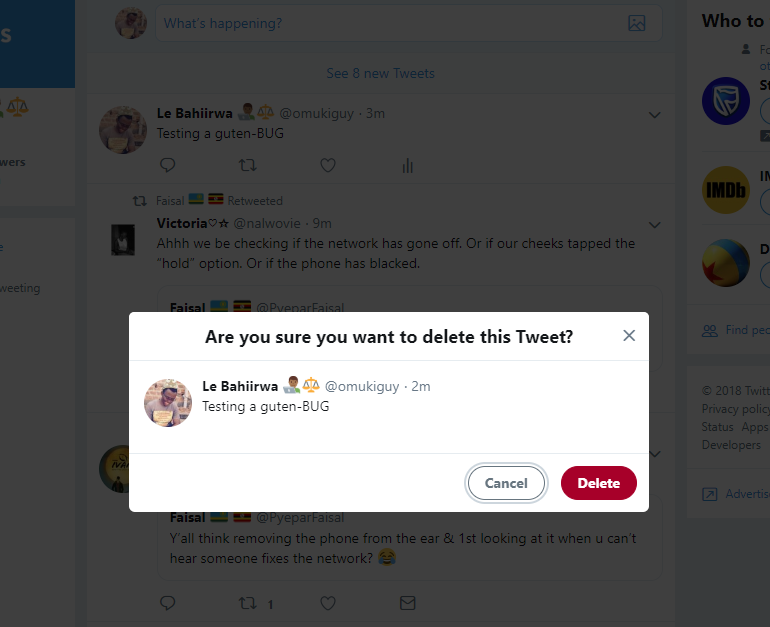
- Delete the tweet from Timeline
- Check back end. The tweet is gone
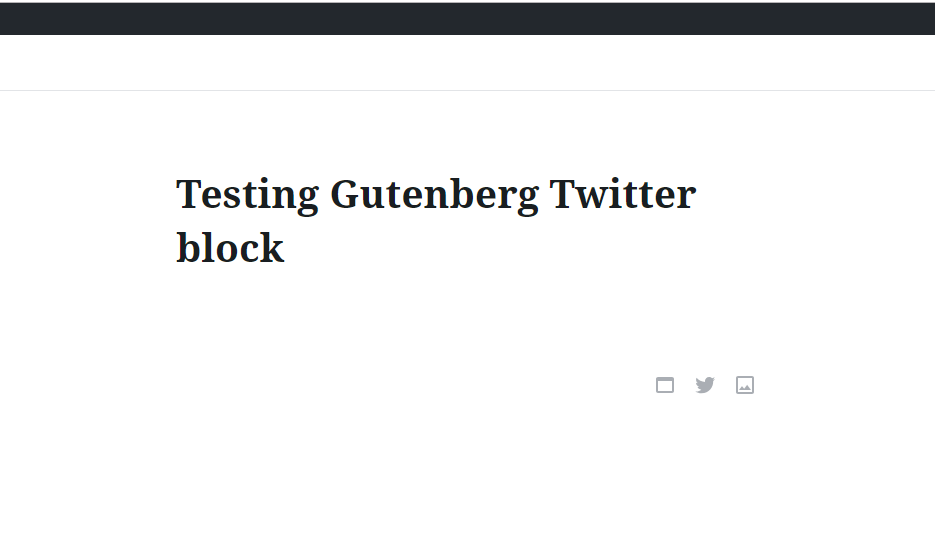
- On the front end however, the information text is retained minus the formatting.
Expected behavior
If the tweet is deleted, let the information block also vanish from content or rather retain the information irregardless if information is deleted on twitter.
Desktop (please complete the following information):
- OS: Windows 10
- Chrome browser
- Version 70.0.3538.102 (Official Build) (64-bit)
It's a great block for building rich content, however, was this the original behavior intention of the block?
 bahiirwa
All 6 comments
Frontend output is as expected. Embedded content is cached in the database, that‘s why you still see something in the frontend. But since the tweet doesn‘t exist anymore, Twitter‘s JS can‘t losd all the data for it.
Are there any errors in the editor, i.e. in the database?
 swissspidy
on 28 Nov 2018
swissspidy
on 28 Nov 2018
Tested and confirmed that a deleted tweet shows up completely blank in the editor using 4.5.1. No errors show up either in devtools or in the server error.log files.
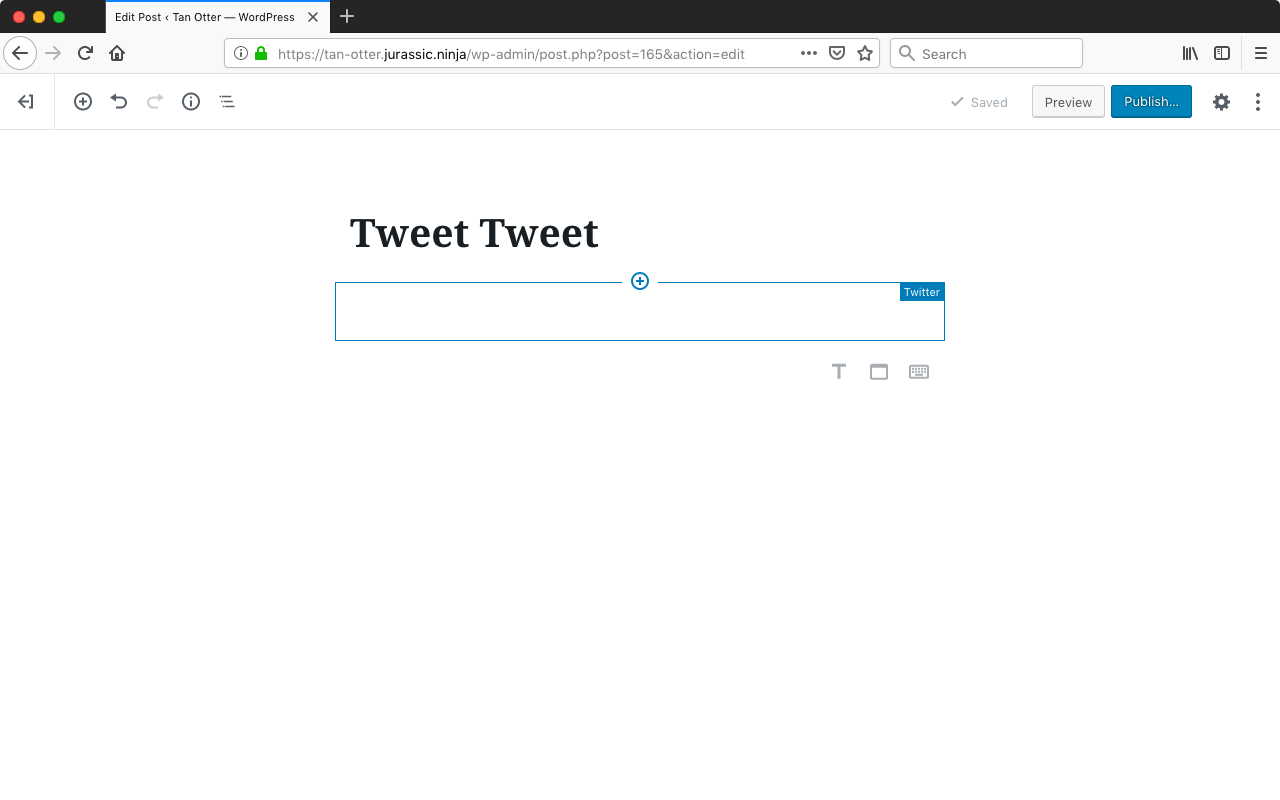
Tested with WordPress 4.9.8 and Gutenberg 4.5.1 with Firefox 63.0.3 on macOS 10.13.6.
I would consider this an enhancement request and suggest displaying an error message that the content is unreachable (or if you can detect that a tweet really was deleted and want to get really specific, the error could say that directly—though I think a message saying the content is unreachable may suffice).
 designsimply
on 28 Nov 2018
designsimply
on 28 Nov 2018
Design team: would this issue be a good candidate for the Good First Issue label?
designsimply
on 28 Nov 2018
@designsimply I think so — a mockup with a core error message inside the block would be a good way to move this forward.
 melchoyce
on 3 Dec 2018
melchoyce
on 3 Dec 2018

The copy could do with some iteration, but here is a suggestion.
 karmatosed
on 31 Aug 2019
karmatosed
on 31 Aug 2019
In this week's design triage this direction was agreed so let's remove the feedback label.
karmatosed
on 4 Feb 2020
Related issues
 jasmussen
·
173Comments
melchoyce
·
95Comments
jasmussen
·
173Comments
melchoyce
·
95Comments
 Pikkals
·
98Comments
melchoyce
·
169Comments
Pikkals
·
98Comments
melchoyce
·
169Comments
 ahmadawais
·
101Comments
ahmadawais
·
101Comments
Most helpful comment
Tested and confirmed that a deleted tweet shows up completely blank in the editor using 4.5.1. No errors show up either in devtools or in the server
error.logfiles.Tested with WordPress 4.9.8 and Gutenberg 4.5.1 with Firefox 63.0.3 on macOS 10.13.6.
I would consider this an enhancement request and suggest displaying an error message that the content is unreachable (or if you can detect that a tweet really was deleted and want to get really specific, the error could say that directly—though I think a message saying the content is unreachable may suffice).