Gutenberg: Permalink in sidebar: Permalink Settings link
Describe the bug
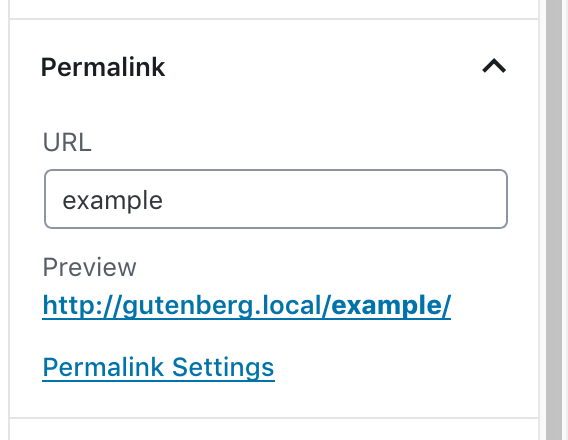
The Permalink Settings in the sidebar should only be visible, if the user can open the settings page and change it. Maybe we should only show it if the user has enabled plain permalinks?
 Soean
Soean
All 11 comments
Why display the setting at all? The permalink isn't a setting you change on a regular basis, it is set once properly.
 rpkoller
on 16 Nov 2018
rpkoller
on 16 Nov 2018
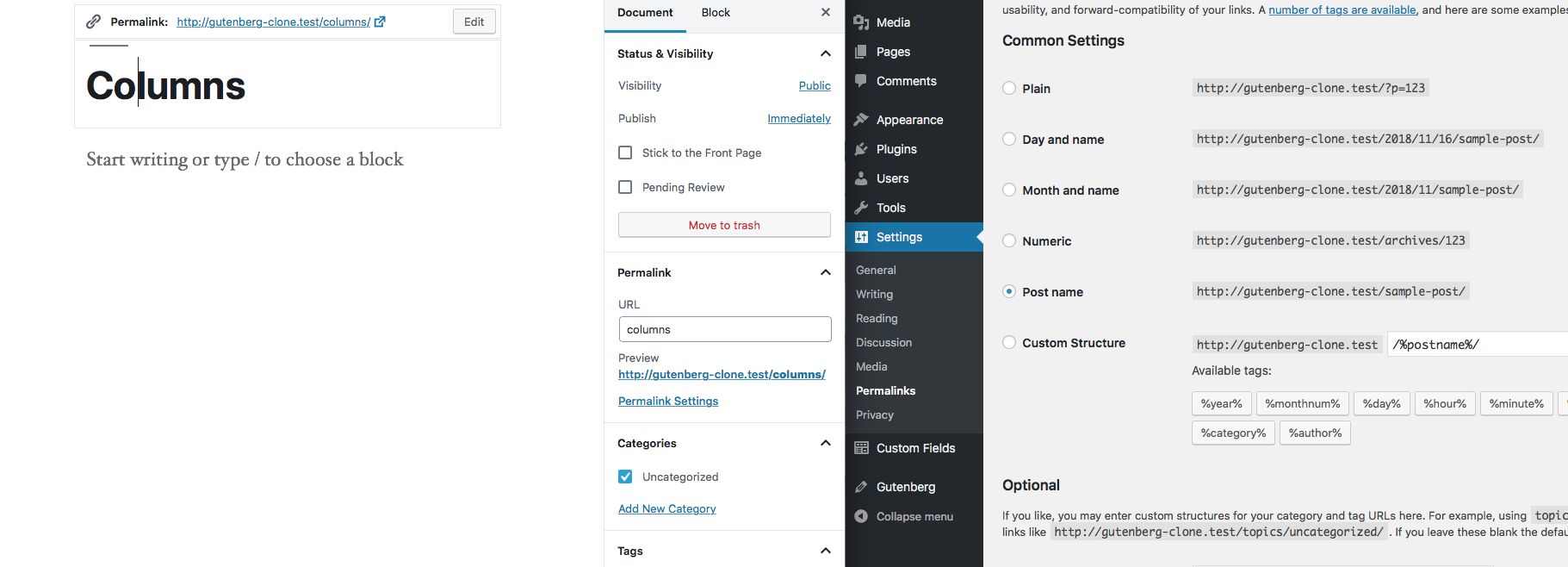
For reference, the link to the permalink settings when editing the slug in the title "block" is only shown when using plain permalinks.
Also, this should only be shown if one has the capability to do so.
 swissspidy
on 16 Nov 2018
swissspidy
on 16 Nov 2018
I assist rpkoller: Please do not show a direct link to the permalink settings in the editor!
The editor is used for content and options according to a certain post/page.
The permalink settings are used for the whole site. And linking to it from the editor suggests, that there are some options for the actual edited post/page which can be adjusted. And than people would maybe insert rubbish in "Custom" permalinks settings ...
 burnuser
on 16 Nov 2018
burnuser
on 16 Nov 2018
@swissspidy hm are you sure about that it is only shown when using plain permalinks? (using Gutenberg 4.4.0)
rpkoller
on 16 Nov 2018
"Plain" or not, I think permalink settings should never be linked from the Editor!
burnuser
on 16 Nov 2018
@rpkoller I was referring to the link in the title block, not the sidebar. The "Edit" button you see in thte title block in your screenshot only toggles the input field, it doesn't lead to the settings page.
swissspidy
on 16 Nov 2018
permalink settings link is removed in #12121
 ghost
on 20 Nov 2018
ghost
on 20 Nov 2018
The link was removed, so I close this issue.
Soean
on 29 Nov 2018
Please reopen!
It is not resolved completely!
(Tested with Gutenberg 4.6.1 on WP 4.9.8)
Clicking on pagetitle on the Homepage presents still a button for "Change Permalinks" at the same position as the "Edit" button on regular posts/pages. But of course with a completely different effect if used!

A very confusing and error-prone behaviour of Gutenberg!
burnuser
on 1 Dec 2018
But that‘s unrelated to what has been discussed here. Would you mind opening a new issue for that? Thanks!
swissspidy
on 1 Dec 2018
New issue #12498
burnuser
on 1 Dec 2018
Related issues
 jasmussen
·
3Comments
jasmussen
·
3Comments
 nylen
·
3Comments
nylen
·
3Comments
 BE-Webdesign
·
3Comments
BE-Webdesign
·
3Comments
 JohnPixle
·
3Comments
JohnPixle
·
3Comments
 maddisondesigns
·
3Comments
maddisondesigns
·
3Comments
Most helpful comment
New issue #12498