Gutenberg: Unwanted line breaks and p tags being added to front end html code when gutenberg is activated
Describe the bug
We have a lot of html in the tinymce editor and just by turning on the gutenberg plugin it renders the html on the front end incorrectly. It adds break tags in unwanted places, wraps p tags around elements, strips span elements... Gutenberg v4.2.0
To Reproduce
Steps to reproduce the behavior:
- Input html in the text tab of tinymce editor in classic version (example html below)
- View html on front end - it appears in same format as was inputted
- Activate Gutenberg plugin
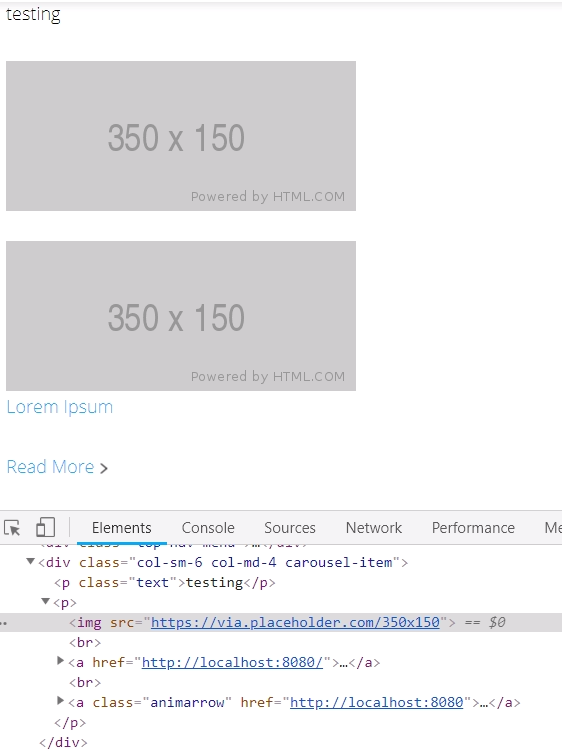
- View html on front end - breaks have been added, paragraph tags now surround the image tag...
Example HTML:
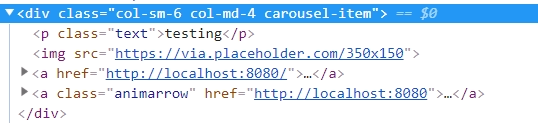
<div class="col-sm-6 col-md-4 carousel-item">
<p class="text">testing</p>
<img src="https://via.placeholder.com/350x150" />
  <a href="http://localhost:8080/">
    <img src="https://via.placeholder.com/350x150" />
    <span>Lorem Ipsum</span>
  </a>
  <a class="animarrow" href="http://localhost:8080">Read More</a>
</div>
Expected behavior
I expect the html output to be the same as it is in the editor.
Screenshots
Classic Editor:
Gutenberg Editor:

 loratov
All 10 comments
I tested but cannot confirm a bug. In my test, I used WordPress 4.9.8 without Gutenberg installed at all and found the exact same result you are showing.
I entered your sample HTML into a post while Gutenberg was completely uninstalled:
<div class="col-sm-6 col-md-4 carousel-item">
<p class="text">testing</p>
<img src="https://via.placeholder.com/350x150" />
  <a href="http://localhost:8080/">
    <img src="https://via.placeholder.com/350x150" />
    <span>Lorem Ipsum</span>
  </a>
  <a class="animarrow" href="http://localhost:8080">Read More</a>
</div>
I published the post and viewed it on the front-end using Chrome 70.0.3538.77 on macOS 10.13.6 and saw the same output with the extra <p> and <br> tags as you've noted above:
<div class="col-sm-6 col-md-4 carousel-item">
<p class="text">testing</p>
<p><img src="https://via.placeholder.com/350x150"><br>
  <a href="http://localhost:8080/"><br>
    <img src="https://via.placeholder.com/350x150"><br>
    <span>Lorem Ipsum</span><br>
  </a><br>
  <a class="animarrow" href="http://localhost:8080">Read More</a>
</p></div>
If I go back and look at the text editor in the classic editor (without Gutenberg installed), then I see the code entered exactly. However, if I view how the browser renders the code while using the classic editor, I see the extra <p> and <br> tags you've referenced:
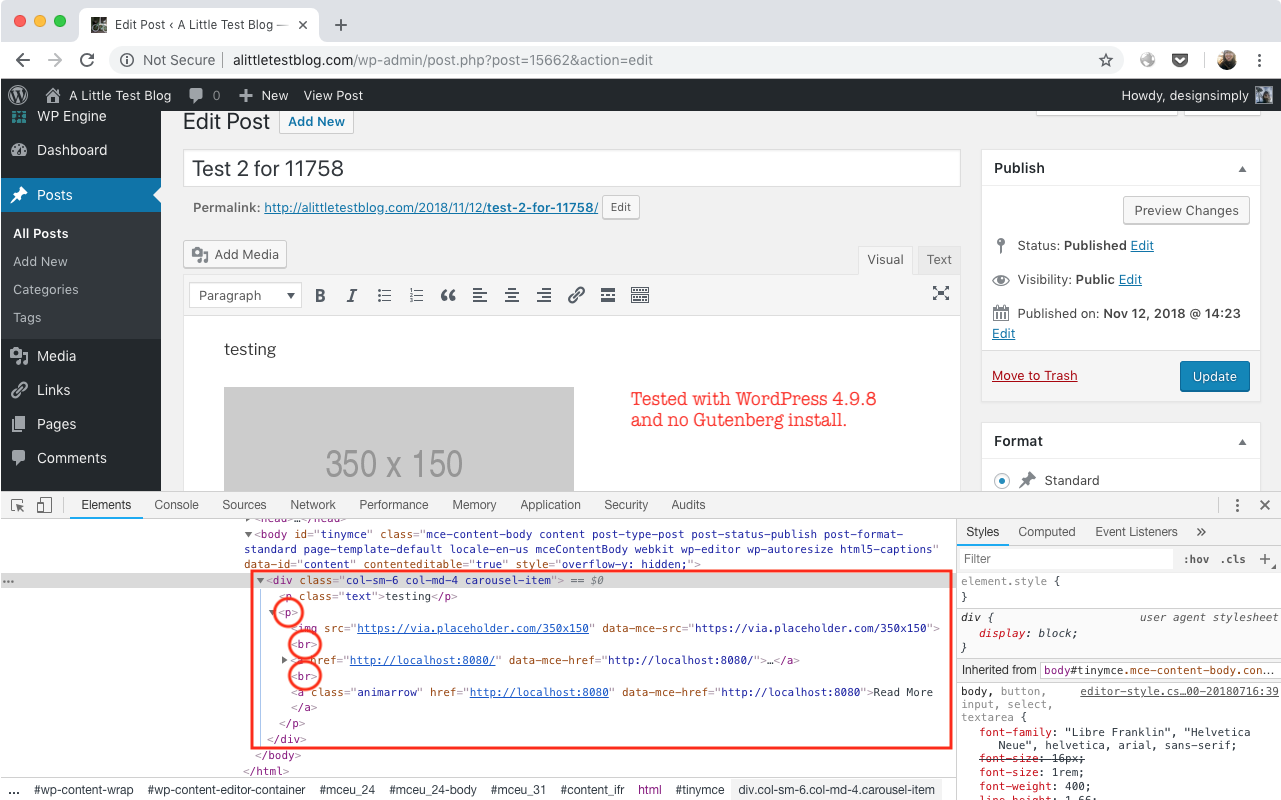
Seen at http://alittletestblog.com/wp-admin/post.php?post=15662&action=edit running WordPress 4.9.8 using Chrome 70.0.3538.77 on macOS 10.13.6.
I think what you are seeing is the browser render valid HTML in place of what you have entered and I think that is the expected behavior.
 designsimply
on 12 Nov 2018
designsimply
on 12 Nov 2018
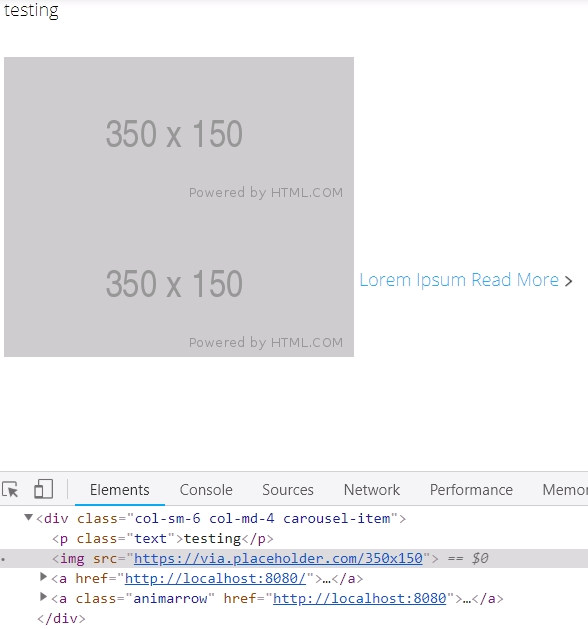
I am referring to how the html is rendered on the front end of the page, not the visual tab. The front end of the page, when gutenberg is not installed, renders correctly. If I switch to the visual tab then I do see the extra tags being added but it still does not render that way when I view the front end of the page.
When Gutenberg is installed, however, it renders the added elements on the front end of the page.
We use the text editor instead of the visual editor in the majority of our website and this seems to be incompatible with Gutenberg just when the plugin is installed.
Without Gutenberg - on front end of page
With Gutenberg - on front end of page
loratov
on 12 Nov 2018
Sorry for the confusion. I included that to show that the classic editor itself has the same result rendered in the browser on the front end (in my previous comment I noted the HTML for the HTML from the front end view but didn't include a screenshot for that). I ran the test again with classic only, no Gutenberg installed at all (screenshot), and WordPress 4.9.8 and here is the result:
Video: 38s
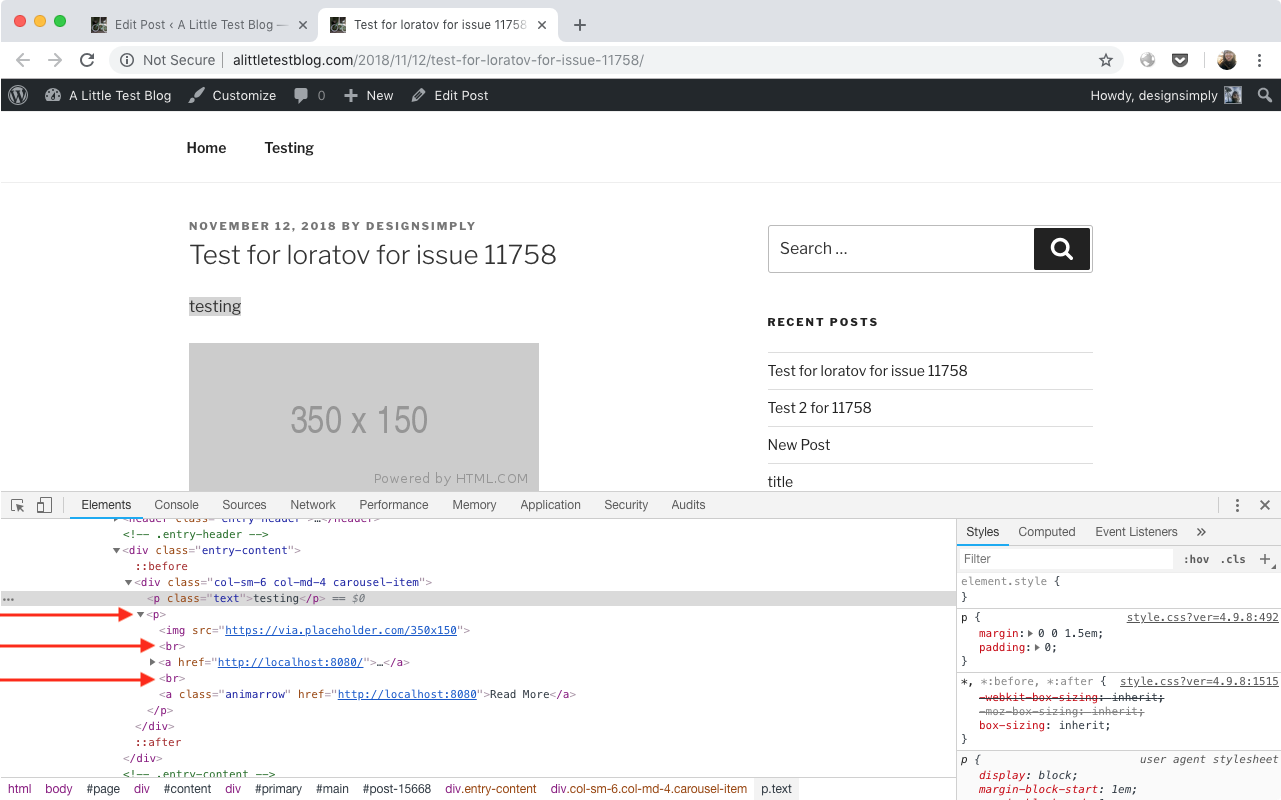
I think I made a mistake about the HTML though. It is valid. I wonder if WordPress is adding the extra tags separate from Gutenberg though?
designsimply
on 12 Nov 2018
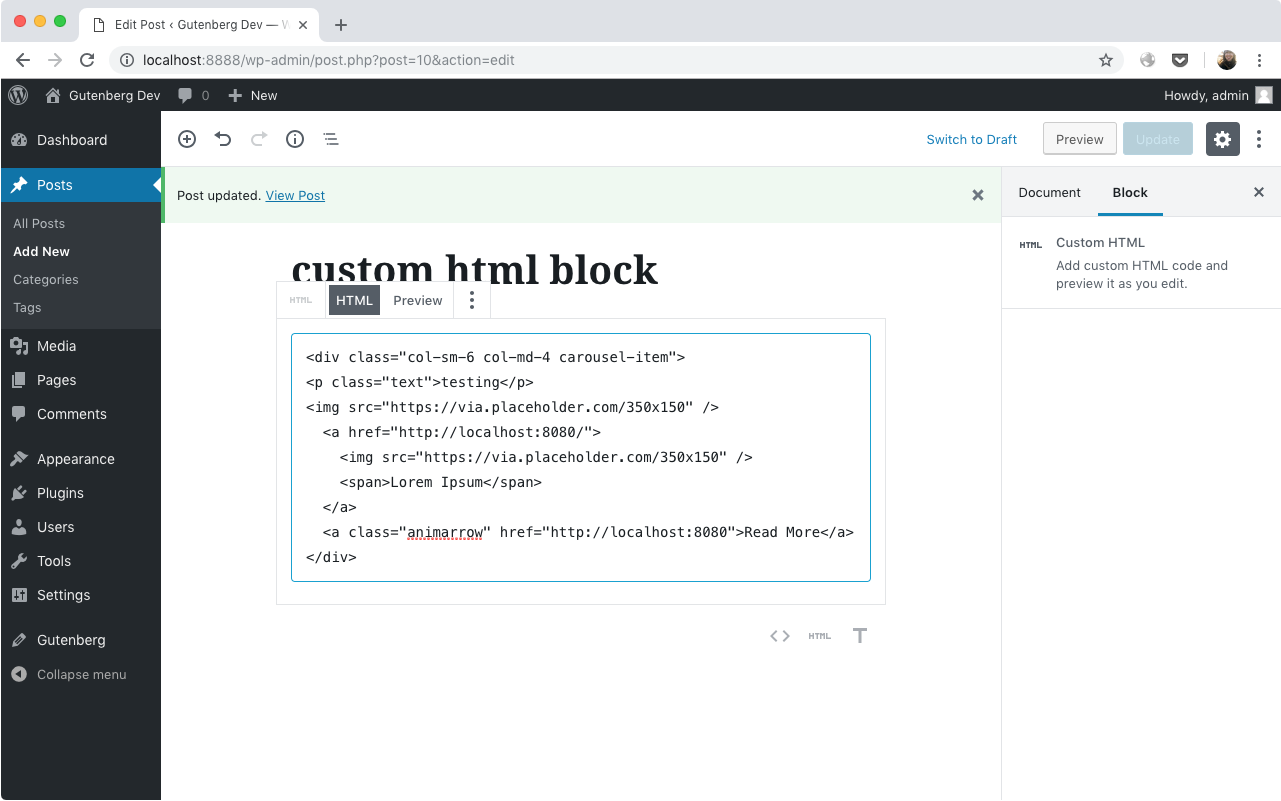
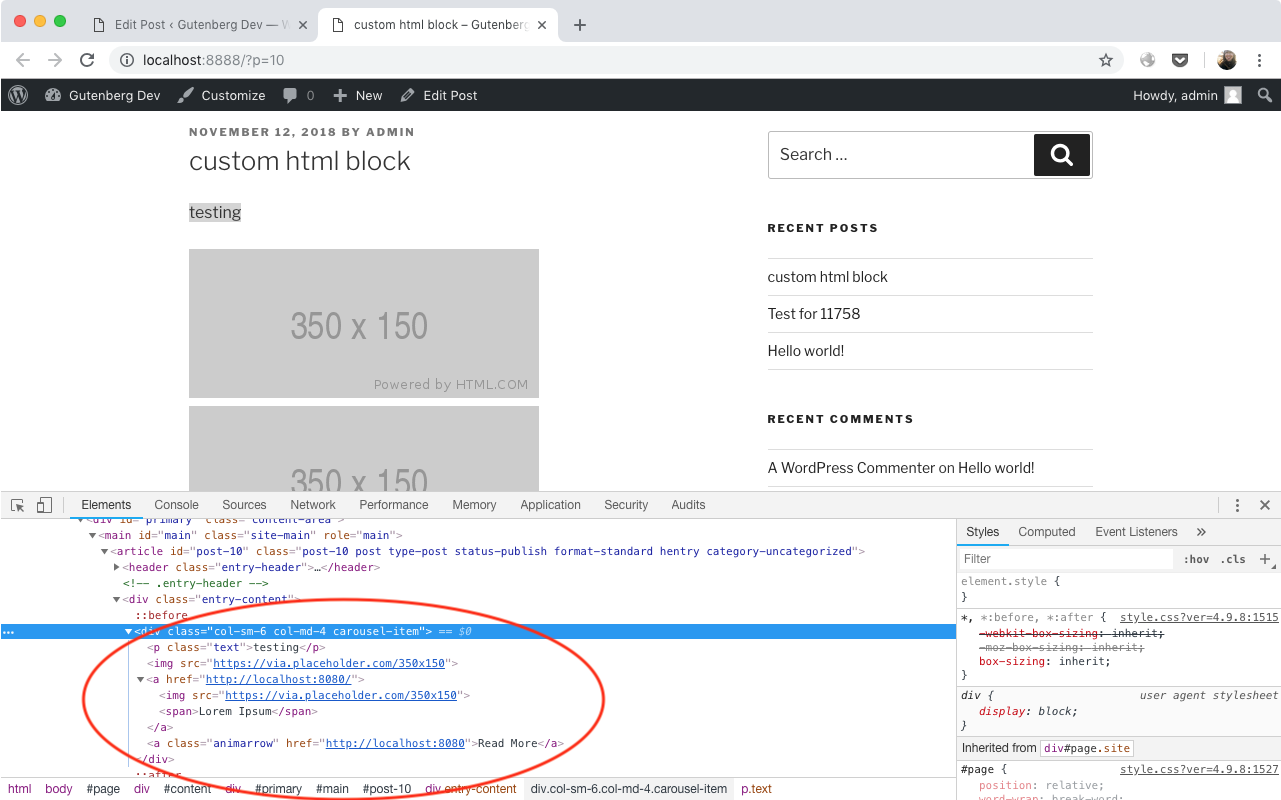
I tested again and I think Gutenberg can solve this problem for you. If you use the Custom HTML block, the extra tags don't appear:
designsimply
on 12 Nov 2018
I forgot to mention we removed the wpautop from the_content. Can you try to reproduce the issue with this removed?
remove_filter( 'the_content', 'wpautop' );
loratov
on 12 Nov 2018
@loratov wpautop needs to be handled very carefully with Gutenberg active. Does your subject site have plugins installed that add/remove this filter? Gutenberg removes wpautop on its own at very early processing phase, and it must not be added back.
 lkraav
on 12 Nov 2018
lkraav
on 12 Nov 2018
We remove the filter in our theme. We do not add it.
loratov
on 12 Nov 2018
Just a comment: what you are seeing in the console is not _necessarily_ what is being rendered originally (html returned by WordPress), but after Chrome converts it to a DOM tree.
Usually, it's the same thing, but if you really want to see if that exists, you'll beter do a "view-source"
 xavivars
on 12 Nov 2018
xavivars
on 12 Nov 2018
@xavivars yes, that's also involved, but underlying cause of broken paragraph tags is usually https://core.trac.wordpress.org/ticket/14050
lkraav
on 12 Nov 2018
11895 was just reported and has a clear set of steps including wpautop and I would like to consolidate to that issue to continue working on it there.
@loratov I see that you noted you tested with Gutenberg 4.2.0. May I also ask you to reply here to note what version of WordPress you're testing with (is it 4.9.8)?
designsimply
on 15 Nov 2018
Related issues
 melchoyce
·
169Comments
melchoyce
·
169Comments
 smp303
·
98Comments
smp303
·
98Comments
 afercia
·
78Comments
afercia
·
78Comments
 Pikkals
·
98Comments
Pikkals
·
98Comments
 maddisondesigns
·
79Comments
maddisondesigns
·
79Comments