Gutenberg: Classic block removing paragraph end tag on save
Describe the bug
The end paragraph tag is missing in the post contents sent to the rest API save call from the classic block if that paragraph contains a line break and the starting p tag has an attribute.
To Reproduce
Steps to reproduce the behavior:
- Create new post in Gutenberg
- Add Classic Block and switch to Edit as HTML
- Add
<p class="classy">Here
is a paragraph</p> - Publish Post
- See Request Payload in debugger or look at post in database. content property is:
"<p class="classy">Here↵is a paragraph"
Expected behavior
end tags to remain
Screenshots
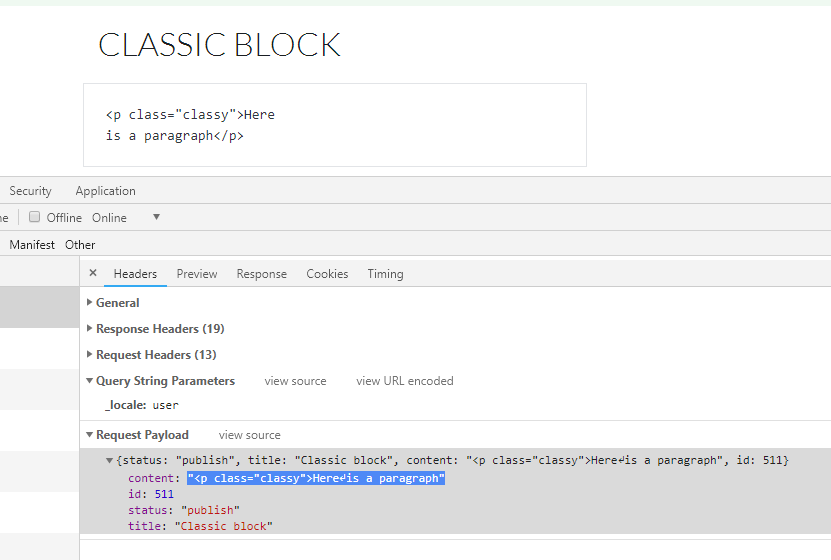
Desktop:
- OS: Windows 10 64 bit
- Browser Chrome
- Version 70.0.3538.67
Additional context
- Replicated on both Gutenberg plugin 4.4.0 running on WordPress 4.9.8 and WordPress 5.0 beta 3
 kfts
kfts
All 5 comments
Sorry, that's Gutenberg plugin version 4.2.0
kfts
on 9 Nov 2018
Tested and confirmed by checking the post content in phpMyAdmin after entering the following HTML in "Edit as HTML" mode in a classic block:
<p class="classy">This
is my paragraph with a line break in it.</p>
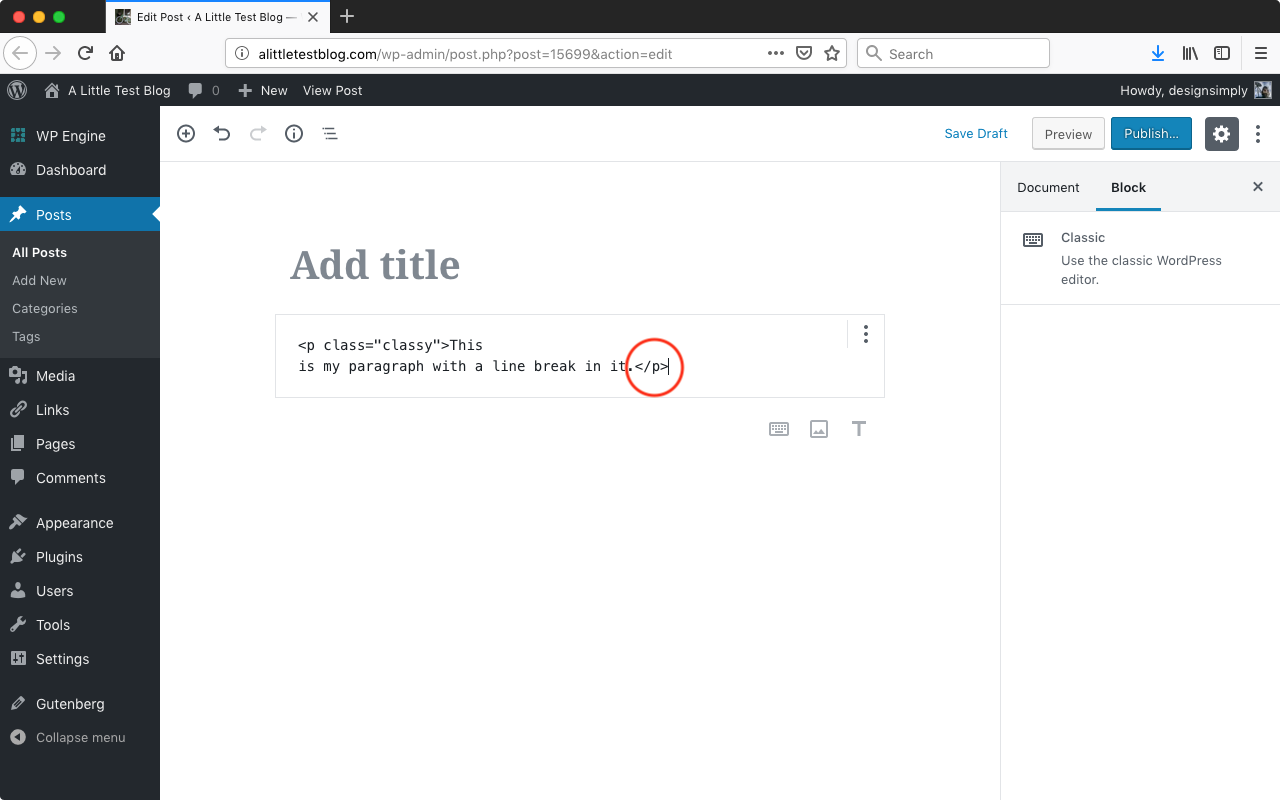
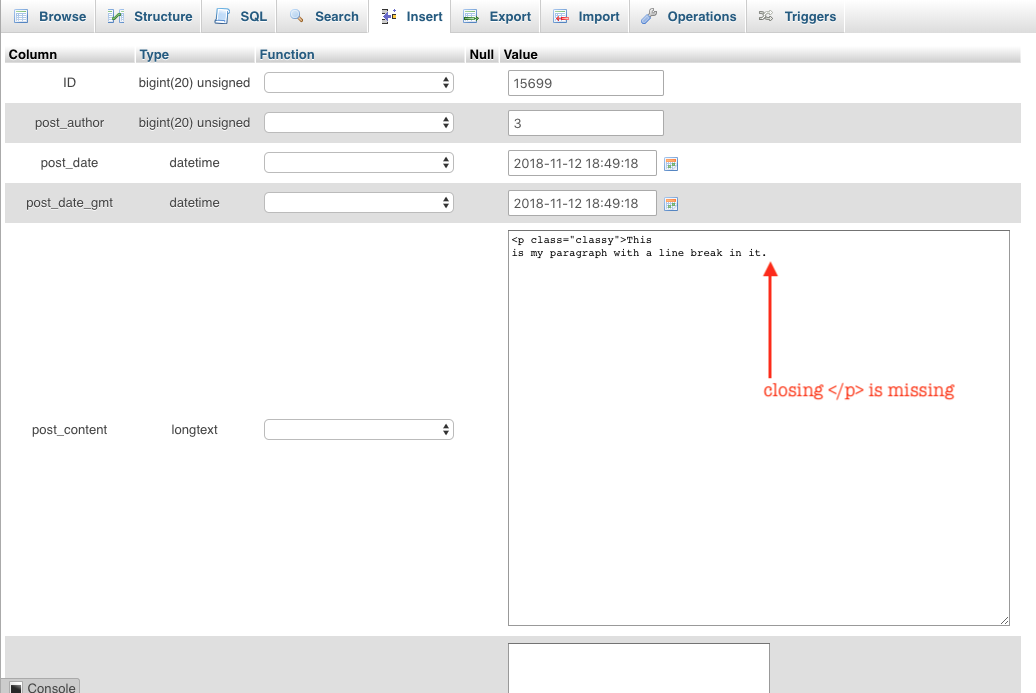
Tested with WordPress 4.9.8 and Gutenberg 4.3 using Firefox 63.0.1 on macOS 10.13.6.
@kfts I checked the database directly in my case, but could you tell me exactly how to get to the same Request Payload from your screenshot? I would like to learn that. 🙂 It looks like the Network panel in Chrome's web developer tools to me, but I wasn't sure what to filter for or when to check that (would it be right after saving in the editor itself?).
 designsimply
on 12 Nov 2018
designsimply
on 12 Nov 2018
@designsimply You're correct, it's the Network panel in Chrome's DevTools. When you click Update with it open, you'll see a rest API call to /index.php/wp-json/wp/v2/posts. Click on it, select Headers and you can expand the "Request Payload" to see what is being sent over.
kfts
on 12 Nov 2018
Cool. Spotted it! (screenshot) Thanks for the tip. 😁
designsimply
on 15 Nov 2018
I was not able to reproduce the issue. I think it's probably fixed.
 youknowriad
on 22 Aug 2019
youknowriad
on 22 Aug 2019
Related issues
 melchoyce
·
95Comments
melchoyce
·
95Comments
 mapk
·
92Comments
mapk
·
92Comments
 azaozz
·
91Comments
azaozz
·
91Comments
 afercia
·
78Comments
afercia
·
78Comments
 davidAIS
·
129Comments
davidAIS
·
129Comments