Gutenberg: Pasting a long text from Word - brings along some errors.
Describe the bug
I copied and pasted a long text from Word.
The first work in each paragraph came above the rest of the paragraph.
I had to click after the first word between the first and second words to remove the space and then press spacebar to add the space again. The word was now moved into on the same line as the first line in the paragraph. I also noticed that the paragraph was also wider.
Actually I noticed just now from copy and pasted text that italic text is seen in Gutenberg as red colored text.
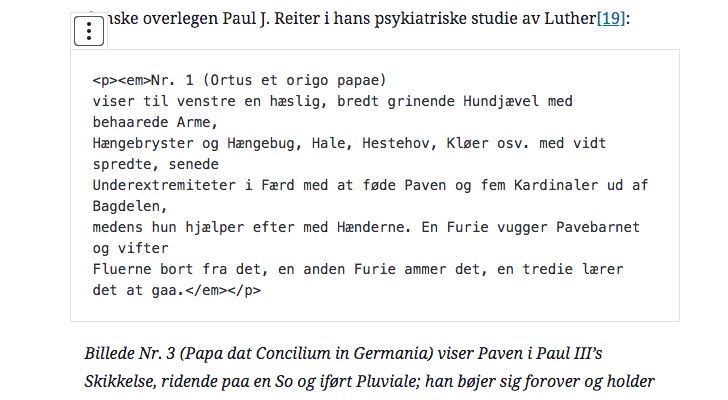
I noticed the text seemed somewhat messy inside the html area.
To Reproduce
Steps to reproduce the behavior:
- Copy a long text from Word.
- Paste it into Gutenberg.
- Do a preview and see if it looks the same as in the backend.
- See error
Expected behavior
That all the first words would be on the first line of the paragraph.
That the paragraph would be wider then I first noticed on the frontend.
Screenshots
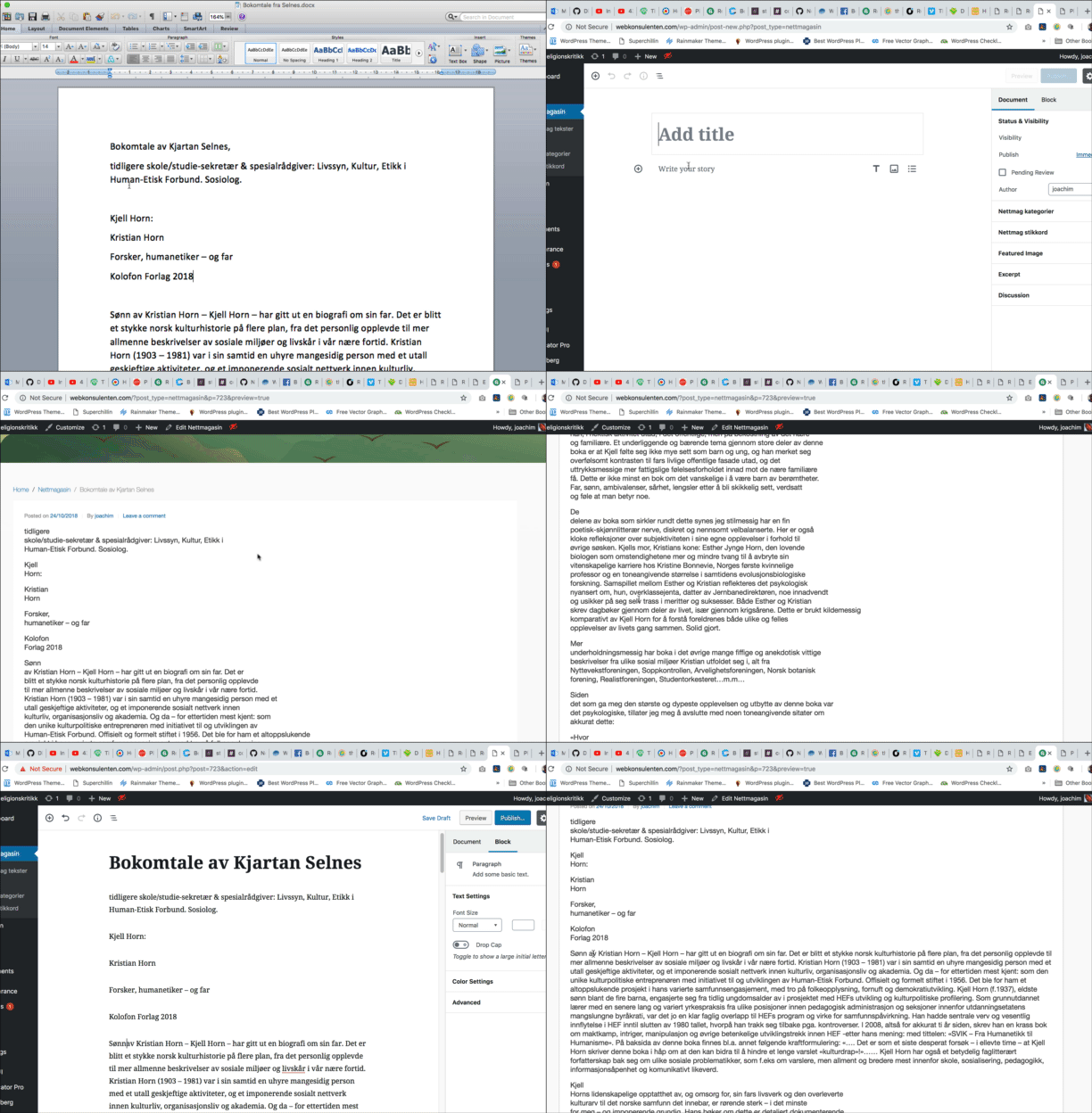
Backend - Inside Gutenberg:

Frontend:

HTML edit view:

Btw The below text is from a Word Doc that says Compatibility Mode...
Italic text from Word as seen in the backend:
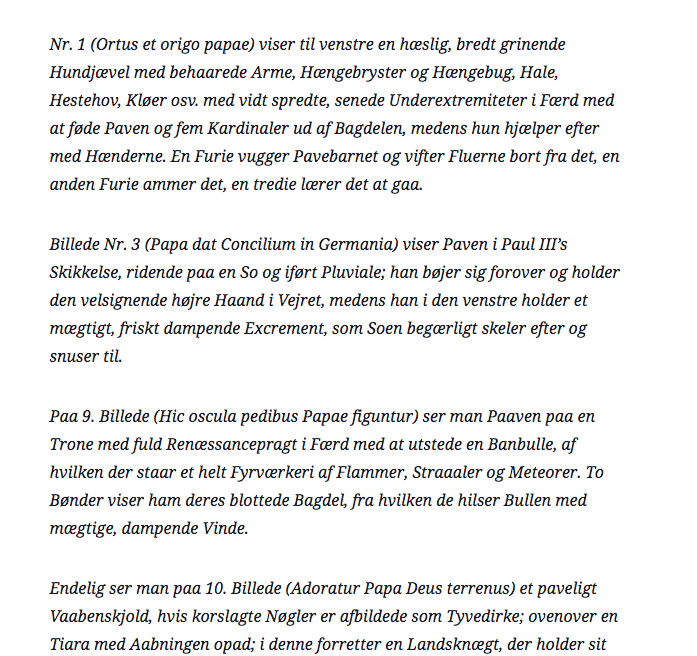
Italic text seen as red text on the frontend:
(EDIT: The theme has a red em CSS so that explains the red italic text.)

Backend - HTML edit view:
Desktop (please complete the following information):
- OS: Mac 10.13.6
- Browser Chrome
- Version newest
Additional context
- Version 4.1 - RC2.
 paaljoachim
All 17 comments
I cannot reproduce this issue with different newlines with Word 2016, though on Windows. Using a document saved in .docx and in .doc (97-2003 compatibility), I tested both newlines with Enter and Shift+Enter in Word. Enter mapped to a new Paragraph block and Shift+Enter mapped to a
tag. Italics was also properly mapped.
Perhaps there is a line ending issue with Mac specifically, or the document in question has some odd/special formatting. Can you test the cases using manually created content in a new Word document? Any Mac with Word testers available?
Desktop
- OS: Windows 10
- Browser: Chrome 70
Additional context
- WordPress 4.9.8
- Gutenberg 4.1.1
 rleeson
on 28 Oct 2018
rleeson
on 28 Oct 2018
I am still getting this issue. It comes up when copying text (of any length, I tried different lengths) from word to gutenberg on a mac.
* Desktop *
- OS: 10.14.1
- Browser Chrome
- Version 70.0.3538
* Additional context *
- WordPress 4.9.8
- Gutenberg 4.6.1
For me, it removes spaces randomly between words. No pattern that I can see.

Original text
Video provides a powerful way to help you prove your point. When you click Online Video, you can paste in the embed code for the video you want to add. You can also type a keyword to search online for the video that best fits your document.
It is extremely common to copy from word into gutenberg, I would like to see a fix for this in 5.0.1 or 5.0.2.
 spacedmonkey
on 5 Dec 2018
spacedmonkey
on 5 Dec 2018
Thanks for testing @spacedmonkey! The collapsed spaces issue was filed at https://github.com/WordPress/gutenberg/issues/11588 and reported as fixed in https://github.com/WordPress/gutenberg/pull/12166 which is planned for 4.7 (which should mean 5.0.1).
 designsimply
on 5 Dec 2018
designsimply
on 5 Dec 2018
For the red text area, can you right-click on the red text, choose "Inspect", and send a screenshot of the web inspector?
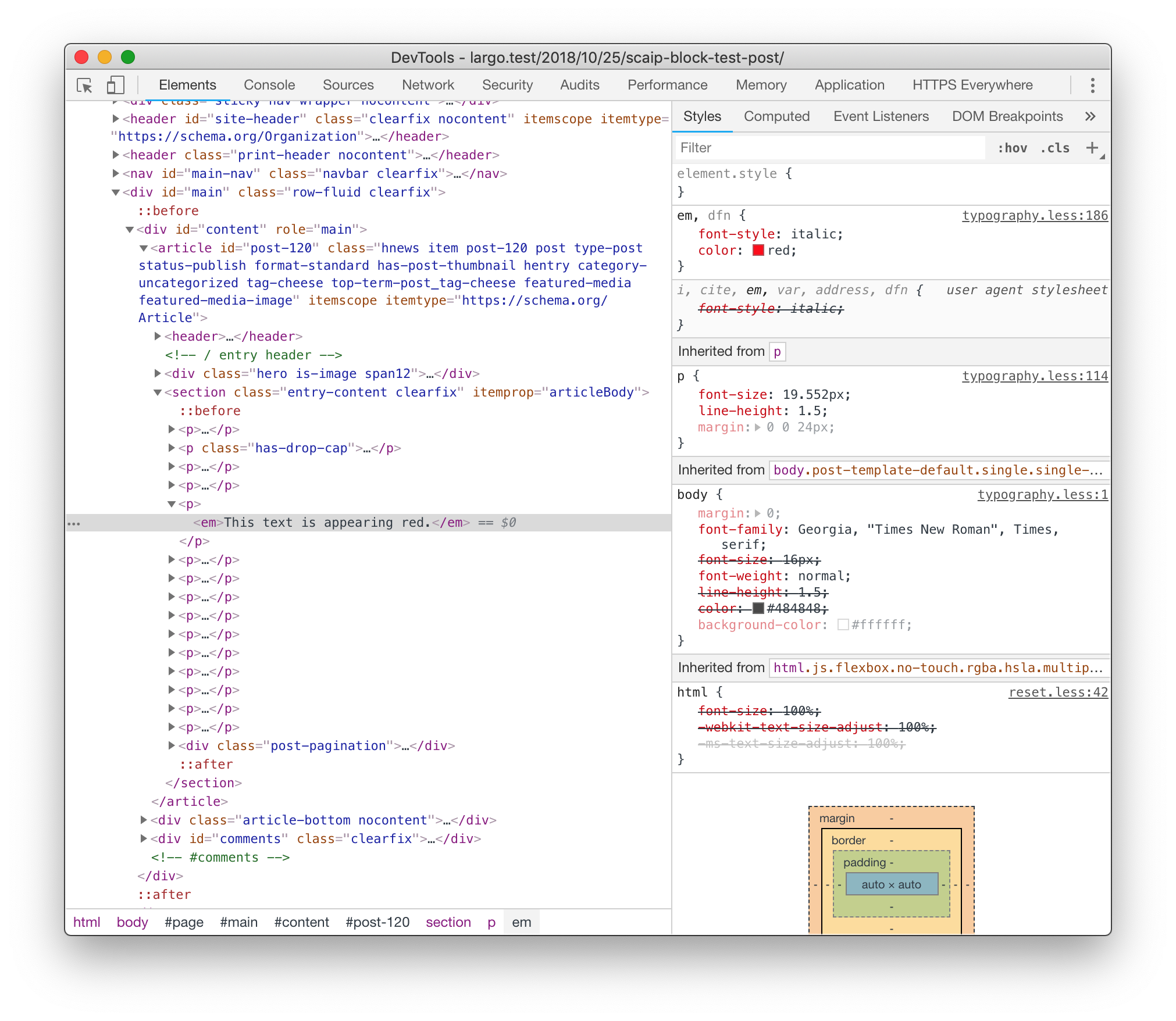
I'm wondering if the redness comes from your site's theme's styles for em tags.
 benlk
on 6 Dec 2018
benlk
on 6 Dec 2018
Yeah... after creating the issue I noticed the em css tag is colored red in the theme. So we can skip the red color part and just focus on how the text looks.
paaljoachim
on 6 Dec 2018
I am still getting this issue. It comes up when copying text (of any length, I tried different lengths) from word to gutenberg on a mac.
* Desktop *
- OS: 10.14.1
- Browser Chrome
- Version 70.0.3538
* Additional context *
- WordPress 4.9.8
- Gutenberg 4.6.1
For me, it removes spaces randomly between words. No pattern that I can see.
It is extremely common to copy from word into gutenberg, I would like to see a fix for this in 5.0.1 or 5.0.2.
I am also having this problem, which is a SERIOUS problem for me. I'm an author and I use my website for promoting my work, including copy/pasting excerpts from my books into Wordpress posts. There seems to be no rhyme or reason to what spaces are eliminated from the text, and in a 1k - 2k excerpt, that's excruciating to have to go through and verify every single line to make sure spaces weren't randomly zapped.
I'm also on a Mac,
MacBook Air, 10.13.6,
Chrome Version 70.0.3538.110 (Official Build) (64-bit)
WP 5.0
Gutenberg 4.6.1
 TymberDalton
on 9 Dec 2018
TymberDalton
on 9 Dec 2018
Closed Trac-45557 as a duplicate.
 desrosj
on 9 Dec 2018
desrosj
on 9 Dec 2018
I am on Windows and getting this error.
Firefox v64
WP 5.0.1
Received plain text:

 After listening to Yang Chen’s explanation and sermon again, everyone clearly felt the improvement in the speed of their cultivation progress. This was not only the merits of the Spirit Gathering Formation, but the improvement brought on by the cultivation methods as well. _static:104:159080

Processed HTML piece:

 <p>After listening to Yang Chen’s explanation and sermon
again, everyone clearly felt the improvement in the speed of their cultivation
progress. This was not only the merits of the Spirit Gathering Formation, but
the improvement brought on by the cultivation methods as well.</p>
A workaround I am doing is to first copy it into google docs and then copy that into GB. I curse it whenever I do that but well it works...
 brazenvoid
on 14 Dec 2018
brazenvoid
on 14 Dec 2018
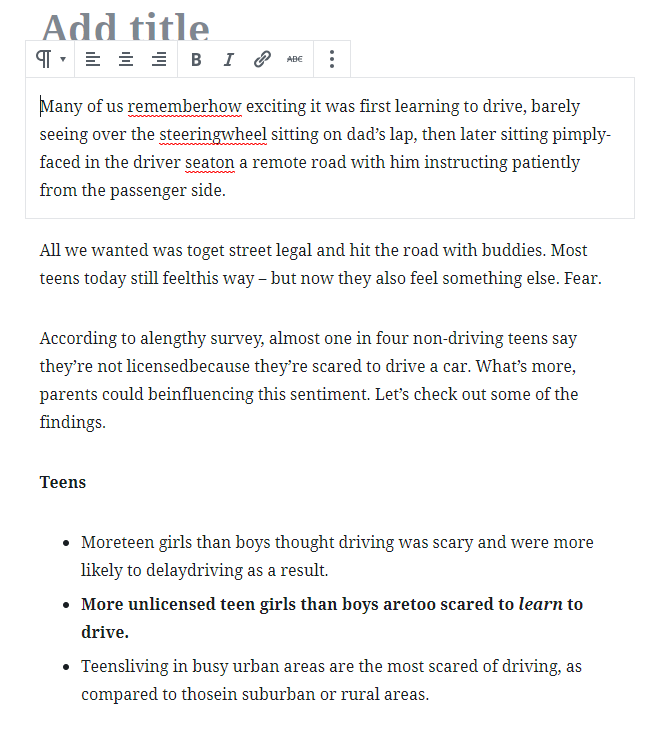
Just a note as I see a lot of macs listed here, I'm on a desktop pc, running windows 10. When copying and pasting from word, I get the concatenated words, as well as the second word of some sentences starting with a capital letter. Imagine the pain of editing 2000+ words for spacing, as well as backspacing and replacing those letters. This is completely unacceptable and needs to be rectified asap. This issue as of December 19, 2018.
 wazzafab
on 19 Dec 2018
wazzafab
on 19 Dec 2018
I can replicate this issue too (random words concatenated when pasting from MS Word). On Mac/Chrome and WP 5.01
 badlydrawnben
on 19 Dec 2018
badlydrawnben
on 19 Dec 2018
The problem with spacing getting collapsed between some words was fixed in https://github.com/WordPress/gutenberg/pull/12166 and included in the 5.0.2 release. 🎉
Please update!
designsimply
on 21 Dec 2018
@paaljoachim I tested a few times and couldn't replicate the problem you described where all the first words would be on the first line of the paragraph or where there are shortened line lengths. Because several updates have been made since the time you first posted this issue, would you mind testing again after updating to 5.0.2 and open a new issue for each problem if any are still happening for you?
designsimply
on 21 Dec 2018
Hey Sheri. @designsimply
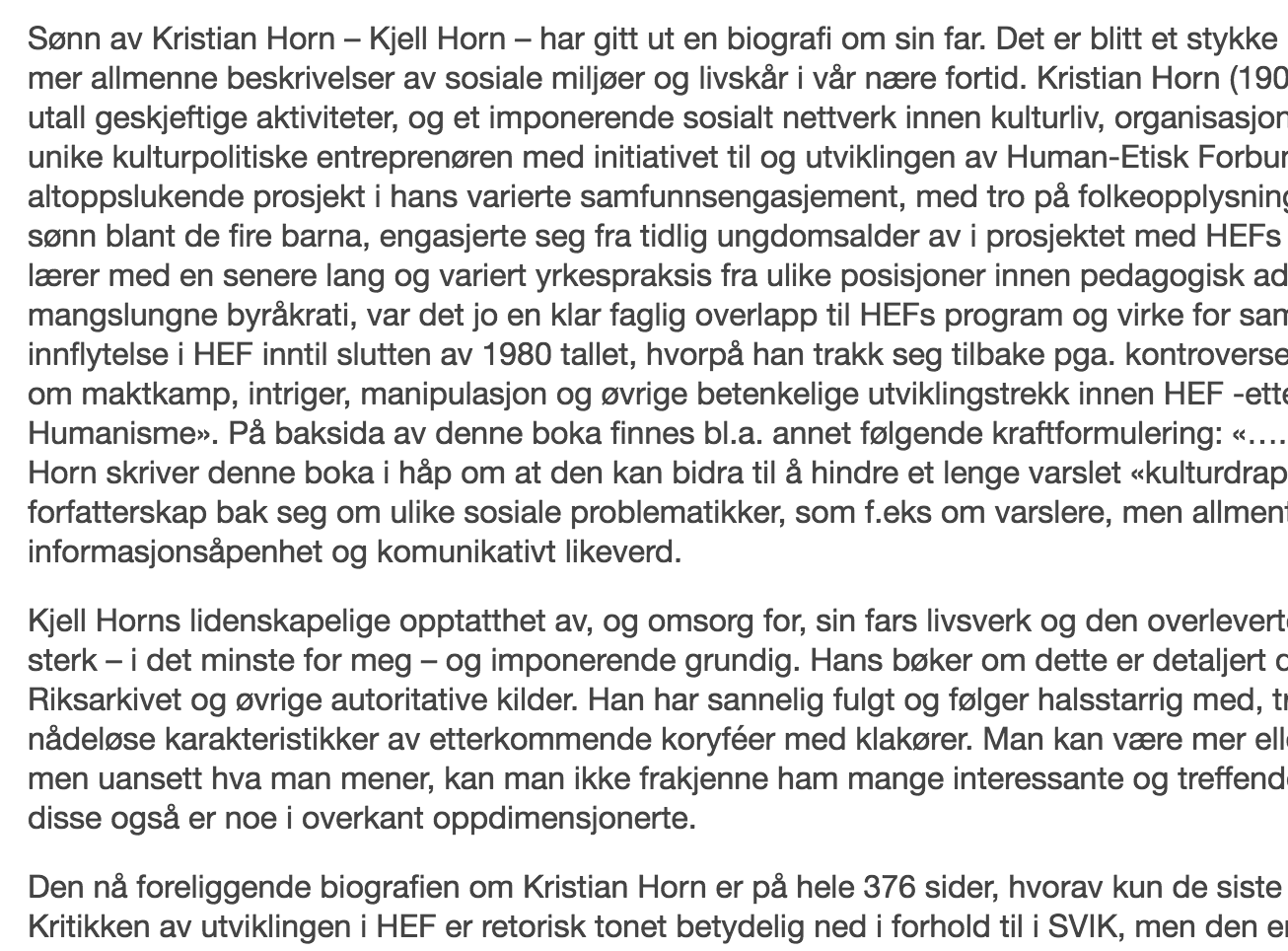
I have retested with the same text using 5.0.2. The first word comes out as it should alongside the rest of the text. Switching to HTML in the backend the text is just as messy as earlier. It would be nice to also get this cleaned up.
Frontend:
To everyone..
This Github issue was mainly created because of the first word showing up on its own line while the rest of the text of the paragraph showing up below it (It would of course also be nice to see the HTML cleaned up but that is a secondary matter that we can perhaps get back to another time). If you have other issues with the pasting of text from Word or other text programs then please create another issue listing the specific issue you have with it. Even though they might be related it is good to add the specific problem into smaller Github issues making it easier for the developers to tackle them.
paaljoachim
on 21 Dec 2018
It's possible what you are copying has quite a bit of extraneous HTML included and when unnecessary code is stripped out it leaves the text for some lines shorter than others. In a case like that, it is technically copying line breaks as expected I believe.
If you still feel very strongly about wanting to address the line break placement of content copied from Word, may I ask that you please open a new issue for that with a short list of testing steps and screenshots for just that issue since this one is already very long?
designsimply
on 22 Dec 2018
Hey Sheri
I will just leave the HTML line breaks for now, and get back to it another time. The client will very likely send me additional Word file containing articles that I will add into GB so that I will continue to test it out. Then if needed create a new issue specific for that.
Happy Holidays!
paaljoachim
on 22 Dec 2018
I just tried pasting from a plain .txt file with the following funkiness.
Pastes fine though when you go do a return it adds another two returns, one for the new line of text but then add one before it too.
I assume since the direction in Guntenburg is "Start writing or type . . ." that it does not want you to copy and paste into it?
 Warkman
on 16 Jan 2019
Warkman
on 16 Jan 2019
@Warkman copy and paste is absolutely supported and should be working. For your case, I would like to ask if you would please create a new issue and include details about your WordPress version, whether you have the Gutenberg plugin installed (it's not required unless you are testing bleeding edge changes), note whether you have tested with all plugins temporarily deactivated to rule out a plugin conflict, and please also note which OS and browser version you are using for reference. Thank you!
designsimply
on 17 Jan 2019
Related issues
 BE-Webdesign
·
3Comments
BE-Webdesign
·
3Comments
 spocke
·
3Comments
spocke
·
3Comments
 davidsword
·
3Comments
davidsword
·
3Comments
 cr101
·
3Comments
cr101
·
3Comments
 hedgefield
·
3Comments
hedgefield
·
3Comments
Most helpful comment
Yeah... after creating the issue I noticed the em css tag is colored red in the theme. So we can skip the red color part and just focus on how the text looks.