Gutenberg: Inline images can't be resized using only the keyboard
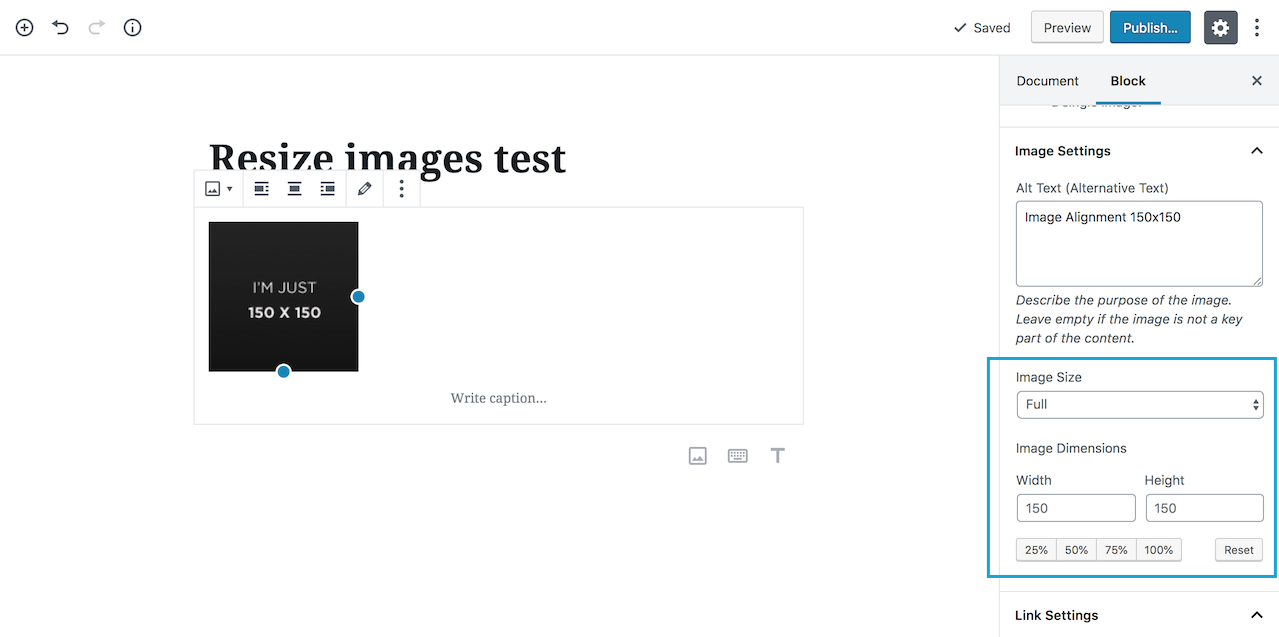
Images in an _Image block_ can be resized using the form controls in the sidebar (jumping to the sidebar when using only the keyboard is still not that easy, but it's a separate issue):
Instead, _Inline images_ don't expose any control that is operable with a keyboard, they use only the "resize handles":
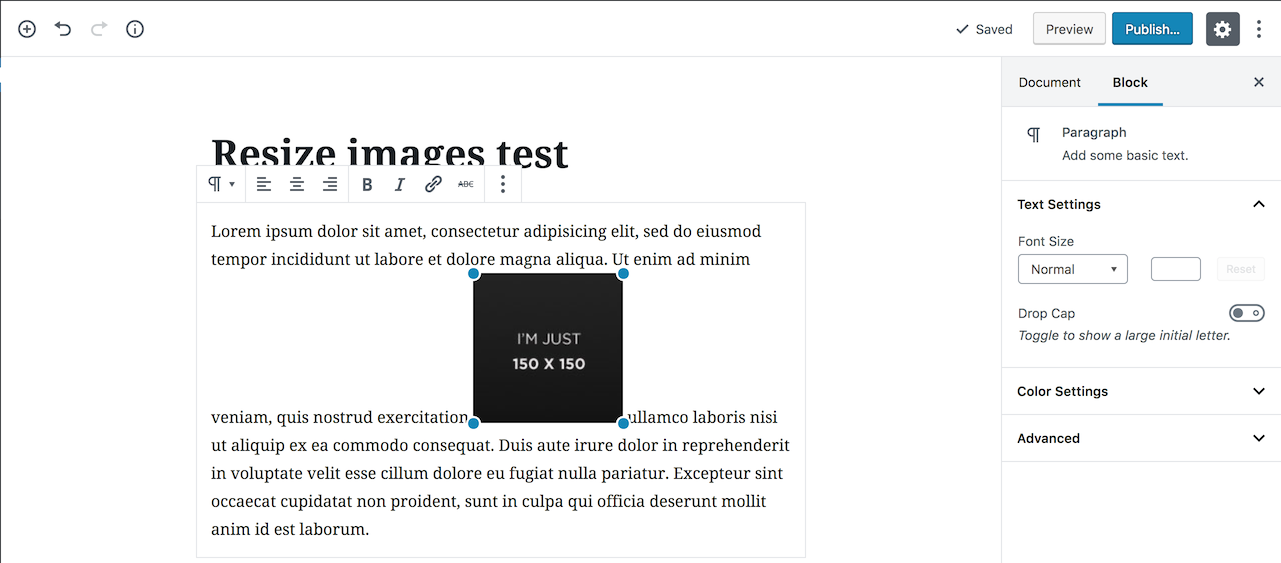
For WCAG compliance, any functionality must be operable using only the keyboard. Worth reminding most assistive technologies for people with motor disabilities either work through the keyboard or emulate the functionality of the keyboard. Besides that, many users make a mixed use of mouse, keyboard, or other input devices. Some users just prefer to use the keyboard. Lack of keyboard operability support is a sign of lack of _device independence_, which is one of the fundamental principles of the Web.
In the Classic Editor inline images are the norm. Although it's not that easy, it's always possible to edit an inline image accessing the "Edit" button in the image toolbar. This gives access to the "Image details" media modal:
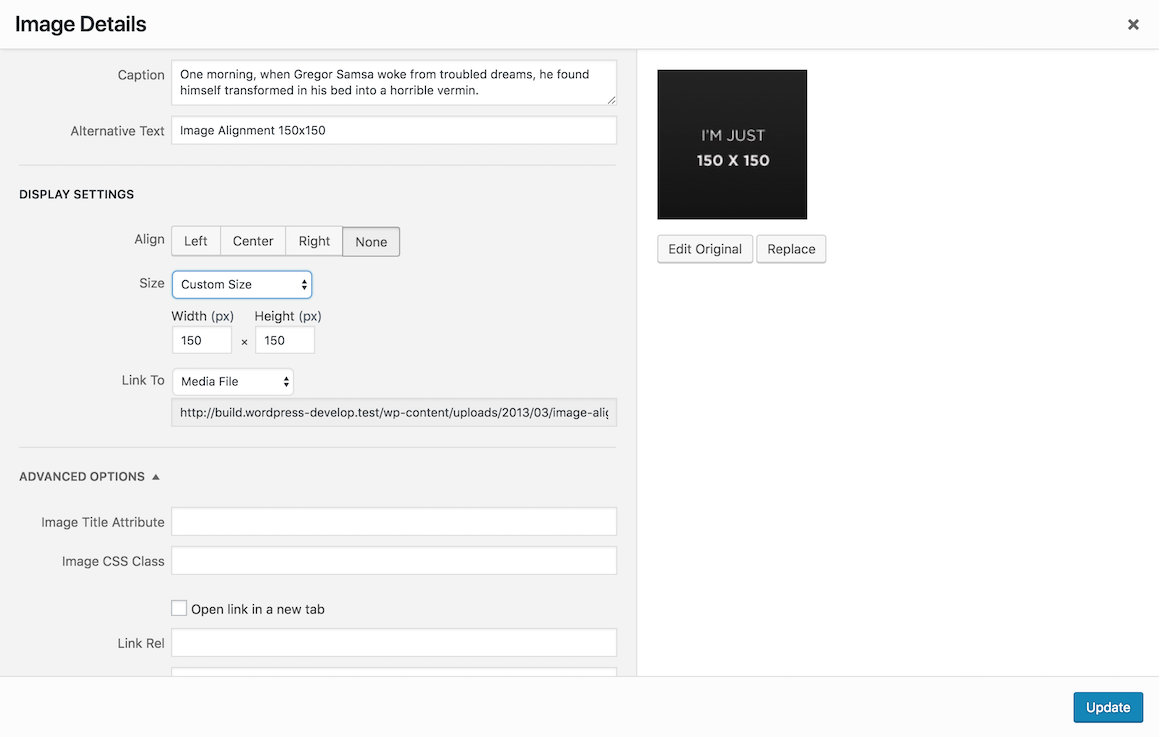
Instead, in Gutenberg inline images don't have a dedicated toolbar or other dedicated editing controls.
 afercia
All 17 comments
Would it make sense to have a secondary control that appears alongside this which lets you alter the width and height? I could see value in that for all users.
 LukePettway
on 17 Oct 2018
LukePettway
on 17 Oct 2018
That could help. However, now that I think at it a bit better, there's not even a way to edit the alt attribute of an inline image. Same for other attributes. No way to make it a captioned image. Couldn't find a way to make it a linked image.
The only way to edit all these things would be switching the block to "Edit as HTML".
From an accessibility perspective, the main concern is the alt attribute but overall seems to me inline images are unfinished and I'm not fully sure they should be included in the release.
afercia
on 18 Oct 2018
Fixed by #13737.
 ellatrix
on 19 Feb 2019
ellatrix
on 19 Feb 2019
Sorry, this is not fixed. But the UI has changed. Any idea how this should work with the new toolbar?
ellatrix
on 19 Feb 2019
I've seen now the UI added in the PR #13737 which, sorry if I stress again on this point, doesn't have a related issue and it wasn't labelled with the accessibility label.
I'm not sure the new UI is the way to go. It can't be used with the keyboard because the popover is actually very far in the DOM. More importantly, there's no way to set other image attributes like the alt text, which is pretty important to produce accessible content.
Maybe giving the ability to access the media modal could help? There should be a dedicated button for each image though. Considering there might be multiple inline images in a block, I guess it could be a bit complicated.
afercia
on 19 Feb 2019
The new UI is temporary to replace the resize handles. I can be expanded with more buttons. And for sure, we could just add a button that opens the media modal.
I think the main issue right now is that, compared to the link pop up which can be accessed with cmd+K, the image pop up cannot be focussed. I'd recommend also having a shortcut so focus can be moved to it. What do you think it should be?
ellatrix
on 20 Feb 2019
Not sure shortcuts would solve the issue. They're just workarounds, have inherent discoverability challenges, and they're prone to conflicts as pointed out in the accessibility report.
Also, when there are multiple inline images, a dedicated keyboard shortcut should work only for a specific selected image. I guess it would be a bit complicated, both in terms of implementation and user interaction.
Was checking Google photos yesterday and noticed they reveal a "lens" button when the image is selected:
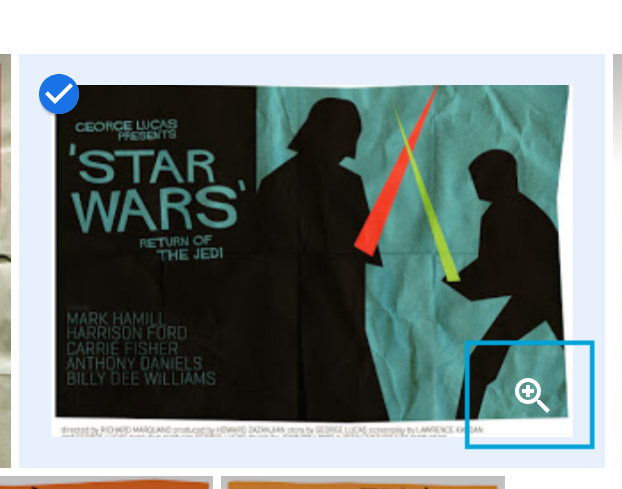
Not saying an icon-only control is ideal, but maybe an inline button for each image could be explored? Not sure how it would work within a contenteditable, would making the button contenteditable=false work?
afercia
on 20 Feb 2019
Also, when there are multiple inline images, a dedicated keyboard shortcut should work only for a specific selected image. I guess it would be a bit complicated, both in terms of implementation and user interaction.
It would work the same as links. There can be multiple links as well. We could also announce the shortcut when an image gets selected.
Regarding the button, I'm not sure if the situation would be much different. How would this button get focus?
ellatrix
on 20 Feb 2019
Regarding the button
Not my area of expertise, was just wondering about something like this:
https://codepen.io/afercia/full/wNZeqL
Or maybe a way to switch the inline images to a sort of "edit mode"? Not sure.
I do realize inline images are difficult to implement, as they're within a contenteditable area but at the same time they should provide their own UI for editing. It's mainly a design issue, and should have been addressed with accessibility in mind since the beginning...
afercia
on 20 Feb 2019
It's mainly a design issue, and should have been addressed with accessibility in mind since the beginning...
Are inline images accessible in TinyMCE? https://www.tiny.cloud
I'm willing to look at these issues, but they take time. It shouldn't block us from making the size changeable otherwise.
ellatrix
on 21 Feb 2019
Are inline images accessible in TinyMCE?
In TinyMCE there's the inline contextual toolbar, the interaction is similar to the classic editor inline toolbar:
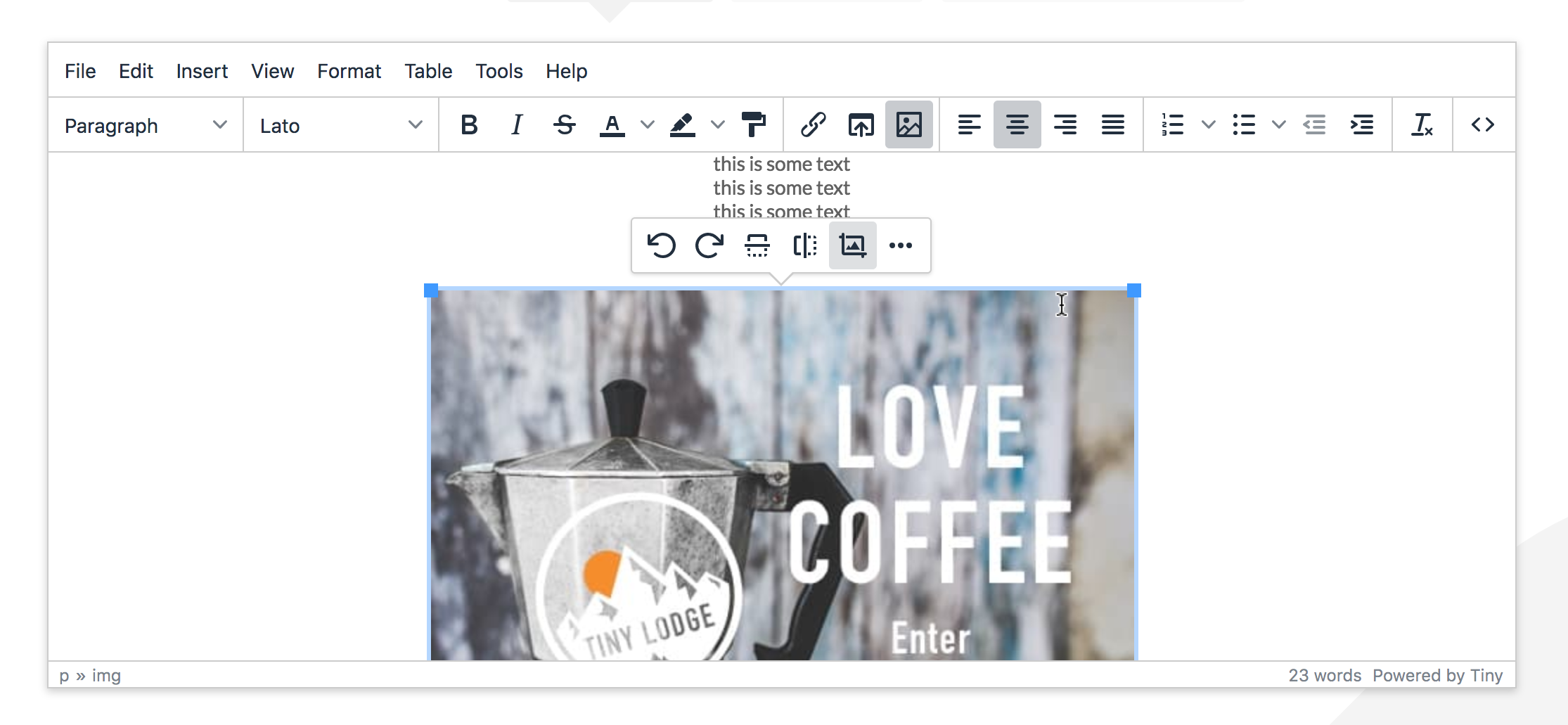
Focus can be moved there with Ctrl + F9:

and the inline toolbar gives access to the image editor and the modal with the image properties.
That doesn't mean it's perfectly accessible: can be done, but usability is tricky and requires to select the image first. Also, there's no feedback when the image is selected. Gutenberg should aim to do something better.
It shouldn't block us from making the size changeable otherwise.
I guess this is where the Gutenberg team opinions and the accessibility team opinions diverge 🙂All new or updated code released in WordPress should be accessible.
afercia
on 21 Feb 2019
Okay, this is what I wanted to know. Ctrl + F9 should give access to the toolbar. It sounds like a good idea to give feedback too. I think fixing it so it works the same as previously is a good first step. After that, we can see if we can make any improvements. Just FYI I care very much about the accessibility of the rich text fields, and I really hope we can do even better than TinyMCE. :)
ellatrix
on 21 Feb 2019
Sure, I know and appreciate it ❤️
My criticism is not personal and I'm sorry if it sounded that way. It's more about the process followed by the entire team, as this kind of things happened already various times in the past months.
afercia
on 21 Feb 2019
I'll do my best to think about future enhancements with accessibility in mind from the start. :)
ellatrix
on 21 Feb 2019
Looking at #14001 I'm not fully sure the inline toolbar is the way to go. UX and keyboard interaction are a bit too complicated. Implementation is complicated as well and should take into account many subtleties.
I'd tend to think giving access to the "Image details" media modal would be a better experience. Not saying the media views are accessible. They have several accessibility problems, but at least they provide all the necessary image settings. Will propose to discuss it during next accessibility meeting on Friday.
If the inline toolbar is the only option, I'd consider to make it as similar as possible to the Link inline toolbar in terms of UI and interaction. Consistency is key and users wouldn't need to learn two
different interaction models.
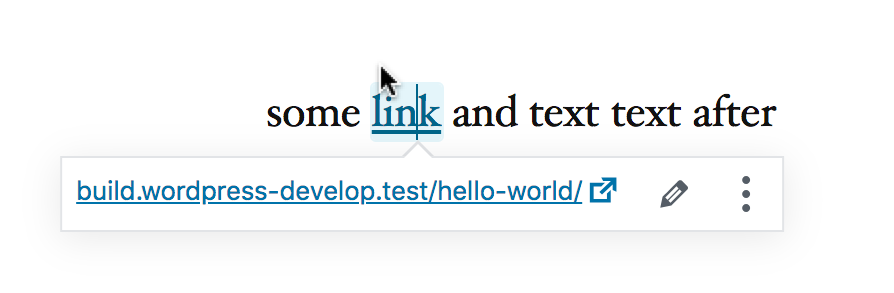
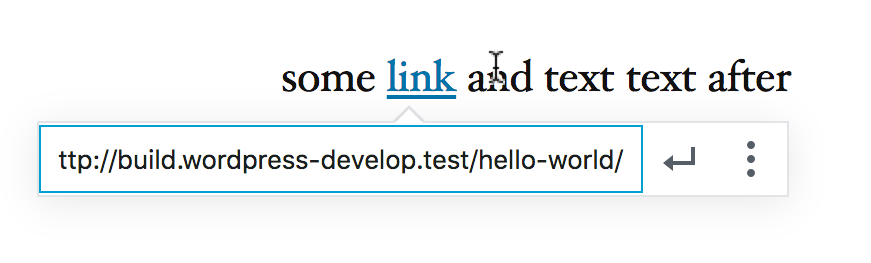
The Link toolbar has two modes: let's call them "view" and "edit".
View mode: it shows the URL, gives access to edit and additional settings:
Edit mode: pressing the related keyboard shortcut, the toolbar switches to "edit mode": focus is moved directly to the input field, submit and additional settings are available to keyboard users.
Using the same paradigm for the Image inline toolbar would make user experience consistent and would offer some bonus:
- view mode: could be used to display the current image size _and its current alt text_
- edit mode: would solve the initial focus issue, allowing to use the popover
focusOnMount_and_ could be extended to allow users to edit the alt text
afercia
on 21 Feb 2019
How do you currently get focus to the link toolbar with keyboard only?
ellatrix
on 21 Feb 2019
Cmd+K (on a mac) switches the toolbar to edit mode. Haven't looked at the code but I guess popover rerenders and uses the default focusOnMount behavior, which focuses the first tabbable element.
afercia
on 21 Feb 2019
Related issues
 melchoyce
·
169Comments
afercia
·
73Comments
melchoyce
·
169Comments
afercia
·
73Comments
 mapk
·
92Comments
melchoyce
·
95Comments
mapk
·
92Comments
melchoyce
·
95Comments
 maddisondesigns
·
79Comments
maddisondesigns
·
79Comments