Gutenberg: Allow drag and drop in the featured image box
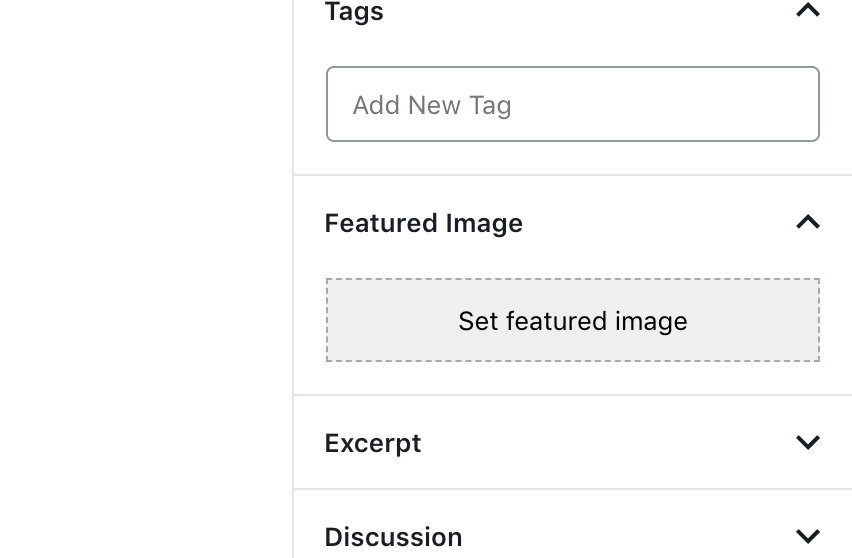
When I am writing a post there's a featured image box in the document settings. It has a dotted outline and looks like I can drag and drop an image onto it to set the featured image, but I can't.
I would like to be able to drag images onto this box to set the featured image for the post.
 BinaryMoon
All 6 comments
I agree with this. I've received feedback from clients before on this after the release of 5.0. Visually it doesn't match what the intended result is. In my opinion, click to upload is fine but it should be a standard button. Drag to upload is better but maybe it was considered and there's a reason it's not available yet. However, if you're using Gutenberg as your editor and not classic the JS lib for drag and drop uploads is already loaded.
Ref:
 emaildano
on 20 Jun 2019
emaildano
on 20 Jun 2019
For reference, I've created a ticket on Trac. Gutenberg is apart from Core at the moment but soon (hopefully) will be a full fledged part of Core.
emaildano
on 20 Jun 2019
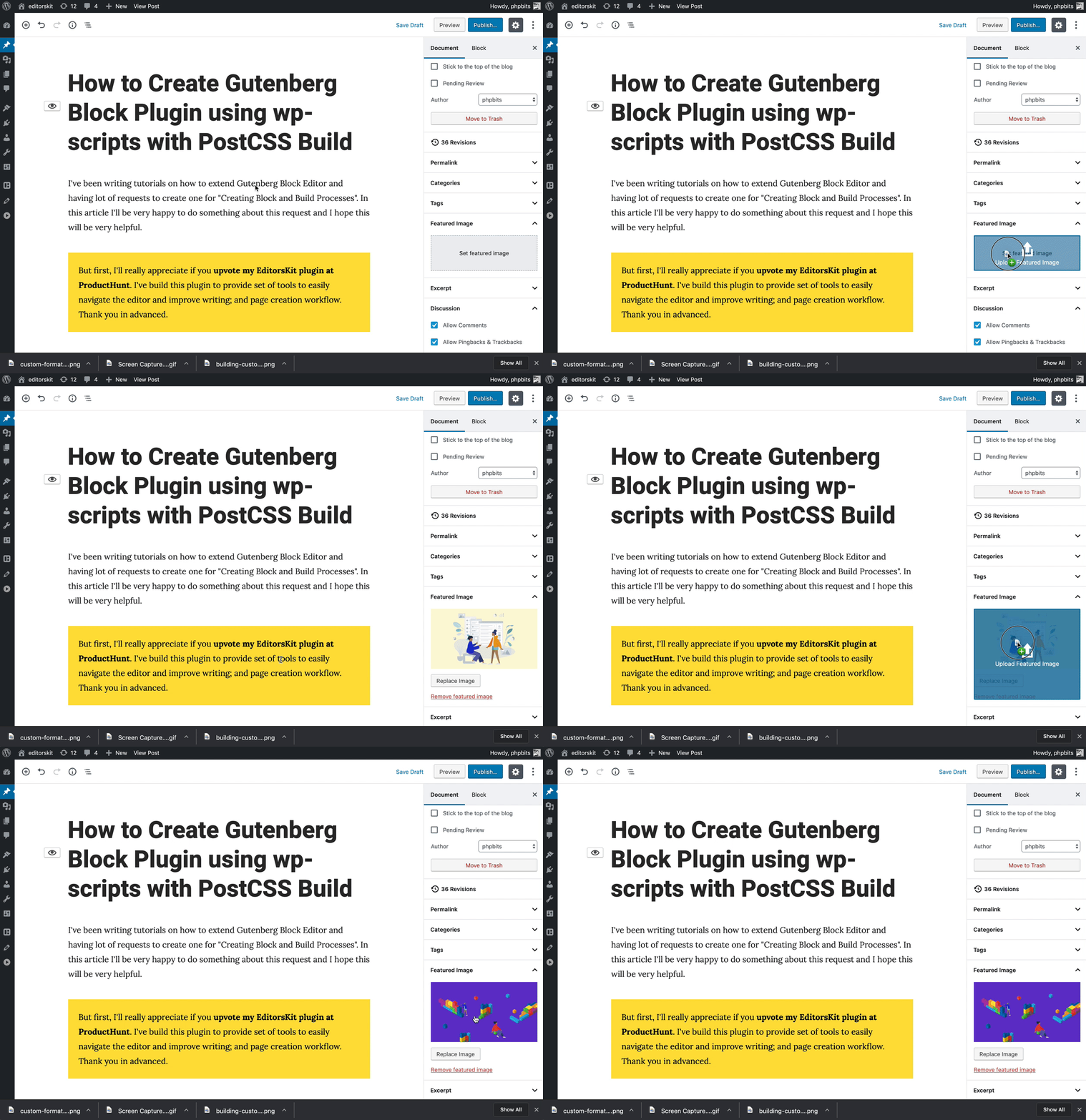
@BinaryMoon Thanks again for suggesting this feature to EditorsKit plugin. Drag and Drop featured image upload is now available starting version 1.13. Requires Gutenberg plugin though, the filter is only available in there. 👍 Here's the plugin link : https://wordpress.org/plugins/block-options/
 phpbits
on 9 Sep 2019
phpbits
on 9 Sep 2019
This is awesome @phpbits. I woud love to see something like this in core!
BinaryMoon
on 9 Sep 2019
Can we just add that to the plugin directly @phpbits
 youknowriad
on 19 Sep 2019
youknowriad
on 19 Sep 2019
@youknowriad Sure! I guess I'm late :) @epiqueras already created the PR.
phpbits
on 20 Sep 2019
Related issues
 maddisondesigns
·
3Comments
youknowriad
·
3Comments
maddisondesigns
·
3Comments
youknowriad
·
3Comments
 spocke
·
3Comments
spocke
·
3Comments
 franz-josef-kaiser
·
3Comments
franz-josef-kaiser
·
3Comments
 aaronjorbin
·
3Comments
aaronjorbin
·
3Comments
Most helpful comment
@BinaryMoon Thanks again for suggesting this feature to EditorsKit plugin. Drag and Drop featured image upload is now available starting version 1.13. Requires Gutenberg plugin though, the filter is only available in there. 👍 Here's the plugin link : https://wordpress.org/plugins/block-options/