Gutenberg: m4a files not uploading to posts
Describe the bug
When editing a post, m4a files cannot be added directly from desktop through the block. It seems to work when going through the Media Library it works, but when uploading through the block I receive the error Sorry, this file type is not permitted for security reasons.
To Reproduce
Steps to reproduce the behavior:
- Create a new post.
- Try adding an m4a file from desktop to a block using the audio option.
- See error
Expected behavior
File should've uploaded straight to post. Works well when choosing an m4a that's already been uploaded to the Media Library.
Desktop (please complete the following information):
- OS: OS X 10.13.4
- Browser: Chrome Version 68
- Gutenburg Version 3.5.0
 detlefholtz
All 3 comments
Thanks for reporting this! First, for reference, I checked to see if .m4a files are a supported file type and they are. Next, I tested and confirmed that dragging an .m4a file into the editor results in a file block with an error message that says:
Sorry, this file type is not permitted for security reasons.
I also tested dragging an .m4a file into an audio block and got the same error. (52s)
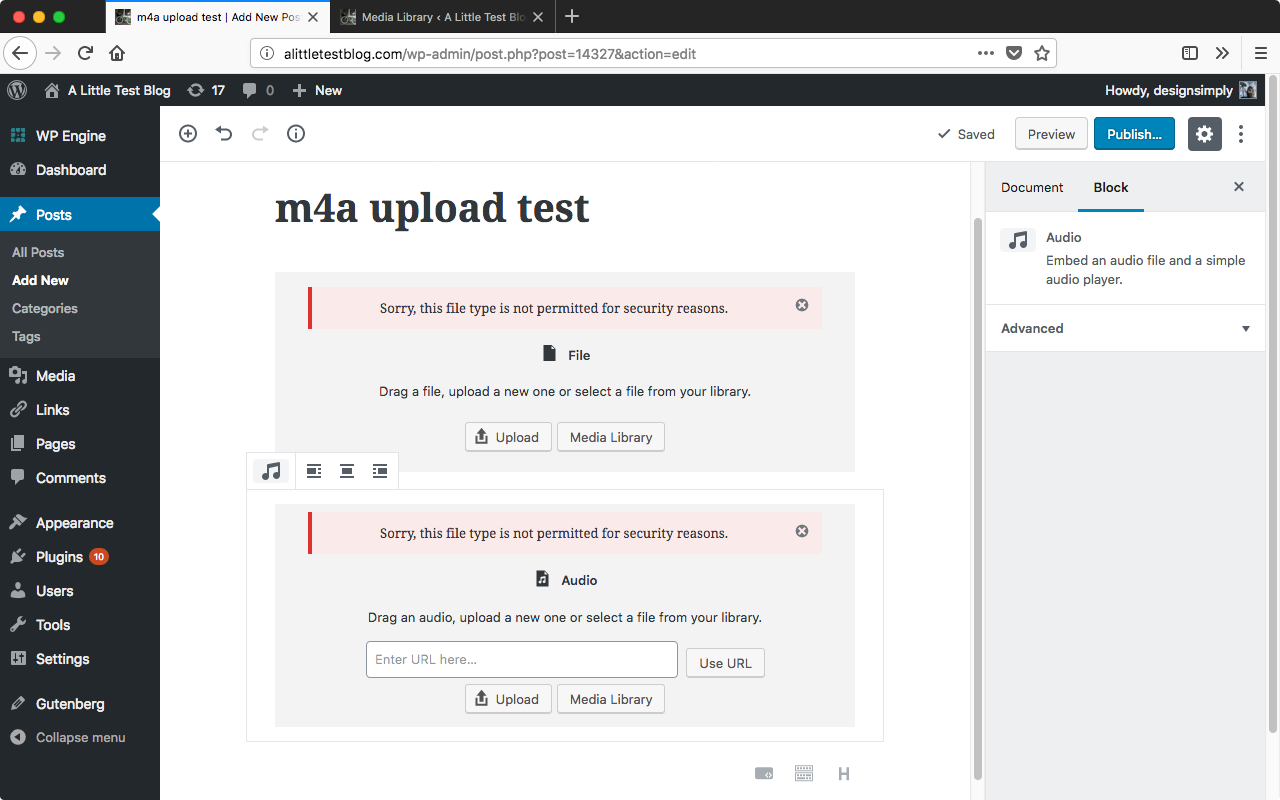
Seen at http://alittletestblog.com/wp-admin/post.php?post=14327&action=edit running WordPress 4.9.8 and Gutenberg 3.5.0 using Firefox 61.0.2 on macOS 10.13.6.
Sample file: https://github.com/robovm/apple-ios-samples/blob/master/avTouch/sample.m4a
 designsimply
on 15 Aug 2018
designsimply
on 15 Aug 2018
When I upload a MP4 file, it has the mime type audio/x-m4a. This one is not supported in wp_get_mime_types(). Trac ticket 40175 will fix this issue: https://core.trac.wordpress.org/ticket/40175
 Soean
on 26 Jan 2019
Soean
on 26 Jan 2019
Thank you @detlefholtz for reporting this issue. Thank you @designsimply and @Soean for your insights. It seems this issue contains good progress on trac so I will close this issue as we can track it on https://core.trac.wordpress.org/ticket/40175.
 jorgefilipecosta
on 6 Jun 2019
jorgefilipecosta
on 6 Jun 2019
Related issues
 SchneiderSam
·
88Comments
SchneiderSam
·
88Comments
 DeveloperWil
·
102Comments
DeveloperWil
·
102Comments
 tofumatt
·
86Comments
tofumatt
·
86Comments
 Pikkals
·
98Comments
Pikkals
·
98Comments
 melchoyce
·
95Comments
melchoyce
·
95Comments