Block audit
_Note: We'll be doing these audits in waves and editing this as we work through the blocks, so this text will be updated and fleshed out as we progress. See the full picture here._
Overview

Name: Button
Description: Want visitors to click to subscribe, buy, or read more? Get their attention with a button.
*Category: Layout elements
CSS class: wp-block-button in frontend and editor
Can be converted to: nothing
States
Empty:
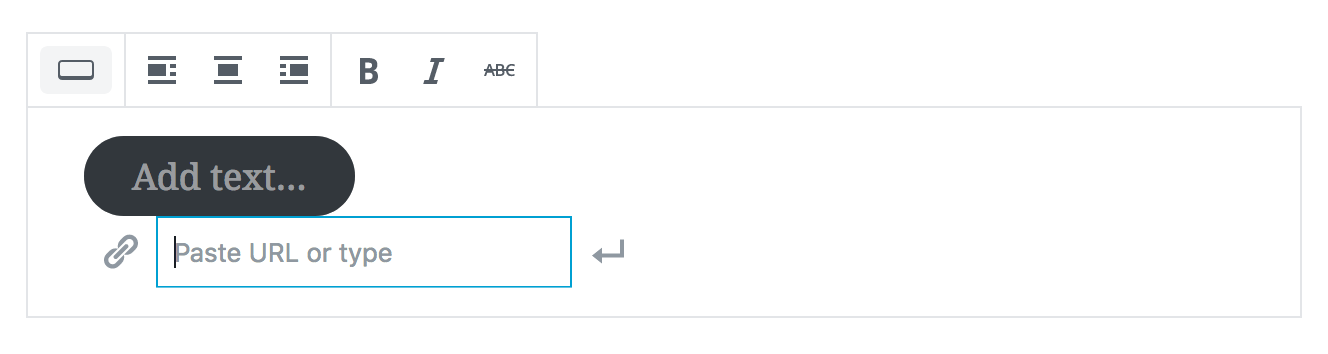
Selected:
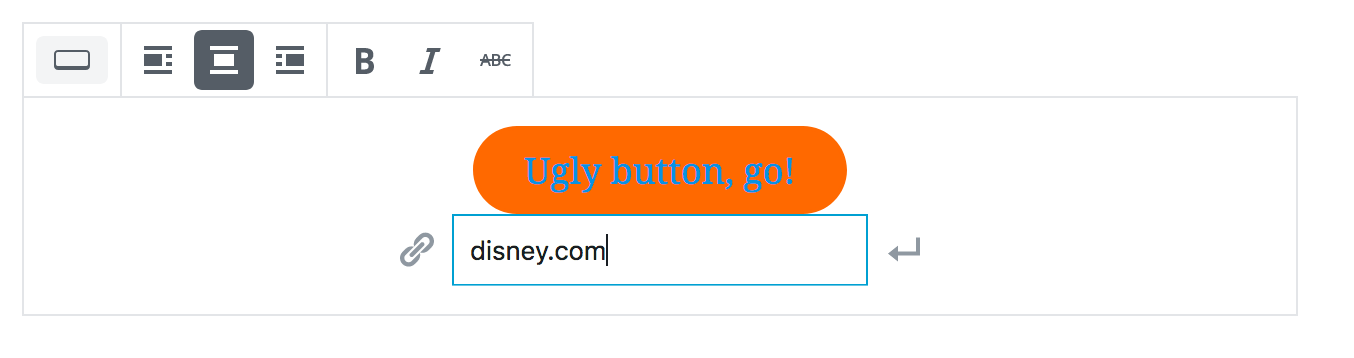
Unselected:

Placeholder:

Primary (toolbar) settings
Block styles
Secondary (sidebar) settings
Color settings: Background color, text color
Advanced: Additional CSS class
Frontend appearance
Gutenberg starter theme:

Atomic Blocks

twentyseventeen:

twentyten:

Bugs/errors
_Individual issues will be opened for these soon_
[ ] Block styles previews have an awkward shadow effect.
[ ] Outline ceases to be an outline when a background colour is applied—might make sense to contextually adjust this so the "background" colour is used for the outline. (Seems to be what happens on the front-end.)
[ ] Suffers from block-level float issues. (#8293)
[ ] Inconsistent bottom-margin between different alignment settings. (#7812)
[ ] twentyten's theme styling overrides custom text colour, needs more specific CSS to account for more themes.
Suggestions
_Individual issues will be opened for these soon_
[ ] Placeholder on button text is confusing—I expected the text to disappear or highlight. Feels buggy when you can't select to delete it.
[ ] Arrangement of inputs is rather awkward here. They should at least be spaced out a bit more.
[ ] Would centre-alignment be a better default here?
[ ] Should buttons appear on the frontend if no text or link has been added?
[ ] Hover styling can feel very out of place, depending on the theme styling.
 sarahmonster
All 9 comments
Hi,
I'm not sure if this is the place I should ask for this, but it's related to Button block.
My question is, would it be possible to set a custom button (link) class? Or add such class? And I mean without using JS, a filter hook in PHP would be preferable.
The thing is that a themes already style buttons and they usually use some generic button class such as .button or .btn or similar. If we added such class to the block, I think it might simplify styling buttons.
The desired Button block output HTML would then be (using additional theme-button class):
<div class="wp-block-button">
    <a class="wp-block-button__link theme-button" href="...">...</a>
</div>
Thanks for consideration!
 webmandesign
on 22 Aug 2018
webmandesign
on 22 Aug 2018
@webmandesign it's not possible to modify the link markup, but using the Advanced box in the sidebar, you can append a custom class to achieve the same level of customization using CSS.
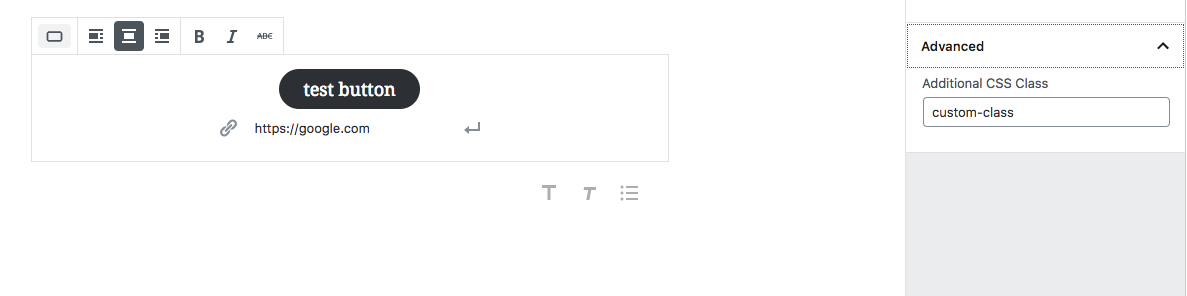
button markup
<div class="wp-block-button aligncenter custom-class">
    <a class="wp-block-button__link" href="https://google.com">button with custom class</a>
</div>
The anchor could be targeted using the following CSS:
.wp-block-button.custom-class > a {
  // target all button anchors with .custom-class
}
And could even be scoped to specific alignments:
.wp-block.button.aligncenter.custom-class > a {
  // special styles only for center-aligned buttons with .custom-class
}
 0aveRyan
on 24 Aug 2018
0aveRyan
on 24 Aug 2018
@0aveRyan Thanks for the info. But the "Additional CSS Class" field doesn't do the trick for me as it doesn't apply the class on the link itself. That way I'm still stuck with custom styling the .wp-block-button__link anyway as it can not inherit my .button styles.
What I meant was to suggest the button link class filtering functionality. Would be great if theme authors could hook onto the class and change/append to it. Preferably with PHP filter hook, not JS.
webmandesign
on 24 Aug 2018
I'm not sure if it's been suggested, but an "Open in New Window" option is needed for this block, too.
 iamleese
on 4 Sep 2018
iamleese
on 4 Sep 2018
Is there a reason the button is rounded by default? I feel like rounding the button this much should be opt-in with a class, instead of the other way around.
 tomusborne
on 20 Oct 2018
tomusborne
on 20 Oct 2018
I agree with @iamleese that there needs to be an "Open in New Window" option. It's currently not possible to set a button to do this. If I edit the html to add a target on the link, it breaks the button block.
I also agree with @webmandesign that there should be a way to add a class to the link itself rather than the wrapping div. If my theme has button styles for links, I should be able to use them without having to modify the theme.
That brings me to another question ... why is a button wrapped in a div? What if I want to wrap a button with a paragraph?
 beckyresler
on 9 Nov 2018
beckyresler
on 9 Nov 2018
How about some sort of visual feedback to confirm that I've successfully finished filling out a button? Right now, if I type in my button text, then my URL, then hit Return or click the Apply arrow button, nothing happens to indicate that I've completed the task.

As a comparison, when I hyperlink text, there's a visual confirmation that I completed my task.

 alliecat9lives
on 8 Jan 2019
alliecat9lives
on 8 Jan 2019
Another Suggestion for the Button Block
Add the option to open the link in a new window.
 sashastone
on 8 Feb 2019
sashastone
on 8 Feb 2019
I am closing this as for most points raised in the audit issues have been created. If you would like to see an improvement to this block please make a new issue and it can be discussed out of this audit. Thanks.
 karmatosed
on 25 Feb 2019
karmatosed
on 25 Feb 2019
Related issues
 jasmussen
·
3Comments
jasmussen
·
3Comments
 nylen
·
3Comments
nylen
·
3Comments
 franz-josef-kaiser
·
3Comments
franz-josef-kaiser
·
3Comments
 spocke
·
3Comments
spocke
·
3Comments
 hedgefield
·
3Comments
hedgefield
·
3Comments
Most helpful comment
I agree with @iamleese that there needs to be an "Open in New Window" option. It's currently not possible to set a button to do this. If I edit the html to add a target on the link, it breaks the button block.
I also agree with @webmandesign that there should be a way to add a class to the link itself rather than the wrapping div. If my theme has button styles for links, I should be able to use them without having to modify the theme.
That brings me to another question ... why is a button wrapped in a div? What if I want to wrap a button with a paragraph?