Gutenberg: Caption text from Images and Galleries appear in the_excerpt() output.
Describe the bug
When adding Caption text to a Image or a Gallery, the text itself appears on the frontend when using the_excerpt.
To Reproduce
Steps to reproduce the behavior:
- Create a Post
- Give it a name
- Add an Image block, or a Gallery block.
- Add captions if not already there.
- Publish.
- Review.
- Repeat with Classic editor to see normal behavior.
Expected behavior
To not show Caption text in the_excerpt()
Screenshots
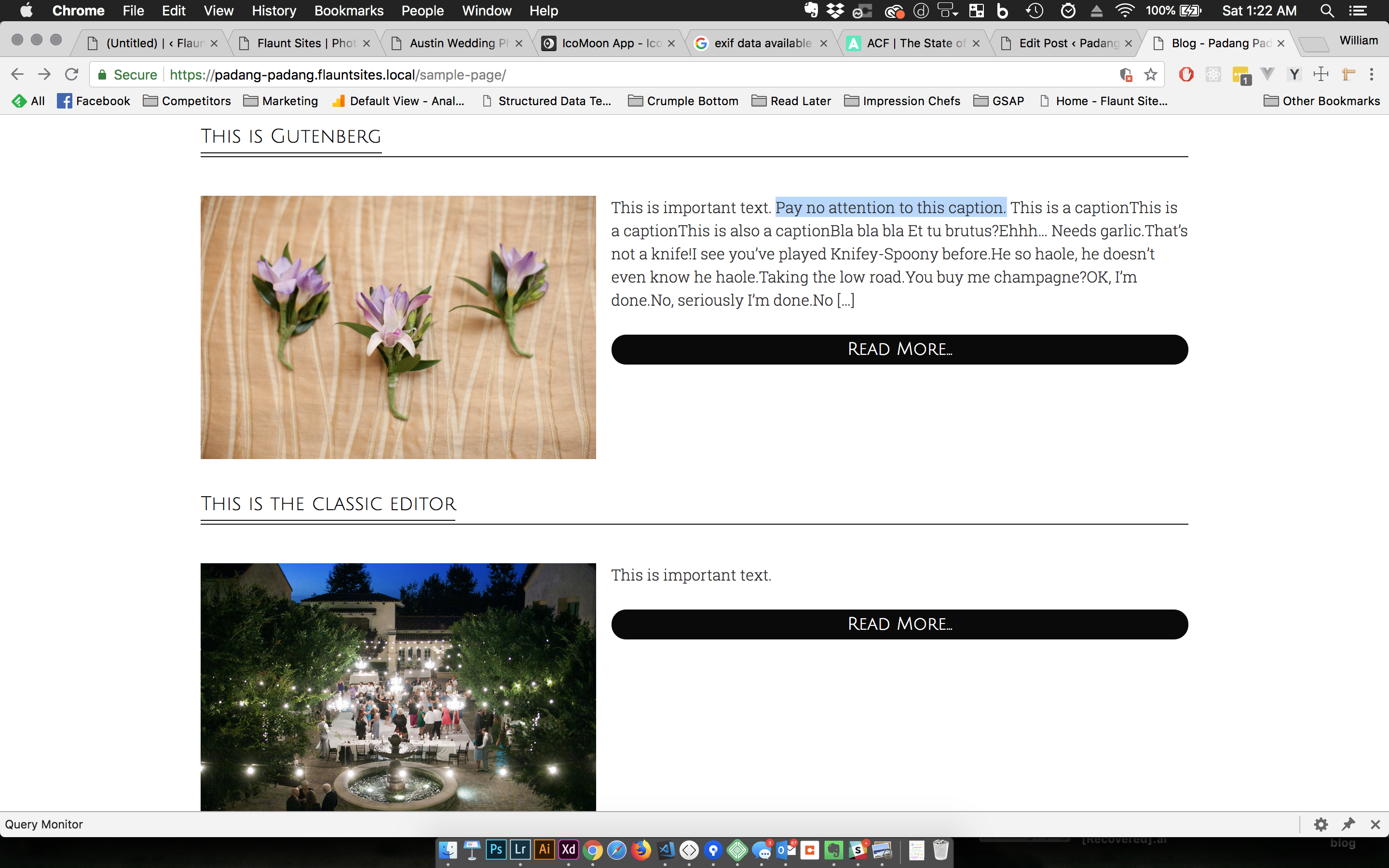
In this shot, you can see the first Post has a bunch of text that is output without spaces.
Except for the first sentence, this is all Caption text.
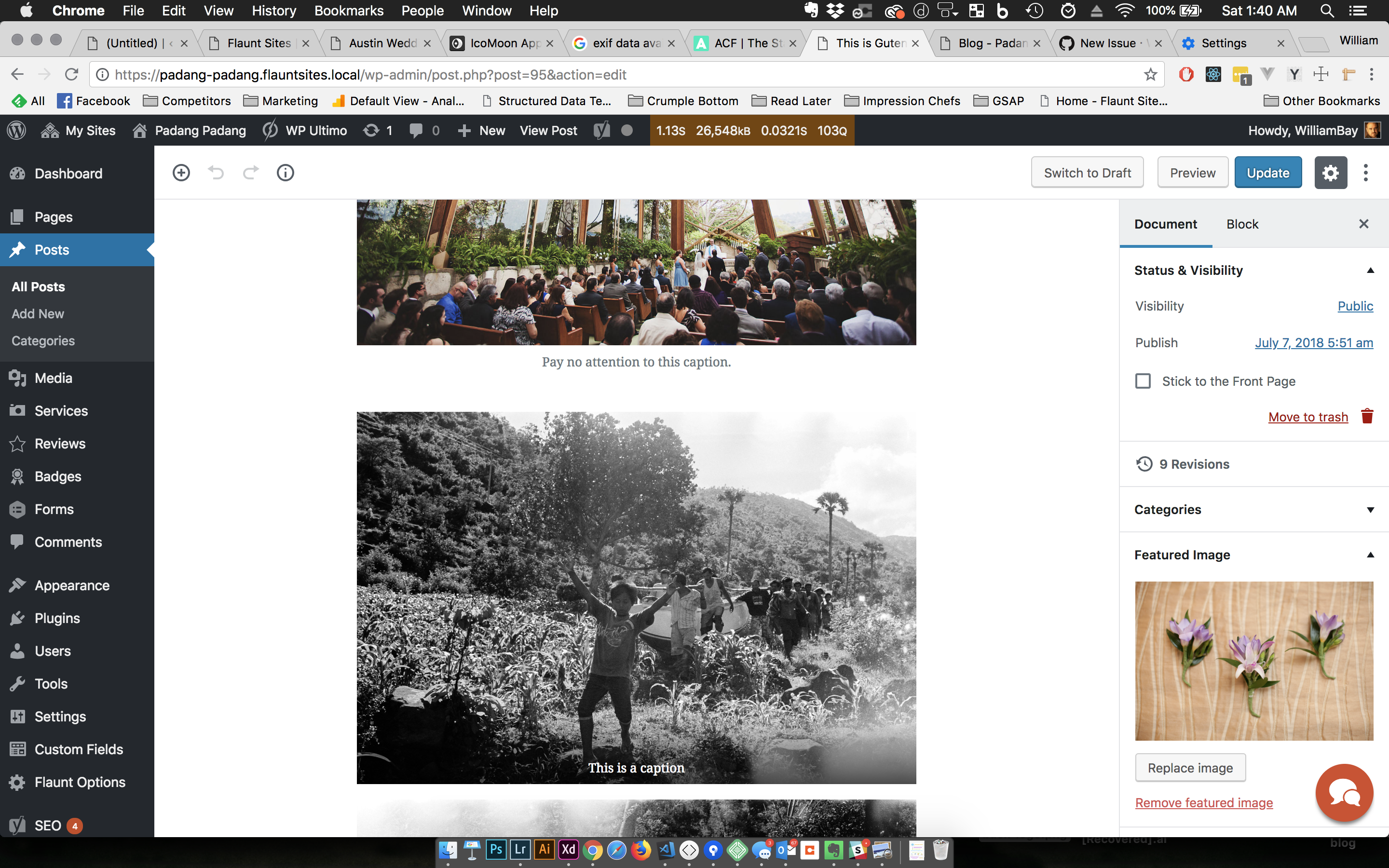
This is the first post in the Admin. The first block is a Paragraph block, the second is a regular image, and the third is a Gallery block. You can see the captions.
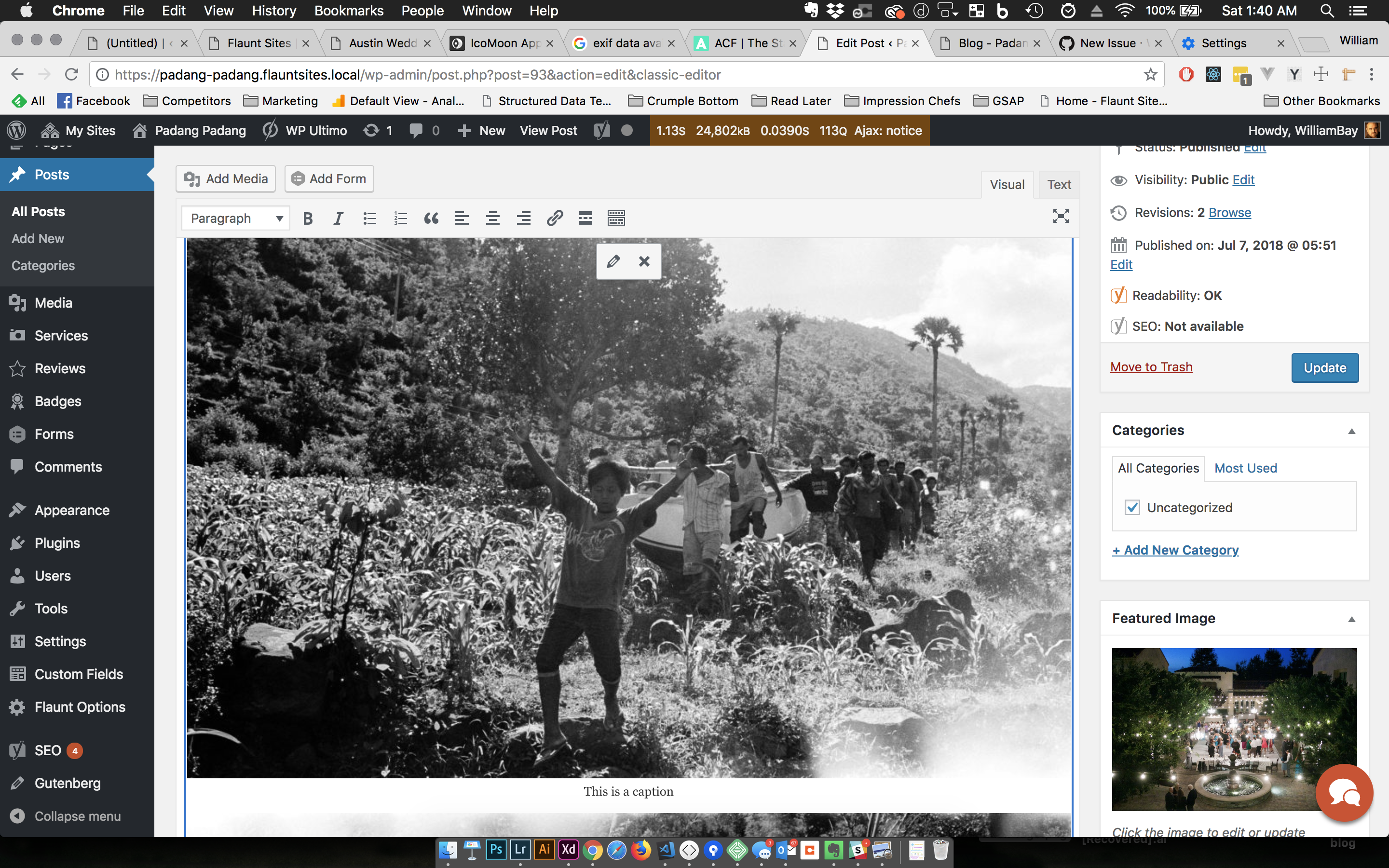
This is the Classic editor for the second post. It's using the old Gallery method. The photos for that also have captions, but do not show up in the first screenshot.
Desktop (please complete the following information):
- OS: MacOS 10.13.4
- Browser: Chrome
- Version: 67.0.3396.99
- WordPress: 4.9.8
- Gutenberg: 3.5.0
Additional context
- Running Multisite
 bahia0019
All 18 comments
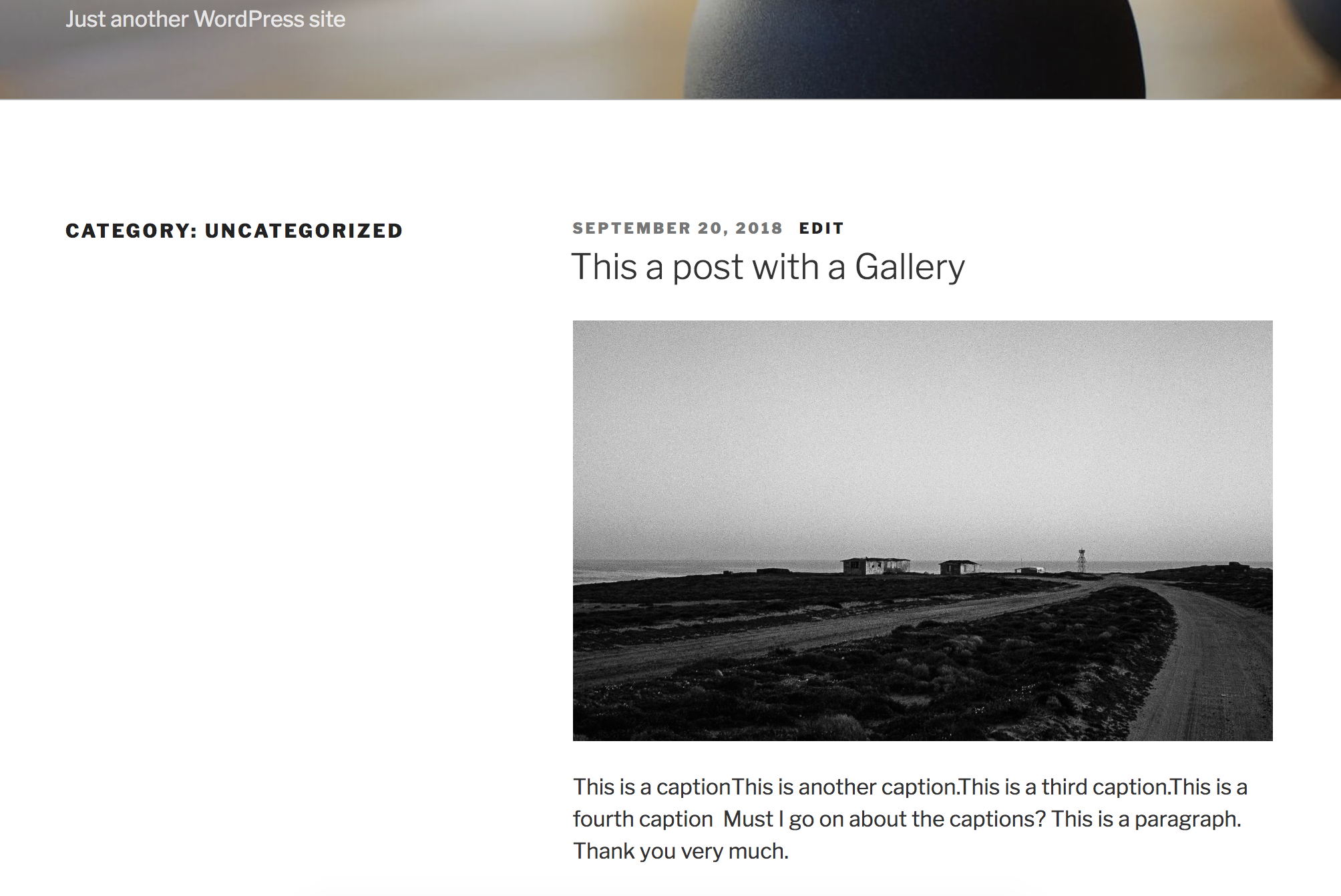
Confirmed with a clean install (not multisite) of WP 4.9.8 & Gutenberg 3.8.0.
Captions for images/galleries are outputting in the_excerpt()
bahia0019
on 20 Sep 2018
@designsimply
Could it be due to
Gallery block: https://github.com/WordPress/gutenberg/blob/01bb2f2a19667969ccaadff08de078cfd9858e95/packages/block-library/src/image/index.js#L223
bahia0019
on 21 Sep 2018
This is because wp_trim_excerpt() in core does not know about Gutenberg yet.
In WordPress 4.9, the editor creates images by using the caption shortcode. Content it creates will look like this (shortened for brevity):
[caption id= ... ]<img class= ... /> Caption here[/caption]
In Gutenberg, images created by the image or gallery blocks look like this:
<figure class= ... ><img src=... /><figcaption>Caption here</figcaption></figure>
The wp_trim_excerpt function in core generates the automatic excerpt from content. It calls the strip_shortcodes() function on that content at one point. The old way has shortcodes for captions, the new way does not.
So, this is really more of a problem that will need to be addressed in core when Gutenberg is merged.
 Otto42
on 22 Sep 2018
Otto42
on 22 Sep 2018
Still experiencing this annoying feature/bug with WP 5.0.2. Could it be a theme thing (Weaver Xtreme in my case)? https://www.mmwb.nl
 mmwb
on 22 Dec 2018
mmwb
on 22 Dec 2018
Will this issue ever be solved? WP 5.2
@ https://www.mmwb.nl/had-omar-al-bashir-zoveel-gespaard/
"Omar al-Bashir" is the caption of the image in the first part of the article. This caption is also shown in the excerpt, that I use in a slider of the newest four posts on the frontpage.
Excerpt =
"Medio april 2019 werd, na 30 jaar aan de macht te zijn geweest, de Soedanese president Omar al-Bashid (1944) afgezet door het leger na maandenlange protesten door grote delen van de bevolking. Zelf kwam hij aan de macht na een staatsgreep tegen de regering van premier Sadiq al-Mahdi in 1989, waarna hij in 1993 president werd. Omar al-Bashir Dat bij een huiszoeking enkele dagen later ruim 6,5 miljoen euro aan contant geld werd aangetroffen, is wellicht één van de mildere …"
Bold is mine
mmwb
on 12 May 2019
For now I use a clumsy band Aid function that finds the first image in a post, takes the caption and removes it from the excerpt. On theme update I will have to repair a few lines of code.
Hope this bug will be solved any time soon.
mmwb
on 17 Jun 2019
Or finds the
mmwb
on 24 Jun 2019
Will this issue be solved in WP 5.4?
mmwb
on 26 Jan 2020
@mmwb ;
I am unable to reproduce this bug using the Gutenberg 7.4 plugin and WordPress 5.3.2..
I've tried a couple different themes (maxwell and popper) where the_excerpt is on the front page and the caption is not included there.
This may be a problem with your theme or using an older version of WordPress.
 skorasaurus
on 11 Feb 2020
skorasaurus
on 11 Feb 2020
@skorasaurus
Might be G7.4, not sure when this lands in WP. I'm using WP 5.3.2 with Weaver Xtreme theme. They assured me last June it's not a theme thing.
Thanks for adding to the discussion / solution!
mmwb
on 12 Feb 2020
The image captions do not appear for me when using WP 5.3.2. and without gutenberg 7.4 enabled; I even double checked and made a couple posts using Gutenberg built into WP 5.3.2 and did not rrely on posts made in gutenberg 7.4.
The image captions did appear for me in excerpts on my site when I installed and enabled the theme weaver-xtreme.
Themes typically use get_the_excerpt and the_excerpt to obtain the excerpt for a particular post.
when called, the_excerpt actually just directly calls get_the_excerpt .
get_the_excerpt checks if there's
post_excerpt column of a post object post_excerpt is empty by default; it is only filled in when you customize a post's excerpt.
(see the following as an example)
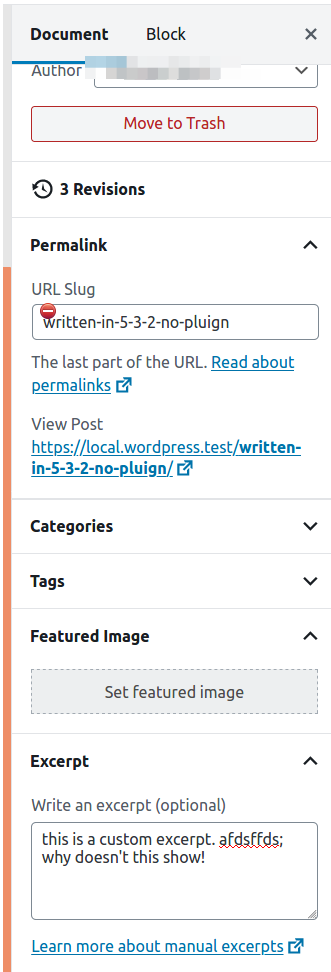
There's get_the_excerpt hook then calls wp_trim_excerpt
Then, every time that get_the_excerpt is called, wp_trim_excerpt is also called.
Within wp_trim_excerpt, another function, excerpt_remove_blocks is called. That function decides which blocks should be included and omits the image and gallery block. excerpt_remove_blocks function was introduced in WordPress 5.0 which is why what @Otto42 wrote at the time no longer applies.
The weaver theme removes the filter of wp_trim_excerpt (line 1171 of includes/lib-content.php) a
and instead uses a custom function that does not filter out any blocks' content; (line 1145).
I'd suggest to go back to your theme author and share the update ; and this can now be closed as a result of the implementation of excerpt_remove_blocks in WordPress 5.0.
skorasaurus
on 12 Feb 2020
Thanks again,
have similar results in local dev, using just WP 5.3.2 with themes like Astra (2.3.0) and Blocksy (1.6.15).
Will contact Weaver Xtreme again.
mmwb
on 12 Feb 2020
@skorasaurus
Issue solved on my side/site for now. Will be adjusted in next version of Weaver theme.
Thanks again for the guidance.
mmwb
on 18 Feb 2020
Thanks for following up @mmwb and letting us know that you're able to solve it.
This issue can be now closed with the introduction of excerpt_remove_blocks in WP 5.0
skorasaurus
on 18 Feb 2020
Looping back just to close this issue out since it can no longer be replicated in more recent versions of Gutenberg.
 annezazu
on 18 Jun 2020
annezazu
on 18 Jun 2020
I have the same issue with Wordpress 5.4.2. and MagazinePro theme. The excerpts include caption text. All excerpts on this page (and others) include caption: https://moneysaurus.com/collectible-cars/
Would be thankful for suggestions on how to get rid of captions there.
 FreelancermapUA
on 4 Jul 2020
FreelancermapUA
on 4 Jul 2020
@FreelancermapUA can you try following the guidance given above by @skorasaurus around contacting the MagazinePro theme author?
annezazu
on 7 Jul 2020
@annnezazu: I will contact the MagazinePro theme author about this. Thanks!
FreelancermapUA
on 7 Jul 2020
Related issues
 BE-Webdesign
·
3Comments
BE-Webdesign
·
3Comments
 aaronjorbin
·
3Comments
aaronjorbin
·
3Comments
 wpalchemist
·
3Comments
wpalchemist
·
3Comments
 franz-josef-kaiser
·
3Comments
franz-josef-kaiser
·
3Comments
 davidsword
·
3Comments
davidsword
·
3Comments