Gutenberg: Polldaddy embeds don't work (workaround: disable Tracking Protection by checking the option for "Never" in Firefox > Preferences > Privacy & Security and restarting Firefox)
Description
Pasting a polldaddy link into the gutenberg editor does not result in an oembed.
To Reproduce
Steps to reproduce the behavior:
- Create a post in gutenberg
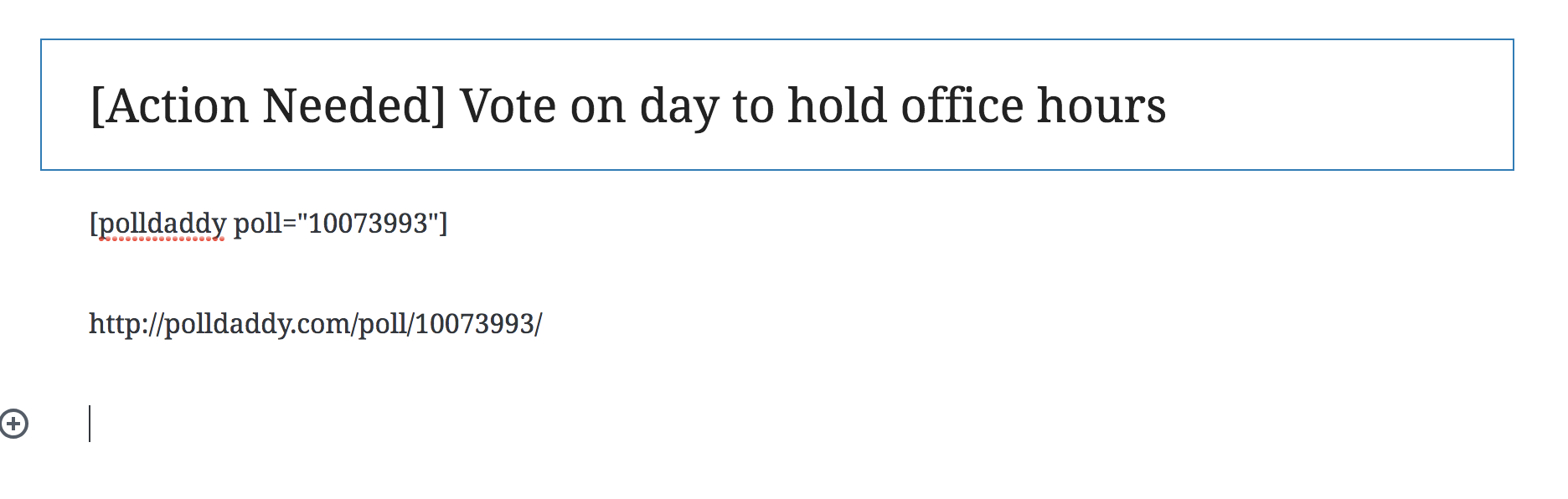
- Try to copy any link from PD (http://polldaddy.com/poll/10073993/, [polldaddy poll="10073993"], and http://poll.fm/5zx55 don't work)
Expected behavior
I was expecting a preview of the poll to appear.
Screenshots
Desktop (please complete the following information):
- iOS
- Chrome
We should make our own products work with this :)
 annezazu
All 10 comments
Just tried with these two links:
And it works for me in both cases?
 youknowriad
on 6 Aug 2018
youknowriad
on 6 Aug 2018
@youknowriad I'm expecting to see this while I'm editing the post in gutenberg not just after publishing.
Is that an incorrect expectation?
annezazu
on 6 Aug 2018
yes, it is. Here's a GIF of what I'm doing.
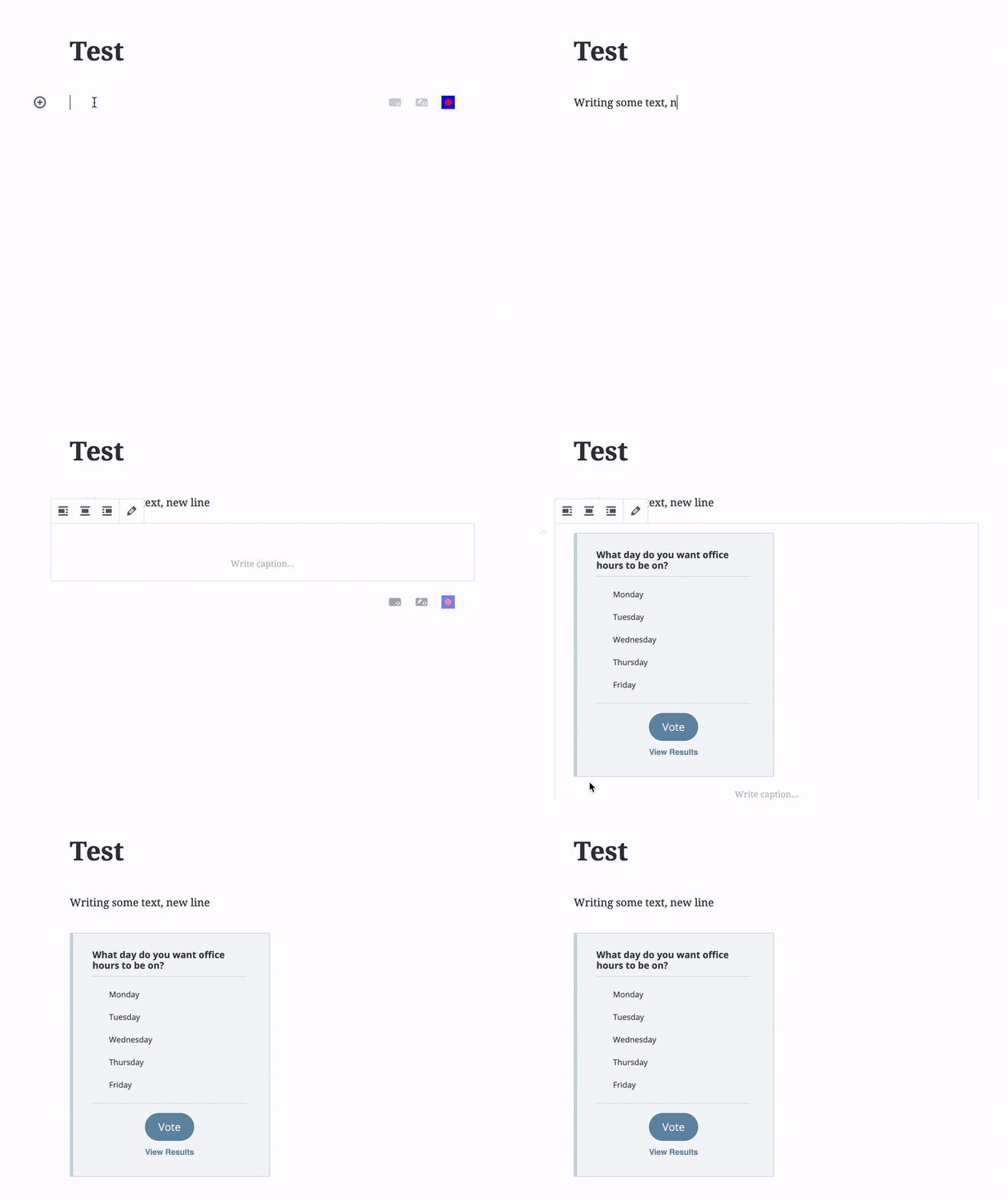
Notice that the embed appears as soon as I paste
youknowriad
on 6 Aug 2018
Hmm - seems this might be related to just our p2s :) cc @designsimply
annezazu
on 6 Aug 2018
I'm closing for now, Let's reopen if it comes up in a more generic installation.
youknowriad
on 6 Aug 2018
I am able to confirm this bug with Gutenberg 3.4 using a site with HTTP. Steps to reproduce:
- Start with an HTTP site (in case this matters).
- Copy one of the sample polldaddy poll links from below.
- Paste the URL into a new block in a new post.
Sample code:
http://polldaddy.com/poll/10073993/[polldaddy poll="10073993"]http://poll.fm/5zx55
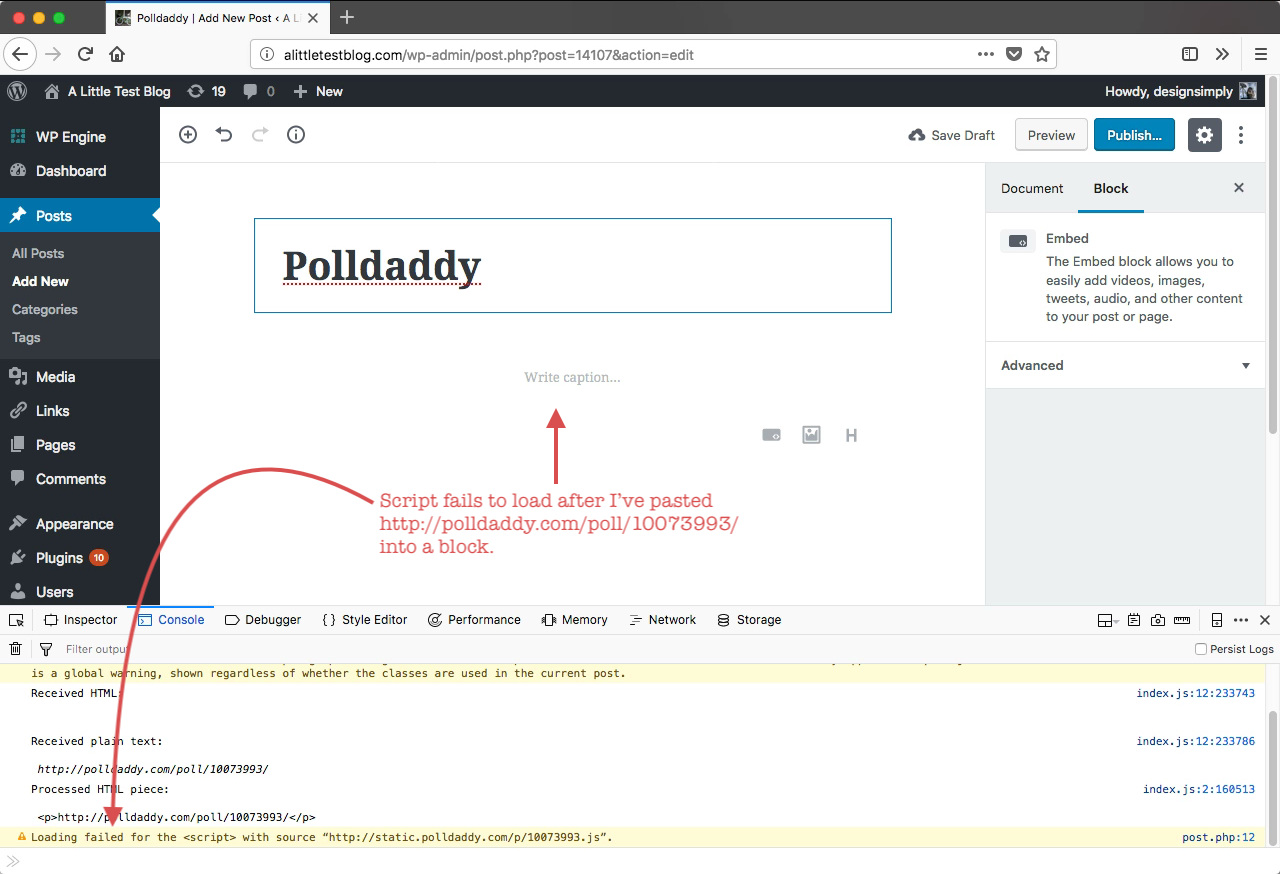
Result: embed does not work, a console warning appears on the editor screen, and the poll is blank on the front end after publishing and viewing the post.
Console warning after pasting the poll URL in the editor:
Loading failed for the <script> with source “http://static.polldaddy.com/p/10073993.js”.
Resulting HTML in the block:
<figure class="wp-block-embed is-type-rich is-provider-polldaddy">
http://polldaddy.com/poll/10073993/
</figure>
Video: 53s
Seen at http://alittletestblog.com/wp-admin/post.php?post=14107&action=edit running WordPress 4.9.8 and Gutenberg 3.4.0 using Firefox 61.0.1 on macOS 10.13.6.
I'm not re-opening yet because it may be fixed in master but not 3.4 and that still needs double checking.
 designsimply
on 6 Aug 2018
designsimply
on 6 Aug 2018
I'm also running an HTTP site, so this is probably something else. Any idea @notnownikki ?
youknowriad
on 6 Aug 2018
@designsimply It worked for me on HTTP using the poll link you posted above on 3.4 and also on master. Did you try to pull up the JS file directly from the error message and seeing if it worked independent from WP?
(Also hi @annezazu! 😄 )
 earnjam
on 6 Aug 2018
earnjam
on 6 Aug 2018
Just tested with http://polldaddy.com/poll/10073993/ and it's showing up for me, the embed render endpoint doesn't have any issue.. My development site is also HTTP.
@designsimply What's interesting is that the shortcode [polldaddy poll="10073993"] isn't working for you, that suggests either something isn't getting processed correctly in the WP core side, or that there's some intermittent problem on the Polldaddy side. I think this is most likely a Polldaddy or network problem, as the embed is trying to load the assets, but as I can see from your console output, the script wasn't loaded. To make doubly sure, can you open the network tab and see what response you got for that script?
 notnownikki
on 6 Aug 2018
notnownikki
on 6 Aug 2018
To make doubly sure, can you open the network tab and see what response you got for that script?
Absolutely! I re-tested and found that the script response looks good (in both Chrome and Firefox!) _but in Firefox_ the embed does not show up inside the editor (same as before). Here's a comparison: 1m28s.
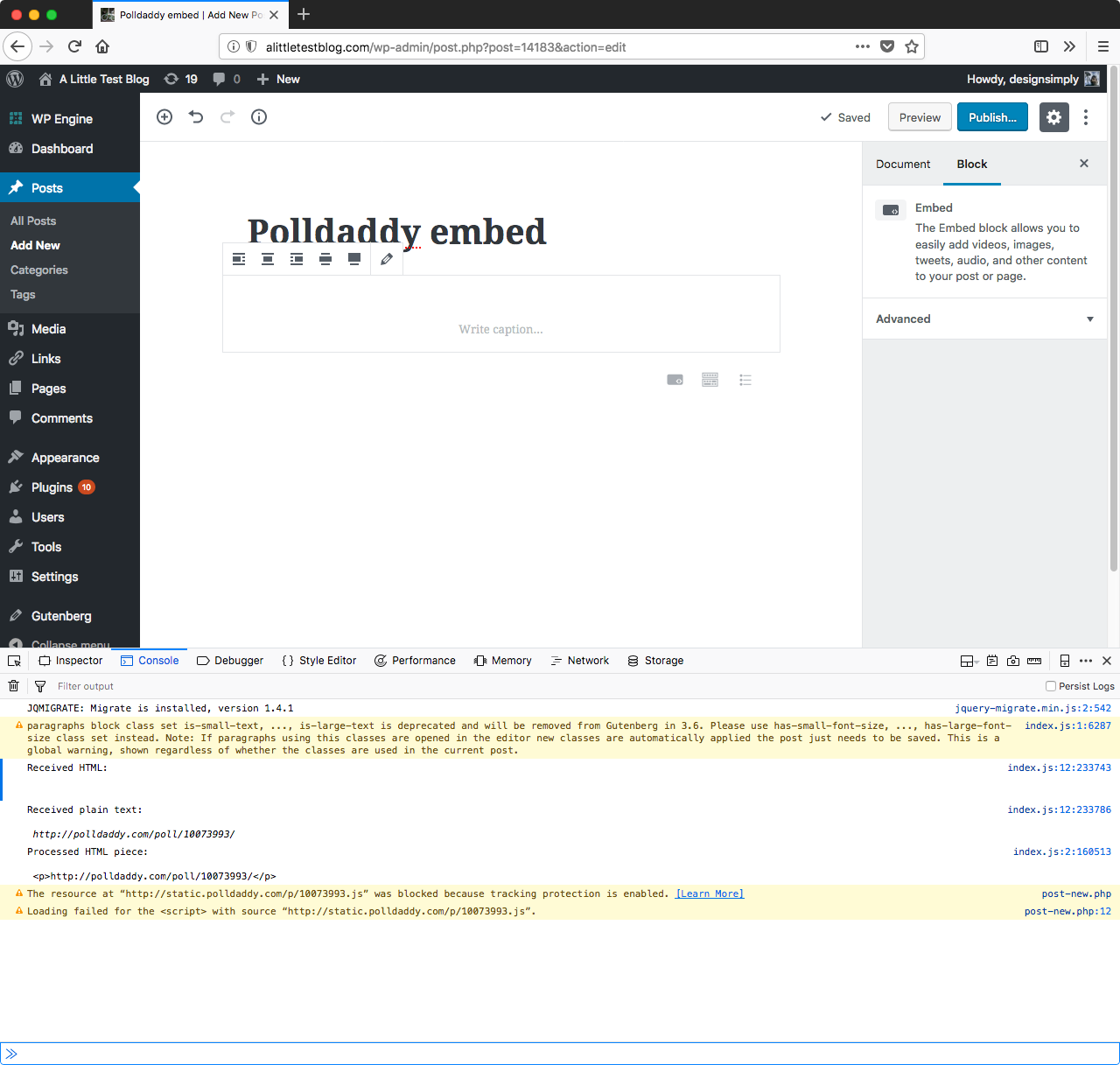
Seen at http://alittletestblog.com/wp-admin/post.php?post=14183&action=edit running WordPress 4.9.8 and Gutenberg 3.4.0 using Firefox 61.0.1 on macOS 10.13.6.
Here are the console errors from Firefox:
The resource at “http://static.polldaddy.com/p/10073993.js” was blocked because tracking protection is enabled.[Learn More]
post-new.php
Loading failed for the
Related issues
 afercia
·
73Comments
afercia
·
73Comments
 SchneiderSam
·
88Comments
SchneiderSam
·
88Comments
 maddisondesigns
·
79Comments
maddisondesigns
·
79Comments
 mapk
·
92Comments
mapk
·
92Comments
 melchoyce
·
95Comments
melchoyce
·
95Comments
Most helpful comment
@designsimply It worked for me on HTTP using the poll link you posted above on 3.4 and also on
master. Did you try to pull up the JS file directly from the error message and seeing if it worked independent from WP?(Also hi @annezazu! 😄 )