Gutenberg: Inline images cannot be resized to thumbnail medium large full
Describe the bug
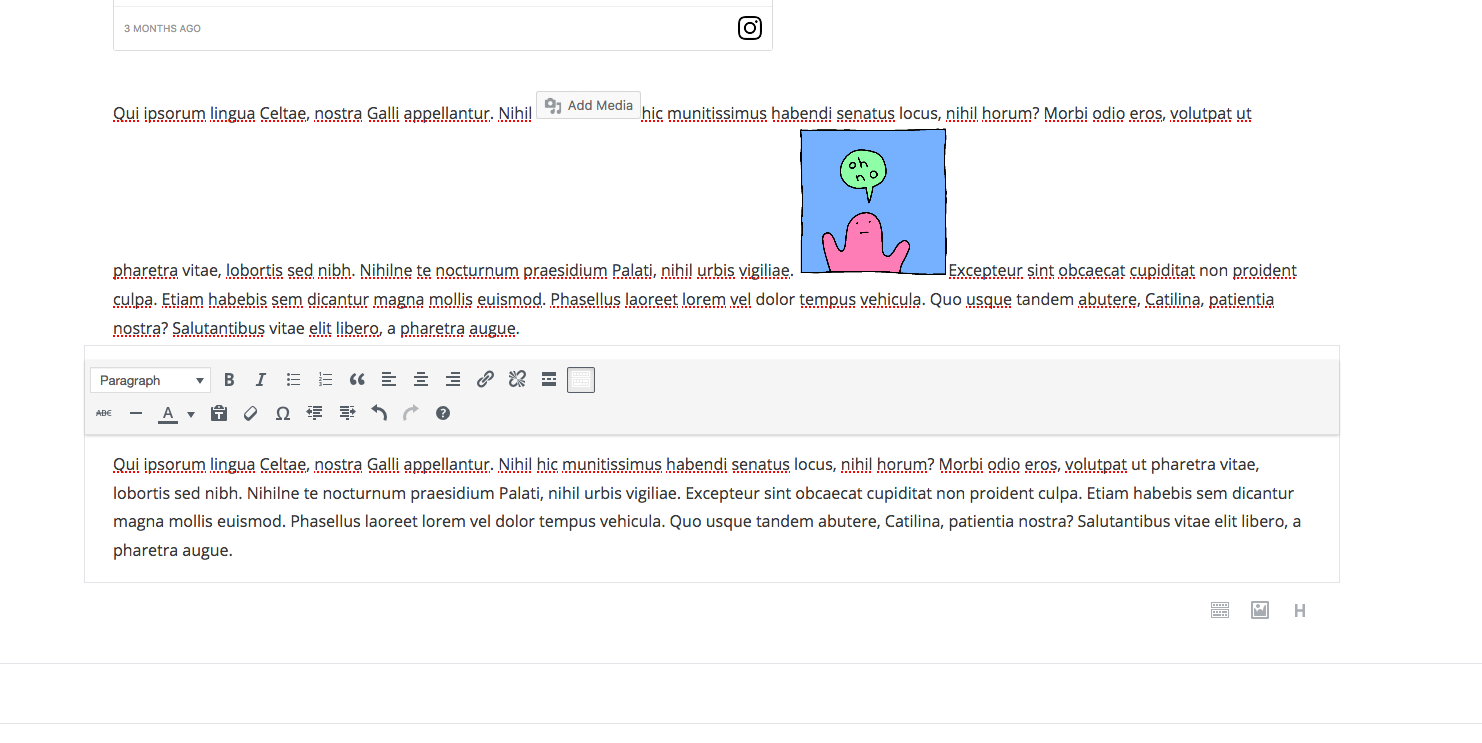
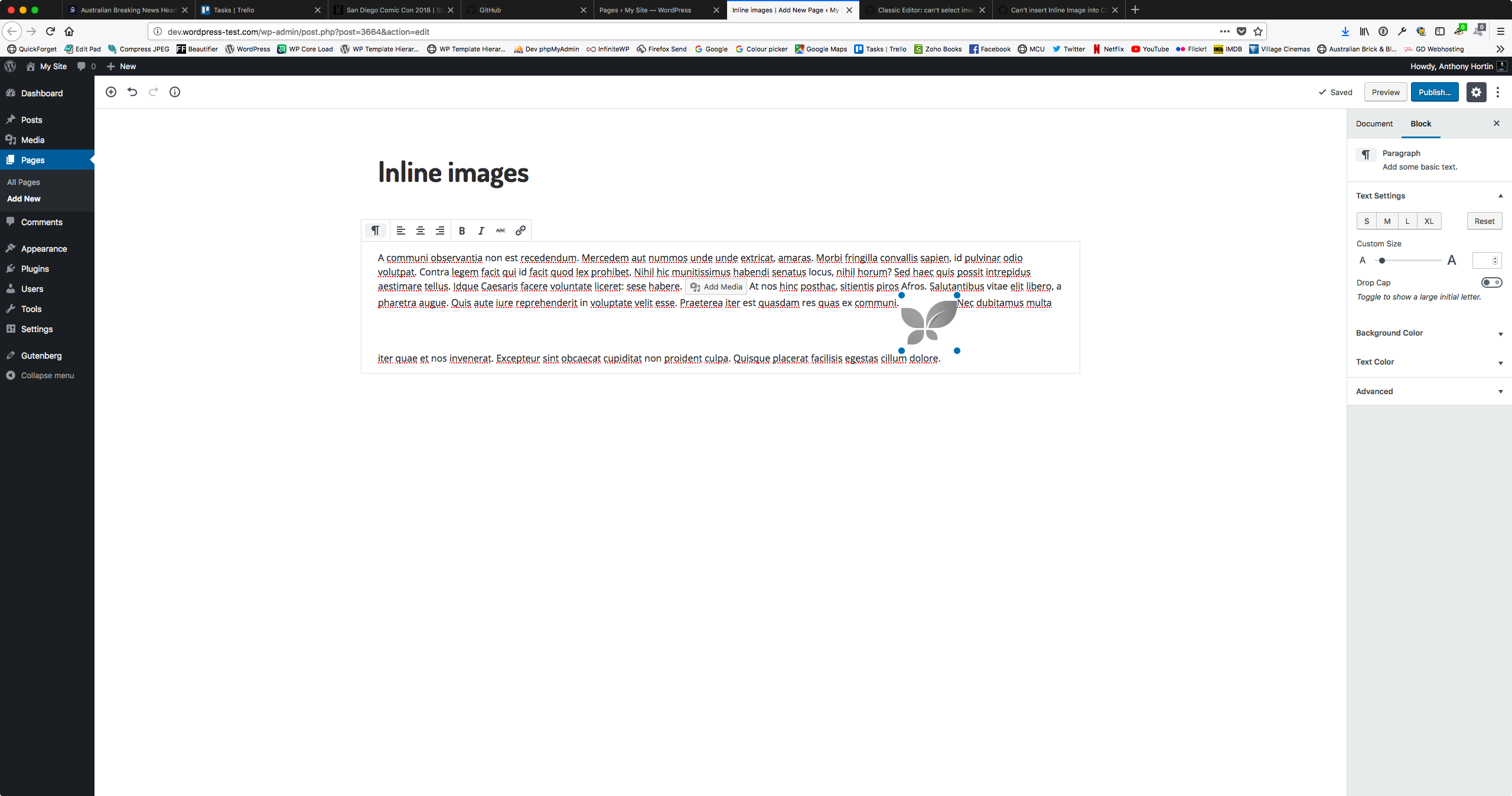
There's no way to select what image size you want to insert, when you insert an Inline Image. Once it's inserted, there's also no way to select a different image size.
When an image is inserted, it reduces it to some random size you're unable to control. There's also no indication to show what this size is and no way to automatically set it to the full/original size image. Since there's also no indication of what the original image size is, if you simply drag the handles to resize it there's a very good chance you could end up enlarging it and in doing so, cause it lose quality when displayed in your theme.
To Reproduce
Steps to reproduce the behavior:
- Insert Inline Image
- Try to change image to the original size without using drag handles
Expected behavior
I should be given the option to select which image size I want to insert (i.e. Thumbnail, medium, large, original)
_macOS 10.12.1
Firefox Quantum 61.0.1 (64-bit)
Gutenberg 3.2.0_
 maddisondesigns
All 8 comments
This appears to be limited to the classic editor so I have updated the title to reflect that.
Also including a code snippet for reference so the issue can easily be tested/reproduced in the future:
<p>This is a paragraph in the classic block <img src="http://alittletestblog.com/wp-content/uploads/2018/07/IMG_20180714_140938.jpg" alt="" class="wp-image-14019" width="154" height="115" /> with an inline image.</p>
 designsimply
on 19 Jul 2018
designsimply
on 19 Jul 2018
@designsimply No, this is the Paragraph block. You can't currently insert inline images into a Classic Block. That's a completely different issue (#7762).
Apologies if the screenshot above is misleading. There just happened to be a Classic Block below the paragraph block in the screenshot above. Here's a new screenshot.
maddisondesigns
on 20 Jul 2018
Okay! I did try testing that but couldn't see how to add an inline image to a paragraph block. Looks like we need updated testing steps and another round of testing 🙂 so I'm adding the Needs Testing tag.
designsimply
on 20 Jul 2018
You insert an inline image by clicking on the block inserter and a new "Inline Block" appears. This is actually another issue that should be raised. As you just found out yourself, adding an inline image is incredibly unintuitive. It makes no sense to have to go to the block inserter to add a image into your current block. The Block Inserter is typically used for adding new blocks. Very few people are going to look there to add an image into the currently selected block. The inline image option should be on the block toolbar itself.
maddisondesigns
on 21 Jul 2018
Tested and partially confirmed—I see that there aren't options to set an inline image size to thumbnail, medium, large, or full but I also noticed that the size is indicated in an overlay when using the drag handles to resize. (35s)
Tested with WordPress 4.9.8 and Gutenberg 4.2.0-rc.1 using Firefox 63.0 on macOS 10.13.6.
I believe the inline image block is meant to be basic without many options and if you would like more control then the image block is preferred.
designsimply
on 3 Nov 2018
This needs to be fixed. Many people use inline images in lists. The new block editor sets an element style of 150px width for inline image and that makes everything complicated. I'm currently using the following css to override the element style set by the block editor but it's only a workaround.
li img {
width: 100% !important;
}
 shivy23
on 17 Jan 2019
shivy23
on 17 Jan 2019
@shivy23 I will move this to the Gutenberg 4.9 milestone for review. In the mean time, are you able to use the drag handles on inline images to resize them as a temporary workaround instead of the CSS you mentioned?
designsimply
on 17 Jan 2019
Please tell me if you prefer a separate issue for that, but if i delete the value (150) in the inline image width pop-up, in the front-end, it renders style="width: px;", wich is, as you know, invalid code.
Thank you,
 nicpelletier
on 26 Nov 2019
nicpelletier
on 26 Nov 2019
Related issues
 aduth
·
3Comments
aduth
·
3Comments
 cr101
·
3Comments
cr101
·
3Comments
 hedgefield
·
3Comments
hedgefield
·
3Comments
 moorscode
·
3Comments
moorscode
·
3Comments
 mhenrylucero
·
3Comments
mhenrylucero
·
3Comments
Most helpful comment
You insert an inline image by clicking on the block inserter and a new "Inline Block" appears. This is actually another issue that should be raised. As you just found out yourself, adding an inline image is incredibly unintuitive. It makes no sense to have to go to the block inserter to add a image into your current block. The Block Inserter is typically used for adding new blocks. Very few people are going to look there to add an image into the currently selected block. The inline image option should be on the block toolbar itself.