Gutenberg: Preview stuck in "generating preview" (about:blank ) after auto-save on published post
Describe the bug
Stuck on "generating preview" when clicking preview after auto-save. Apparently preview is only working 'when updated / published / refreshed. Not after auto-save.
To Reproduce
Steps to reproduce the behavior:
- Add new post
- Write some stuff
- Publish post
- Edit something in the post
- Wait for autosave (Don't Update!)
- Click Preview
- Enjoy the about:blank page
- Update Post
- Click Preview
- Preview works again
Expected behavior
Seeing the preview!
Screenshots
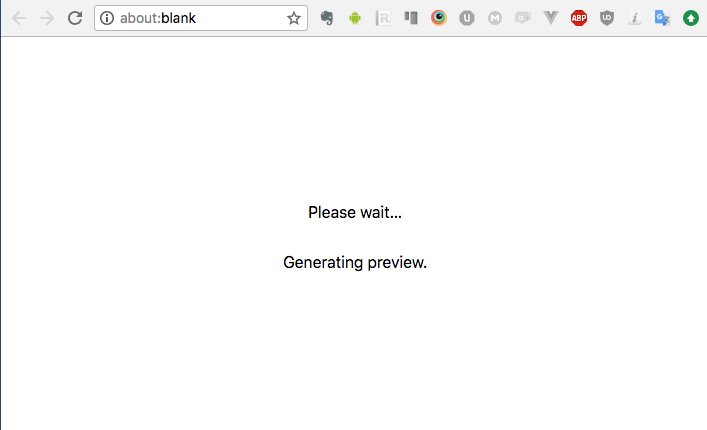
Desktop (please complete the following information):
- OS: macOS High Sierra
- Browser Chrome 66
Additional context
- Gutenberg 3.1.0
 katerlouis
All 14 comments
@Soean Can you verify this issue reproduces on master? I think it may be fixed with #7130
 danielbachhuber
on 27 Jun 2018
danielbachhuber
on 27 Jun 2018
@danielbachhuber Yes, I can reproduce the issue in the current master.
 Soean
on 27 Jun 2018
Soean
on 27 Jun 2018
@Soean I can't reproduce:
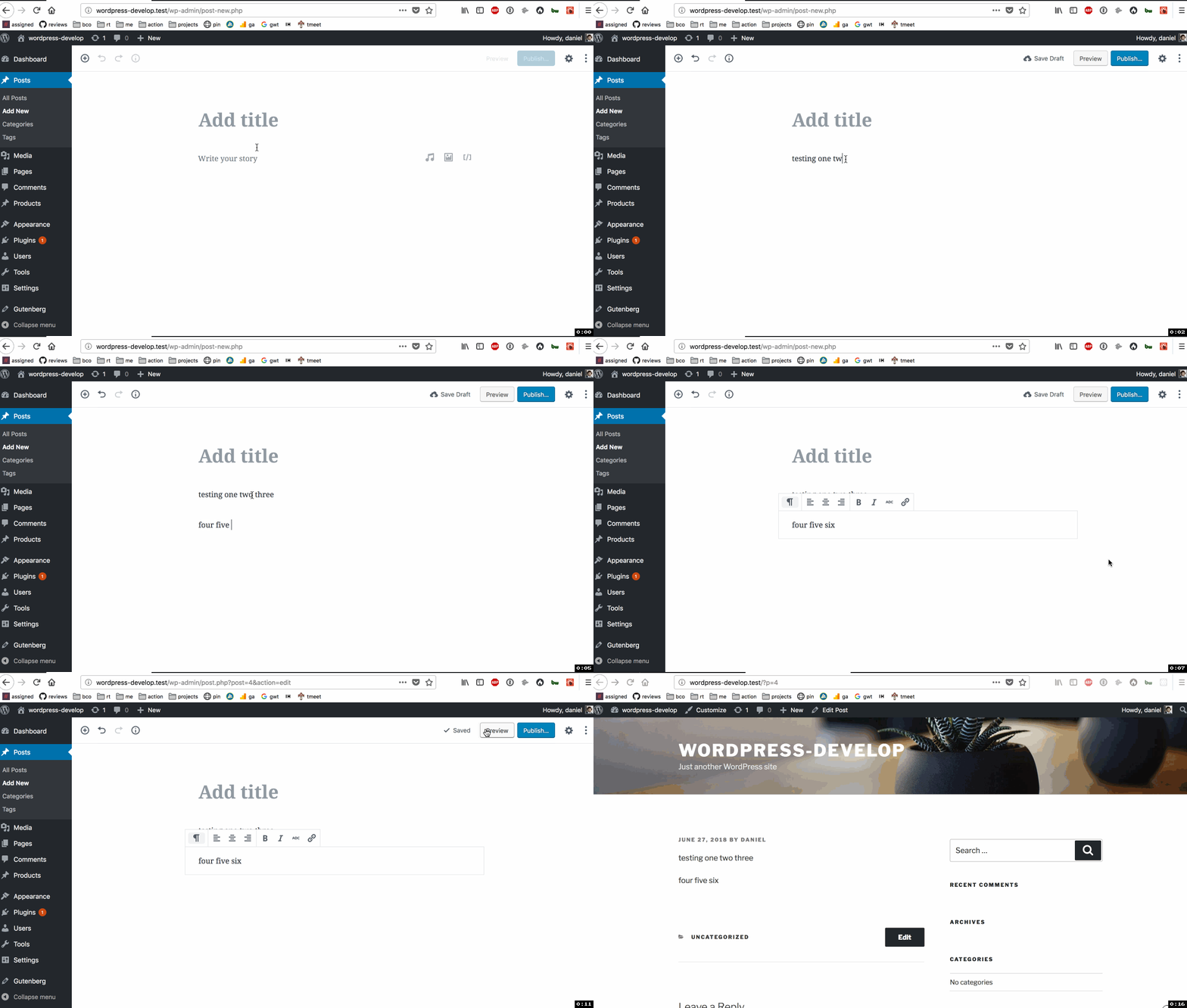
Can you share a GIF of your reproduction steps?
danielbachhuber
on 27 Jun 2018
This happen to me too. Sometime it work but sometime it just stuck there on Generating Preview.
 Emilybkk
on 27 Jun 2018
Emilybkk
on 27 Jun 2018
Maybe you have to publish it first

Soean
on 27 Jun 2018
@Soean Before we have to Save draft first but with the latest version we can directly hit the preview without saving (see the update log). But it stuck sometime. Even the page is reopen after saved.
We can't make it publish if we not finish the post yet but we need to preview it at least.
Emilybkk
on 27 Jun 2018
@Soean I'm unable to reproduce the issue with the post published either.
danielbachhuber
on 27 Jun 2018
Tested and confirmed using Firefox 60.0.2 on macOS 10.13.5:
Video: 59s
@danielbachhuber looking at your GIF, you missed the step to make an edit to a published post before previewing.
 designsimply
on 27 Jun 2018
designsimply
on 27 Jun 2018
@designsimply It works for me editing a published post too:
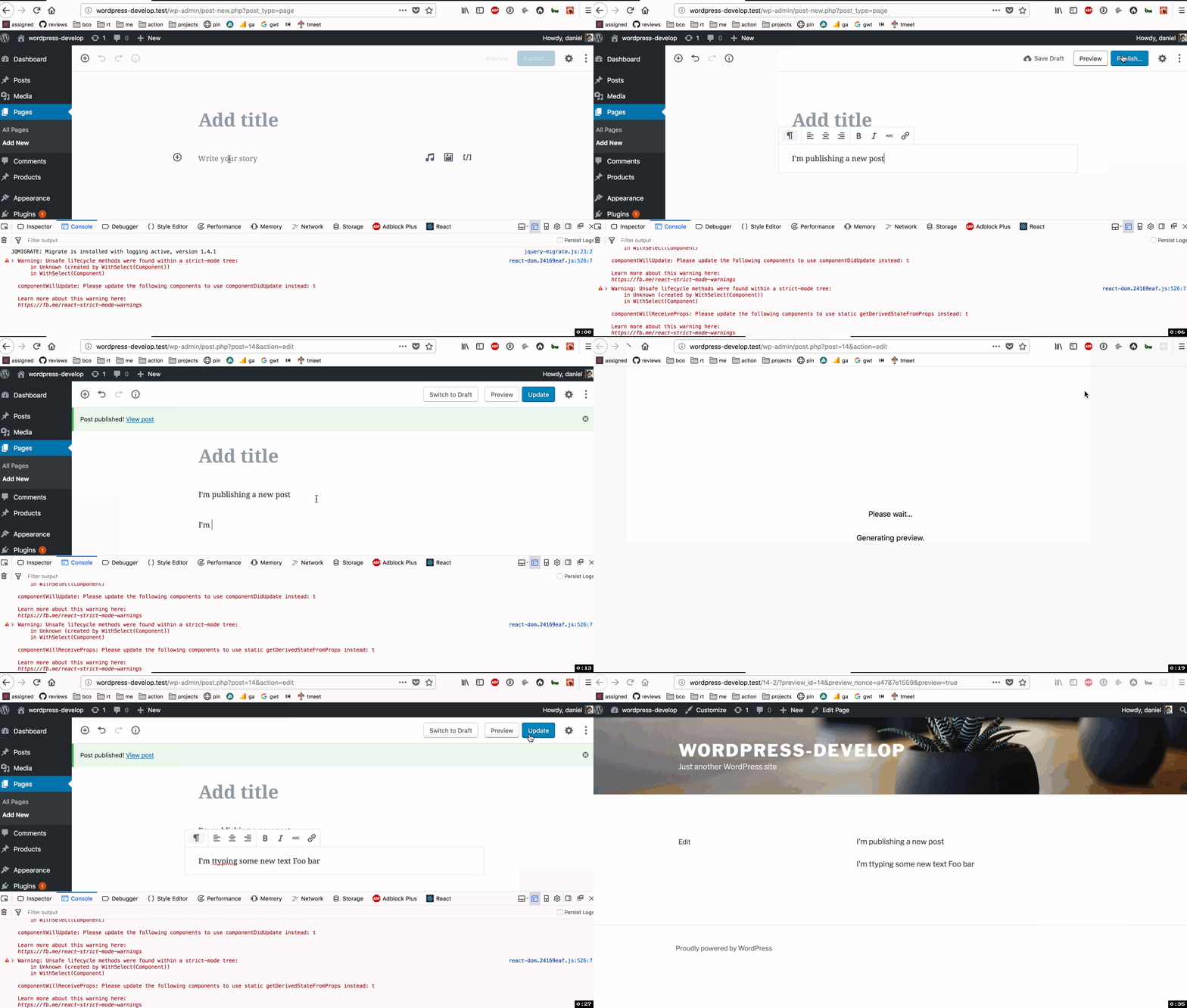
danielbachhuber
on 27 Jun 2018
This time 🙂 you didn't wait for an autosave. The steps:
- Create post.
- Publish.
- Make an edit.
- Wait for autosave of edit.
- Click Preview.
designsimply
on 27 Jun 2018
I swear I did that the first time I tested.
In any case, I can reproduce the issue now. @aduth Any good ideas on what this might be?
danielbachhuber
on 27 Jun 2018
This is my screen record. This is published post. I just come back to making some change by insert image and it is autosave. Then I preview but it not done with generate preview. Only if I come back and manually update the post then it could preview successful.
https://drive.google.com/file/d/1xBc1SzuiNiATrXmn62nEbdLaAJJ1V_hx/view
Emilybkk
on 27 Jun 2018
This is proposed to be fixed / improved in #7703
 aduth
on 4 Jul 2018
aduth
on 4 Jul 2018
Noting that we're consolidating to #7416.
designsimply
on 15 Aug 2018
Related issues
 cr101
·
3Comments
cr101
·
3Comments
 davidsword
·
3Comments
davidsword
·
3Comments
 JohnPixle
·
3Comments
JohnPixle
·
3Comments
 jasmussen
·
3Comments
jasmussen
·
3Comments
 aaronjorbin
·
3Comments
aaronjorbin
·
3Comments
Most helpful comment
This is proposed to be fixed / improved in #7703