Gutenberg: Add image alignment settings to the Cover image.
Issue Overview
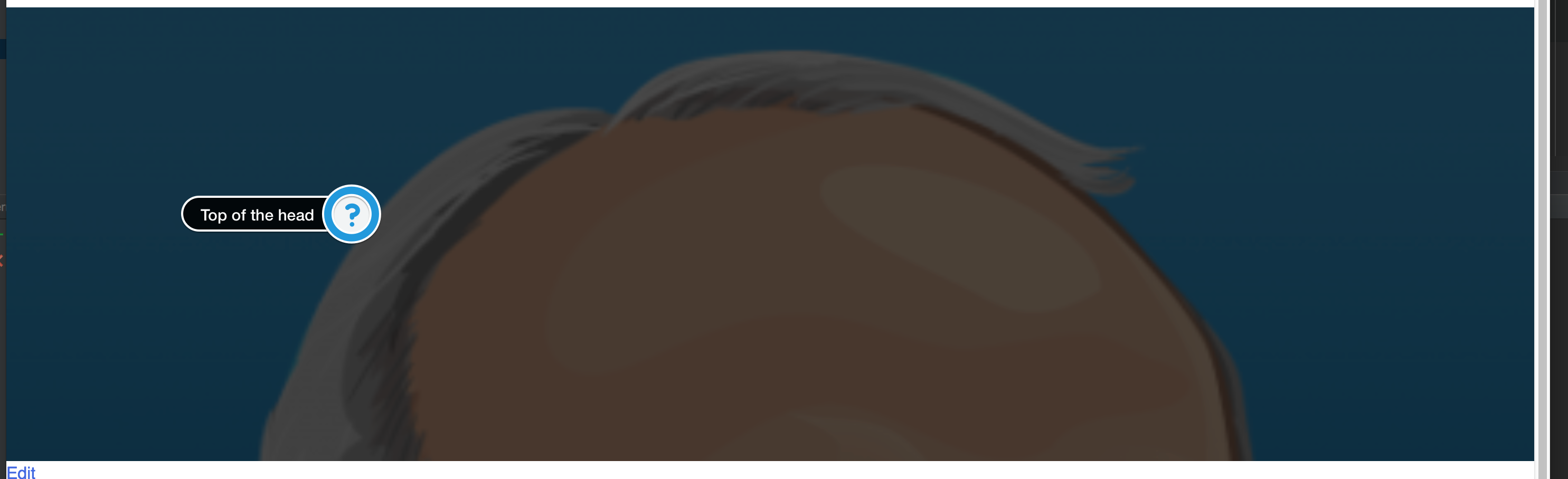
The cover image has no vertical alignment. This way the most important parts of the image could be cut off.
Steps to Reproduce (for bugs)
- Insert a "cover image"
- Insert a portrait photo of a person. I used the lovely Andrea: https://avatars2.githubusercontent.com/u/1682452
- Save the block
- Preview the page
I'm working on a local vagrant (VVV), WP version 4.9.4 and Guntenberg plugin (2.3.0).
Browser: Any.
Expected Behavior
I expect an option that the user can select the alignment of the image in the cover block. In the sidebar, an easy vertical and horizontal alignment should do the trick.
Current Behavior
Currently, the cover image (as a background-image) background-size: cover. This always makes the background-image 100% width and aligns it top/center.
Possible Solution
I suggest a setting that asks the user how the background-image should be aligned.
By default: Center Center (Anticipating most people select an image where the most important element is in the center)
Options Horizontal: Left, center, right
Options vertical: Top, center, bottom
Screenshots / Video
Default 2017 theme
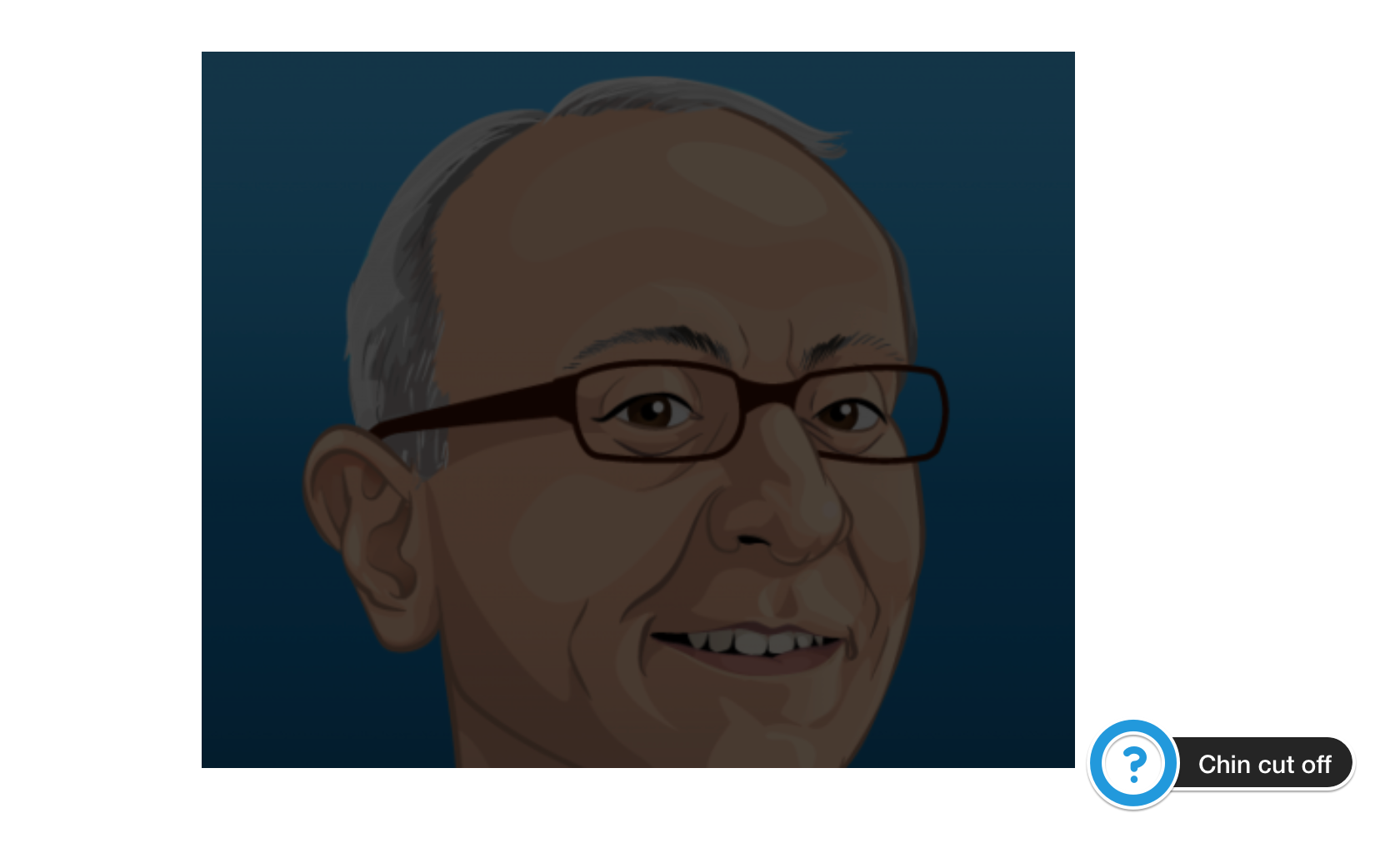
Theme without a set width around the content:
Related Issues and/or PRs
None that I could find.
Todos
- [ ] Tests
- [ ] Documentation
 Sjardo
All 5 comments
I think to avoid complexity, lets not have this added to cover image. I understand the iteration you are suggesting, however I think extending this as a new block in a plugin could be something as an option. For now, lets keep cover image as simple as possible.
 karmatosed
on 7 Mar 2018
karmatosed
on 7 Mar 2018
In my opinion this is the least amount of control you need to provide the functionality of covers.
Having a covers image without controlling what part of the image you want to show is very ugly and annoying.
This is the main thing that clients will request from agency/webbuilders.
Having two sliders with a percentage control would provide the needed functionality:
Horizontal:
[       50%      ]
Vertical:
[ 0%             ]
I don't see that this functionality adds a lot of complexity.
There is some complexity in providing the UI, but having a percentual value and outputting that in the styling of the image is no work at all.
I strongly request to have this re-opened.
 moorscode
on 20 Mar 2018
moorscode
on 20 Mar 2018
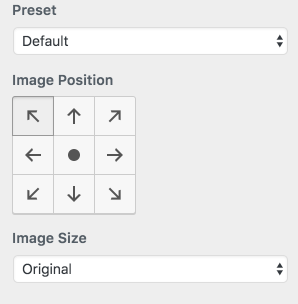
Just looping back as this came up today during the weekly chat, firstly no issue is closed forever and can't be reopened. In this case though keeping closed as we move to v1 is a good idea. A possible UI to look at is what we have for Customizer:
For now, let's keep closed as this does feel like if we do it would be a v2 thing. As said in Slack conversation during editor weekly meeting, I will review this ticket for reopening once we get more insights. I'll note to do that Friday so we can take from there.
@moorscode can you please provide the link to the plugin you mentioned? If anyone also has some user cases for this that would be great to bring to the table in considering. Are people requesting this in feedback?
As an extra point to consider, what are other systems that use cover images doing for this? Do they have similar settings? Maybe we can learn from these what the need is.
karmatosed
on 21 Mar 2018
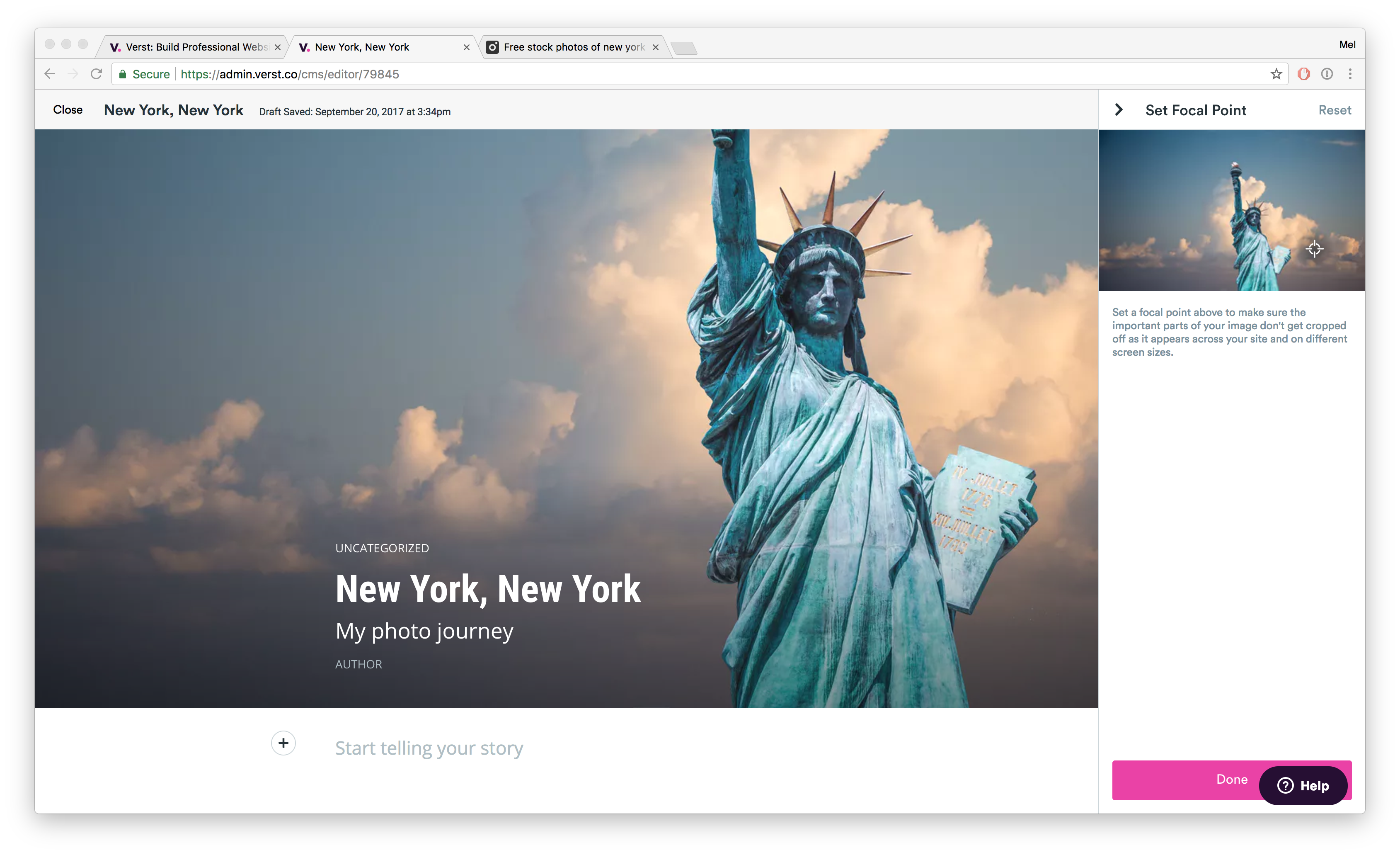
Moved this over to the Customization project. Let's explore this one after the Gutenberg MVP launches. I think we can make a couple different improvements to make it easier to art direct any block with a background image. For example, the now defunct Verst allowed you to set a focal point on an image:
 melchoyce
on 21 Mar 2018
melchoyce
on 21 Mar 2018
I'd second the idea of allowing some form of art direction, thinking I've heard this been requested a few times. As per the UI to use, no objections to an UI as the one above as long as there's also an alrernate UI control for keyboard users.
 afercia
on 21 Mar 2018
afercia
on 21 Mar 2018
Related issues
 pfefferle
·
3Comments
pfefferle
·
3Comments
 aduth
·
3Comments
aduth
·
3Comments
 maddisondesigns
·
3Comments
maddisondesigns
·
3Comments
 spocke
·
3Comments
spocke
·
3Comments
 hedgefield
·
3Comments
hedgefield
·
3Comments
Most helpful comment
Moved this over to the Customization project. Let's explore this one after the Gutenberg MVP launches. I think we can make a couple different improvements to make it easier to art direct any block with a background image. For example, the now defunct Verst allowed you to set a focal point on an image: