Gutenberg: Edit image -> Link to drop down not included.
Editing an image in TinyMCE.
One gets this screen:
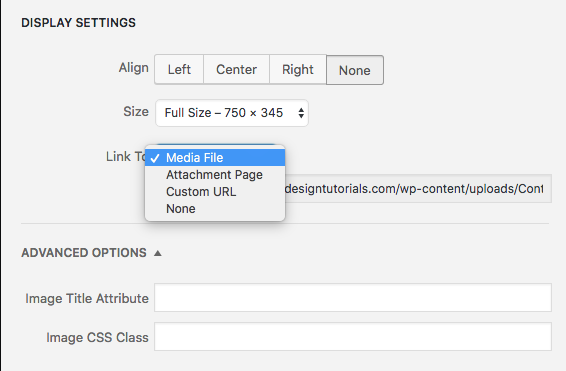
The Link to options need to be added to Gutenberg.
 paaljoachim
All 8 comments
Removing enhancement as this is making the features match to existing not adding new ones.
 karmatosed
on 27 Apr 2018
karmatosed
on 27 Apr 2018
Is there any prior art in the Gutenberg UI for pre-selecting links? Happy to mock something up but it would be nice to borrow an existing pattern. (I can't find one, fwiw)
 chrisvanpatten
on 27 Jun 2018
chrisvanpatten
on 27 Jun 2018
Comparing the existing Media Library and Image Details features with that of Gutenberg.
Add Media screen Classic Editor
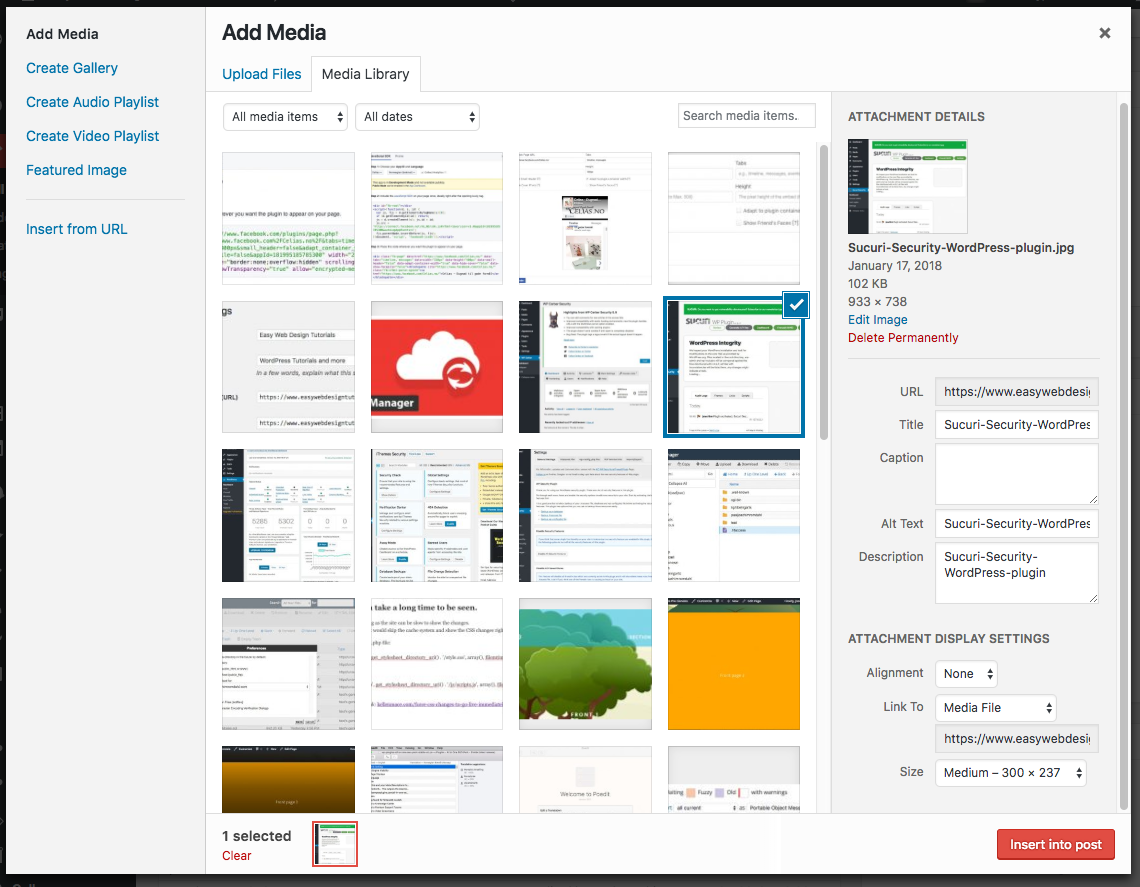
Left side:
Add Media, Create Audio Playlist, Create Video Playlist, Featured Image, Insert from URL
Center:
Upload Files - Media Library
All Media items - drop down,
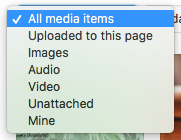
All dates - drop down, Search Media items.
Thumbnails of the media library media is seen.
Right:
Attachment Details
preview of image
Information about the image
URL, Title, Caption, Alt Text and Description
Attachment Display Settings
Alignment
Link to
Size
Gutenberg Select or Upload Media screen.
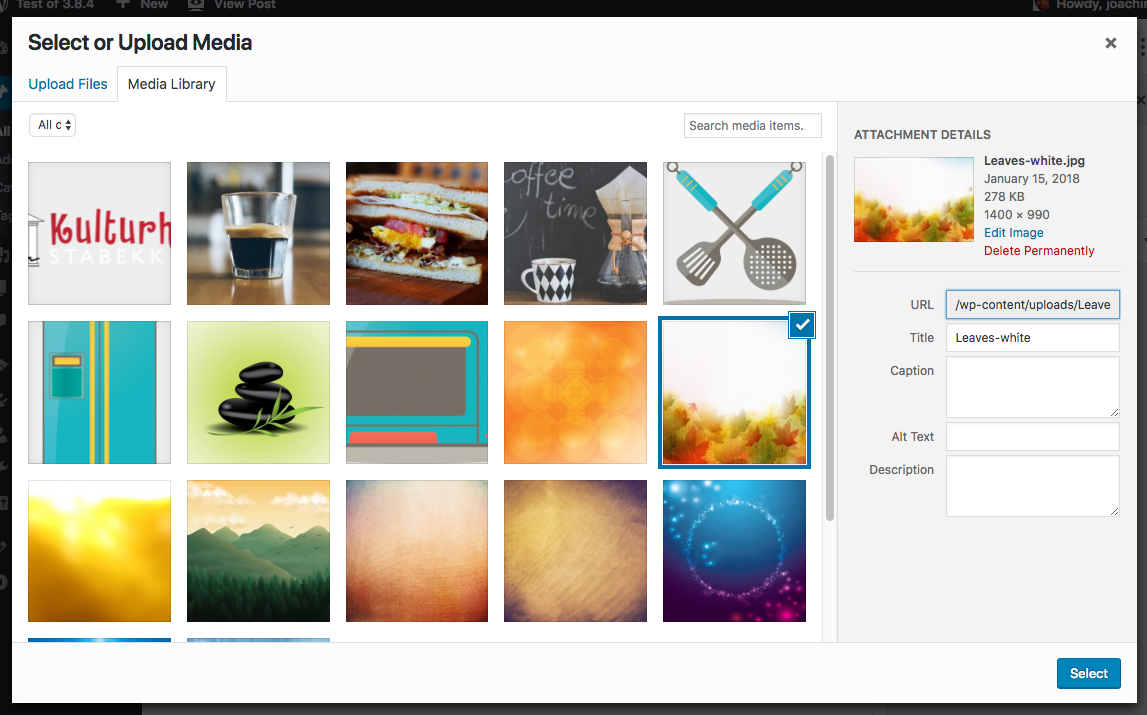
No left area. That means we need to make sure that all of the left area of the Classic editor is covered elsewhere such as:
Create Audio Playlist #7126
* Create Video Playlist * - Is this being worked on?
Featured Image - Gutenberg has a process to add a featured image in the document setting.
* Insert from URL * - Is this being worked on? I do not know of a way to link to an external image through Gutenberg.
Center area:
* The CSS still needs to be adjusted in the All Dates drop down. I made an issue about this some time back. I thought it was fixed but it does not look like it.
* The drop down should also add a sorting by media type. Audio, video, image, pdf, other.
Today it adds by month if one has added media sorting by month.
Right area:
No Attachment Display Settings in Gutenberg in the Select or Upload Media library screen. These are handled other places.
Alignment: Is added in the toolbar above the image/gallery.
Link To:
Single image link shows the following:
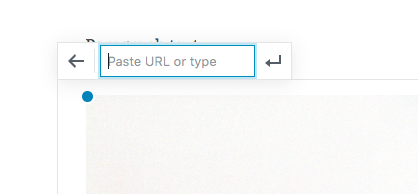
In the Classic Editor (as I mentioned further above) shows the following:
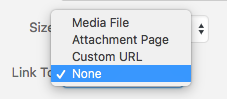
I would suggest redoing the link feature in the single image to:
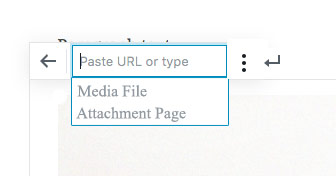
Somewhat similar to adding a regular link containing the three dots to open another link menu below it.
Size. Is defined through the Block image setting.
That should then cover the existing Classic Editor Add Media library screen with Gutenberg.
Classic Editor Image Details.
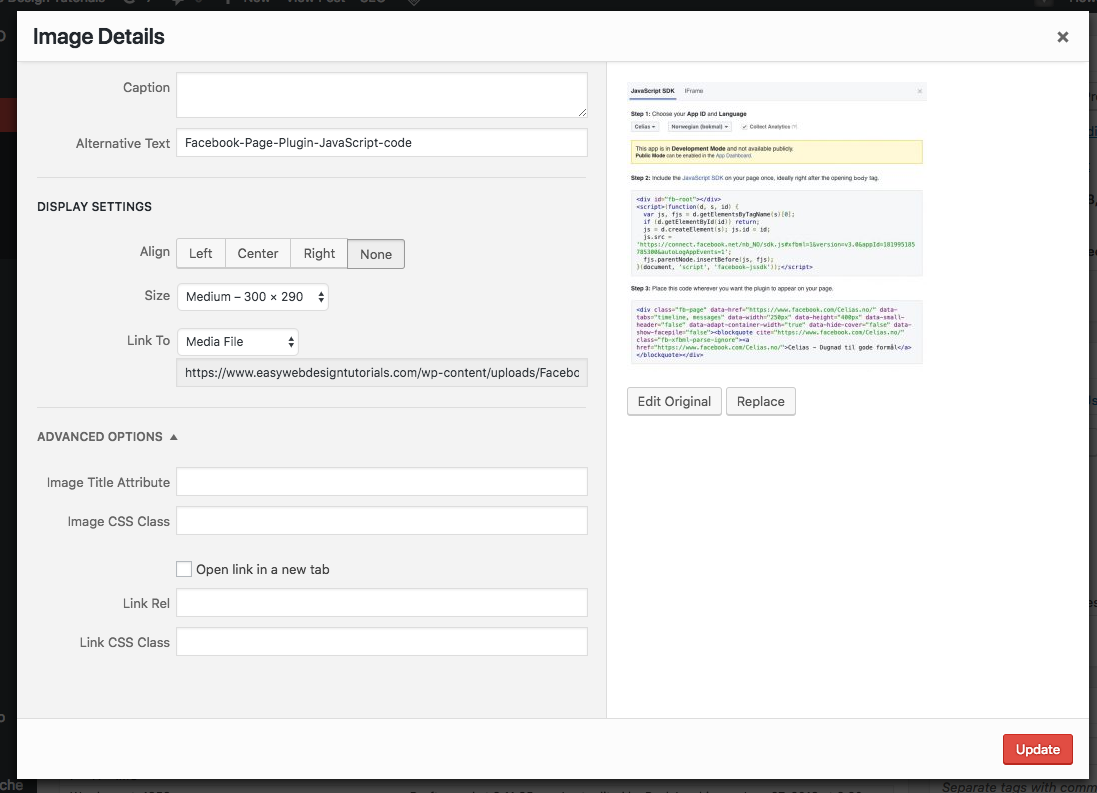
Caption.
Alternative Text
Display Settings
Align
Size
Link To
Advanced Options
Image Title Attribute
Image CSS Class
Open Link in a new tab
Link Rel
Link CSS Class
Right side:
Edit Original
Replace
Gutenberg Image Block Settings
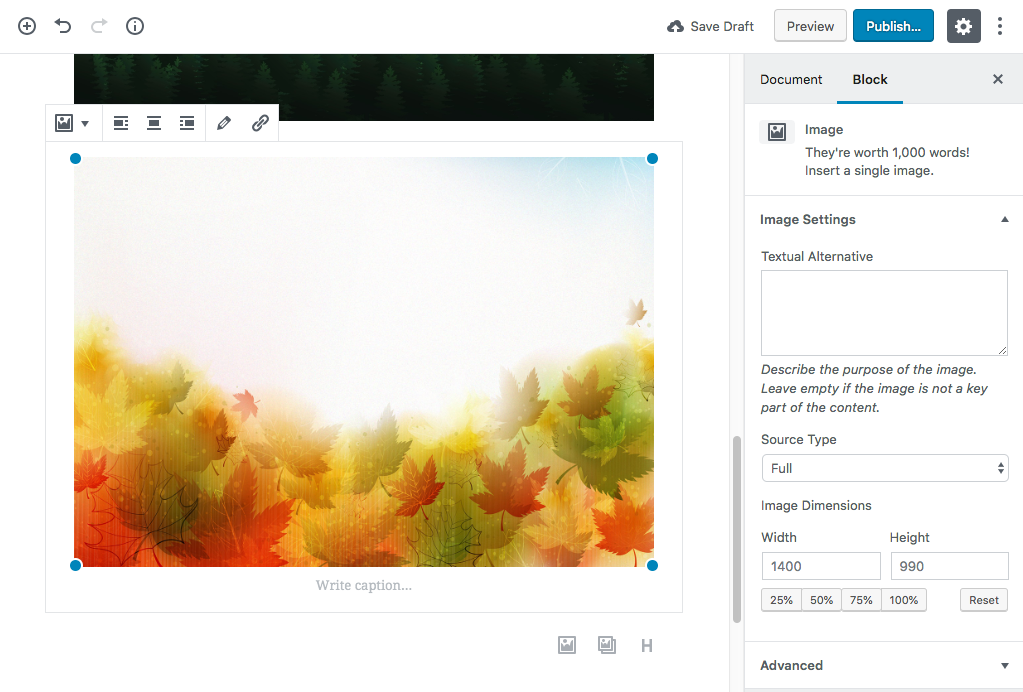
Comparing Classic Editor with Gutenberg.
(Caption is added directly below the image.)
Textual Alternative same as Alternative Text.
(Align is done through the layout screen in Gutenberg.)
Source Type same as Size.
Link To is suggested with the further above wireframe.
* Image Title Attribute is not seen in Gutenberg that I know of.
Advanced includes a image CSS Class.
* Open link in a new tab, and Link Rel and Link CSS Class is not solved as far as I know of.
Can open link in a new tab and Link Rel be included in the Single Image link contextual/3 dot menu?
** Edit Original or replacing the image is not solved as far as I know of. We might not need to have a link to replace image. The Edit image link is seen below the image in the Select or Upload Media screen. It opens the existing edit image screen.
From what I have seen there are a few things still that needs to be dealt with.
paaljoachim
on 29 Jun 2018
Good discussion here, and nice work overall.
However I feel like the discussion missed a relatively important aspect of the block design principles, the split between basic and advanced functionality. The principles essentially suggest that you should not put anything in the sidebar that is necessary for the basic operation of the block (the full text).
Those principles are intentionally left up to interpretation, and it is definitely up for debate whether linking an image is _basic_ or _advanced_ functionality. But the net result is that now we have this:
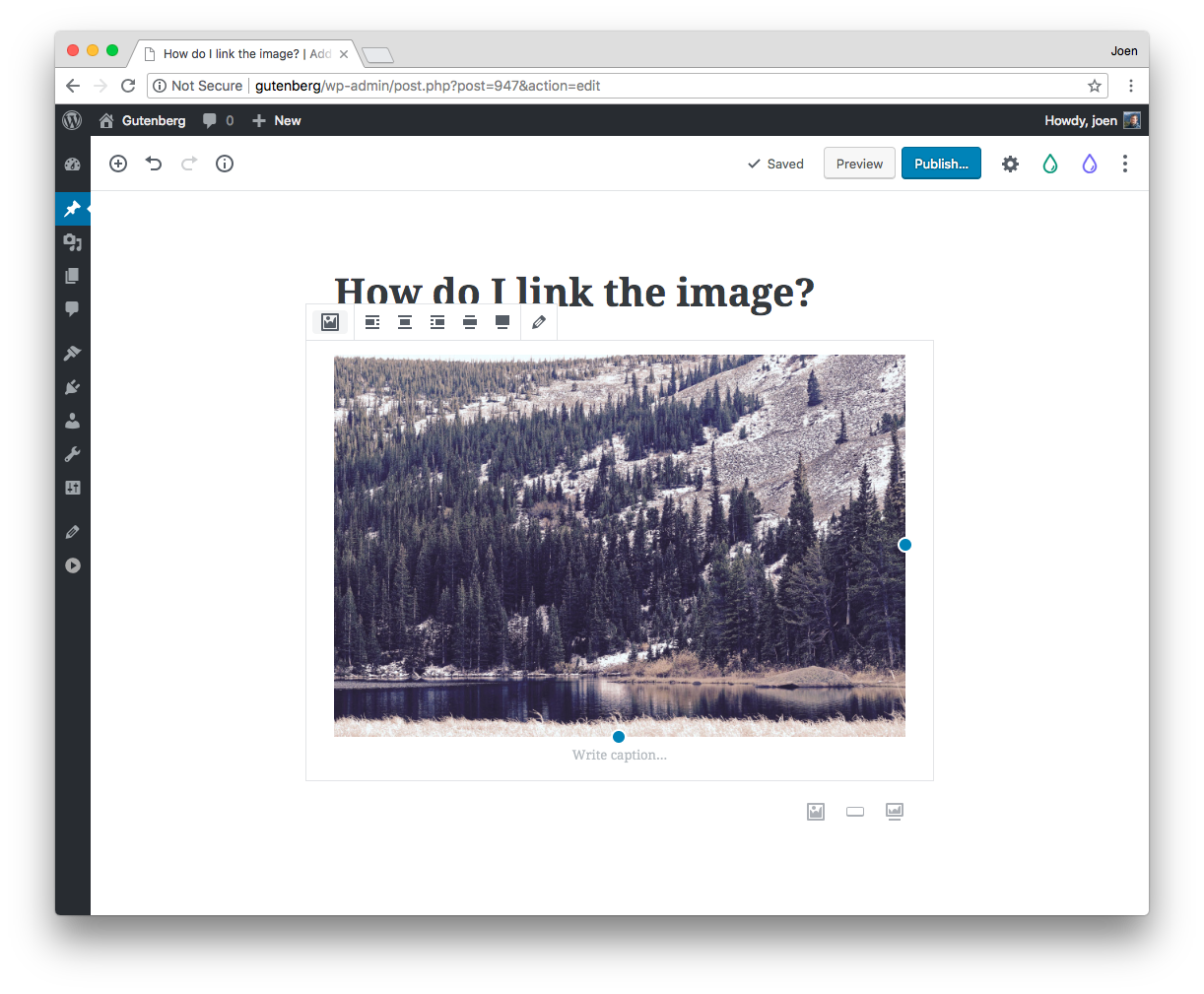
☝️ In this screenshot, the Settings sidebar is dismissed. How do I link the image?
Note that this is not just about casual users that want a simpler editing experience. It is also an issue when the user is using a plugin, for example "Drop It", which allows you to insert images from Unsplash:
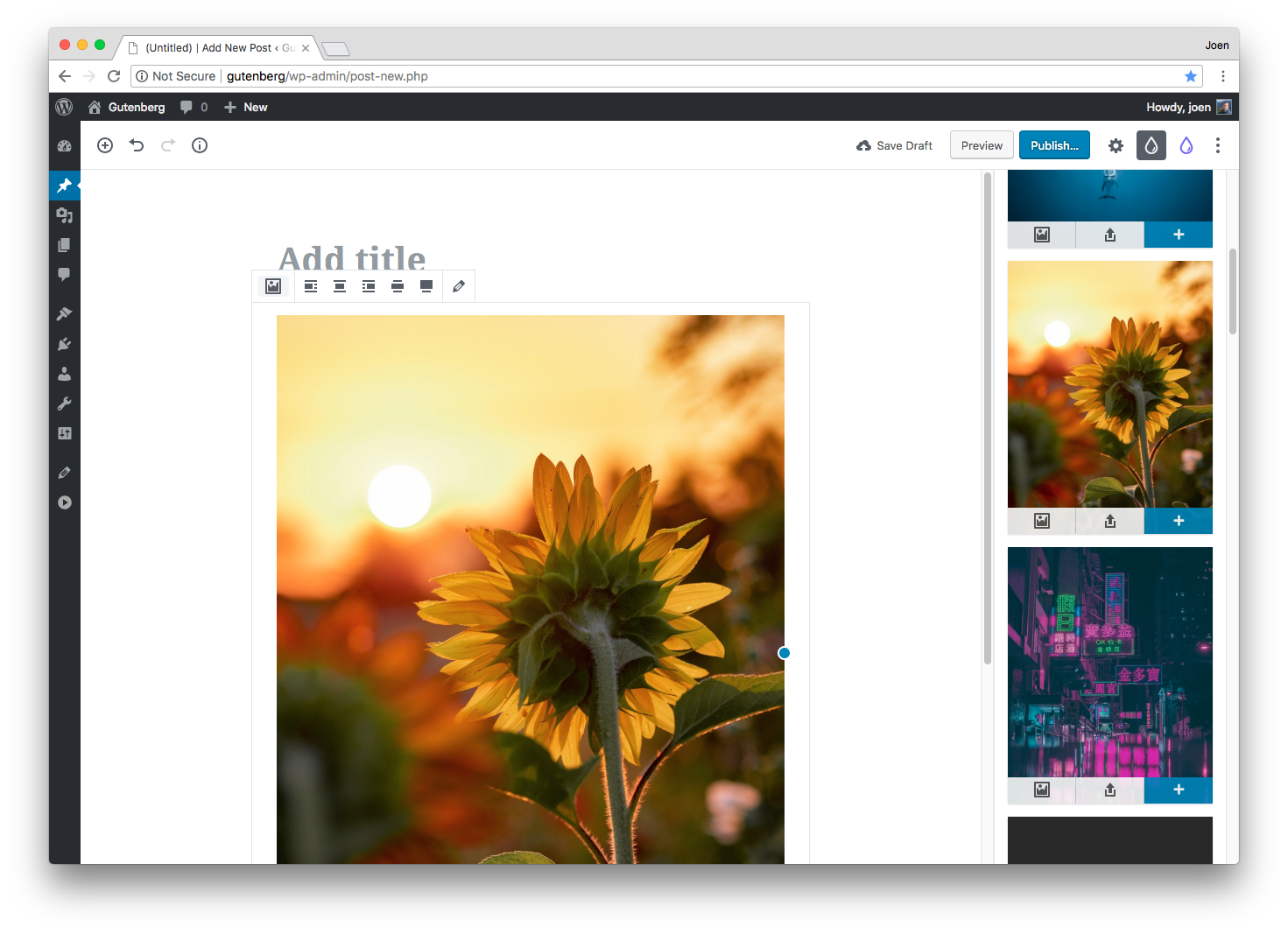
If we feel that linking an image is advanced functionality, then what is in master right now is absolutely the right design.
If we feel that linking an image is basic functionality, then we should either consider adding back the link button to the toolbar as it was, or find a way to add the "Links to" functionality to this modal:

Having written this comment, I'm obviously in the "it's basic functionality" camp. But I'm not strongly so, and I won't argue it to the moon and back. But I have a gut feeling we'll get tickets about this, so it's good to have the discussion.
 jasmussen
on 7 Aug 2018
jasmussen
on 7 Aug 2018
We have the link feature in the Paragraph and Heading toolbars. To keep it consistent it would be natural to add the link back to the image and gallery toolbar.
paaljoachim
on 7 Aug 2018
One way it could be added back in - adding a link via the toolbar could always be treated as a custom link in the Link To setting.
 talldan
on 8 Aug 2018
talldan
on 8 Aug 2018
I like that thought.
If you've already chosen to link to the media file in the inspector, can that link just be prefilled but editable?
jasmussen
on 8 Aug 2018
I think so, and then as soon as it's edited it becomes custom.
talldan
on 8 Aug 2018
Related issues
 nylen
·
3Comments
nylen
·
3Comments
 spocke
·
3Comments
spocke
·
3Comments
 cr101
·
3Comments
cr101
·
3Comments
 ellatrix
·
3Comments
ellatrix
·
3Comments
 hedgefield
·
3Comments
hedgefield
·
3Comments
Most helpful comment
Good discussion here, and nice work overall.
However I feel like the discussion missed a relatively important aspect of the block design principles, the split between basic and advanced functionality. The principles essentially suggest that you should not put anything in the sidebar that is necessary for the basic operation of the block (the full text).
Those principles are intentionally left up to interpretation, and it is definitely up for debate whether linking an image is _basic_ or _advanced_ functionality. But the net result is that now we have this:
☝️ In this screenshot, the Settings sidebar is dismissed. How do I link the image?
Note that this is not just about casual users that want a simpler editing experience. It is also an issue when the user is using a plugin, for example "Drop It", which allows you to insert images from Unsplash:
If we feel that linking an image is advanced functionality, then what is in
masterright now is absolutely the right design.If we feel that linking an image is basic functionality, then we should either consider adding back the link button to the toolbar as it was, or find a way to add the "Links to" functionality to this modal:
Having written this comment, I'm obviously in the "it's basic functionality" camp. But I'm not strongly so, and I won't argue it to the moon and back. But I have a gut feeling we'll get tickets about this, so it's good to have the discussion.