Gutenberg: Block toolbars displayed when there's no use for them
Not sure if this a known issue, applies to different kind of blocks e.g. media, embeds.
To reproduce:
- go in Add New post
- add an Image block
- the block toolbar is displayed even before an image is uploaded (see screenshot below)
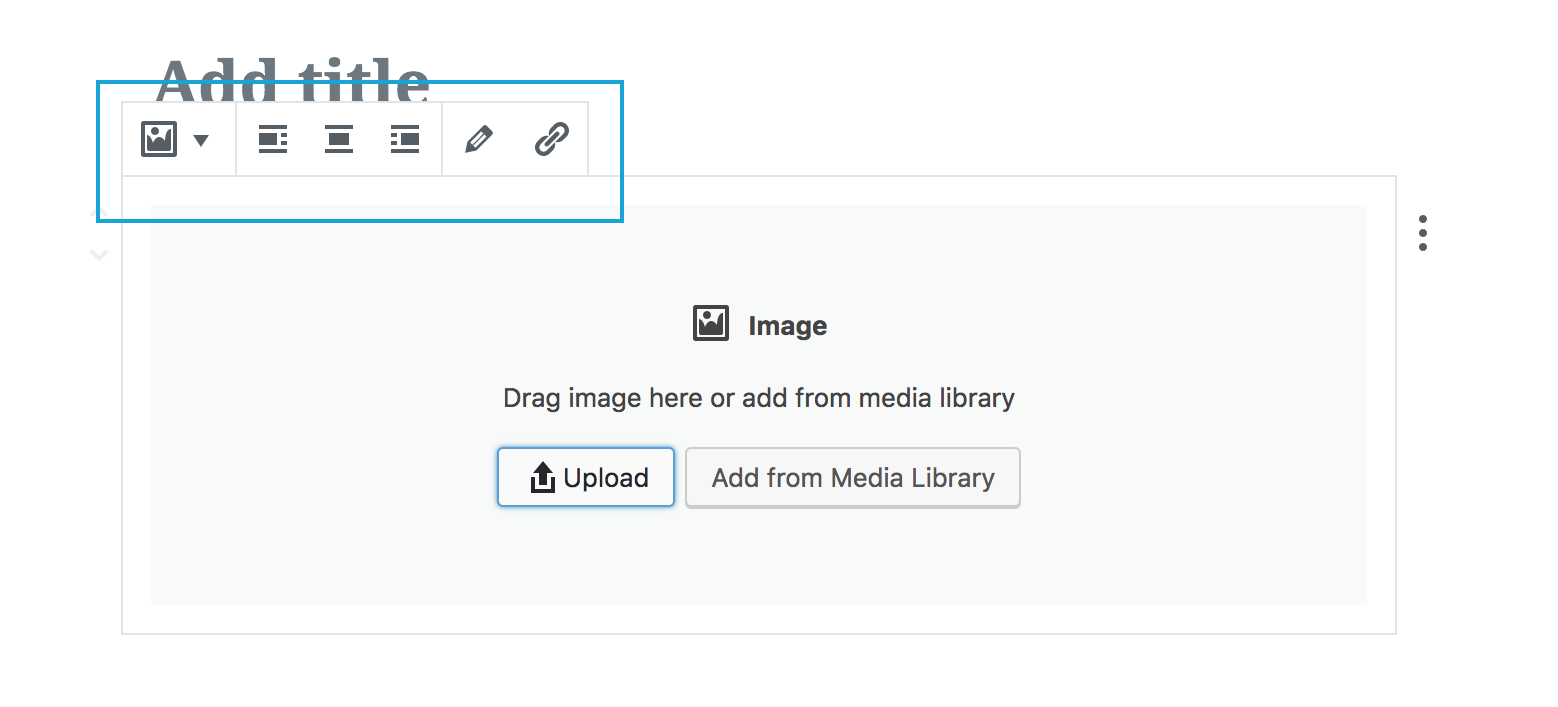
- some of the toolbar controls can be used even without content, for example the alignment ones so this may still make sense
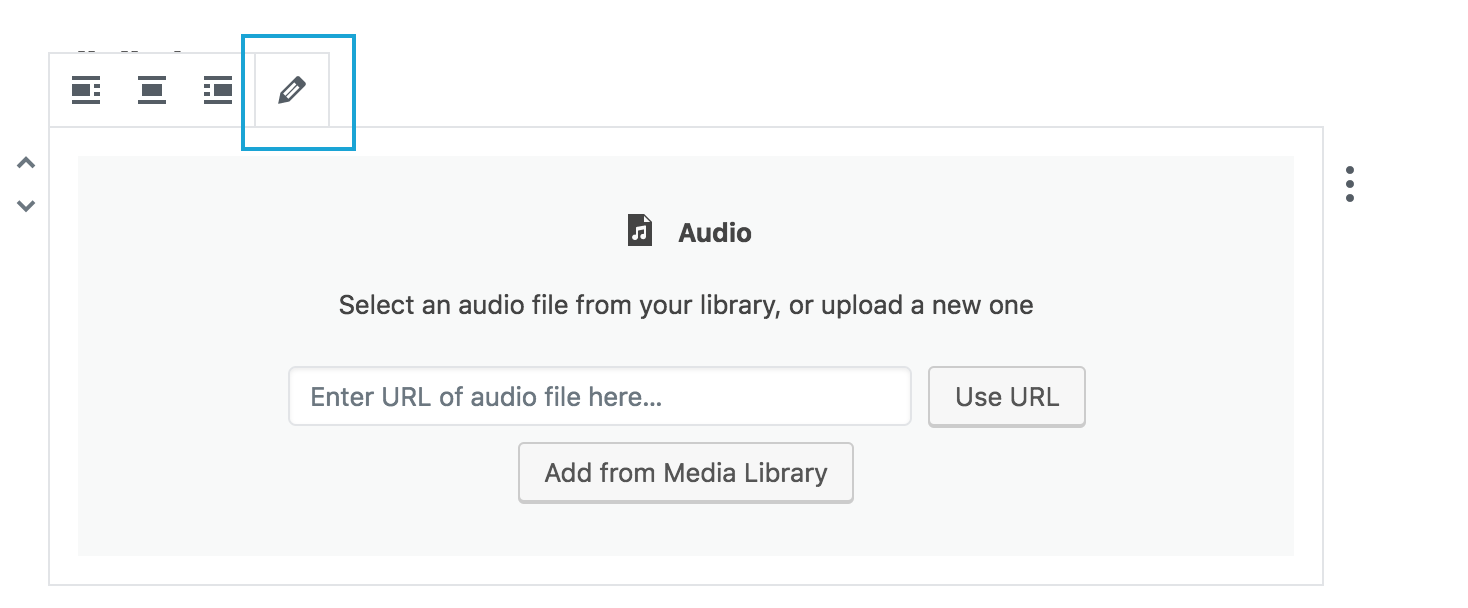
- however, some controls do nothing: see for example "Edit Audio" or "Edit Video"
 afercia
All 22 comments
So long as the behaviour doesn't do anything strange, or produce errors or effects beyond the expected (state of uploaded media); what is the problem?
 Lewiscowles1986
on 25 Feb 2018
Lewiscowles1986
on 25 Feb 2018
Well, at least the buttons that do nothing (edit audio, edit video, and possibly other ones) should be disabled. Right now, activatign them doesn;t give any visual or audible feedback, they're just "dead controls".
afercia
on 25 Feb 2018
Disabled state (muted color with no hover-state) seems like a nice-to-have. Aria supports a disabled state so it could be a win for users with less mainstream needs.
Lewiscowles1986
on 25 Feb 2018
I think there's no need for ARIA. A HTML disabled attribute is perfectly accessible and makes the button not focusable. One of the ARIA rules is to not use it when there's already a native HTML feature that does the some thing.

afercia
on 26 Feb 2018
The issue here is what about templates that load up blocks and placeholders? Those may have alignment. Another point that could be put is that a writing flow of adding placeholders like this is one some may use. For now, let's close as we can always reopen any issue if we have enough feedback.
 karmatosed
on 27 Apr 2018
karmatosed
on 27 Apr 2018
Sorry @karmatosed I'm not sure I fully understand your feedback. Not speaking about alignment or placeholders. The point is the UI shows controls that have no use and may be confusing.
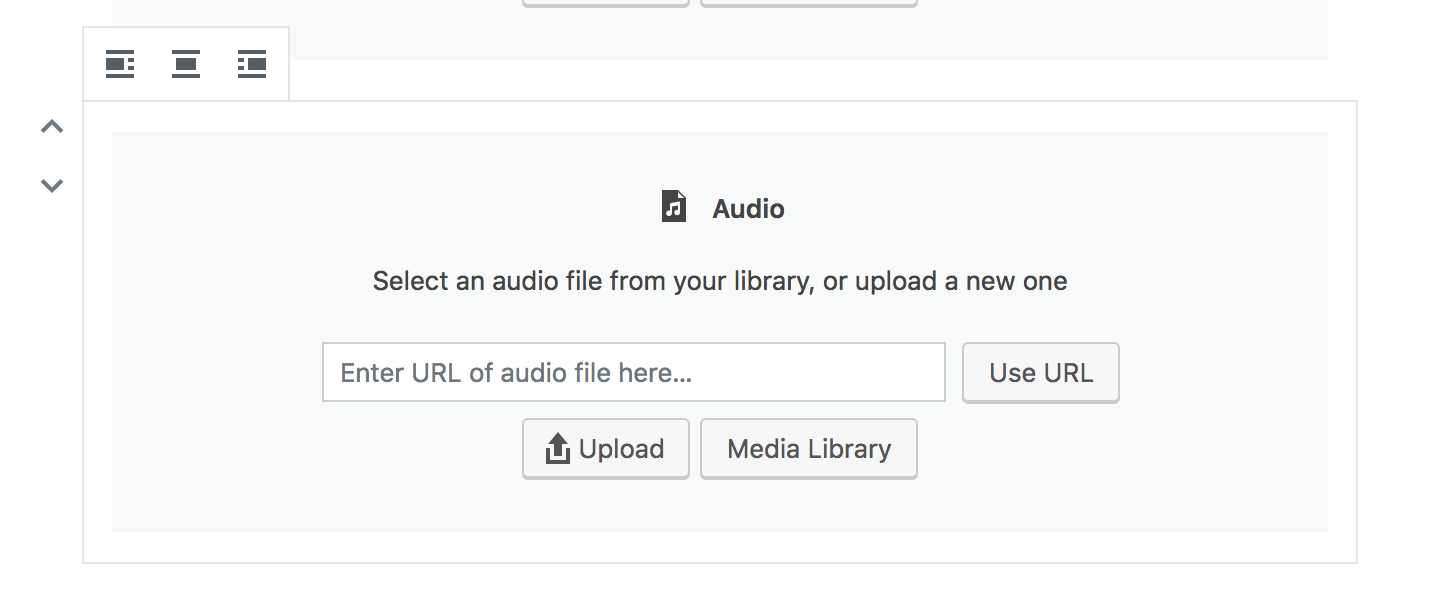
I see something has changed in the meantime, for example audio and video don't show the "Edit" button any longer if there's no media uploaded. This is a good improvement and basically what this issue is about:
However, other blocks still show controls that are of no use in that specific flow, for example the image block displays an "Insert link" button when there's no image added yet:
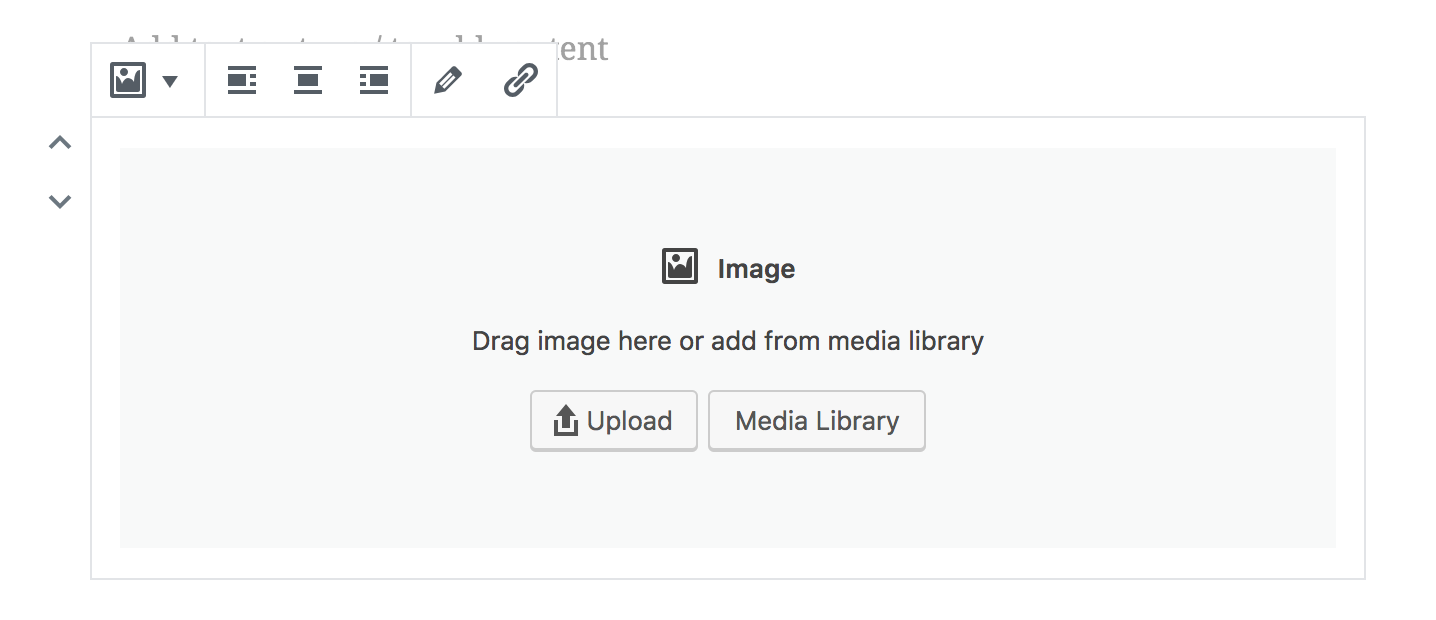
That button is fully functional, you can open the add link UI and save but of course this produces an empty link. The resulting HTML in the frontend is:
<a href="http://src.wordpress-develop.test/2018/03/hello-select-something/">
    <img alt="">
</a>
Ah I didn't catch this issue was just about the edit buttons. I totally agree that edit buttons shouldn't show, I don't agree that other elements like alignment shouldn't though. Thanks for clarifying.
karmatosed
on 28 Apr 2018
@karmatosed
Does this mean the alignment would be applied to placeholder output (as applicable)? I Struggle with what it would mean to have them.
@afercia
Do you have a list of blocks? Happy to put together some PR's, but need to know which blocks need, would appreciate a list so I can tick them off as I go.
- [ ] Image block edit for placeholder (trimmed src !empty)
- [ ] Image block link for placeholder (trimmed src !empty)
Lewiscowles1986
on 28 Apr 2018
@Lewiscowles1986 yes alignment is applicable to a placeholder. Most blocks have this removed but the following is a pretty solid list from what I've explored:
- Image: remove edit and link (you could argue link is good to keep as applies to entire element but I think remove and we can always add back in).
- Cover Image: remove edit.
The only caution is if those blocks are created by transforming from another block we need to have those toolbars load by default. I mention as not sure if this means keeping that state on transform.
karmatosed
on 28 Apr 2018
Yeah, alignment buttons still work also with the "placeholders".
some of the toolbar controls can be used even without content, for example the alignment ones so this may still make sense
@Lewiscowles1986 no sorry I don't have a list of blocks. Re: cover image, just noticed also the +text+ alignment buttons don't make much sense when there's no text...
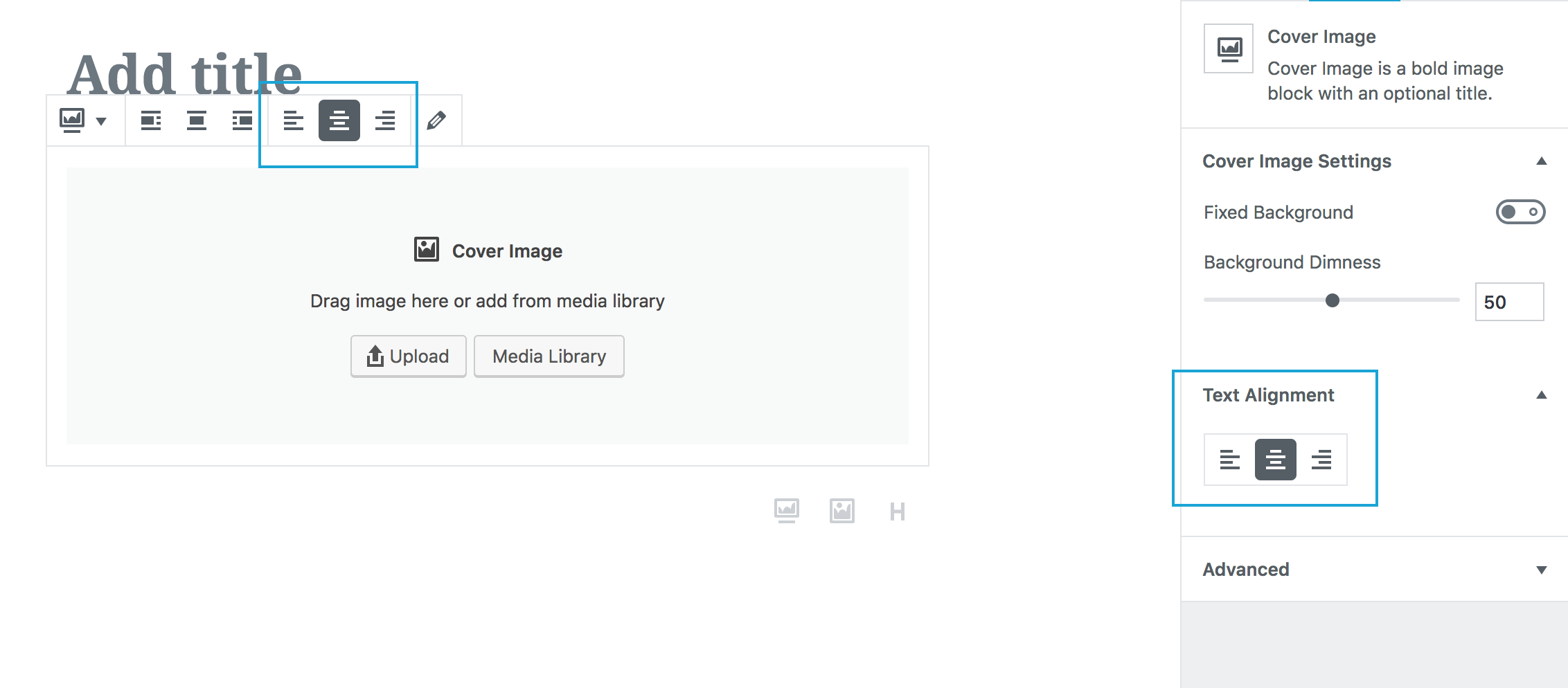
However, I understand this risks to get a bit complicated... should we go so far or just don't show controls that may produce unexpected results (like the image empty link)?
afercia
on 28 Apr 2018
@afercia text-alignment is a css property. I'd imagine although it doesn't make heaps of sense, there are edges @karmatosed and others know about.
I've made preliminary edits to the image block and am going to test them now.
Lewiscowles1986
on 28 Apr 2018
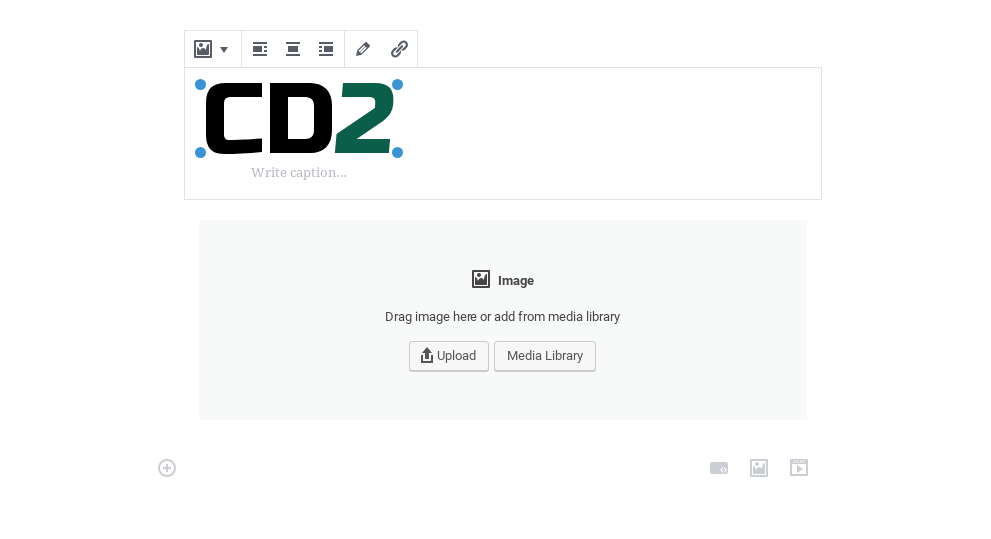
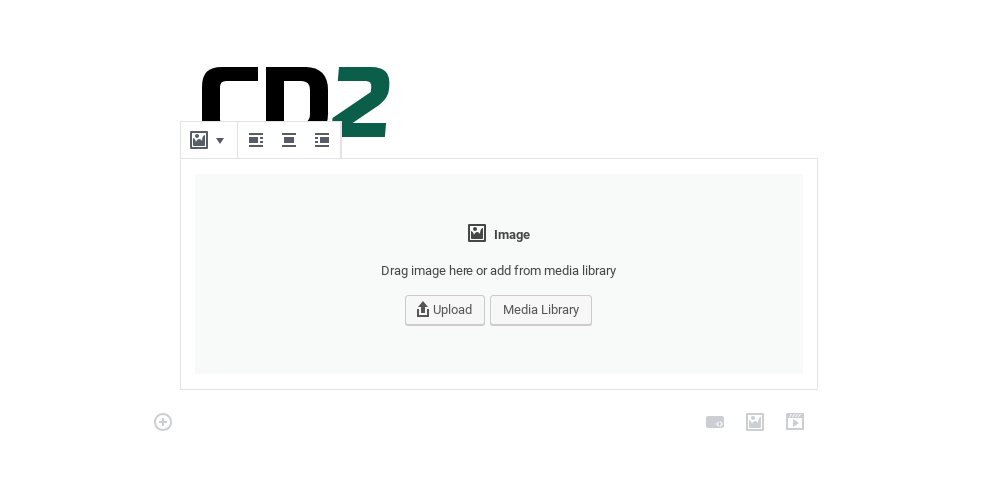
I still have a long way to go with react but it's done and tested.
Lewiscowles1986
on 28 Apr 2018
I've closed the PR for this as just using it frustrated me and my wife (I know, small sample size, I've not deleted the minor edits to the code)
I tried conditionally opting controls out as well as disabling, and generally felt that the interface as-is was better.
The last try I had at this, was the most usable as it merely disabled the edit block.
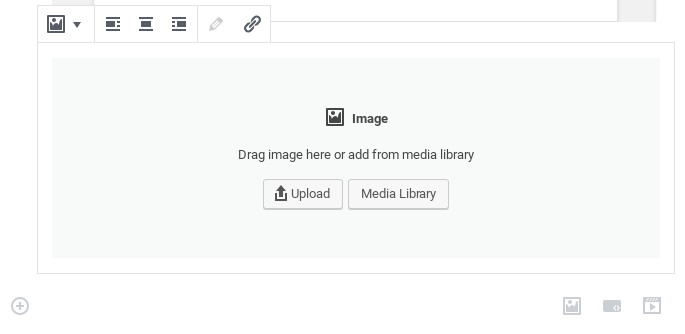
For some reason, it still broke the upload to block feature. The image is uploaded, displays, but throbs between muted and full-colour with no additional console errors. I believe the edit button may be linked in some way to the uploader.
If it's not that, then I've no idea why the last release from plugin dir works, but these edits are broken with an added function not used anywhere else, maybe is another issue, I'm testing against master now.
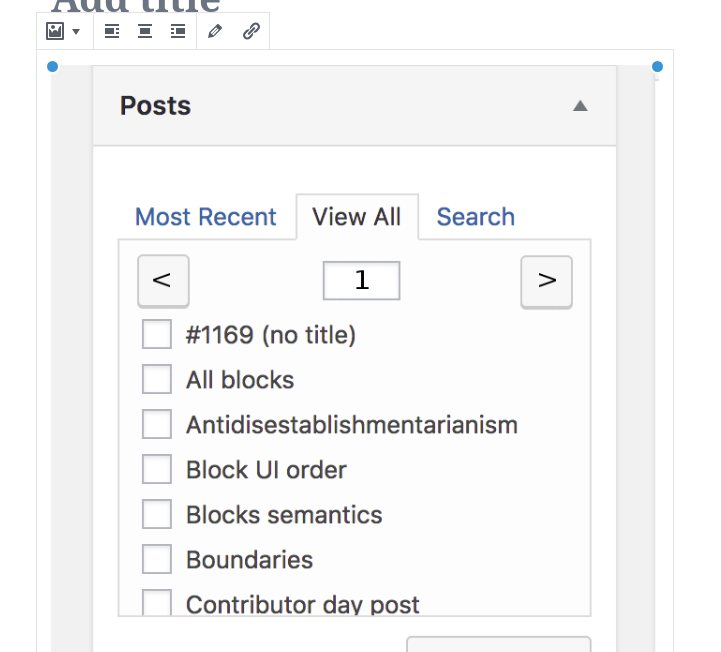
The being able to link an empty image is valid DOM except from the empty src attribute. That's not so much a problem for the UI buttons.
I'm open to new ideas on this, but hiding and disabling the buttons seemed to be more trouble than it was worth.
Lewiscowles1986
on 29 Apr 2018
@Lewiscowles1986 I'm a little confused what is going on so let me catch up. Greying out makes a little sense but I do think that removing totally is a good option also, after all you can't do that action.
I am not sure why you've linked an image showing pagination on viewing all posts though can you explain?
karmatosed
on 30 Apr 2018
That's just the image I uploaded, used for another issue. It's in Gutenberg. I probably should have stuck with my logo.
The problem with greying out (I closed out the PR) was that for some reason it broke Gutenbergs ability to upload and attach. (the upload and edit seem linked)
Lewiscowles1986
on 30 Apr 2018
Ah ok, the best experience probably is to remove over grey out anyway. Does the same breaking happen if you do that?
karmatosed
on 30 Apr 2018
I think it's Gutenberg itself. I cloned mainline master, same issue 😶
Lewiscowles1986
on 30 Apr 2018
6488 for my issues building (I've double checked and tried both npm run package-plugin and bin/build-plugin-zip.sh (after requisite steps).
Code was tested and limited. The errors manifest in browser.
Lewiscowles1986
on 30 Apr 2018
@youknowriad is it still an issue after your recent refactoring to all media blocks?
 gziolo
on 11 Jun 2018
gziolo
on 11 Jun 2018
The edit button in the image block is still there after the refactoring. It works like the "add image" button but if we want to get rid of it, I believe this issue is still valid. Also not sure if I missed other buttons to remove from the comments here.
 youknowriad
on 11 Jun 2018
youknowriad
on 11 Jun 2018
Note: I noticed that the 'Edit' buttons simply work as 'Add' buttons when there isn't any media present. I am not sure whether users would find it valuable to have a button for adding images in both the block toolbar _and_ placeholder, although I see that the discussion here and in #6014 lean toward removal of that button in the case where an image has not yet been added and I will defer to that. 🙂 (also see https://github.com/WordPress/gutenberg/pull/4028#issuecomment-352443071)
 designsimply
on 25 Jun 2018
designsimply
on 25 Jun 2018
Tested and confirmed that I am able to add a link to an image placeholder block without an image resulting in an empty link such as:
<figure class="wp-block-image"><a href="http://example.com"><img alt=""/></a></figure>
In order to make this issue more actionable, we should be specific about what changes are needed and for which blocks. As @afercia mentioned, these are already done:
- [x] Hide the 'Edit audio' button in the audio block when no audio is present.
- [x] Hide the 'Edit video' button in the video block when no video is present.
These are the other changes mentioned and which need action:
- [ ] Hide the 'Edit image' button in the image block when no image is present.
- [ ] Hide the 'Insert Link' button in the image block when no image is present.
- [ ] Hide the 'Edit image' button in the Cover Image block when no image is present (from #6014).

Seen at http://alittletestblog.com/wp-admin/post.php?post=13816&action=edit running WordPress 4.9.6 and Gutenberg 3.1.0 using Firefox 60.0.2 on macOS 10.13.5.
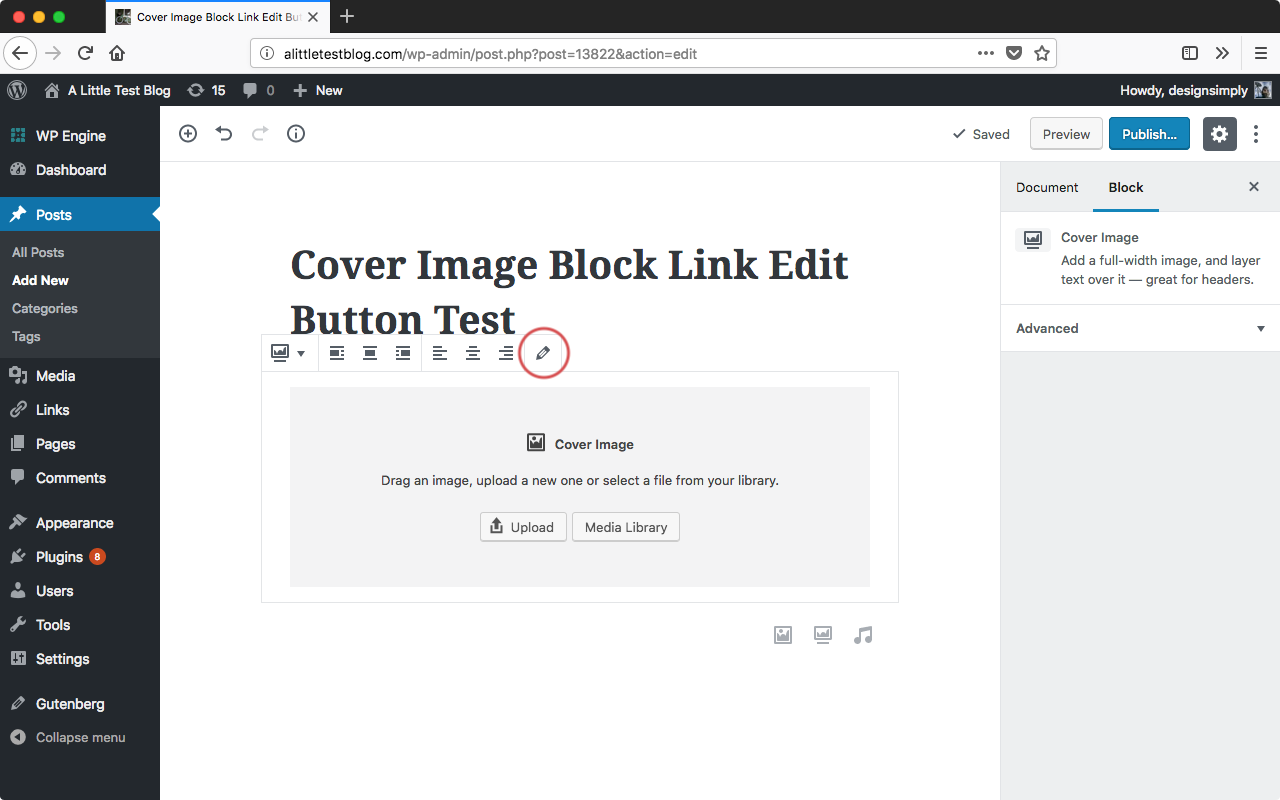
Seen athttp://alittletestblog.com/wp-admin/post.php?post=13822&action=edit running WordPress 4.9.6 and Gutenberg 3.1.0 using Firefox 60.0.2 on macOS 10.13.5.
We can address other blocks in new issues as they come up since no others were mentioned specifically. This issue can act as a reference.
For contributors interested in working on issues labeled Good First Issue, see #5431 to learn how changes were made to the audio and video blocks to hide the Edit toolbar buttons when no media is present. cc @Lewiscowles1986
designsimply
on 25 Jun 2018
Related issues
 ellatrix
·
3Comments
ellatrix
·
3Comments
 jasmussen
·
3Comments
jasmussen
·
3Comments
 mhenrylucero
·
3Comments
mhenrylucero
·
3Comments
 BE-Webdesign
·
3Comments
BE-Webdesign
·
3Comments
 franz-josef-kaiser
·
3Comments
franz-josef-kaiser
·
3Comments
Most helpful comment
Well, at least the buttons that do nothing (edit audio, edit video, and possibly other ones) should be disabled. Right now, activatign them doesn;t give any visual or audible feedback, they're just "dead controls".