Gutenberg: Reusable block name auto save
This may not be possible so cc @noisysocks - please close if I am about to make work on this and it's not fairly easy to do :)
I was working through the flow of reusable blocks and it struck me as to how clicking edit, then saving or cancelling is really a long path. Could we just have the name clickable? You click in to edit and then it autosaves? This kind of interaction is becoming more common for users. I think if it is possible, this would be a nice addition.
 karmatosed
All 8 comments
Good idea! It probably isn't too hard to do.
This kind of interaction is becoming more common for users.
Do you have an example of this interaction somewhere out in the wild?
 noisysocks
on 16 Jan 2018
noisysocks
on 16 Jan 2018
Google does this quite a lot. Gmail has a number of autosaves going on for input fields for example.
A small version of this I find super intuitive is changing a tab name in Sheets.
State 1:

State 2:

karmatosed
on 19 Jan 2018
To expand on this, @noisysocks I think when you first create a reusable block we could focus the title field instead of just creating it with "Untitled". The flow should:
- Create block.
- Turn reusable.
- Add name.
Without having to do extra steps like clicking "Edit" again.
 mtias
on 5 Feb 2018
mtias
on 5 Feb 2018
That definitely sounds like a nicer flow, @mtias. I'll look into implementing that.
Related comment for future reference: https://github.com/WordPress/gutenberg/pull/3017#discussion_r166622022
noisysocks
on 8 Feb 2018
I think when you first create a reusable block we could focus the title field instead of just creating it with "Untitled"
I started looking into this and the issue is that we need to create and save a reusable block ASAP so that the <!-- wp:block --> that is inserted into the post refers to a block that actually exists. If we don't then it's fairly likely that an invalid post will be saved or autosaved. A title is required, and so this is why I had opted for new blocks to be titled _Untitled block_ straight away.
How about we modify the flow to look like this:
1) The user selects a block and clicks _Convert to Reusable Block_.
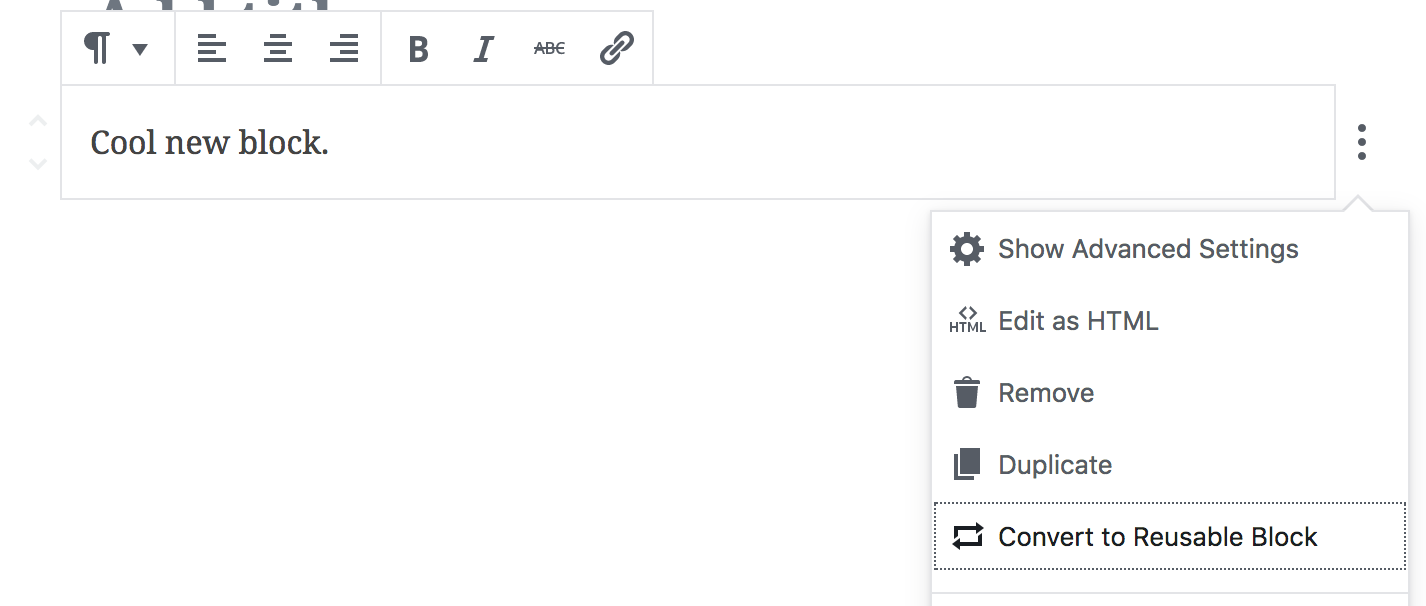
2) The reusable block is created and is immediately in editing mode. The title of the block is selected, allowing the user to start typing the title straight away. If the user abandons the flow at this point, the new block will be titled _Untitled block_.
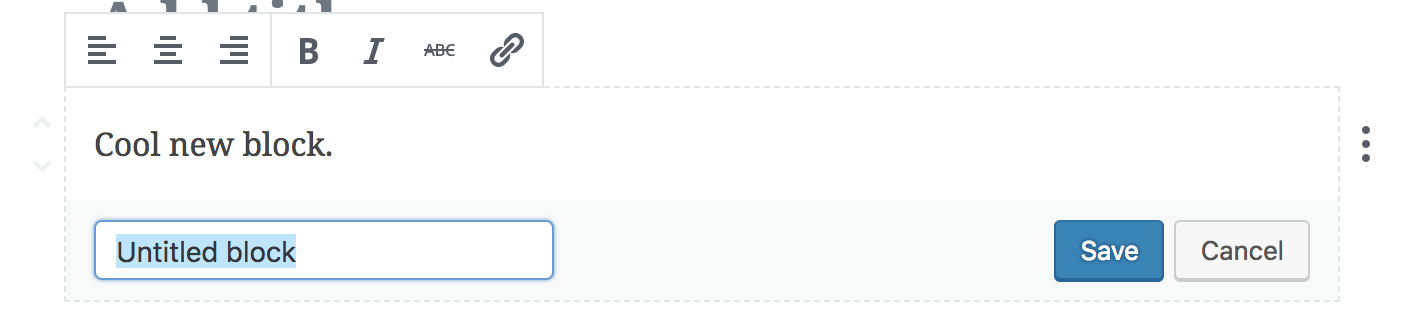
3) The user clicks _Save_ to rename their reusable block.

This removes two steps from the flow of creating a reusable block without changing any of our underlying assumptions about how reusable blocks work.
Question (for @karmatosed): If we had the above flow, would implementing a clickable name still be worth the additional complexity?
noisysocks
on 28 Feb 2018
I feel it works as better than what we have now, which I think is me saying yes. I would love to explore us not having to have a save/cancel button combination but that does feel a stretch now. Could this be an edit later or are we set on a path here and it's hard to go back?
karmatosed
on 1 Mar 2018
Yeah, it would be good to explore implementing a clickable title field as part of a broader exploration on how we can remove having a seperate _edit mode_ and _read mode_.
The thing I like about having two distinct modes is that requiring the user to click _Save_ very clearly conveys that they are updating content that is not a part of the current post. Any alternate UI would need to somehow convey this.
I think, for now, let's go with the simple iteration described above. We can revisit this UI more holistically in the future—perhaps after the MVP of Gutenberg is merged.
noisysocks
on 2 Mar 2018
I think, for now, let's go with the simple iteration described above. We can revisit this UI more holistically in the future—perhaps after the MVP of Gutenberg is merged.
Sounds good to me.
karmatosed
on 2 Mar 2018
Related issues
 jasmussen
·
3Comments
jasmussen
·
3Comments
 mhenrylucero
·
3Comments
mhenrylucero
·
3Comments
 aduth
·
3Comments
aduth
·
3Comments
 spocke
·
3Comments
spocke
·
3Comments
 maddisondesigns
·
3Comments
maddisondesigns
·
3Comments