Issue Overview
The problem with new editor is - it is too much simplified - similar to medium yet confusing to use.
The editor is like what start menu was for Windows 8. In my opinion, the massive change and UX/UI issue seem to be the major problem with adaptability with Gutenberg.
Possible Solution
Change UI to make border much visible and make user know they can add “blocks”. Probably a startup explanation about blocks? eg.
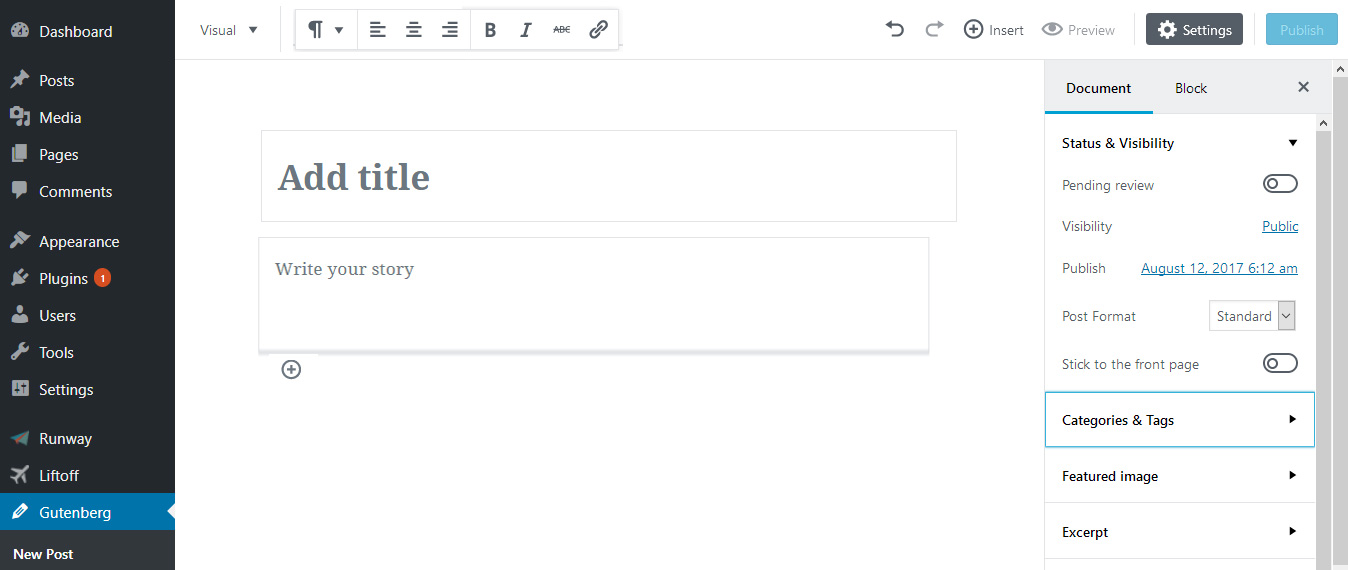
Currently “Insert” menu is dropdown menu which displays various blocks options and elements. Rather than showing them in dropdown they can be added at the top as a toolbar. There are already lots of whitespaces.
Just change TinyMCE with the new editor! No other interference with theme, plugins, meta box etc. Just change current tinymce editor like most of visual editors do (eg. Divi, SiteOrgin).
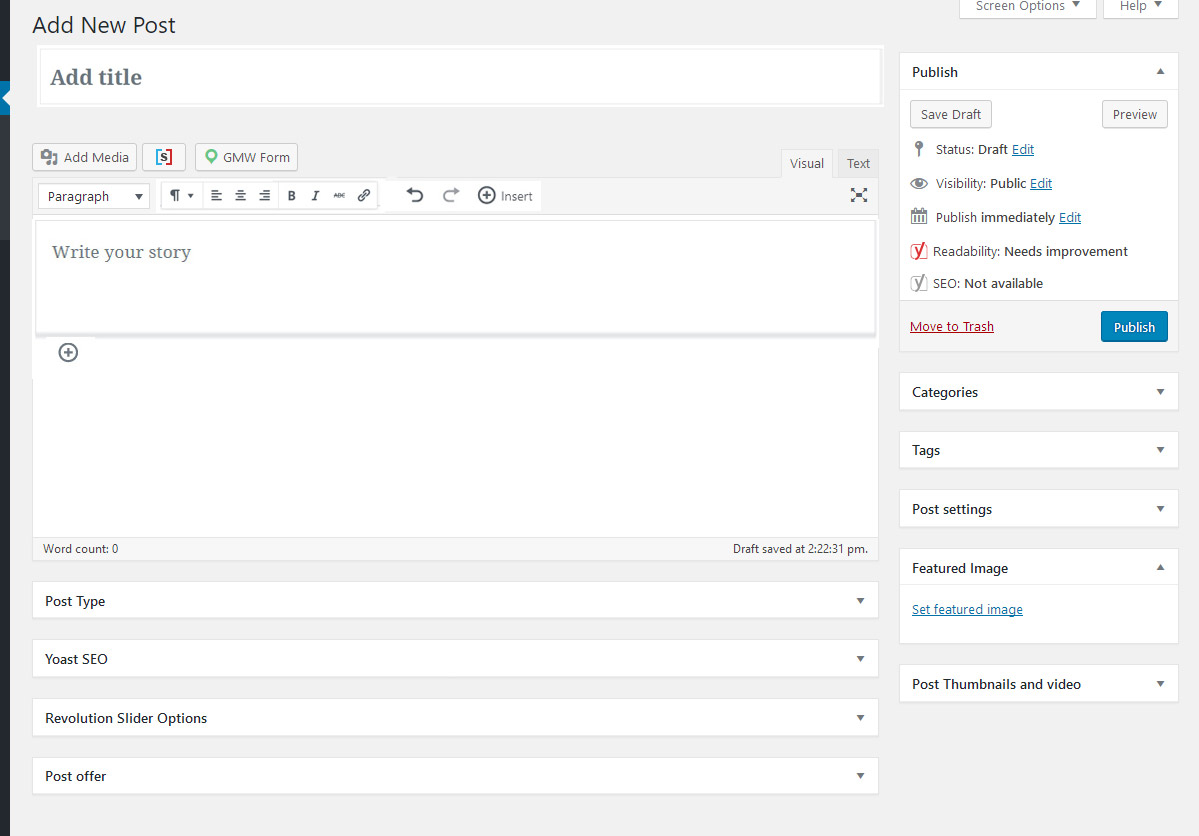
_Note: This is quick mockup!_
 pritush
All 5 comments
Intriguing idea!
 paaljoachim
on 23 Aug 2017
paaljoachim
on 23 Aug 2017
Maybe best one I have seen in all this "believe", "imagine", "hope" Gutenberg confusion.
leave everything as it is and replace (remove) just TinyMce block with Gutenberg. Possibly change design after wishes. And use Gutenberg (take over screen) in distraction free, fullscreen mode, as optional option, for those who want it that way.
Why they cannot admit they rushed it with React ? Now when we know Facebook does not step back regarding its licence.
 StaggerLeee
on 24 Aug 2017
StaggerLeee
on 24 Aug 2017
First, it's great to see explorations so thank you @pritush for taking the time on this. I have to admit seeing the somewhat merged UI, I do think there is a danger of causing issues just by doing that. A few things though to pull out I think worth considering.
- How 'blocky' should a block feel? Too much and it feels like a dated interaction design, too free and it isn't discoverable.
- Putting content at the top like a toolbar is ok if that follows the user or sticks. If it does not then it's going to cause a lot of issues with having to scroll back to interact. Nobody likes that.
I feel it's worth maybe pulling things out as there's a lot you're commenting on in one post. However I would be keen for the discussion to continue around what should a block feel like. Lets keep this about the UI not about the framework as that doesn't matter in this case.
 karmatosed
on 24 Aug 2017
karmatosed
on 24 Aug 2017
I do like the first look of having something a bit stronger at the bottom of a block. At the moment, we've got a bit of trouble discovering how to insert a new block between existing blocks, and I keep feeling that some kind of block footer is needed to start solving that.
 notnownikki
on 24 Aug 2017
notnownikki
on 24 Aug 2017
I am closing as we need to pull out anything into actionables over have a general issue for this.
karmatosed
on 7 Nov 2017
Related issues
 BE-Webdesign
·
3Comments
BE-Webdesign
·
3Comments
 maddisondesigns
·
3Comments
maddisondesigns
·
3Comments
 davidsword
·
3Comments
davidsword
·
3Comments
 aaronjorbin
·
3Comments
maddisondesigns
·
3Comments
aaronjorbin
·
3Comments
maddisondesigns
·
3Comments
Most helpful comment
First, it's great to see explorations so thank you @pritush for taking the time on this. I have to admit seeing the somewhat merged UI, I do think there is a danger of causing issues just by doing that. A few things though to pull out I think worth considering.
I feel it's worth maybe pulling things out as there's a lot you're commenting on in one post. However I would be keen for the discussion to continue around what should a block feel like. Lets keep this about the UI not about the framework as that doesn't matter in this case.