Gutenberg: Grammarly chrome extension conflicts with Gutenberg, incl. Headings block
I added a heading block to my text, and noticed that if you click inside the block, where it says Write heading..., the caret disappears and it turns the placeholder text into the actual heading, and after that you cannot edit the text anymore.
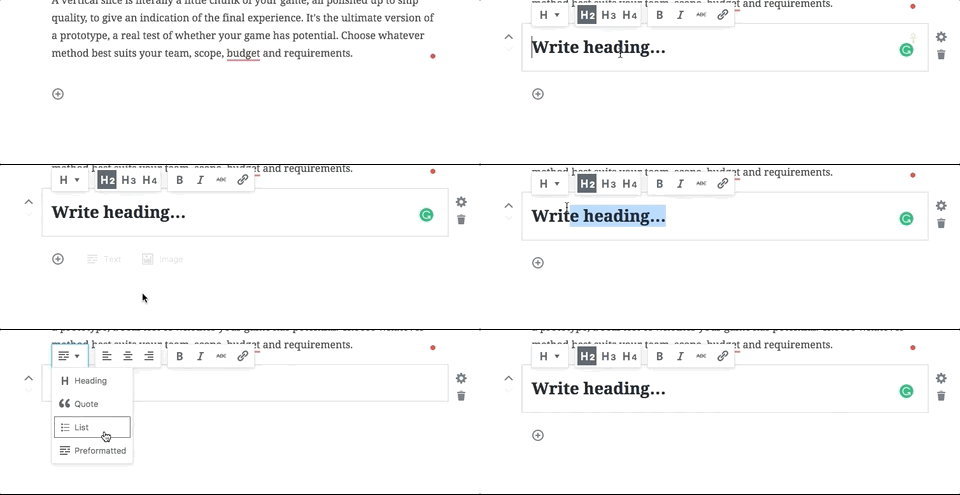
Version 0.3.0
 hedgefield
All 22 comments
Thanks for giving version number, it is useful information to have. In future no need to add to title, just put in the description please. Other really useful information includes the browser you are using, the more information we have, the easier it is to recreate the issue.
 karmatosed
on 4 Jul 2017
karmatosed
on 4 Jul 2017
Ah gotcha. I'm using chrome 59.0.3071.115 on the latest OSX with a VVV2 dev environment, WordPress 4.8 latest stable release.
hedgefield
on 4 Jul 2017
Thats awesome information thanks!
karmatosed
on 4 Jul 2017
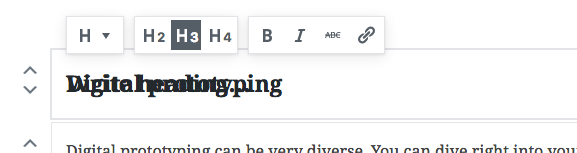
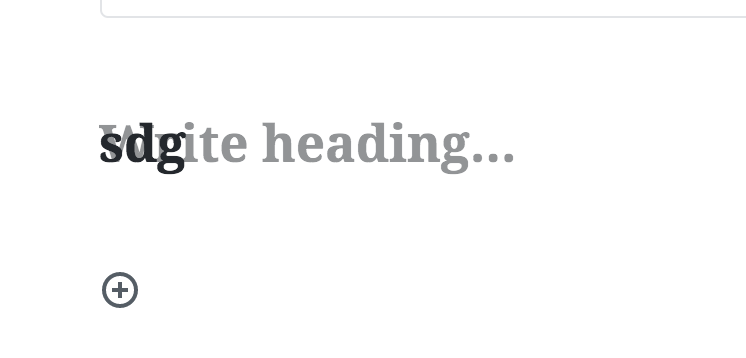
Addendum: when this problem has manifested and I switch the style to, say, an H3, the text becomes editable again. But as soon as I start typing, the old heading text reappears and this happens (both are layered over each other):
hedgefield
on 4 Jul 2017
This totally may be me, but I am having issue reconstructing this problem on Chrome. Here is what happens to me. Are there any step by step instructions that I am missing?
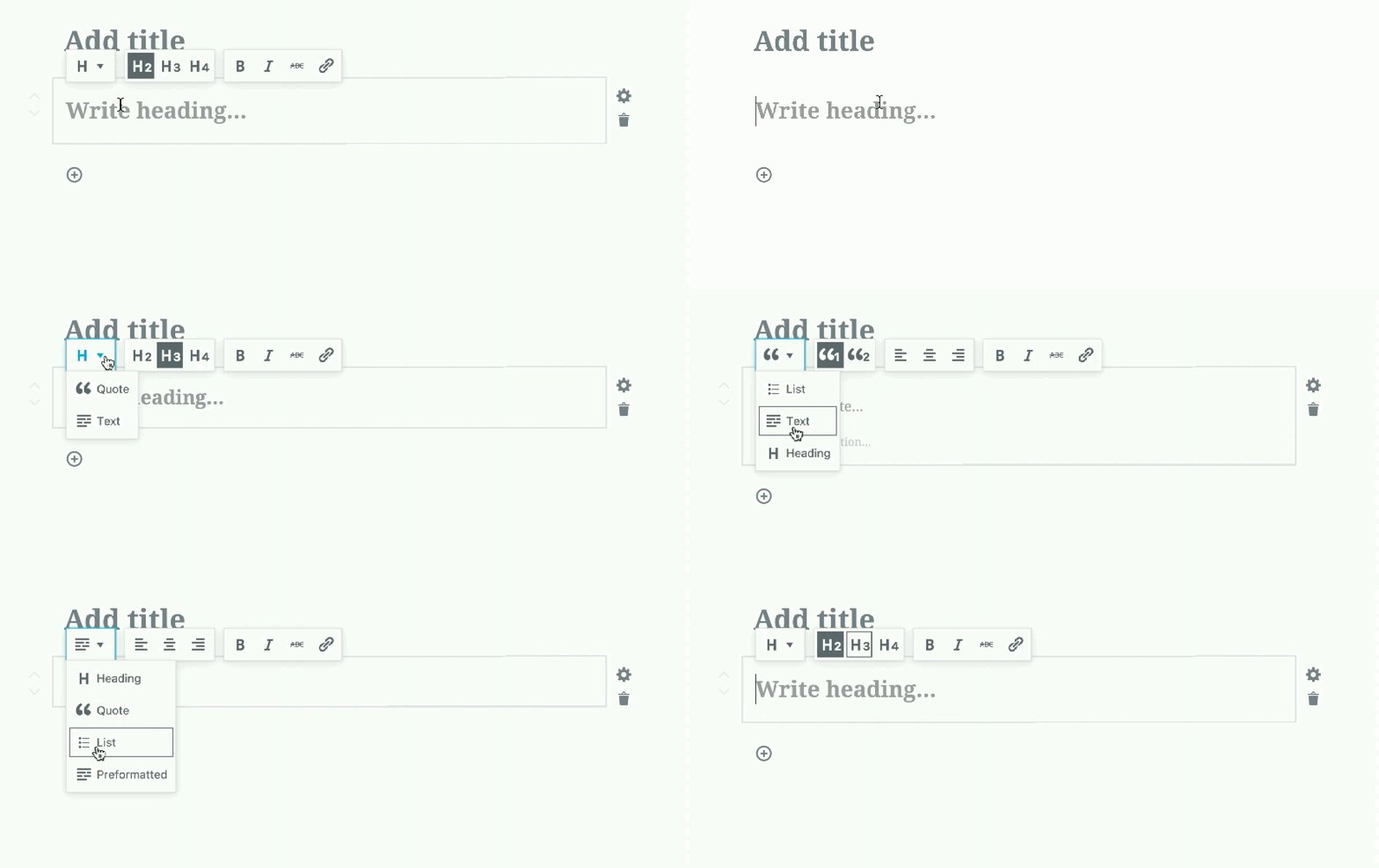
I can't edit the text but it does go when I type. I do admit, I felt the pull of actually editing the text, but as a placeholder I couldn't.
I am really interested in recreating as there does certainly seem something wrong for you to get that last visual.
karmatosed
on 4 Jul 2017
It seems that when I convert an existing text block (freshly added and empty) to a heading, there is no problem, but when I specifically do:
- press inserter icon at the bottom of the post
- go to the Blocks tab (or Recents) and choose Heading
- move mouse over heading placeholder text and click
it becomes 'solid' so to speak and I can't edit or type anymore.
hedgefield
on 4 Jul 2017
Hmm that's super interesting, I can't replicate. I am unable to do stage 3 as it just won't let me mouse over that text. Hopefully someone else can replicate though as I probably am just missing a little step.
karmatosed
on 4 Jul 2017
I'll ask others in the office to try it, see if it happens for them too.
hedgefield
on 4 Jul 2017
Ah! Found it, it was the Grammarly browser plugin doing this. Disabling it made the header editable again, but it did not fix the double text issue from my Addendum. I'll split that out into a separate issue.
hedgefield
on 4 Jul 2017
Oh interesting!. Do you want this issue closed?
karmatosed
on 4 Jul 2017
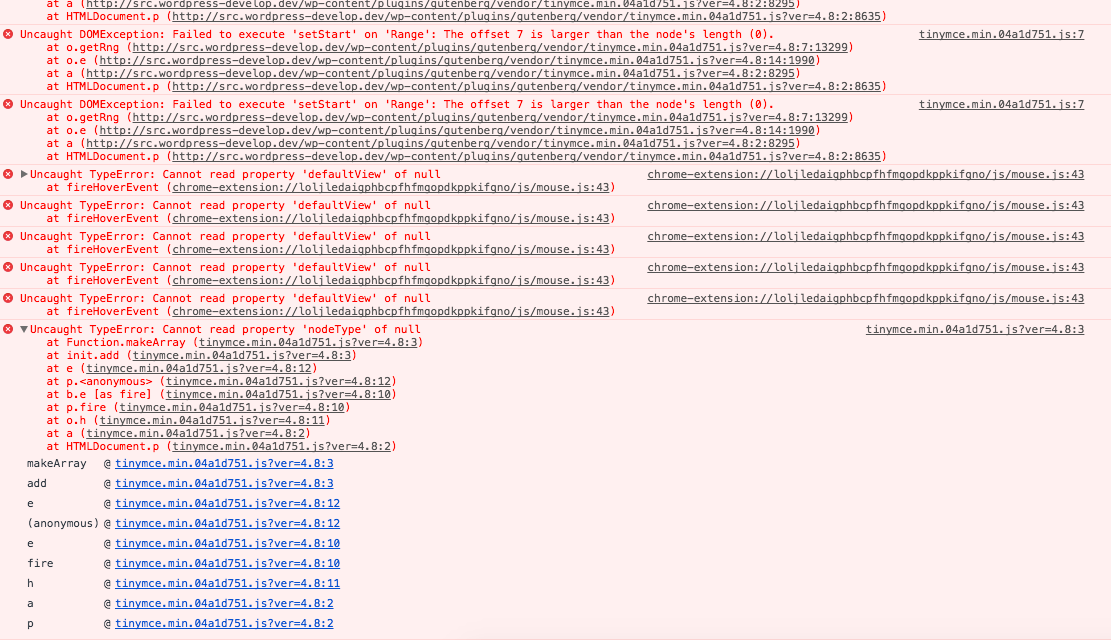
I'd want to investigate why this happens, I'm getting a TON of tinymce errors in my console, but it may be outside the scope of what we're doing here (something for Grammarly to look into perhaps?). Leave it open for now while I take a closer look, and if it turns out inconclusive I'll close it later today or tomorrow.
hedgefield
on 4 Jul 2017
This highlights an interesting issue with Gutenberg and browser extensions. Many browser extensions willy-nilly manipulate the DOM to add their bit of enhancement, but this could have adverse effects on SPAs.
Perhaps we should use a MutationObserver to detect non-Gutenberg changes to DOM and discard it? Not sure what this means for plugins that extend Gutenberg. There must be a way to detect if its coming from the browser vs. onsite.
 rheinardkorf
on 5 Jul 2017
rheinardkorf
on 5 Jul 2017
Some kind of pre-emptive defense like that might be worth thinking about, I doubt this is the only browser plugin that will attempt to hook into the content like this, and there will probably be a lot of people who have the Grammarly plugin. I've alerted them to this problem. I'm not sure what exactly causes it, it might be something we could try/catch on our end. I posted some of the JS errors I got in #1700:
hedgefield
on 5 Jul 2017
Another addendum: it seems that because the Grammarly check clashes with Gutenberg somehow, it also leaves some of its data in the text.
I had the same post open in both Gutenberg and the current editor, and in the latter I noticed some strange line breaks. So I looked at the Text view and found tags like these littered around.
<g class="gr_ gr_7 gr-alert gr_gramm gr_inline_cards gr_run_anim Punctuation only-del replaceWithoutSep" id="7" data-gr-id="7">specific,</g>
Those create the underlines on the suggestions Grammarly offers, but they remain even when Grammarly is turned off, or I open the post with another browser that doesn't have the plugin.
hedgefield
on 5 Jul 2017
@hedgefield seems like an issue thats been faced by others before, I just found this:
https://discuss.reactjs.org/t/invariant-failures-due-to-chrome-extensions-that-also-use-react/1765
I'm not sure how to answer this question yet. I will look into it more, but it appears that Gutenberg might suffer from more extensions that interfere with the DOM, or run different versions of React in the browser.
rheinardkorf
on 6 Jul 2017
@hedgefield can you revisit this and see if it works now? I tried the latest Gutenberg with the latest Chrome, with and without Grammarly, and I can't reproduce:
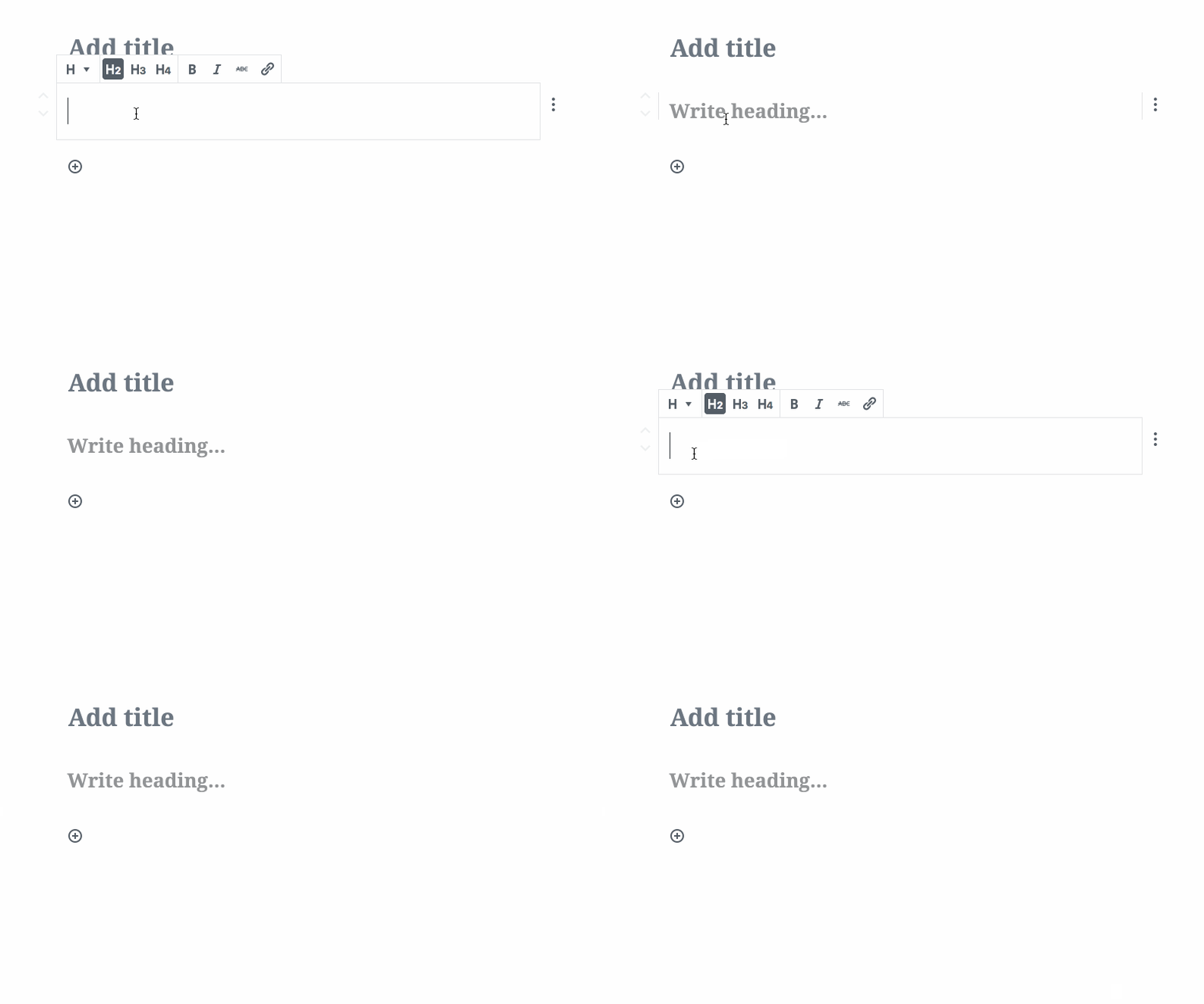

 jasmussen
on 5 Dec 2017
jasmussen
on 5 Dec 2017
Sorry, still happens :\ I hadn't checked in a long time, but when I turned on the Grammary plugin again, and:
- Opened demo post
- Clicked inserter at the bottom
- Went to Blocks and chose Heading
- Block appears (focused, no placeholder, okay)
- Clicked outside block (placeholder appears, good)
- Clicked inside block (placeholder disappears, great)
- Typed something
- Clicked outside block... aw man:
GT v1.8.1
WP v4.9.1
Chrome v62.0.3202.94
Grammarly browser extension v14.819.1355
As soon as I turn off Grammarly and click in and out of the block the problem is gone.
*The text is still editable btw, in my original post it was also locked.
hedgefield
on 5 Dec 2017
PR: https://github.com/WordPress/gutenberg/pull/4579 is one way to resolve Grammarly conflicts, at least in the short term.
Regarding data-enable-grammarly="false", see: https://github.com/facebook/draft-js/issues/616#issuecomment-343596615
 jaswrks
on 18 Jan 2018
jaswrks
on 18 Jan 2018
I've just recently started using Grammarly, I love it, I'm using it to right write now 😏
Hey @blacktaxi (Grammarly dev), I thought I'd ping you to loop you in here that we're in the same boat as Facebook is with Draft.js, we'd be grateful of any updates when and if you could share them with us, please 😄
 ntwb
on 19 Jan 2018
ntwb
on 19 Jan 2018
Hi @ntwb, sorry you're having issues with Grammarly! We're currently working on a long-term solution – will keep you updated. Unfortunately, we do not have a timeline for these improvements yet.
 blacktaxi
on 19 Jan 2018
blacktaxi
on 19 Jan 2018
Closing, as this isn't immediately actionable within Gutenberg. If we need a more immediate fix than Grammarly addressing the issue in their extension, we could potentially ship a secondary WordPress.org plugin that adds the data-enable-grammarly="false" attribute.
 danielbachhuber
on 23 Jan 2018
danielbachhuber
on 23 Jan 2018
What a shame. More than 2 years after the problem was discovered it's still not working...
If you use Grammarly (you do, right?) then please head over to https://support.grammarly.com/ and open a new support request with them to address the urgency of the problem.
As an alternative, I found that https://languagetool.org/ also offers a free browser extension that works well with Gutenberg.
 stracker-phil
on 7 Nov 2019
stracker-phil
on 7 Nov 2019
Related issues
jasmussen
·
3Comments
 nylen
·
3Comments
nylen
·
3Comments
 youknowriad
·
3Comments
youknowriad
·
3Comments
 mhenrylucero
·
3Comments
mhenrylucero
·
3Comments
 aaronjorbin
·
3Comments
aaronjorbin
·
3Comments
Most helpful comment
Hi @ntwb, sorry you're having issues with Grammarly! We're currently working on a long-term solution – will keep you updated. Unfortunately, we do not have a timeline for these improvements yet.