Gutenberg-mobile: Scroll moves up while trying to scroll to end while an edit text is focused
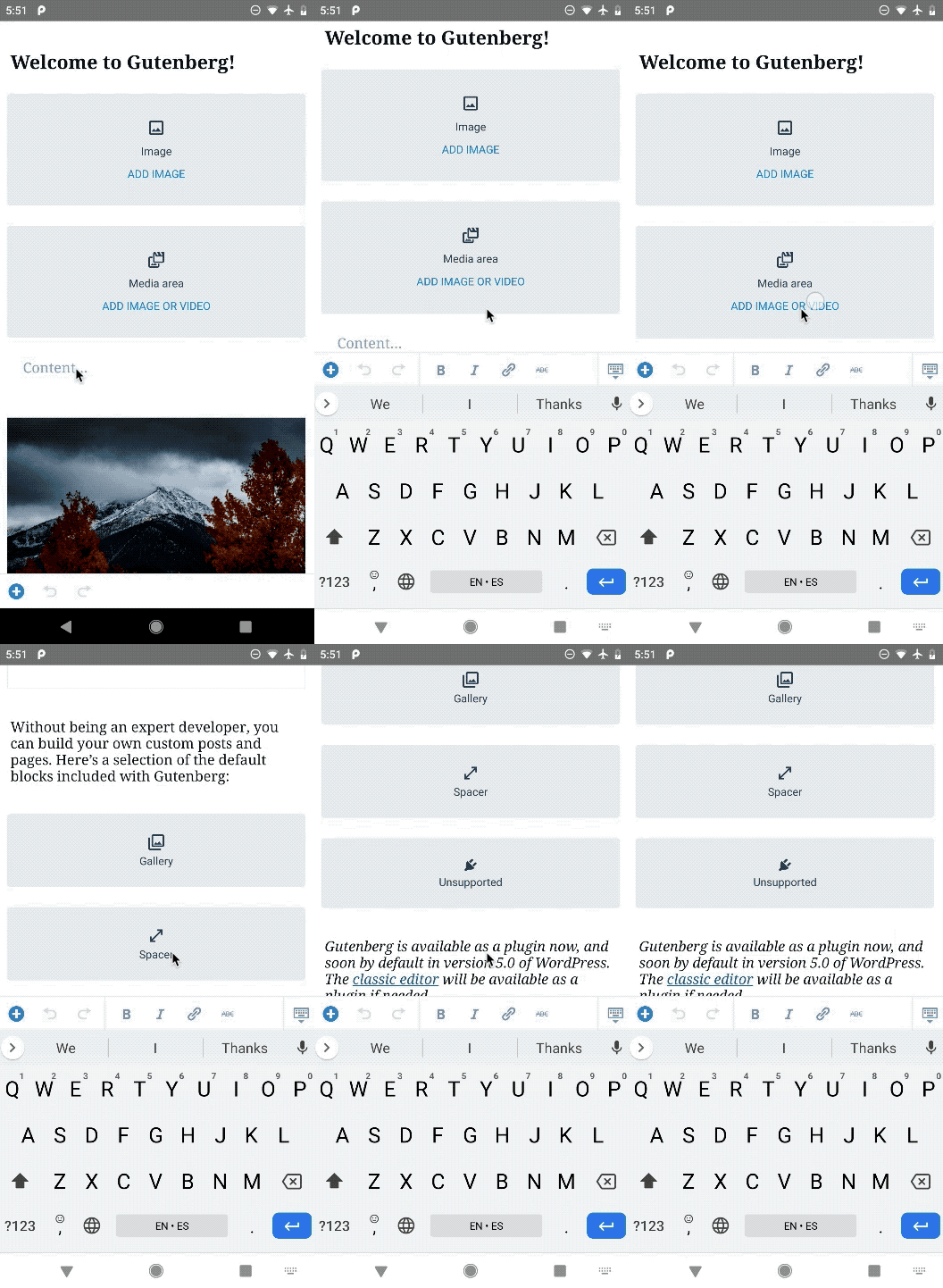
With a text field focused, when trying to scroll to reach the end of the demo content, the scroll seems to jump back up, to somewhere at the middle of the post.
Steps to reproduce:
- In the demo app, focus the first editable field you can find (example: the "What is Gutenberg?" heading block
- Scroll down, trying to reach the end of the content
- Notice the scroll position moving up, almost to the middle of the list
See this GIF:
 hypest
All 5 comments
Via git bisect, narrowed it down to the 70061b27b32975e544c2297cfa7ff078719ec8e2 commit from #1362. @lukewalczak can you investigate? cc @pinarol
hypest
on 21 Oct 2019
When we find a fix for this issue, we should also test #1192 to see if that issue has been resolved as well.
 mchowning
on 21 Oct 2019
mchowning
on 21 Oct 2019
Hey @hypest , I found that the cause of this issue is the getItemLayout props in block-list/index.native.js.
https://github.com/WordPress/gutenberg/commit/0e0b65f76d06bcf0cf74bfc659d823289b93bded#diff-260b0f5b413f5ac735a6935b2f8acc34R99-R101
This prop should be used for the optimization of list view performance by only rendering rows that are currently visible on the screen, and unmounting rows that have been scrolled past. The flatlist needs to know the total height of the rows above the currently visible viewport, so it can set the underlying ScrollView scroll position correctly. If we don't set the getItemLayout prop the flatlist calculates the heights of the rows after the rows have been mounted or we can tell it how tall you expect the rows to be in that prop.
However, in our case @lukewalczak has used it to make the floating toolbar clickable ( at this moment I have no idea why it does the trick and the floating toolbar handles touch events when the length and offset is set to 0 ).
So basically since we set the offset and height to 0 in the getItemLayout the flatlist has a wrong scroll position value but if I remove that prop the floating toolbar is not clickable.
@mchowning - seems like this issue is not related to this one you mentioned.
@hypest ,@pinarol - I don't know how urgent this fix is and if we should revert floating toolbar changes or just focus on fixing it w/o reverting?
 dratwas
on 22 Oct 2019
dratwas
on 22 Oct 2019
I think it is safe to revert changes related with getItemLayout because we are changing the whole FloatingButton implementation with this PR and putting it inside the bounds of a block. So it'll be clickable without needing to make an hack. This is a part of iteration plan made here: https://github.com/wordpress-mobile/gutenberg-mobile/issues/1413
 pinarol
on 22 Oct 2019
pinarol
on 22 Oct 2019
 etoledom
on 28 Oct 2019
etoledom
on 28 Oct 2019
Related issues
 wptester9845
·
4Comments
etoledom
·
4Comments
wptester9845
·
4Comments
etoledom
·
4Comments
 alextheberge
·
4Comments
alextheberge
·
4Comments
 radex
·
3Comments
pinarol
·
4Comments
radex
·
3Comments
pinarol
·
4Comments
Most helpful comment
Via git bisect, narrowed it down to the
70061b27b32975e544c2297cfa7ff078719ec8e2commit from #1362. @lukewalczak can you investigate? cc @pinarol