Gutenberg-mobile: Gallery: Cross platform image components: img & GalleryImage
We will create an Image component that maps to <img> on the web and Image in React Native.
Potential subtasks
- Create web
Imagecomponent with same attributes as the web and replace existing usage ofimginGalleryImage. - Implement native version based on React Native’s
Image. Ensure sizing works properly. - Accessibility changes.
- Document accepted property names, and that it will pass through anything else to the actual implementation. Should we mark those unstable?
- Write new unit tests and adapt existing ones.
- Update other parts of the code that use image and test.
Current usage in GalleryImage
- Source (URL can be a blob)
- Alternative text
- Data attributes
- Class name
- Accessibility label (gallery image X of Y)
- tabIndex. Is this equivalent to RN’s
accessible? - click/focus/keyDown events
Other uses of <img>
- Cover block: “Used only to programmatically check if the image is dark or not”. Actually uses an image background in a div.
- Embed previews: src, alt,
width=100% - Image block: alt, className, src, plus
title(same as alt text) and handlers for click, doubleClick, and error. - Media & text
- Focal point picker: alt, src, plus onLoad handler and
draggable=false - User autocompleter (for avatar): src, alt, className.
- PostFeaturedImage: src, alt.
- PostLockedModal (for showing avatar): src, alt, className.
Extra challenges:
Images on native don’t get an intrinsic size. Depending on desired design we might be able to ignore this problem for a bit longer and have the layout component pass down a fixed size for each image. We’ll probably need resizeMode, at least on native. Does it make sense to port that to the web?
 pinarol
All 10 comments
hey @iamthomasbishop 👋 as we move fwd to the implementation phase on the gallery block I think it is a right time to go over the proposed designs again and see if it needs update or additions.
Here's how it looks on web currently:
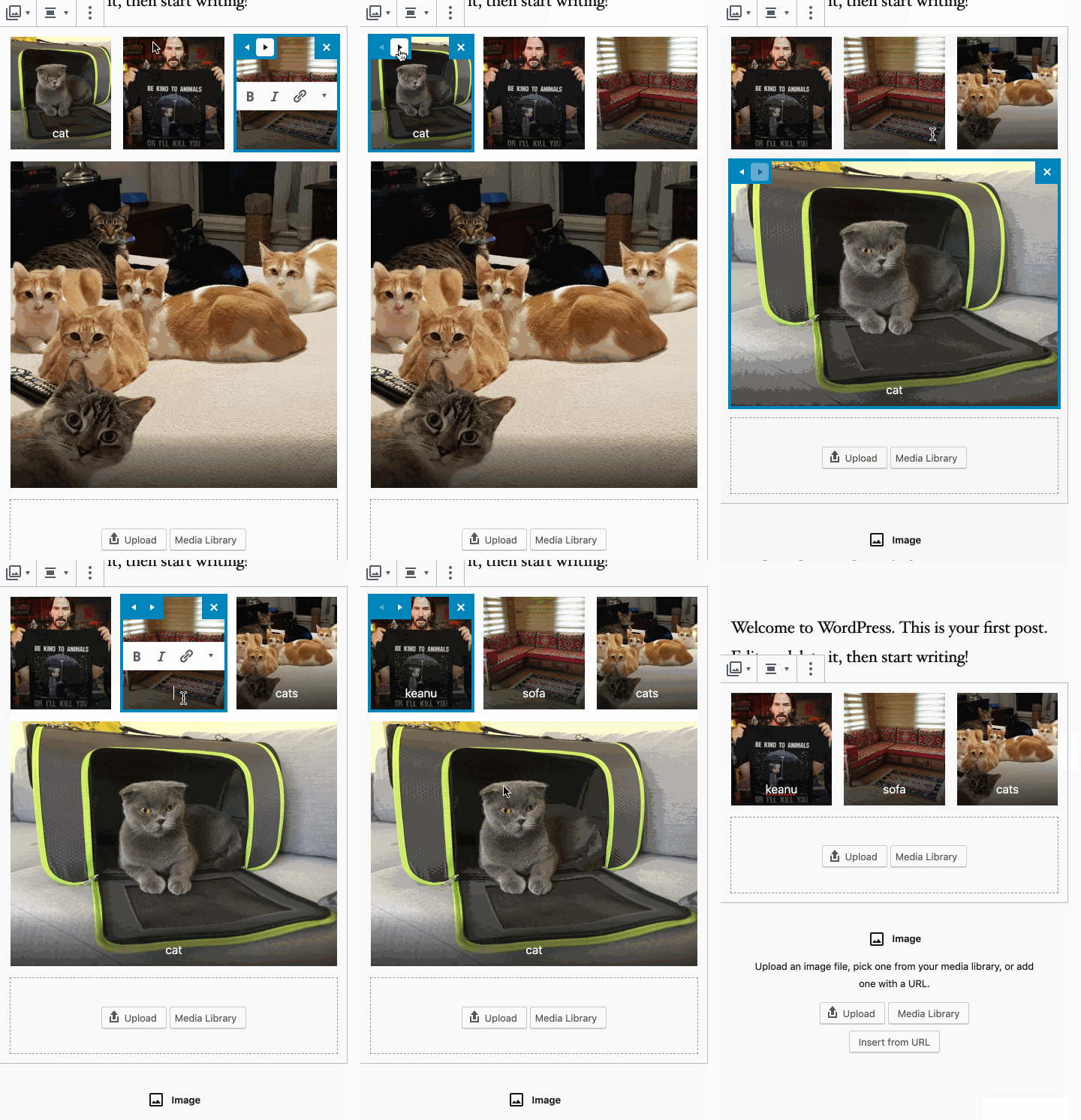
Web has these prev/next button on every tile which makes the image position move right/left.
Web has remove(X) buttons on each tile.
There's a caption at the bottom of each tile.
So, how do you think this kind of UX fits into mobile? Would you want mobile to be different?
pinarol
on 19 Aug 2019
@pinarol Here's what I've currently got for the Gallery block:
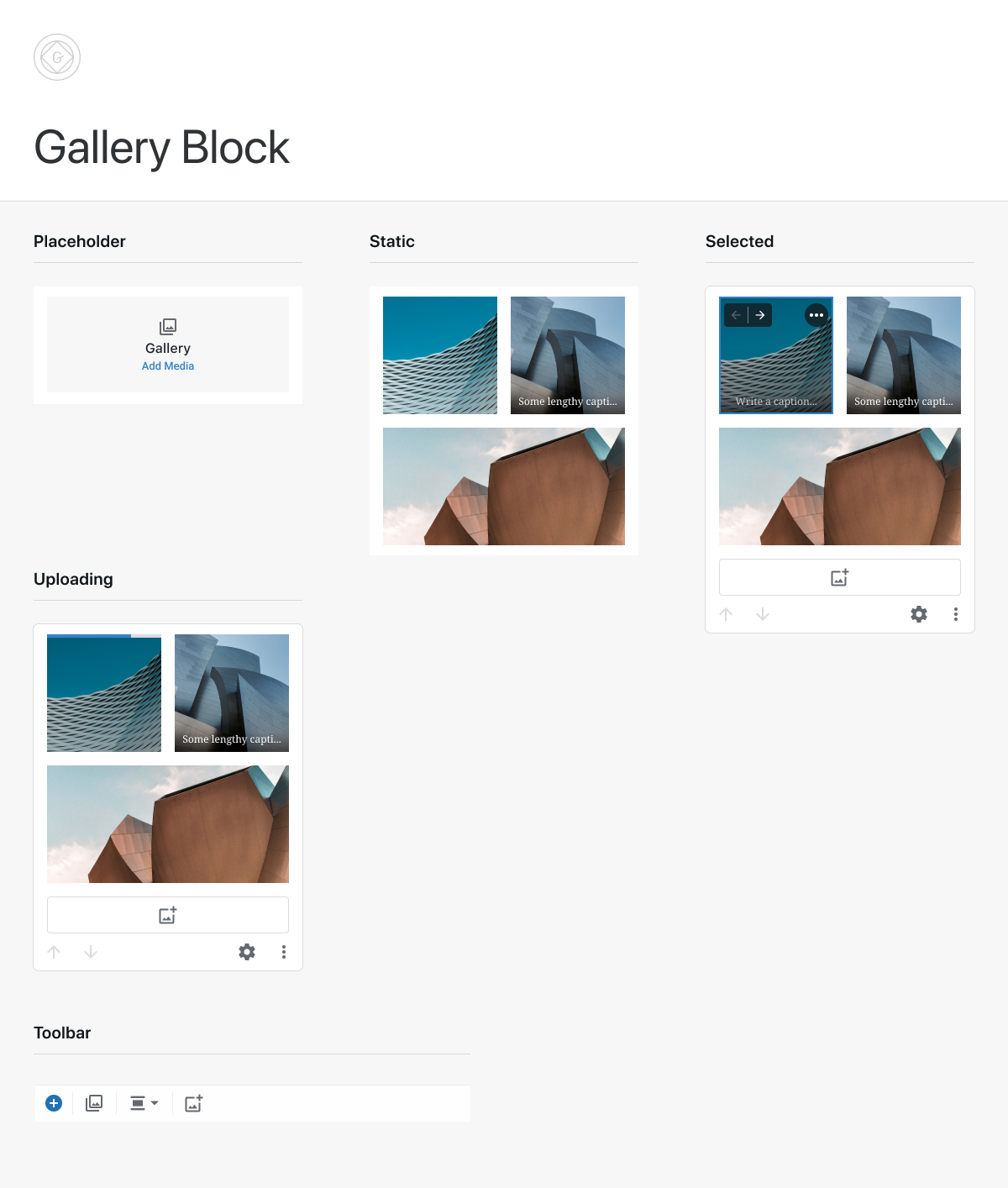
This should cover most of the bases above, although I'm sure there will be additional implementation details to discuss.
 iamthomasbishop
on 19 Aug 2019
iamthomasbishop
on 19 Aug 2019
hey @iamthomasbishop 👋Thanks for the designs. I am also curious about what you think about the failed upload case.
pinarol
on 20 Aug 2019
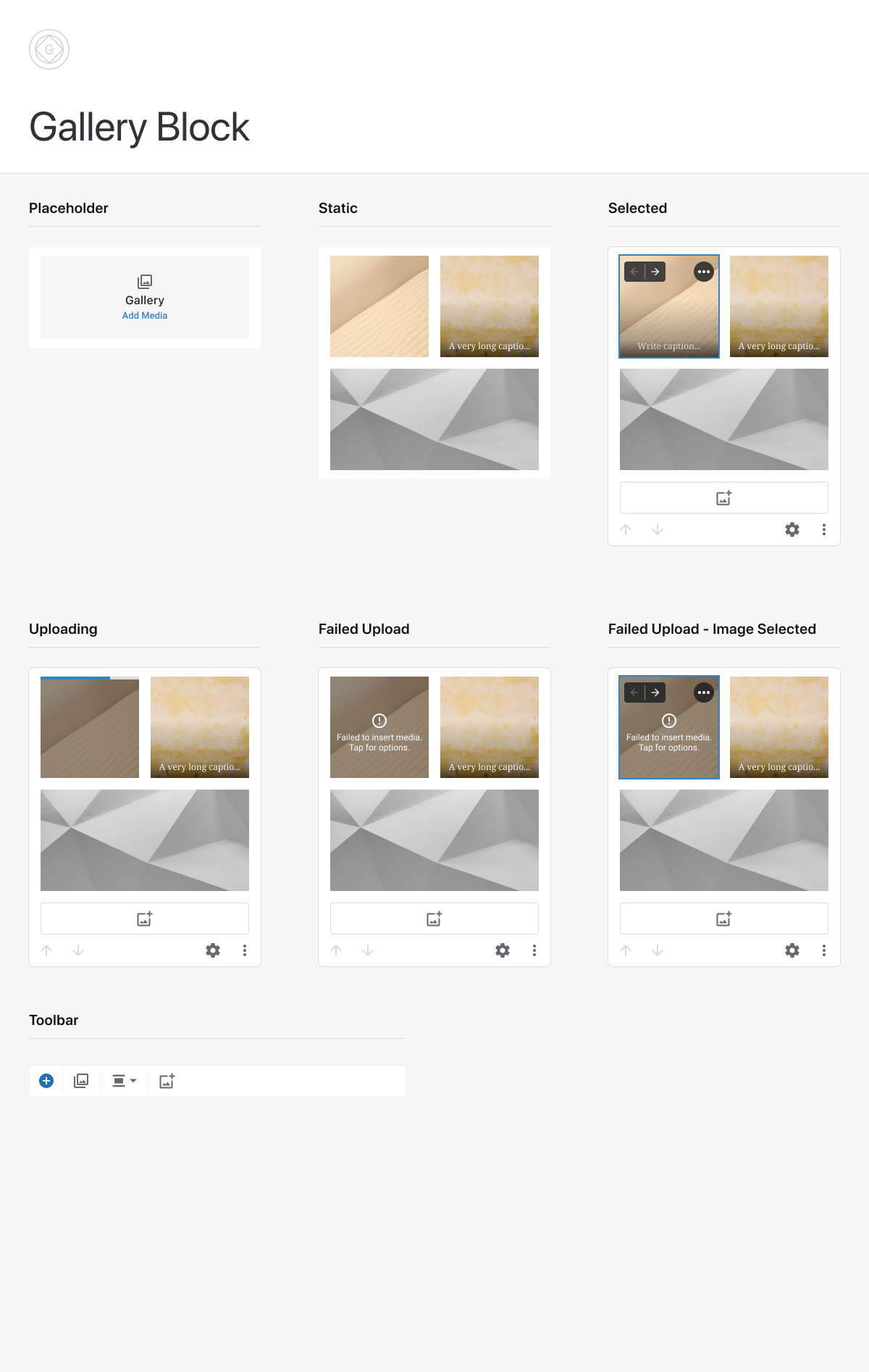
As a baseline, we can probably use the existing error overlay, which looks like this:
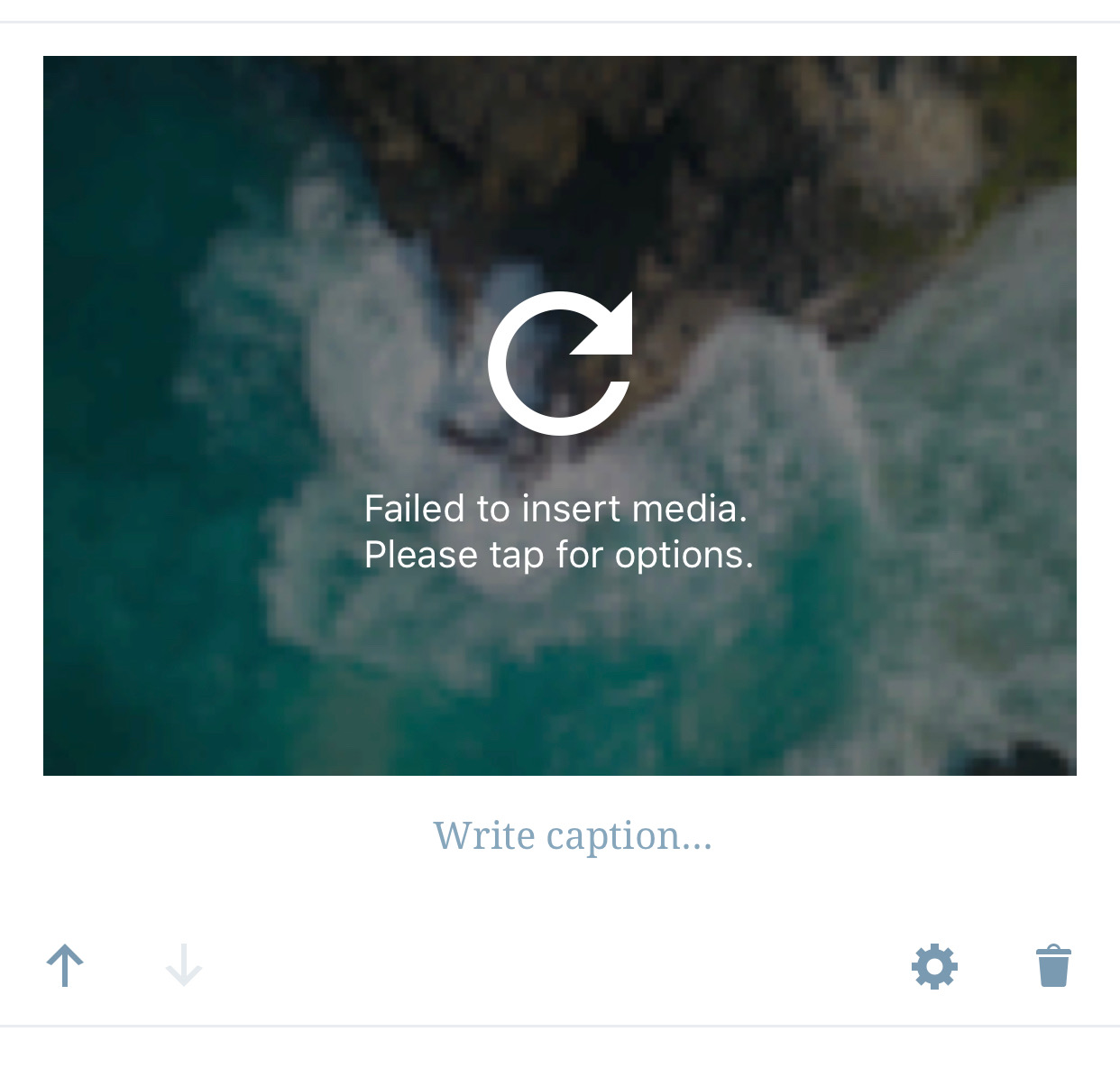
I would however request that we make a couple small tweaks, if possible:
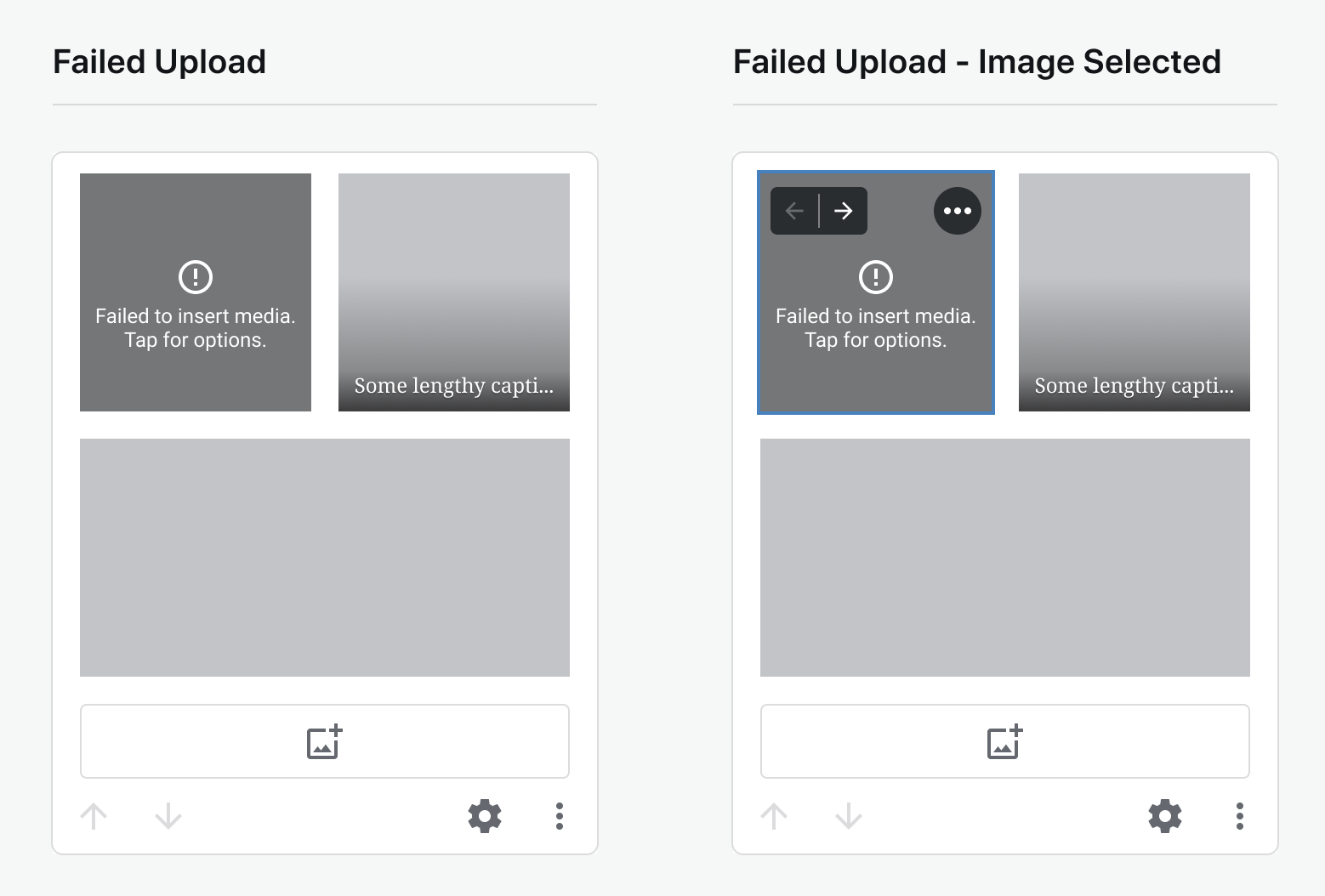
- Change the icon to some sort of generic
erroricon – we're showing a retry icon there when you're not currently able to - Make the icon smaller (24px?) so that it's more flexible on various smaller image sizes
This would look something like the following:
iamthomasbishop
on 20 Aug 2019
So, all together:
iamthomasbishop
on 20 Aug 2019
I see that when an image is selected, instead of a button to remove the image, there’s a three dot button. I imagine it would show a confirmation alert to remove the image?
 koke
on 20 Aug 2019
koke
on 20 Aug 2019
I see that when an image is selected, instead of a button to remove the image, there’s a three dot button. I imagine it would show a confirmation alert to remove the image?
Good question. The ••• menu is something I've proposed in a separate project to add to selected images globally, especially considering situations where there will be more than 1 associated interaction on any given image (Replace Image, View File Details, etc). For the purposes of the current gallery block, let's set that aside and show the trash icon.
Regarding the error itself, tapping specifically on that should show what we have on Aztec (can't recall if this is iOS-only or both platforms) in this scenario – which I believe is an ActionSheet w/ options for ~Remove and Retry (need to double-check this to confirm)~.
Edit: On aztec iOS, the options are Remove image, Edit, and Dismiss. I'm not a fan of not having a retry button.
iamthomasbishop
on 20 Aug 2019
@mkevins I reassigned this to you since I stopped working on it, I left it in the "In progress" column though, since I think you're looking at it this week?
koke
on 17 Oct 2019
Indeed, thanks Koke!
 mkevins
on 18 Oct 2019
mkevins
on 18 Oct 2019
I'll close this one for now to keep our board more focused, but we can re-open in the future if we put our focus back to Cross platform components.
pinarol
on 21 Jul 2020
Related issues
 etoledom
·
4Comments
etoledom
·
4Comments
 designsimply
·
4Comments
iamthomasbishop
·
3Comments
designsimply
·
4Comments
iamthomasbishop
·
3Comments
 chipsnyder
·
3Comments
designsimply
·
4Comments
chipsnyder
·
3Comments
designsimply
·
4Comments