Gutenberg-mobile: Design Feedback on missing Image Options
See parent issue here: #1263
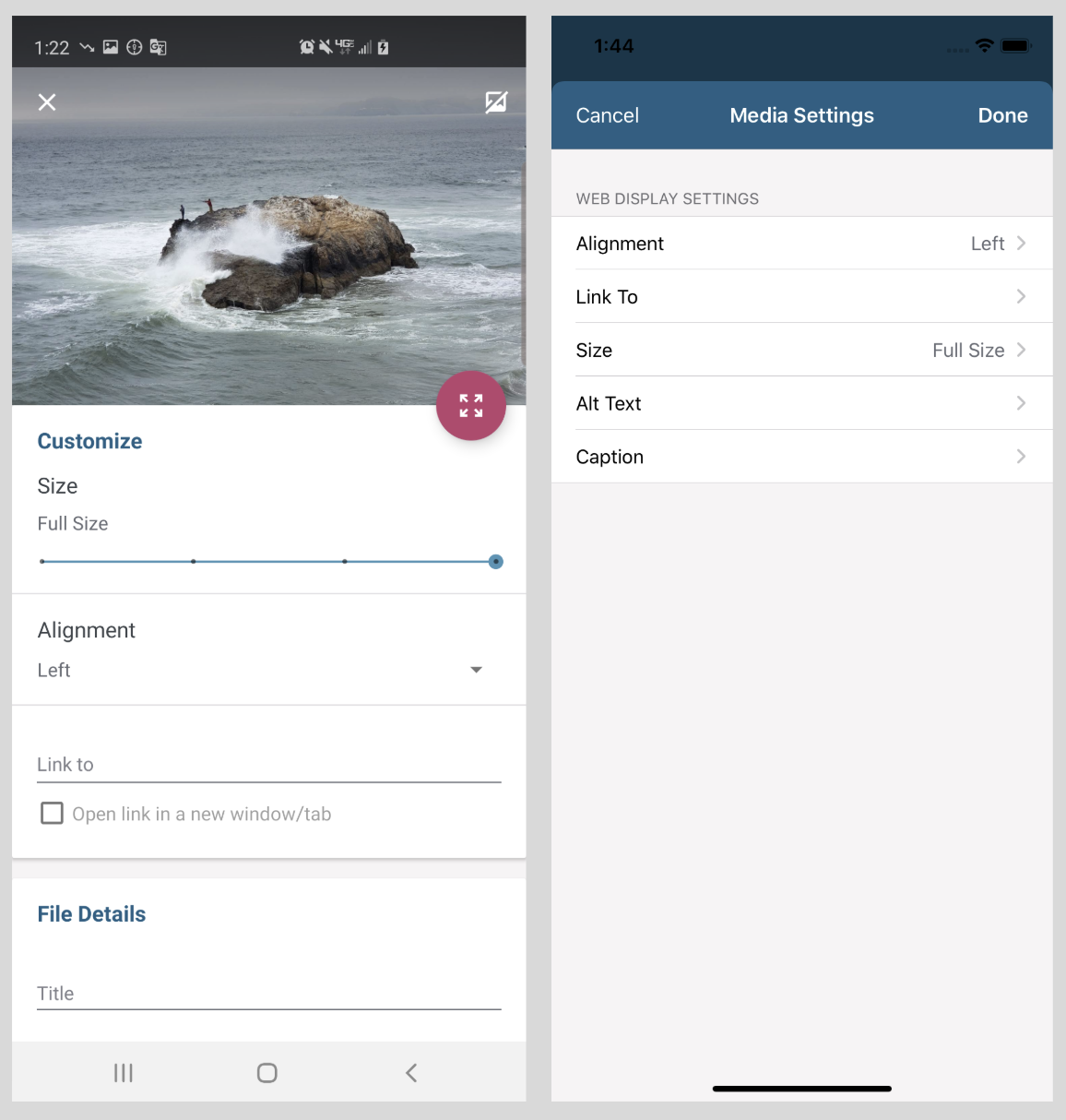
We'd like to add the following Aztec editor image options to the Block Editor for gutenberg mobile, but need some design guidelines for reconciling differences between Aztec Android and Aztec iOS.
New Image Options:
- (Full screen) Preview
- Size
- Link To (including "open in new window")
- Alignment
Image options in Aztec Android vs Aztec iOS:
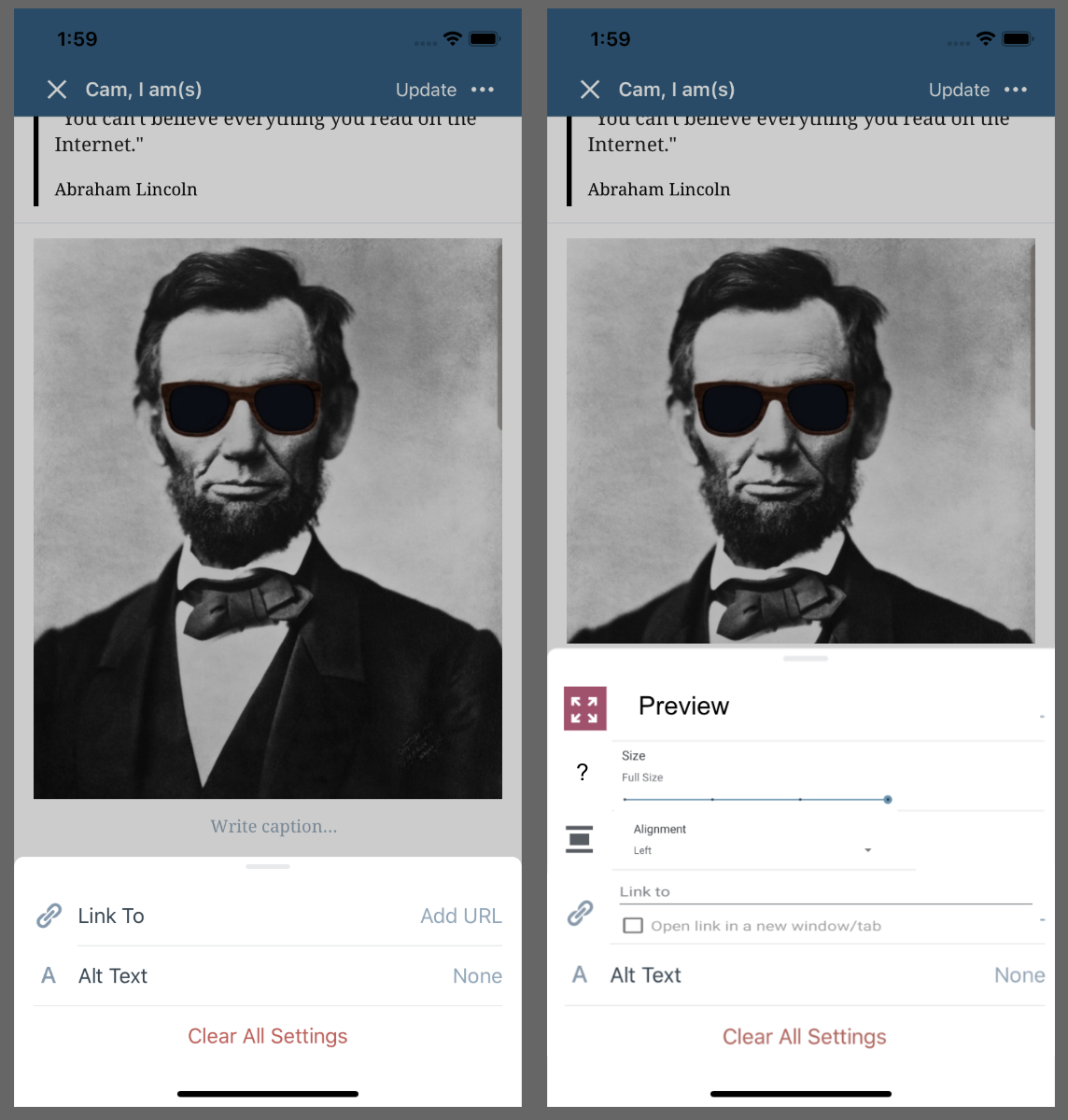
I created a crude mockup to how new image options might look in the gutenberg-mobile Block Editor current image option menu. Let me know how you'd like to precede forward with getting the design specified and any image assets passed along.
Mockup of image options in gutenberg-mobile editor for reference:
 cameronvoell
All 9 comments
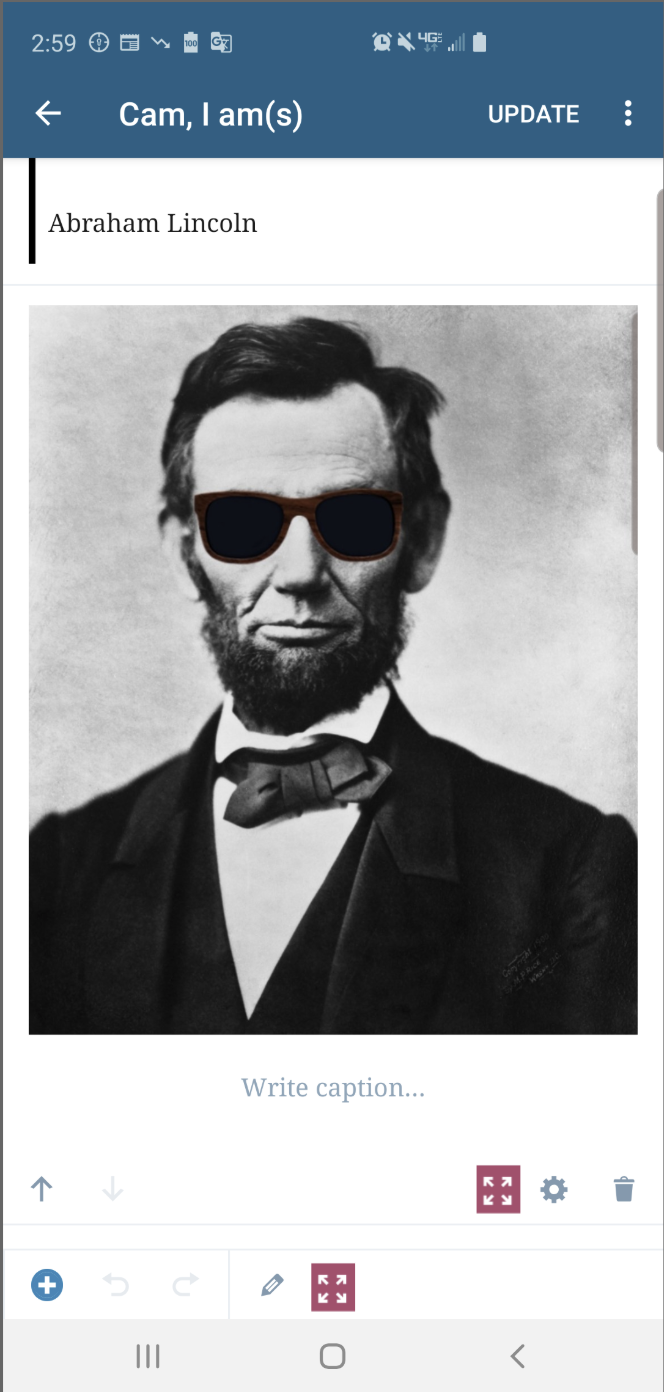
Just wanted to post one other thought for possible UI design for the preview image functionality within the block editor. Perhaps instead of needing to be reached from the gear - image options menu, it could be 1 step earlier. I posted two possible locations in the mockup below:
cameronvoell
on 13 Aug 2019
@iamthomasbishop thoughts?
 hypest
on 13 Aug 2019
hypest
on 13 Aug 2019
After discussing with @Tug , it seems like an even simper option for full screen preview would be to tap the image for an image block that is already in a selected state. The only design question there might be whether there should be some icon over the images letting the user know you can tap for fullscreen, or not. Let me know if you have ideas on this @iamthomasbishop .
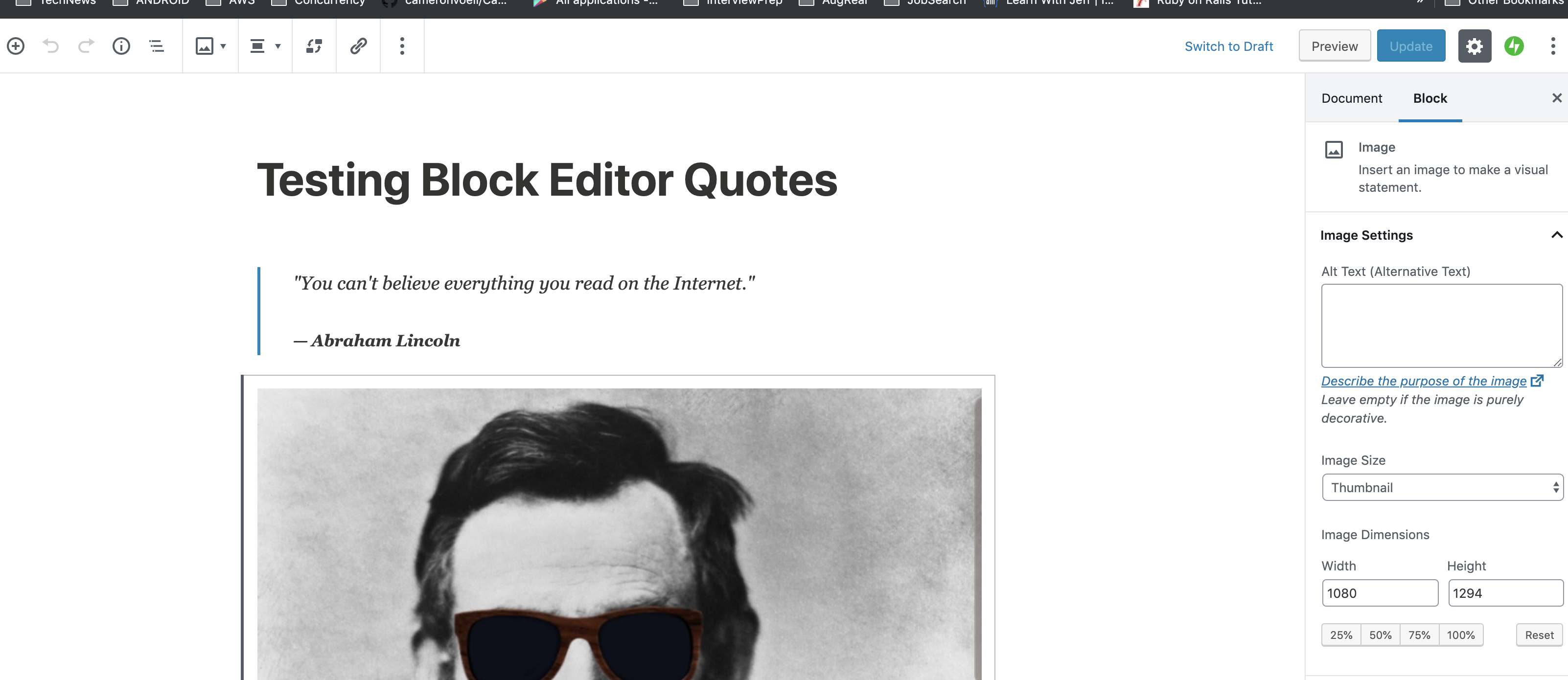
Also, Tug highlighted for me how the gutenberg web has corresponding UI elements to mobile for some actions, so we should try and be consistent with those. For example the consistent location for alignment would be the inline in the controls of the toolbar, although this might apply for url options as well which are currently in the expanded gear modal. See the gutenberg web screenshot with alignment and url options in the toolbar below:
cameronvoell
on 14 Aug 2019
After much discussion and some ideating, I jotted some sketches down to help give some context and detail, so I'm dropping here for sake of documenting.
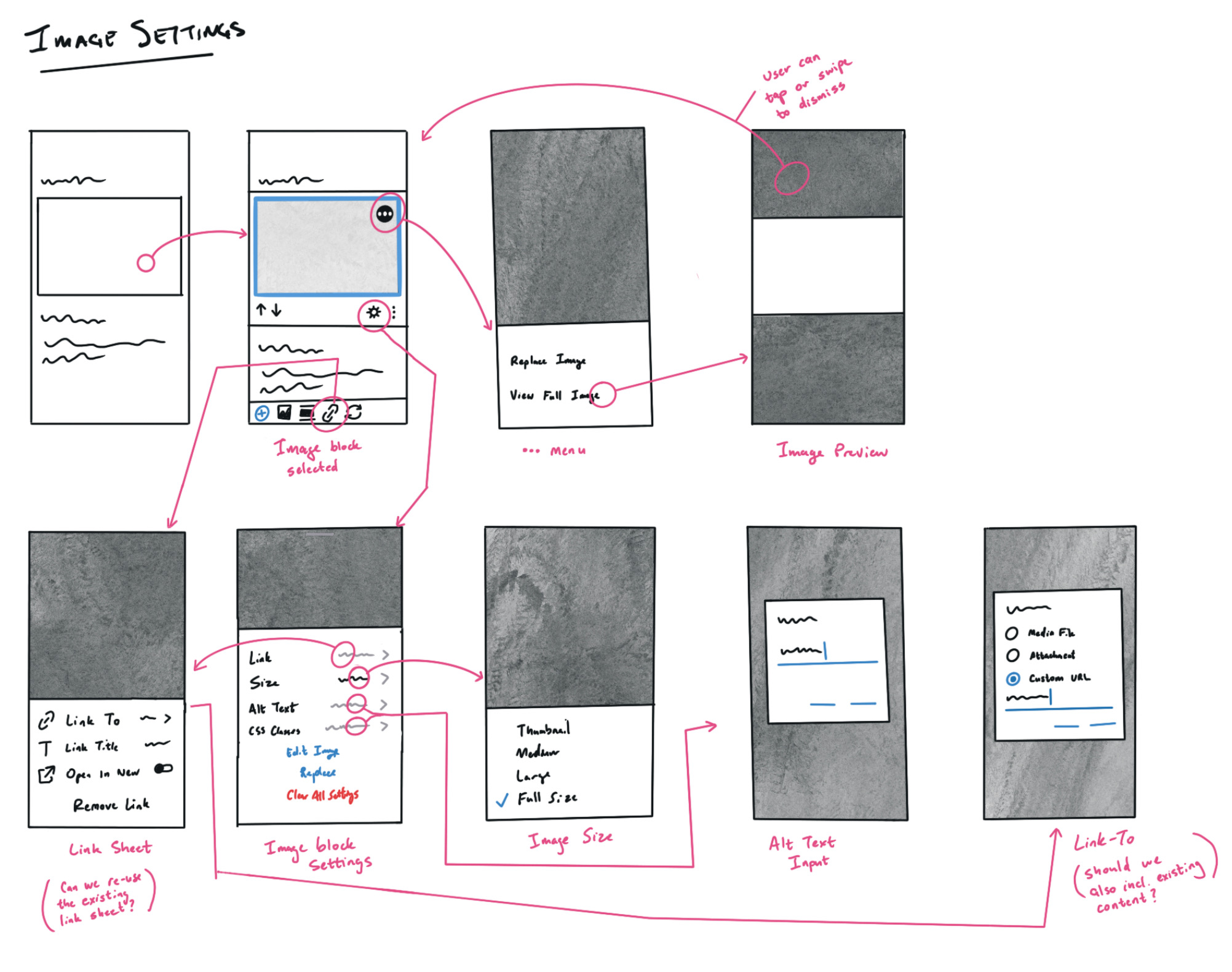
Some notes relevant to the tasks listed in the original post here:
Image Preview
When the image block is initially selected, we should apply a highlight to it (see video block for styling). At that point I'd like to show a little (•••) button in the top right corner. When the user taps this (or long-press on the image itself), they should see a sheet that has options for Replace Image and View Full Image (aka preview).
Image Size
Image Size should be placed in the image block settings sheet (second screen from the left, bottom row). As a first version, I imagine it'd be easiest to show size options in a sheet when the user taps on this (third screen, bottom row).
Link To
I'd like to utilize the existing Link sheet (which is used for inline links atm), with a couple of tweaks for image context – text links have a Link Text field that doesn't make sense for images – I would substitute Link Title in its place. I would also change the Link URL field to Link To.
When the user taps that, they could see a Dialog that shows options to "Link To": Media File, Attachment Page, Existing Content, and Custom URL – which would enable them to input a custom URL.
Note: Existing Content doesn't currently exist, so if that's outside of scope here, that would be something we could attack in a separate task.
Alignment
I'd leave alignment out of the settings sheet, and delegate that to the Quick Toolbar buttons. I would start by displaying the alignment options inline, and if we have time to, we should consider collapsing those into a single dropdown button. If that happens, let's have a discussion around what that interaction looks like, because we haven't introduced any dropdown buttons yet.
 iamthomasbishop
on 17 Aug 2019
iamthomasbishop
on 17 Aug 2019
@iamthomasbishop
Small question do you have any icons in mind for Image Size settings, or do you think it's okay if just that one option has no icon? I couldn't find any equivalent icons in the gutenberg web editor, or in gravicons.
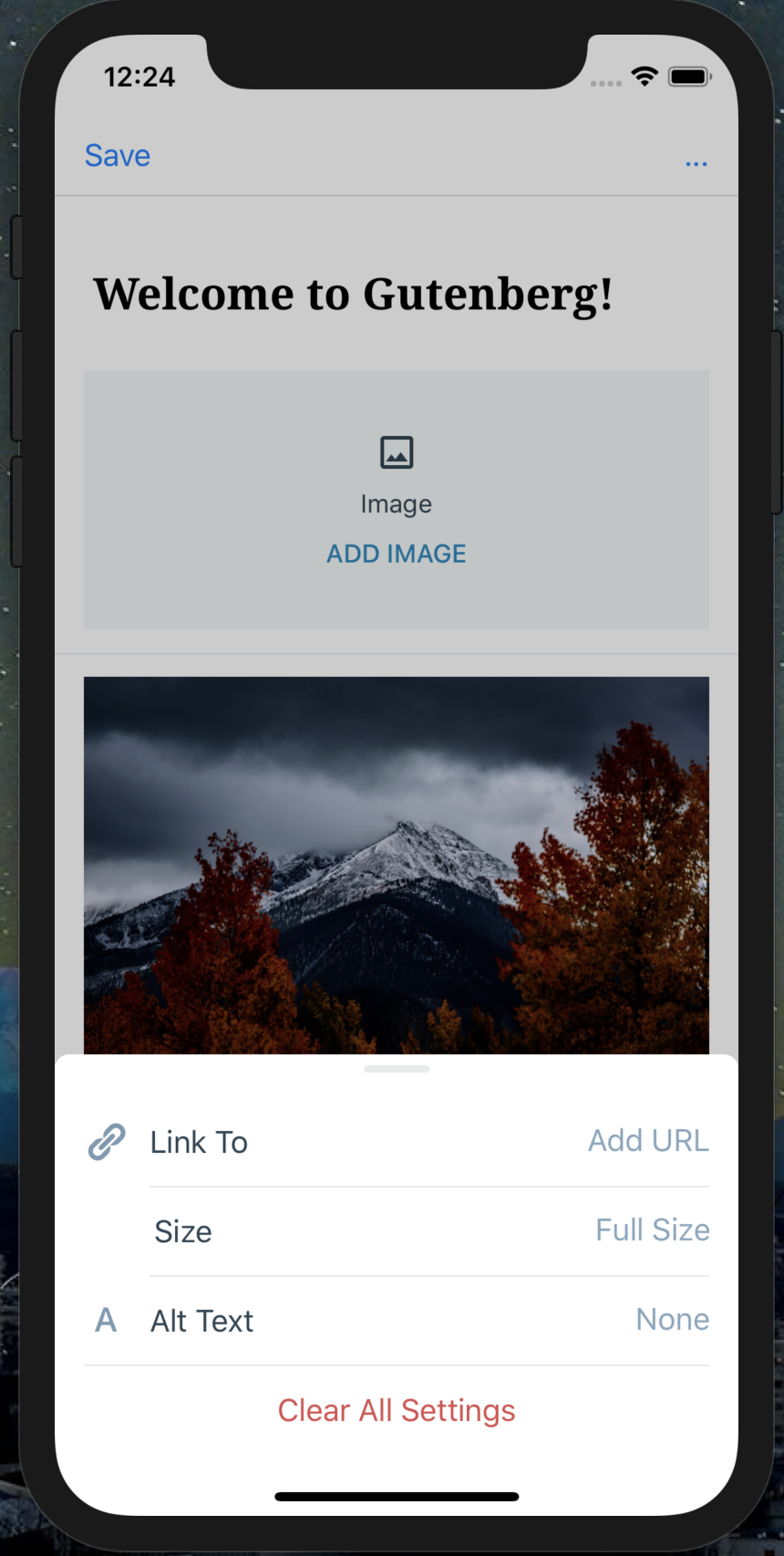
cameronvoell
on 28 Aug 2019
do you have any icons in mind for Image Size settings
I would use one of the following:
- From Dashicons:
dashicons-editor-expandordashicons-editor-expand - From Gridicons:
gridicons-resize - From Material:
crop-freeorheight
iamthomasbishop
on 28 Aug 2019
hey @cameronvoell 👋 I have a question on this, are you also working on Link to options? If so, I have a request about it: After diving into Link to options could you please estimate the work for adding Existing Content option also? I am thinking if that's something very simple we'd want to add that as well. However, If you aren't working on Link to options you don't have to dive into it currently for this.
 pinarol
on 29 Aug 2019
pinarol
on 29 Aug 2019
After diving into
Link tooptions could you please estimate the work for addingExisting Contentoption also?
hello @pinarol! I'll estimate the work for Existing content for sure, I was just about to dive into that. Here is a github issue I created for tracking the Image "Link to" options: #1337 .
The initial goal was Aztec parity, and the only missing thing for images there is the "open in new tab", but I'll link to your comment, estimate out the work, and help plan and/or implement that if the team agrees it's the right time.
cameronvoell
on 30 Aug 2019
I'm closing this one because the main issues are already addressed and the only remaining one is the link to existing content that already is tracked here: https://github.com/wordpress-mobile/gutenberg-mobile/issues/1058
 SergioEstevao
on 26 May 2020
SergioEstevao
on 26 May 2020
Related issues
 etoledom
·
4Comments
etoledom
·
4Comments
 wptester9845
·
4Comments
pinarol
·
4Comments
wptester9845
·
4Comments
pinarol
·
4Comments
 maxme
·
3Comments
maxme
·
3Comments
 designsimply
·
3Comments
designsimply
·
3Comments
Most helpful comment
hello @pinarol! I'll estimate the work for Existing content for sure, I was just about to dive into that. Here is a github issue I created for tracking the Image "Link to" options: #1337 .
The initial goal was Aztec parity, and the only missing thing for images there is the "open in new tab", but I'll link to your comment, estimate out the work, and help plan and/or implement that if the team agrees it's the right time.