Hi!
I'm trying to create an htop-like sample (I'll publish it soon in GitHub) with gui.cs:
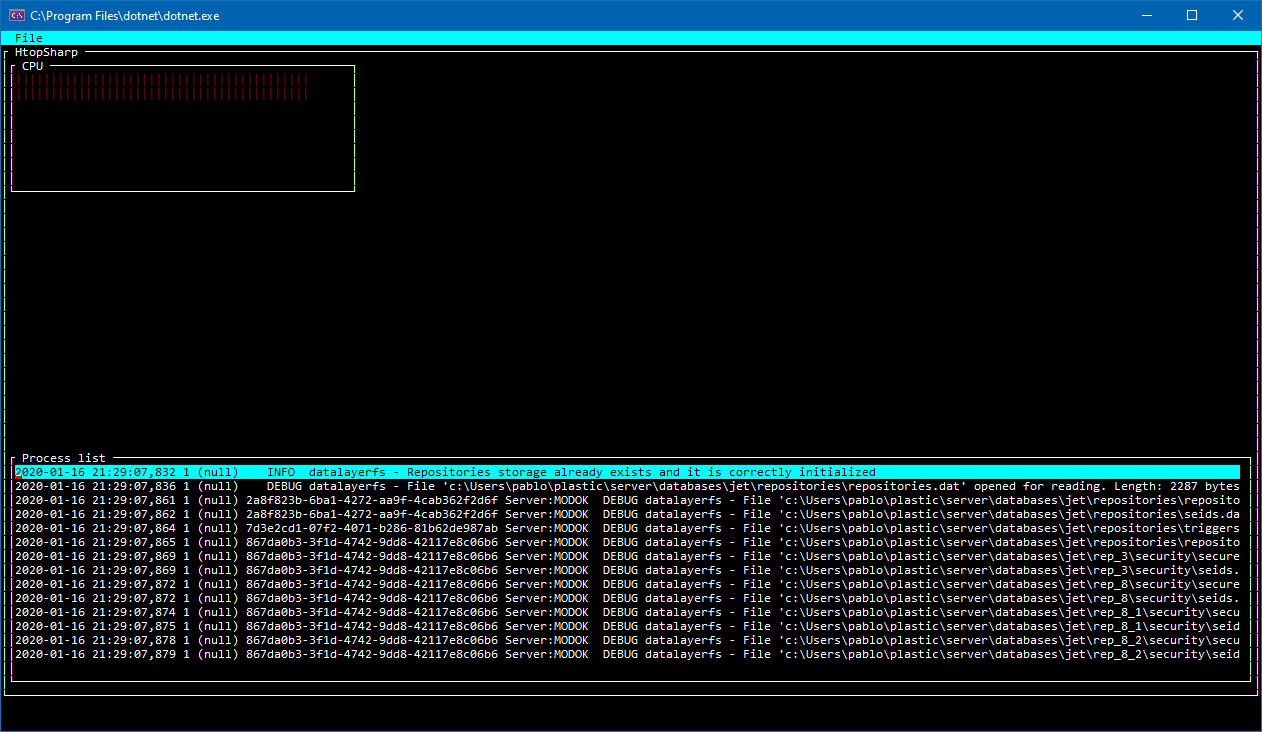
My question is, how can I really anchor panels as follows?

I'm trying to use this for the bottom panel:
frame.Y = Pos.AnchorEnd(3);
frame.Height = Dim.Fill();
But not really working (what you see in the screenshot is global positioning, but of course it doesn't work when you resize).
Also, I'm seeing issues in the parent window (height gets smaller for some reason) after some changes.
 psantosl
All 21 comments
I think this is what you want more or less.
class Program {
    static void Main ()
    {
        Application.Init ();

        var top = Application.Top;

        var margin = 1;
        var win1 = new Window ("Window 1") {
            X = 0 + margin,
            Y = 0 + margin,
            Width = Dim.Percent (50) - margin,
            Height = Dim.Percent (50) - margin
        };
        var win2 = new Window ("Window 2") {
            X = Pos.Right(win1) + margin,
            Y = 0 + margin,
            Width = Dim.Fill(margin),
            Height = Dim.Percent (50) - margin
        };
        var win3 = new Window ("Window 3") {
            X = 0 + margin,
            Y = Pos.Bottom (win1) + margin,
            Width = Dim.Fill(margin),
            Height = Dim.Fill(margin)
        };

        top.Add (win1, win2, win3);

        Application.Run ();
    }
}
 BDisp
on 5 May 2020
BDisp
on 5 May 2020
Thanks!!
Looking amazing!
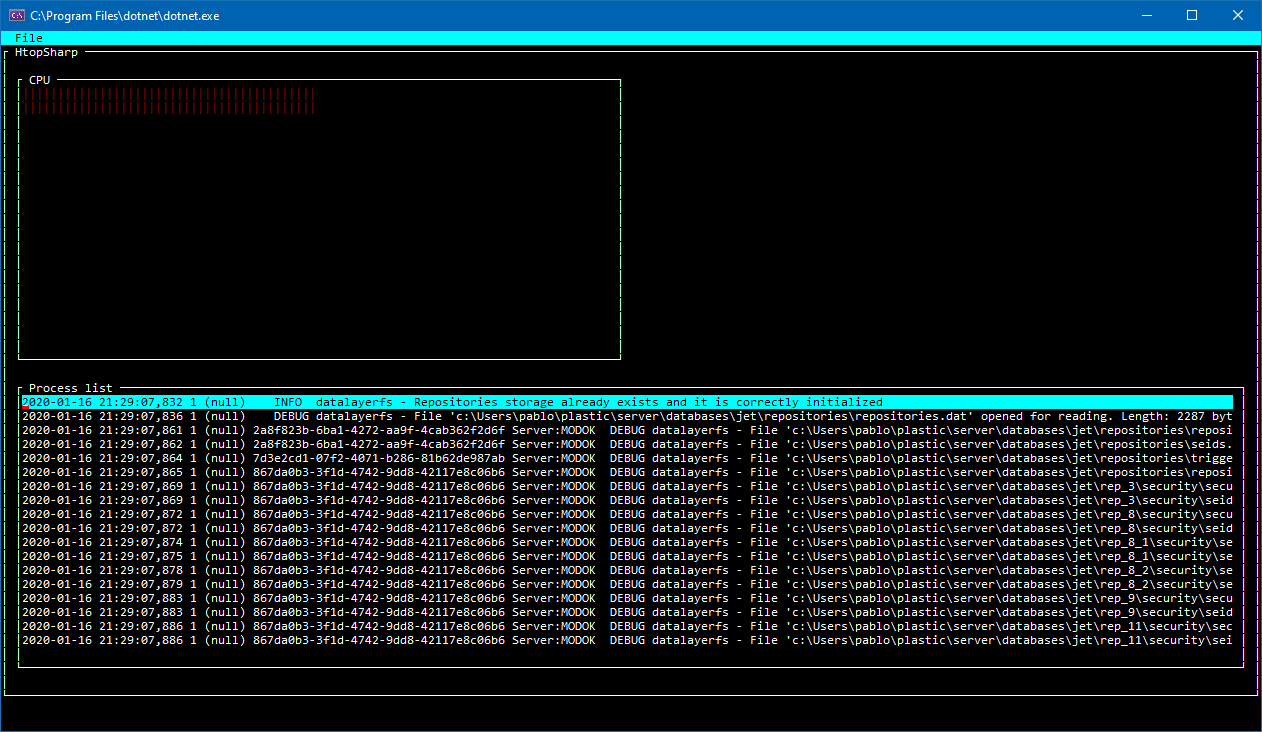
I'll share the url to my repo here asap.
psantosl
on 5 May 2020
 psantosl
on 7 May 2020
psantosl
on 7 May 2020
Something else I mus be doing wrong:
I can't make the second "process area" grow correctly:
        int margin = 1;

        cpuArea.X = 0 + margin;
        cpuArea.Y = 0 + margin;
        cpuArea.Width = Dim.Percent(50) - margin;
        cpuArea.Height = Dim.Percent(30) - margin;

        processArea.X = 0 + margin;
        processArea.Y = Pos.Bottom(cpuArea) + margin;
        processArea.Width = Dim.Percent(50) - margin;
        processArea.Height = Dim.Fill(margin);

        processArea1.X = Pos.Right(processArea1) + margin;
        processArea1.Y = Pos.Bottom(cpuArea) + margin;
        processArea1.Width = Dim.Percent(50) - margin;
        processArea1.Height = Dim.Fill(margin);

        top.Add(cpuArea, processArea, processArea1);

If I try a different option:
        int margin = 1;

        cpuArea.X = 0 + margin;
        cpuArea.Y = 0 + margin;
        cpuArea.Width = Dim.Percent(50) - margin;
        cpuArea.Height = Dim.Percent(30) - margin;

        processArea.X = 0 + margin;
        processArea.Y = Pos.Bottom(cpuArea) + margin;
        processArea.Width = Dim.Percent(50) - margin;
        processArea.Height = Dim.Fill(margin);

        processArea1.X = Pos.Right(processArea1) + margin;
        processArea1.Y = Pos.Bottom(cpuArea) + margin;
        processArea1.Width = Dim.Fill(margin);
        processArea1.Height = Dim.Fill(margin);

        top.Add(cpuArea, processArea, processArea1);
Shows this: (one of the "process windows" missing):
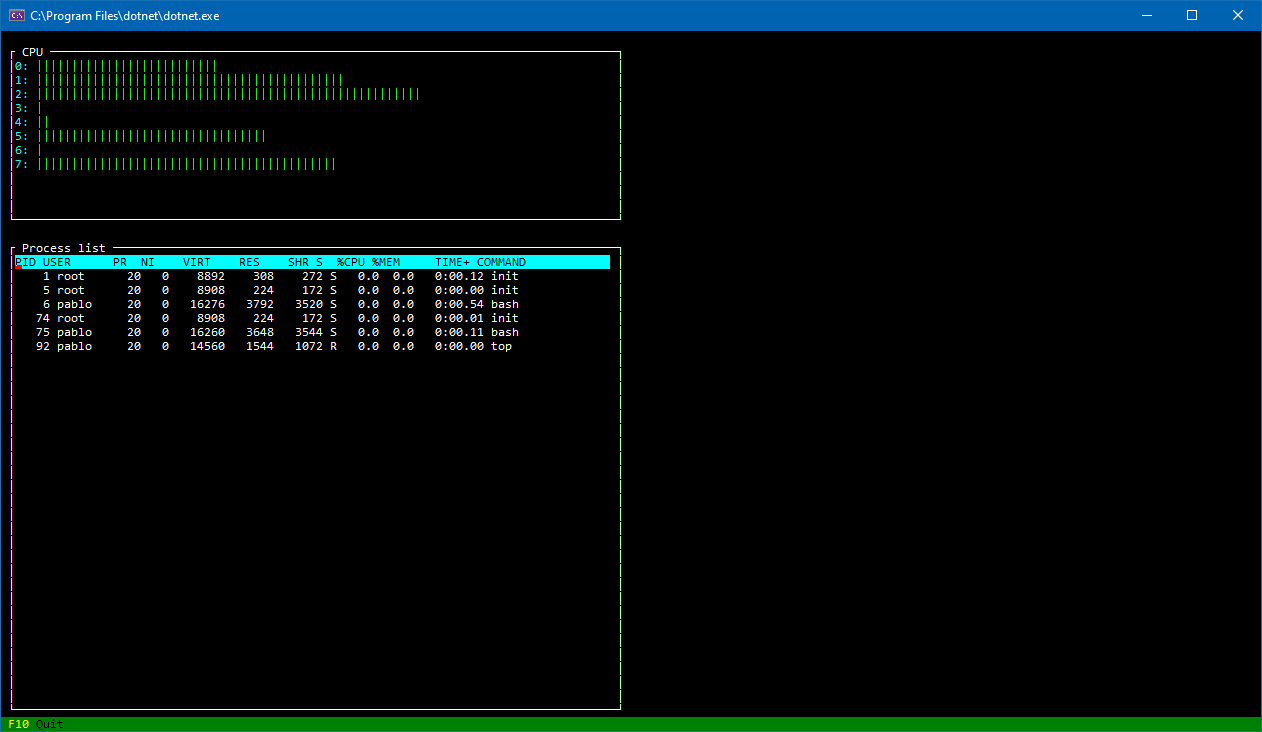
Finally: should this work when you resize the window? Everything seems to break :)
psantosl
on 7 May 2020
processArea1.X = Pos.Right(processArea) + margin;
processArea1.Width = Dim.Fill(margin);
BDisp
on 7 May 2020
I got the whole thing working :-)
But, it is looking slightly different on Linux than windows :)
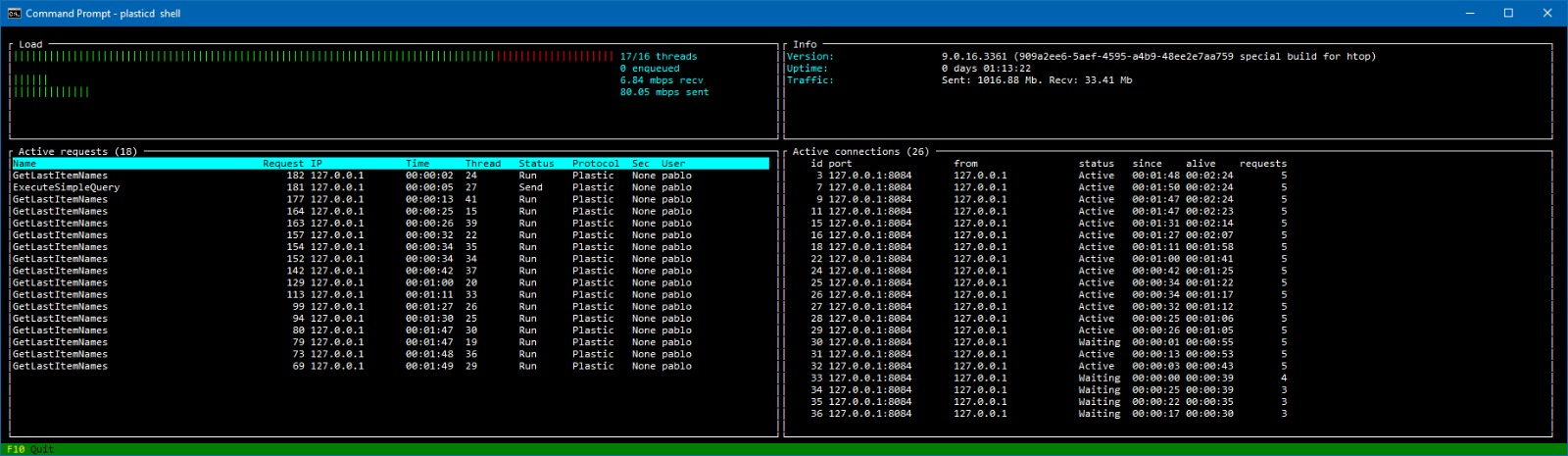
Don't know yet is this is because Putty:

psantosl
on 8 May 2020
Hey @BDisp do you know what I have to fix to display it correctly on Linux?
Looks totally different on Linux than Windows. I'm connecting remotely through bash (Windows subsystem) to a Linux system, but layouts don't look the same, they're broken on Linux.
psantosl
on 8 May 2020
Must see why Unix does not update the screen on resizing. Only updates when hover the mouse or with keyboard.
BDisp
on 8 May 2020
My issue is also with layout. Look: top is windows, how I expected it to be, down is Linux, through ssh and bash, and layouts don't look correct. I'll give a try in a Linux locally.

psantosl
on 8 May 2020
I've noticed that. Then say something. Thank you.
BDisp
on 8 May 2020
The problem is in mainloop.cs at IMainLoopDriver.EventsPending
in line:
n = poll (pollmap, (uint)pollmap.Length, pollTimeout);
n is always -1 on resizing and only is not -1 with mouse hover or key press.
BDisp
on 9 May 2020
Cool. Do you plan to release a new version?
psantosl
on 9 May 2020
I haven't been able to figure it out yet. I'm still trying to figure it out. I am not a Linux or macOS expert. But I will try.
BDisp
on 9 May 2020
Regarding the rendering issues => the system where I see the render issues is using libncursesw.so.6.
The system where I fixed it to force to use libncursesw.so.5, works well in terms of layout.
Just in case it throws some light :-)
psantosl
on 9 May 2020
Absolute positioning works on that system (it is an Amazon Linux).
But as soon as I try to place a control to the right of the previous with Pos.Right, it doesn't render well.
psantosl
on 9 May 2020
Did you try with the master version of the gui.cs? There are a new commit that solves that layout issue with the linux.
BDisp
on 9 May 2020
I'll check
psantosl
on 9 May 2020
Tested it. Layout works fine with master!

But, FrameViews don't render the title now :-(

psantosl
on 9 May 2020
And how about in windows?
BDisp
on 9 May 2020
Same:
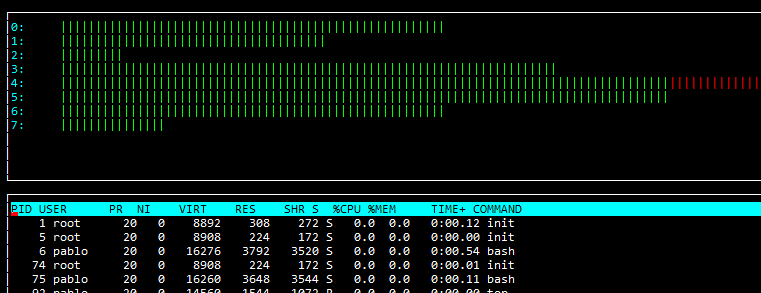
This is not as important as the layout. Good layout is great progress :-)
psantosl
on 9 May 2020
It's was a bug in FrameView. I already fixed it. See my pull request #410
BDisp
on 9 May 2020
Related issues
 tig
·
3Comments
tig
·
3Comments
 stevozilik
·
8Comments
stevozilik
·
8Comments
 alet
·
6Comments
alet
·
6Comments
 0x788
·
3Comments
0x788
·
3Comments
 migueldeicaza
·
6Comments
migueldeicaza
·
6Comments