Using caption doesn't quite work for bookdown::html_document2()
Reprex: https://rstudio.cloud/project/2259811
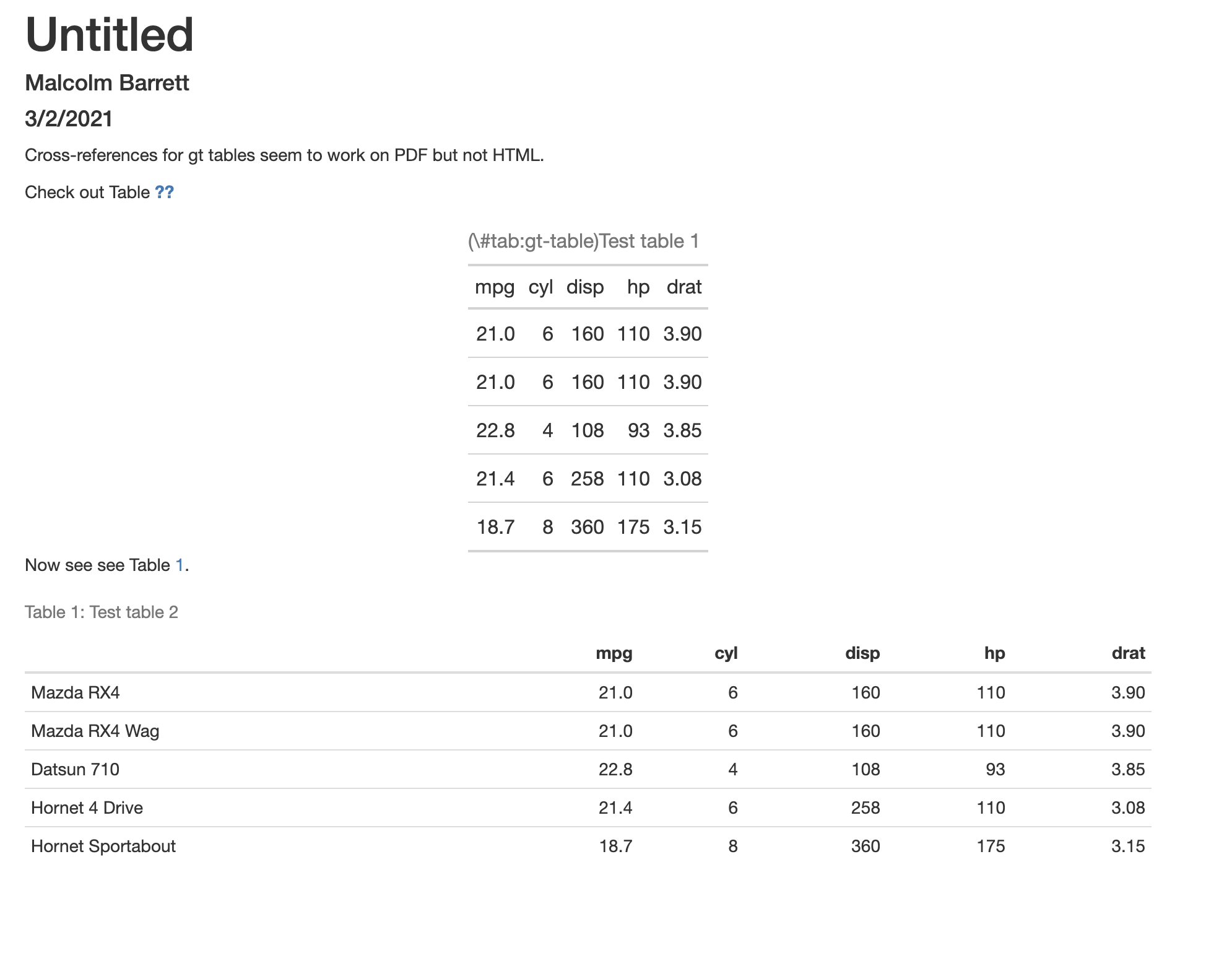
Screenshot:
 malcolmbarrett
All 8 comments
Sorry about the delay on this. Agree that this is a problem. @cderv do you know if this is an easy fix, given that {gt} already has support for html_document?
 rich-iannone
on 15 Mar 2021
rich-iannone
on 15 Mar 2021
Currently gt does not have support out-of-the-box for bookdown caption. This means the manual way must be used as documented: https://bookdown.org/yihui/bookdown/tables.html (at the end of the page)
To be able to cross-reference a Markdown table, it must have a labeled caption of the form Table: (#label) Caption here, where label must have the prefix tab:, e.g., tab:simple-table.
If you decide to use other R packages to generate tables, you have to make sure the label for the table environment appears in the beginning of the table caption in the form (#label) (again, label must have the prefix tab:).
````markdown
title: "Untitled"
author: "Malcolm Barrett"
date: "3/2/2021"
output:
bookdown::html_document2: default
bookdown::pdf_document2: default
```{r setup, include=FALSE}
knitr::opts_chunk$set(echo = TRUE)
Cross-references for gt tables seem to work on PDF but not HTML.

Check out Table \@ref(tab:gt-table)

```{r gt-table, echo = FALSE}
gt::gt(mtcars[1:5, 1:5], caption = "(#tab:gt-table) Test table 1")
Now see see Table \@ref(tab:mtcars).
{r mtcars, echo=FALSE}
knitr::kable(mtcars[1:5, 1:5], caption = "Test table 2")
````
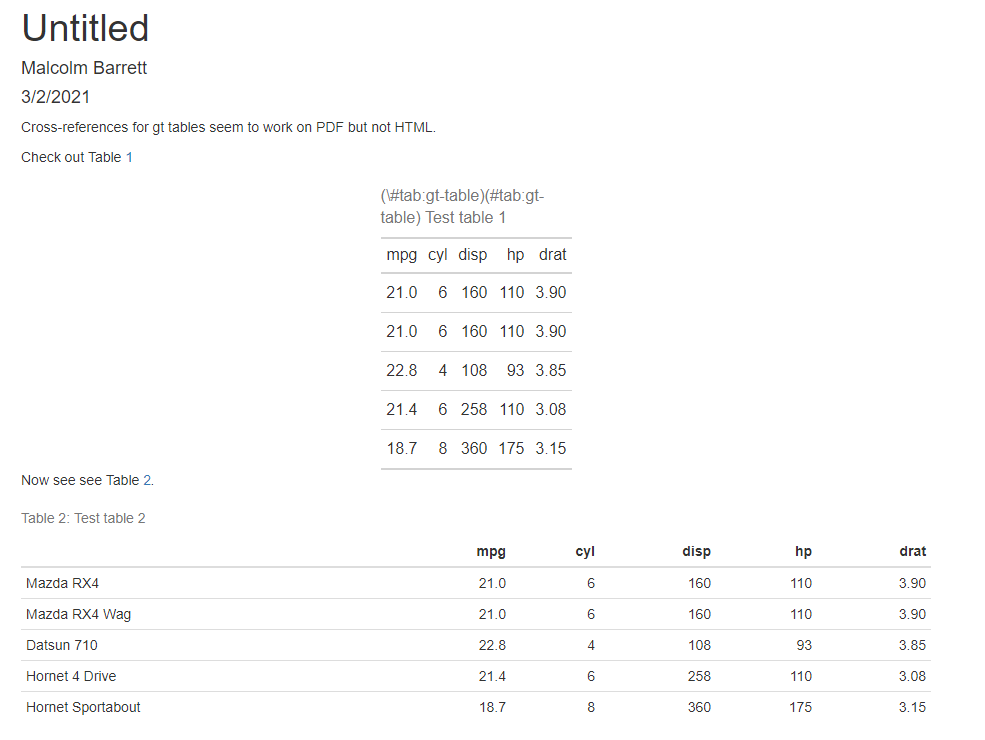
If you want full support, you need to preprend this in the caption text pass by user. There is a trick you can find in the code of how it works for knitr::kable(). You also need to deal with the various output format.
You can also look at flextable support for it.
 cderv
on 15 Mar 2021
cderv
on 15 Mar 2021
Oh sorry, I did not look at the code. It seems it is supposed to be supported as you are using knitr:::kable_caption and knitr:::create_label with a copy of it.
So this is indeed not working. As in my screenshot above. Numbering is ok but the cpation in the table is not. 🤔
Sorry for my too quick answer
cderv
on 15 Mar 2021
I believe the issue is only the escaping of the hash. You don't need that as your are outputting HTML directly with I don't think is process by Pandoc. You need to remove this (\\# and use only (#
cderv
on 15 Mar 2021
Removing the escape characters indeed works. But the label part is not removed in the caption.
This is because
<caption>(#tab:gt-table)Test table 1</caption>
is not matched but without leading whitespace it is.
<caption>(#tab:gt-table)Test table 1</caption>
This should be fixed in bookdown maybe for it to work with future bookdown - but if you removed the indentation if should work with past bookdown too. (not sure how the indentation is really sets with htmltools)
cderv
on 15 Mar 2021
Oups @rich-iannone the keyword in bookdown's PR have closed this 😁
I let you reopen 😄
cderv
on 15 Mar 2021
Beautiful, thanks all!
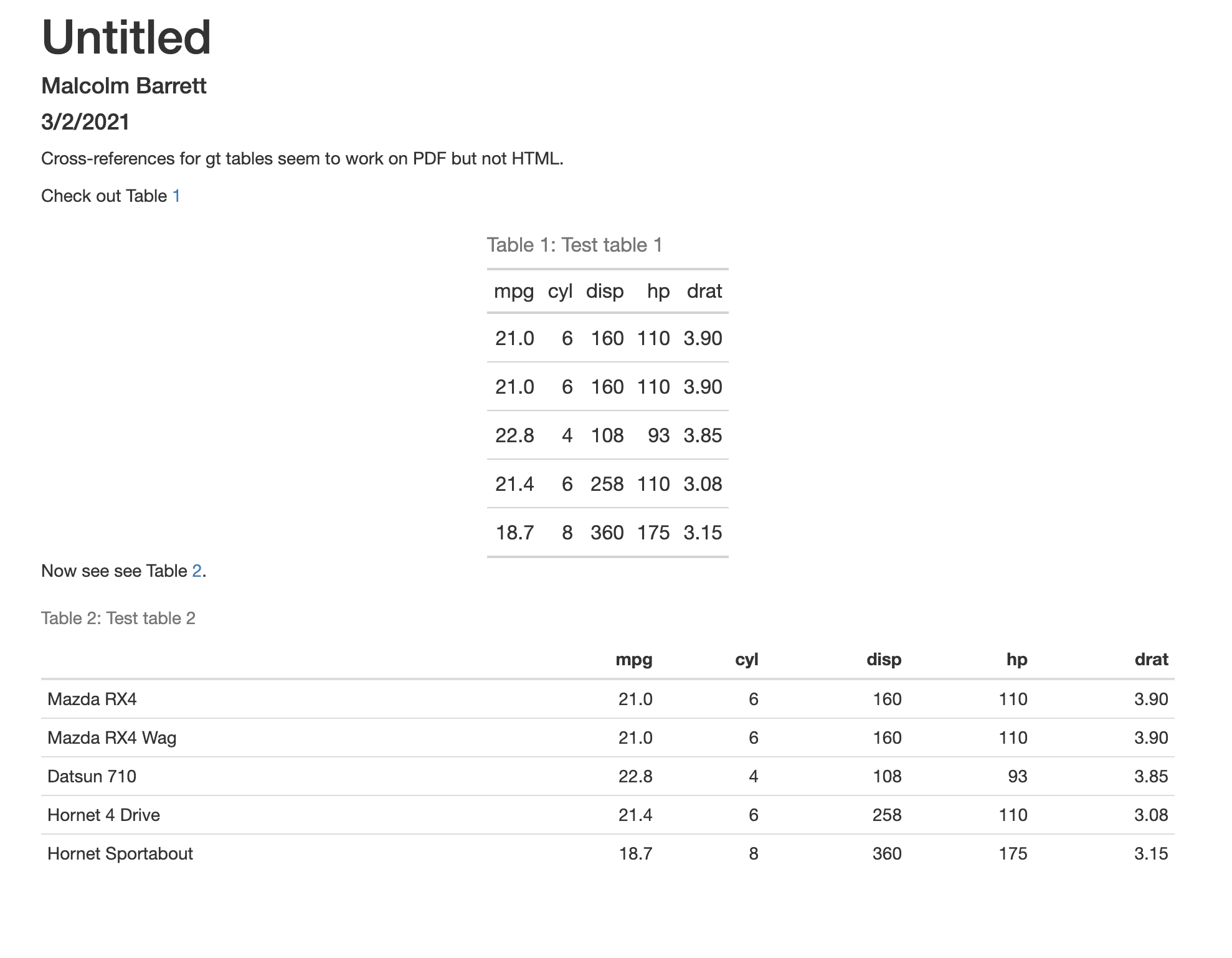
Output with dev versions of gt and bookdown (as expected):
malcolmbarrett
on 15 Mar 2021
Great ! Thanks for the report!
cderv
on 15 Mar 2021
Related issues
 jenniferp96
·
4Comments
jenniferp96
·
4Comments
 r2evans
·
5Comments
r2evans
·
5Comments
 vincentarelbundock
·
4Comments
vincentarelbundock
·
4Comments
 DickStartz
·
4Comments
rich-iannone
·
4Comments
DickStartz
·
4Comments
rich-iannone
·
4Comments
Most helpful comment
Beautiful, thanks all!
Output with dev versions of gt and bookdown (as expected):
