Gt: Make it easy to insert a Fontawesome icon into a new text element of a table
Perhaps this can already be done with the fontawesome package, not sure, but having an easy way to get an icon into a title or footnote or some other location is something that would be very valuable.
 scotbader8858
All 4 comments
I have to explore what’s already possible here. It may turn out that it is possible to do but requires a lot of input.
It would be really nice to have something like a short code that could be present in the text and interpreted as request for an icon.
 rich-iannone
on 24 Nov 2019
rich-iannone
on 24 Nov 2019
This would be a really great feature. Maybe have the icons built in to the package as SVG and have a way to put in the SVG through a text keyword. As an example, the following could be interpreted as text (for the title) with a fontawesome icon:
exibble %>%
  gt() %>%
  tab_header(title = "Daily bus timetable {{fas bus}}")
With this the title would have the text Daily bus timetable plus the right-sized fontawesome icon (https://fontawesome.com/icons/bus?style=solid). I really think having this templating idea with {{ }} could be also great for supplying styles to text (bolding specific text, or changing font, font size, etc.). That is going a bit off topic so maybe I'll open a different issue with some ideas there.
 jordanmllr5
on 30 Nov 2019
jordanmllr5
on 30 Nov 2019
I also wanted to add that if you have text in your table that has the templating (as suggested above), that could be formatted with a function called fmt_text(). That could take the place of (or be in addition to) fmt_markdown(). You could have options to interpret (separately) Markdown text or the templating text (both set to TRUE as a default).
I could imagine this being used to compose text options with dplyr::mutate() and combining into the final interpretable form (probably with mutate() again) before entering the gt API. We can then always combine the formatted text elements nicely with cols_merge(). Basically, these options would give us a lot of freedom for customizing the look (which I think everyone would appreciate).
Thanks again for this wonderful package! It is truly awesome and has helped me a lot.
jordanmllr5
on 30 Nov 2019
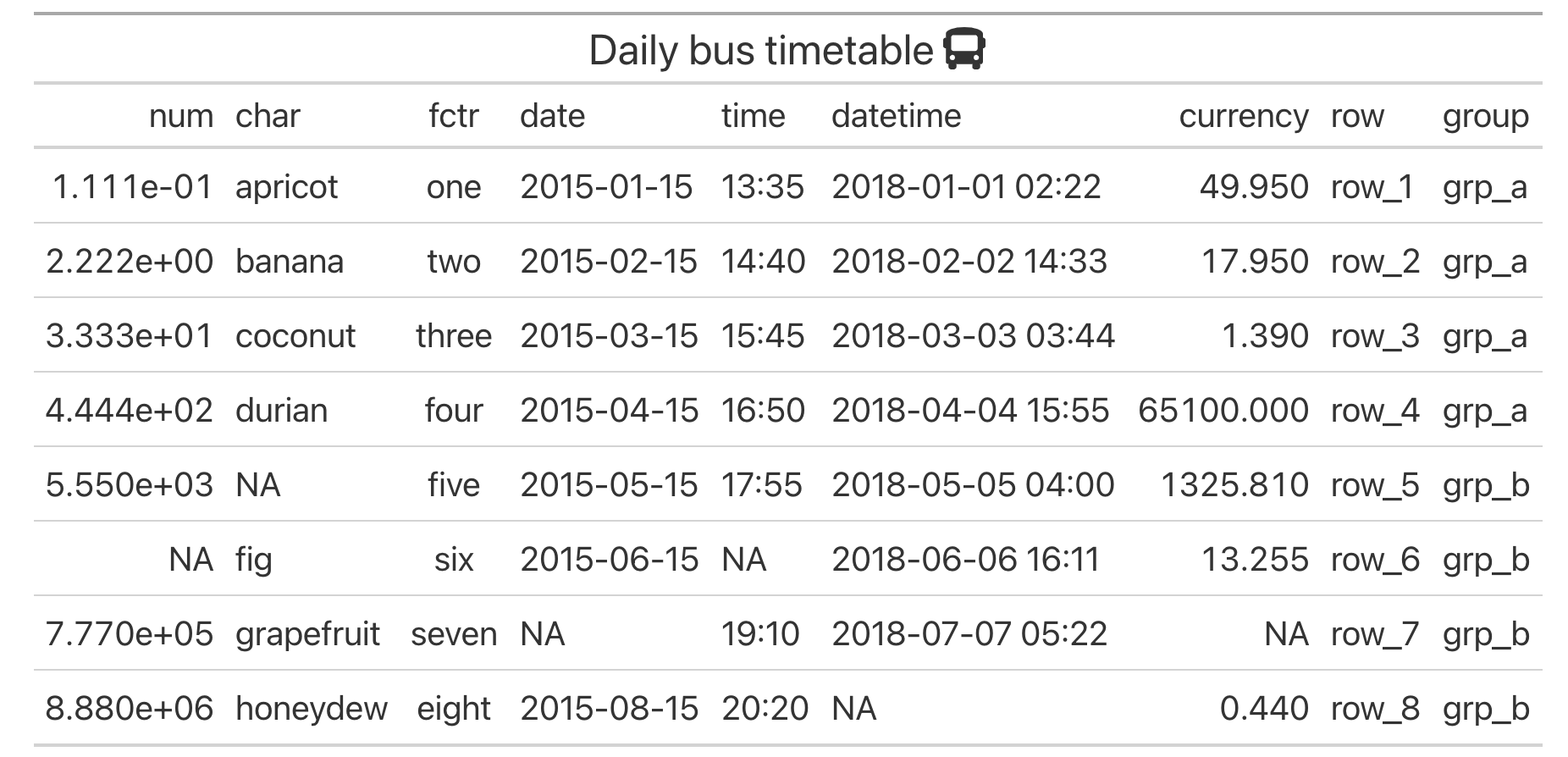
This is now possible and pretty simple with the {fontawesome} package on CRAN. You can use:
exibble %>%
    gt() %>%
    tab_header(title = html(glue::glue("Daily bus timetable {fontawesome::fa('bus')}")))
or
exibble %>%
    gt() %>%
    tab_header(title = md(glue::glue("Daily bus timetable {fontawesome::fa('bus')}")))
and get the following:
rich-iannone
on 27 Apr 2021
Related issues
 steveputman
·
3Comments
steveputman
·
3Comments
 DickStartz
·
4Comments
DickStartz
·
4Comments
 Torvaney
·
3Comments
Torvaney
·
3Comments
 vikram-rawat
·
3Comments
vikram-rawat
·
3Comments
 courtiol
·
3Comments
courtiol
·
3Comments
Most helpful comment
I have to explore what’s already possible here. It may turn out that it is possible to do but requires a lot of input.
It would be really nice to have something like a short code that could be present in the text and interpreted as request for an icon.