Grpc-dotnet: Grpc.Web - Hosting issues under IIS or Application Service Plan
We’ve already got some gRPC clients (Dotnet Core Worker Service) running using reverse proxies and Kestrel and this works fine. But we are keen to switch to App Service Plans (or even a VM and IIS) as this is the business standard approach. As such, this post was a great bit of news and so we quickly set about converting the start up in both client and server to support it.
Having deployed to both VM running IIS and then an Application Service plan we keep getting met with the same error message, I’m fairly sure it’s to do with IIS configuration but I can’t find anything that helps with the issue.
A static page on the application can be displayed and proves the system is running and accepting requests, so it is a purely gRPC issue as far as I can tell.
The VM is running Server 2016 and Dotnet Core 3.1.1 Hosting Bundle and has the latest Windows updates installed, the application was deployed as an In-Process set up. The application service plan we tried was the standard Azure Application Service Plan (Windows based), it returned the same client error as the VM.
gRPC in Visual Studio Debug gives:
Status(StatusCode=Internal, Detail=”Content-Type ‘application/grpc-web-text’ is not supported.”)
The logs from the IIS server show the following:
warn: Microsoft.AspNetCore.DataProtection.Repositories.EphemeralXmlRepository[50]
Using an in-memory repository. Keys will not be persisted to storage.
warn: Microsoft.AspNetCore.DataProtection.KeyManagement.XmlKeyManager[59]
Neither user profile nor HKLM registry available. Using an ephemeral key repository. Protected data will be unavailable when application exits.
warn: Microsoft.AspNetCore.DataProtection.KeyManagement.XmlKeyManager[35]
No XML encryptor configured. Key {d496f657-222b-4e28-8648-a2619138201f} may be persisted to storage in unencrypted form.
info: Microsoft.Hosting.Lifetime[0]
Application started. Press Ctrl+C to shut down.
info: Microsoft.Hosting.Lifetime[0]
Hosting environment: Production
info: Microsoft.Hosting.Lifetime[0]
Content root path:
fail: Grpc.AspNetCore.Server.ServerCallHandler[6]
Error when executing service method ‘AuthenticateApp’.
System.InvalidOperationException: Trailers are not supported for this response. The server may not support gRPC.
at Grpc.AspNetCore.Server.Internal.GrpcProtocolHelpers.GetTrailersDestination(HttpResponse response)
at Grpc.AspNetCore.Server.Internal.HttpResponseExtensions.ConsolidateTrailers(HttpResponse httpResponse, HttpContextServerCallContext context)
at Grpc.AspNetCore.Server.Internal.HttpContextServerCallContext.EndCallCore()
at Grpc.AspNetCore.Server.Internal.HttpContextServerCallContext.EndCallAsync()
at Grpc.AspNetCore.Server.Internal.CallHandlers.ServerCallHandlerBase3.<HandleCallAsync>g__AwaitHandleCall|17_0(HttpContextServerCallContext serverCallContext, Method2 method, Task handleCall)
fail: Microsoft.AspNetCore.Server.IIS.Core.IISHttpServer[2]
Connection ID “7566047384183026471”, Request ID “8000b328-0002-6900-b63f-84710c7967bb”: An unhandled exception was thrown by the application.
System.InvalidOperationException: Trailers are not supported for this response. The server may not support gRPC.
at Grpc.AspNetCore.Server.Internal.GrpcProtocolHelpers.GetTrailersDestination(HttpResponse response)
at Grpc.AspNetCore.Server.Internal.HttpResponseExtensions.ConsolidateTrailers(HttpResponse httpResponse, HttpContextServerCallContext context)
at Grpc.AspNetCore.Server.Internal.HttpContextServerCallContext.ProcessHandlerError(Exception ex, String method)
at Grpc.AspNetCore.Server.Internal.HttpContextServerCallContext.ProcessHandlerErrorAsync(Exception ex, String method)
at Grpc.AspNetCore.Server.Internal.CallHandlers.ServerCallHandlerBase3.<HandleCallAsync>g__AwaitHandleCall|17_0(HttpContextServerCallContext serverCallContext, Method2 method, Task handleCall)
at Microsoft.AspNetCore.Routing.EndpointMiddleware.g__AwaitRequestTask|6_0(Endpoint endpoint, Task requestTask, ILogger logger)
at Microsoft.AspNetCore.Authorization.AuthorizationMiddleware.Invoke(HttpContext context)
at Microsoft.AspNetCore.Authentication.AuthenticationMiddleware.Invoke(HttpContext context)
at Microsoft.AspNetCore.Routing.EndpointRoutingMiddleware.g__AwaitMatcher|8_0(EndpointRoutingMiddleware middleware, HttpContext httpContext, Task1 matcherTask)1.ProcessRequestAsync()
at Microsoft.AspNetCore.Server.IIS.Core.IISHttpContextOfT
fail: Grpc.AspNetCore.Server.ServerCallHandler[6]
Error when executing service method ‘AuthenticateApp’.
System.InvalidOperationException: Trailers are not supported for this response. The server may not support gRPC.
at Grpc.AspNetCore.Server.Internal.GrpcProtocolHelpers.GetTrailersDestination(HttpResponse response)
at Grpc.AspNetCore.Server.Internal.HttpResponseExtensions.ConsolidateTrailers(HttpResponse httpResponse, HttpContextServerCallContext context)
at Grpc.AspNetCore.Server.Internal.HttpContextServerCallContext.EndCallCore()
at Grpc.AspNetCore.Server.Internal.HttpContextServerCallContext.EndCallAsync()
at Grpc.AspNetCore.Server.Internal.CallHandlers.ServerCallHandlerBase`3.g__AwaitHandleCall|17_0(HttpContextServerCallContext serverCallCon
 Harkole
All 33 comments
IIS and Azure App Service can't host gRPC with HTTP/2. These servers don't have support for HTTP/2 trailers which is required for gRPC to function correctly.
To run gRPC in these environments you need to use gRPC-Web. Docs: https://docs.microsoft.com/aspnet/core/grpc/browser
Example of gRPC-Web in Azure App Service: https://grpcweb.azurewebsites.net/
The source code for the example is here: https://github.com/grpc/grpc-dotnet/tree/master/examples#browser
 JamesNK
on 7 Feb 2020
JamesNK
on 7 Feb 2020
@JamesNK apologies for not making it clear, the above error is occurring having followed your blog and converted the service to Grpc.Web
Harkole
on 7 Feb 2020
Are you sure it is setup correctly on the server?
UseGrpcWebmiddleware is in the correct locationMapGrpcServicehasEnableGrpcWeb, or you haveservices.AddGrpcWeb(o => o.GrpcWebEnabled = true);inConfigureServices
If you think it is setup correctly then enable logging at the debug level and post the results here. Instructions: https://docs.microsoft.com/aspnet/core/grpc/diagnostics
JamesNK
on 7 Feb 2020
I believe so, I won't be able to generate debug until Monday but this is the config/service settings:
Configure section
`// This method gets called by the runtime. Use this method to configure the HTTP request pipeline.
public void Configure(IApplicationBuilder app, IWebHostEnvironment env)
{
if (env.IsDevelopment())
{
app.UseDeveloperExceptionPage();
}
        app.UseHttpsRedirection();
        app.UseDefaultFiles();
        app.UseStaticFiles();

        app.UseGrpcWeb();

        app.UseRouting();
        app.UseAuthentication();
        app.UseAuthorization();

        app.UseEndpoints(endpoints =>
        {
            // Map HTTP API Controllers
            endpoints.MapControllers();

            // Map GRPC services
            endpoints.MapGrpcService<AuthenticationGrpcService>().EnableGrpcWeb();
            endpoints.MapGrpcService<AuditGrpcService>().EnableGrpcWeb();
            endpoints.MapGrpcService<FileEndpointConfigurationGrpcService>().EnableGrpcWeb();

            endpoints.MapGet("/", async context =>
            {
                await context.Response.WriteAsync("Communication with gRPC endpoints must be made through a gRPC client. To learn how to create a client, visit: https://go.microsoft.com/fwlink/?linkid=2086909");
            });
        });
    }`
And the top section of Services
` // This method gets called by the runtime. Use this method to add services to the container.
// For more information on how to configure your application, visit https://go.microsoft.com/fwlink/?LinkID=398940
public void ConfigureServices(IServiceCollection services)
{
services.AddOptions();
        services.Configure<IISServerOptions>(options =>
        {
            options.AutomaticAuthentication = false;
            options.AllowSynchronousIO = true;
        });`
 Will-Blackburn
on 7 Feb 2020
Will-Blackburn
on 7 Feb 2020
Your problem is UseGrpcWeb needs to be between UseRouting and UseEndpoints.
JamesNK
on 7 Feb 2020
Thanks James, I'll confirm everything on Monday when I can access the code/servers again
Will-Blackburn
on 7 Feb 2020
Hi,
I also have an issue with grpc-web in Azure app service.
My angular app works fine if grpc web app is hosted locally, once deployed, neither the local angular app nor the app hosted in azure work. I always have CORS issue, I have enabled .AllowAnyOrigin() .
So I don't understand what's going on.
This is works fine

Once deployed:

In the meantime when I use grpc-web from a .NET client, it doesn't work neither if my grpc-web app is hosted in azure like my angular app, I get "Cancelled" with no errors details, I use HTTP version 1.1:

Conclusion:
Whatever the client, Since grpc-web is hosted in Azure it doesn't work
 AnthonyGiretti
on 9 Feb 2020
AnthonyGiretti
on 9 Feb 2020
By the way,
here is my startup config:
https://github.com/AnthonyGiretti/aspnetcore3-grpc-samples/blob/master/DemoAspNetCore3/Startup.cs
AnthonyGiretti
on 9 Feb 2020
It definitely works... https://grpcweb.azurewebsites.net/
JamesNK
on 9 Feb 2020
So I don't understand what's going on.
I tested CORS working here - https://github.com/grpc/grpc-dotnet/blob/a1bb10d4a96c8eeb1ee13959a8b4426d29b2557b/testassets/InteropTestsWebsite/Startup.cs
Try adding builder.WithExposedHeaders("Grpc-Status", "Grpc-Message");
JamesNK
on 9 Feb 2020
I get "Cancelled" with no errors details
Did you try enable logging in the client to see what is going on?
https://docs.microsoft.com/en-us/aspnet/core/grpc/diagnostics?view=aspnetcore-3.1#grpc-client-logging
JamesNK
on 9 Feb 2020
I believe you.
I saw your tweet last december.
Since grpc-web has been released I'm unable to make it work in Azure, locally everything work fine, I'm so confused
Let me try solution you gave me.
For the .NET client, I haven't checked yet, I get "CANCELLED" error after 1 min since the request has been sent
AnthonyGiretti
on 9 Feb 2020
It doesn't work better with builder.WithExposedHeaders("Grpc-Status", "Grpc-Message");
But I have a different behavior now, the call remains peding during 1 min before sending me CORS errors

By the way in your code, the policy name is missing in UseCors:
app.UseCors("MyPolicy");
AnthonyGiretti
on 9 Feb 2020
CORS metadata with the name is on the gRPC service endpoint.
JamesNK
on 9 Feb 2020
I still have the same issue. I really don't understand.
Maybe it's related to my appservice instance?
AnthonyGiretti
on 9 Feb 2020
https://medium.com/@abhijeetg/cross-origin-resource-sharing-cors-azure-app-service-bec8d9747426
?
I don't know, I'm just linking what I found on Google.
JamesNK
on 10 Feb 2020
I have enabled detailed logging in my console app:
Scenario 1: grpc-web using http 1.1 client side and http 1.1 in appservice:

I get this:

Scenario 2: grpc-web using http 2 client side and http 2 in appservice:
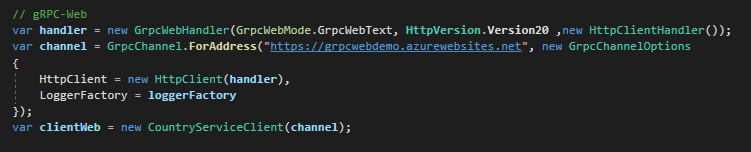
I get this:

Scenario 3: grpc-web using http 2 client side and grpc-web server in localhost (works fine):


I tried with Linux AppService and Windows AppService
I think I tried everything...
AnthonyGiretti
on 10 Feb 2020
Thanks for the link.
I suspect that CORS issue is not the real error. I suspect the app crashes before CORS checks.
With SPA like Angular and React that kind of "fake CORS issue" occurs.
Even my console app doesn't work
I have to go further and diagnose the AppService with Azure Tools
AnthonyGiretti
on 10 Feb 2020
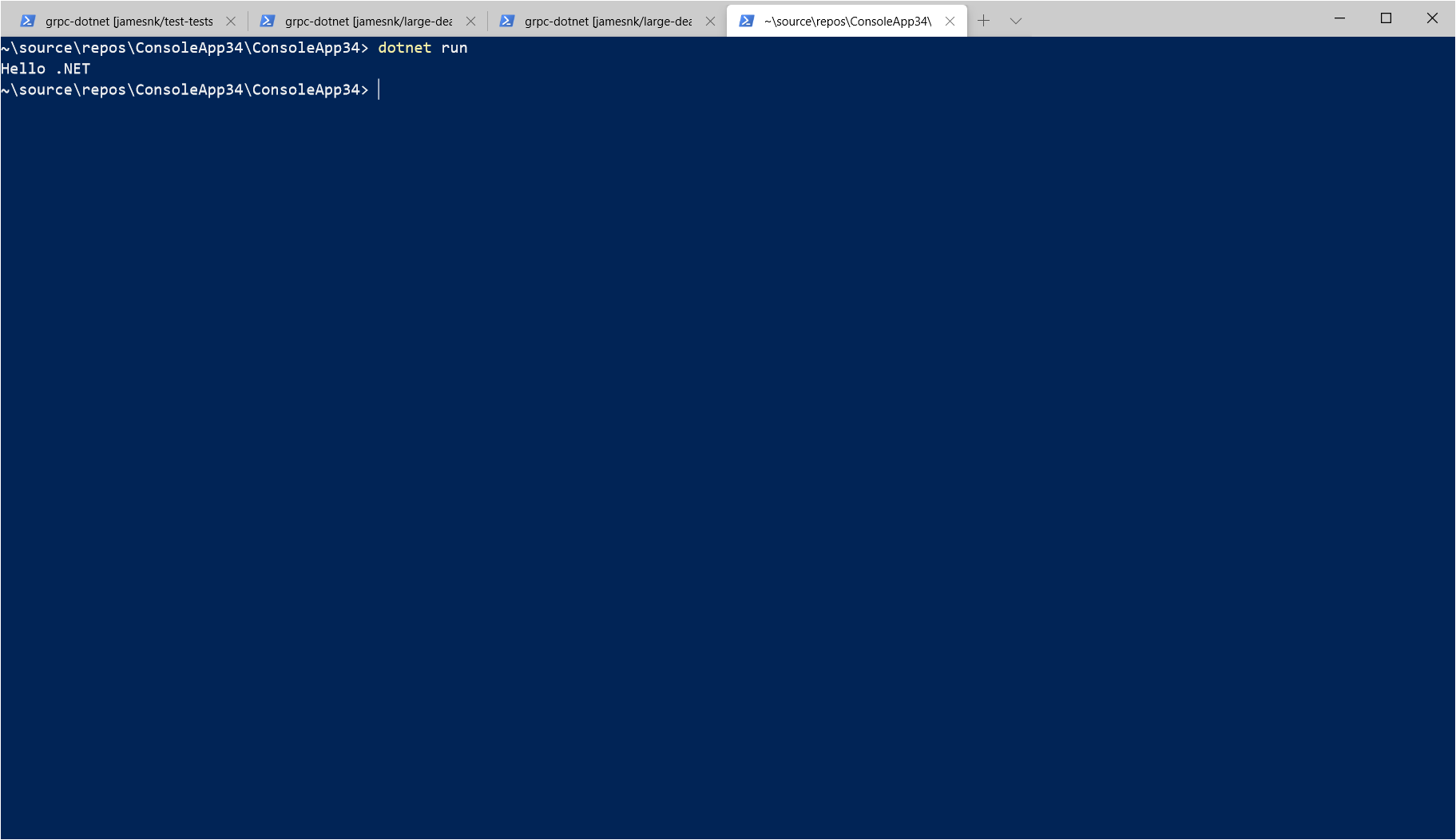
This works for me:
static async Task Main(string[] args)
{
    var handler = new GrpcWebHandler(GrpcWebMode.GrpcWebText, new HttpClientHandler());
    var channel = GrpcChannel.ForAddress("https://grpcweb.azurewebsites.net/", new GrpcChannelOptions
    {
        HttpClient = new HttpClient(handler)
    });

    var client = new Greeter.GreeterClient(channel);
    var response = await client.SayHelloAsync(new HelloRequest { Name = ".NET" });

    Console.WriteLine(response.Message);
}
JamesNK
on 10 Feb 2020
OK,
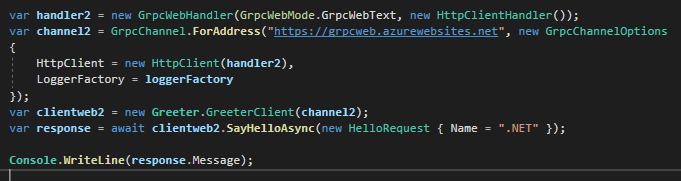
I'll consume your proto file here https://github.com/grpc/grpc-dotnet/blob/a1bb10d4a96c8eeb1ee13959a8b4426d29b2557b/testassets/Proto/greet.proto
and call your hosted service.
with my angular app and my console app.
Let's see....
Thanks again for your help
AnthonyGiretti
on 10 Feb 2020
Interesting and absolutely ridiculous at the same time

AnthonyGiretti
on 10 Feb 2020
By the way my assemblies are up to date (2.27)
AnthonyGiretti
on 10 Feb 2020
Morning @JamesNK we've updated the middle ware order and we're still not seeing success, the client is returning an exception stating
Error starting gRPC call: Buffer is not large enough for header
The server logs from the VM show:
fail: Grpc.AspNetCore.Server.ServerCallHandler[6]
      Error when executing service method 'AuthenticateApp'.
System.InvalidOperationException: Trailers are not supported for this response. The server may not support gRPC.
   at Grpc.AspNetCore.Server.Internal.GrpcProtocolHelpers.GetTrailersDestination(HttpResponse response)
   at Grpc.AspNetCore.Server.Internal.HttpResponseExtensions.ConsolidateTrailers(HttpResponse httpResponse, HttpContextServerCallContext context)
   at Grpc.AspNetCore.Server.Internal.HttpContextServerCallContext.EndCallCore()
   at Grpc.AspNetCore.Server.Internal.HttpContextServerCallContext.EndCallAsync()
   at Grpc.AspNetCore.Server.Internal.CallHandlers.ServerCallHandlerBase'3.<HandleCallAsync>g__AwaitHandleCall|17_0(HttpContextServerCallContext serverCallContext, Method'2 method, Task handleCall)
fail: Microsoft.AspNetCore.Server.IIS.Core.IISHttpServer[2]
      Connection ID "11673330257229787912", Request ID "80003309-0005-a200-b63f-84710c7967bb": An unhandled exception was thrown by the application.
System.InvalidOperationException: Trailers are not supported for this response. The server may not support gRPC.
   at Grpc.AspNetCore.Server.Internal.GrpcProtocolHelpers.GetTrailersDestination(HttpResponse response)
   at Grpc.AspNetCore.Server.Internal.HttpResponseExtensions.ConsolidateTrailers(HttpResponse httpResponse, HttpContextServerCallContext context)
   at Grpc.AspNetCore.Server.Internal.HttpContextServerCallContext.ProcessHandlerError(Exception ex, String method)
   at Grpc.AspNetCore.Server.Internal.HttpContextServerCallContext.ProcessHandlerErrorAsync(Exception ex, String method)
   at Grpc.AspNetCore.Server.Internal.CallHandlers.ServerCallHandlerBase'3.<HandleCallAsync>g__AwaitHandleCall|17_0(HttpContextServerCallContext serverCallContext, Method'2 method, Task handleCall)
   at Microsoft.AspNetCore.Routing.EndpointMiddleware.<Invoke>g__AwaitRequestTask|6_0(Endpoint endpoint, Task requestTask, ILogger logger)
   at Microsoft.AspNetCore.Authorization.AuthorizationMiddleware.Invoke(HttpContext context)
   at Microsoft.AspNetCore.Authentication.AuthenticationMiddleware.Invoke(HttpContext context)
   at Microsoft.AspNetCore.Server.IIS.Core.IISHttpContextOfT``1.ProcessRequestAsync()
fail: Grpc.AspNetCore.Server.ServerCallHandler[6]
      Error when executing service method 'AuthenticateApp'.
System.InvalidOperationException: Trailers are not supported for this response. The server may not support gRPC.
   at Grpc.AspNetCore.Server.Internal.GrpcProtocolHelpers.GetTrailersDestination(HttpResponse response)
   at Grpc.AspNetCore.Server.Internal.HttpResponseExtensions.ConsolidateTrailers(HttpResponse httpResponse, HttpContextServerCallContext context)
   at Grpc.AspNetCore.Server.Internal.HttpContextServerCallContext.EndCallCore()
   at Grpc.AspNetCore.Server.Internal.HttpContextServerCallContext.EndCallAsync()
   at Grpc.AspNetCore.Server.Internal.CallHandlers.ServerCallHandlerBase'3.<HandleCallAsync>g__AwaitHandleCall|17_0(HttpContextServerCallContext serverCallContext, Method'2 method, Task handleCall)
The Azure Applciation Service Plan results in the same Client error
Harkole
on 10 Feb 2020
The error message alone isn’t enough to understand what is going on. Include debug level logs and post the logs for a complete request on the server.
JamesNK
on 10 Feb 2020
Hi all
Can somebody try ton consume my appservice on his side if I give him the proto file? Errors I have don’t have any sense. I can even consume @JamesNK AppService
Thanks
AnthonyGiretti
on 10 Feb 2020
@JamesNK those are the logs from stdout on the server, what other debug information can we generate? I've got
services.AddGrpc(options =>
{
    options.EnableDetailedErrors = true;
});
OK
It's related to my environment, I tried on another machine and I could make your App Service working.
I need to investigate why my machine has a that behaviour.
If it happens to me, it can happen to others.

One fixed I'll retry to fix with my AppService, I might have several issues, not just only one.
One step at time
Thanks again for your help
AnthonyGiretti
on 10 Feb 2020
JamesNK
on 10 Feb 2020
Error starting gRPC call: Buffer is not large enough for header
Make sure you're using version 2.27.0 of gRPC packages on the client and server.
(gRPC-Web packages only have preview versions which is fine to use)
JamesNK
on 10 Feb 2020
@JamesNK the client application wasn't running the latest gRPC packages (2.26.0 instead of 2.27.0).
I'm sorry, should of checked sooner but I would of expected the GrpcWeb to have a depenancy of 2.27.0 and forced the update when we installed the 2.27.0-pre1 packages. Having done this I'm now able to communicate with the Server running as an In-Process IIS application!
Haven't been able to test the Azure Application Plan from home but expect it'll be working there too as it's mirrored the errors so far
Will-Blackburn
on 10 Feb 2020
There is no dependency between the two packages which is why 2.27.0 of the client isn't automatically selected. It is an easy mistake. Docs should probably talk about it.
JamesNK
on 10 Feb 2020
I finally made it work.
My app was running with .NET Core 3.1 runtime which seems not working with Linux AppService.

With a Linux AppService the app (it’s a docker container Behring the scène not managed by me) just doesn't start:

So I downgraded to .NET Core 3.0 and deployed on a Windows AppService and it works fine now.
It was not a CORS issue, browsers raise an unexpected CORS error when the remote API crashes, because CORS headers are not sent.
Demo here: https://anthonygiretti.blob.core.windows.net/grpcwebdemo/index.html
(The Angular 8 app is deployed in static website.)
About my HttpClient which failed to call your AppService I never found the solution, I just started a new project from scratch and it works fine now.
Thanks for your support and I hope this will help people
AnthonyGiretti
on 11 Feb 2020
It does run in Linux. I set it up here: http://grpcweblinux.azurewebsites.net/
JamesNK
on 11 Feb 2020
Related issues
 nphmuller
·
5Comments
nphmuller
·
5Comments
 davidfowl
·
6Comments
JamesNK
·
3Comments
JamesNK
·
6Comments
JamesNK
·
3Comments
davidfowl
·
6Comments
JamesNK
·
3Comments
JamesNK
·
6Comments
JamesNK
·
3Comments
Most helpful comment
Your problem is UseGrpcWeb needs to be between UseRouting and UseEndpoints.