Grommet: Form's onValidate() not returning updated elements when using dynamic add remove functionality
We have created a Dynamic Add Remove Component inside a form. Whenever i delete any input field it gets deleted from the UI but in form's onValidate Function, I still see removed input's validation.
Expected Behavior
onValidate() Function returning {errors, infos} should only return existing elements on Form
Actual Behavior
But it is still persisting removed elements from form.
URL, screen shot, or Codepen exhibiting the issue
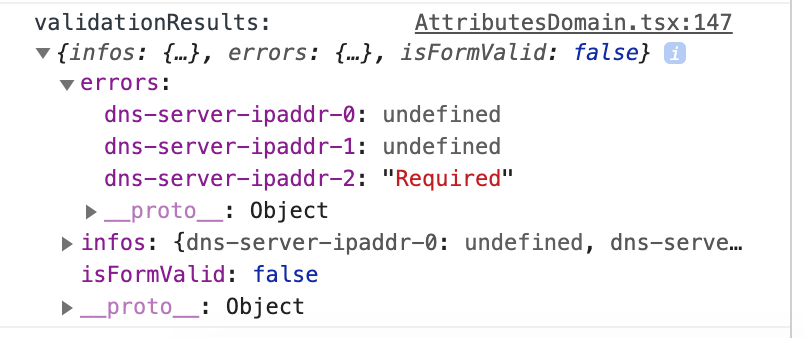
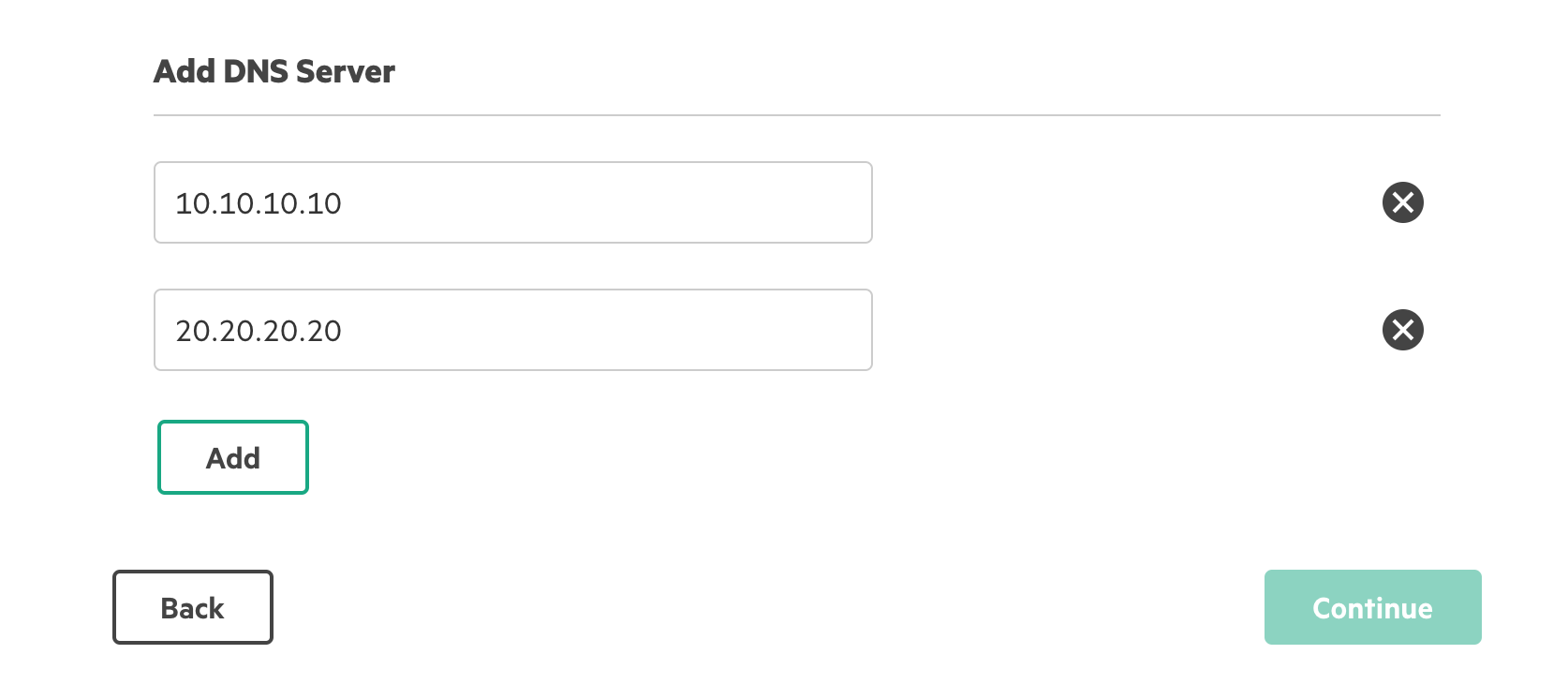

Steps to Reproduce
- create a dynamic add remove component, add elements and then remove elements using splice.
- Check the form's onValidate() results.
CC: @ShimiSun
 shreyashah7
All 3 comments
https://codesandbox.io/s/frosty-snowflake-yfndq?file=/src/App.js:1140-1166
Replicating the issue in CodeSandBox with plain grommet.
 ypinneka
on 12 Nov 2020
ypinneka
on 12 Nov 2020
Thank you for the CodeSandbox @ypinneka. I also created an implementation where the inputs are in an array and remove action splices the item from the array to mimic @shreyashah7's original post.
I have been able to replicate the issue with both implementations.
A couple of initial findings:
- The validation results returned when triggered by onSubmit are returned as desired (as a
{errors: {}, infos: {}}) - The validation results returned when triggered by onBlur do include the removed input
- The current implementation retains previous errors until each are individually resolved. This is desired if multiple errors were surfaced on an onSubmit event, where each error would need to be resolved individually.
- We could add in a step to check to only send errors for inputs in the form's context, prior to returning the validation results, however the form's
valueState(determined by the form's context) still retains the removed input. - Currently, the form's context is unaware that the input has been removed and the input and its value are retained in
valueState. - Additionally, since the state is not updated, the removed input and any value it held are contained in the value object returned by onSubmit()
Next steps:
- Determine options for providing a mechanism to update the form's context if an input is being / has been removed.
 halocline
on 25 Nov 2020
halocline
on 25 Nov 2020
What about adding something like?:
const [value, setValue, removeValue] = formContext.useFormInput(name, valueProp);
useEffect(() => return () => removeValue()), []);
 ericsoderberghp
on 25 Nov 2020
ericsoderberghp
on 25 Nov 2020
Related issues
 DanielBaird
·
3Comments
DanielBaird
·
3Comments
 mars76
·
3Comments
mars76
·
3Comments
 nomadus
·
4Comments
nomadus
·
4Comments
 iMerica
·
4Comments
iMerica
·
4Comments
 Primajin
·
4Comments
Primajin
·
4Comments