Graphql-engine: Stuck when trying to use Remote Joins preview
In my fork of graphql-engine-docker, I used this line in the Dockerfile, but I can't seem to import my existing data
FROM hasura/graphql-engine:pull2395-7ea7f82c
When I tried to replace my current dyno with one based on that docker image, it wouldn't boot up saying the schema was incompatible. I searched the faqs but didn't get anything that looked relevant (can't scroll back that far in logs but I can try again if you can't repro).
I then tried making a separate Heroku app and exporting the metadata from the old one and importing into the new one. Then I hit this issue:
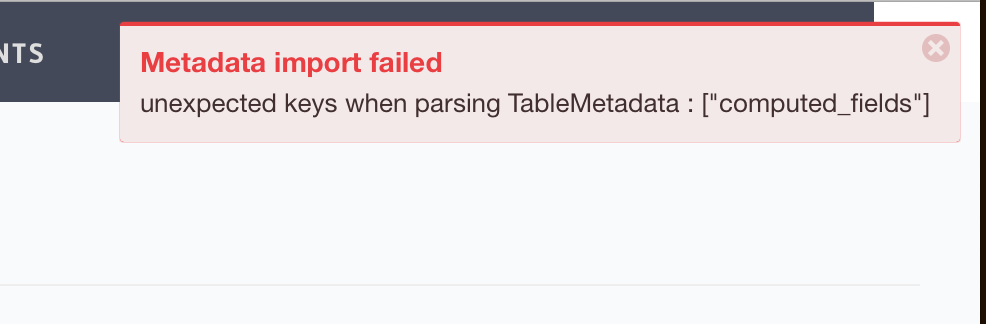
Metadata import failed
unexpected keys when parsing TableMetadata : ["computed_fields"]
Should I recreate everything on the new docker? How is this supposed to work?
Why
I'm trying to create an API where I can have signed image URLs from S3 returned to the client as part of GraphQL queries. I couldn't figure out a way to do it without the Remote Joins extension (or doing an awkward dance where I first request the image identifiers then request the image identifiers).
If there is any other possible way to do this, I would love to use Hasura. I tried to use Prisma v2 too and got stuck with weird errors as well.
Going back to writing my queries manually :/
 darknoon
All 4 comments
@darknoon Your second approach of exporting/importing metadata is on the right track! Remote joins PR image is slightly behind master hence doesn't recognize the computed_fields feature. Do you mind manually editing the metadata file to remove the computed_field keys and then trying?
 tirumaraiselvan
on 19 Nov 2019
tirumaraiselvan
on 19 Nov 2019
@tirumaraiselvan Since I can't start the remote joins branch using my existing database, I tried to import the metadata from the old database. It doesn't like that because the new database doesn't have matching tables.
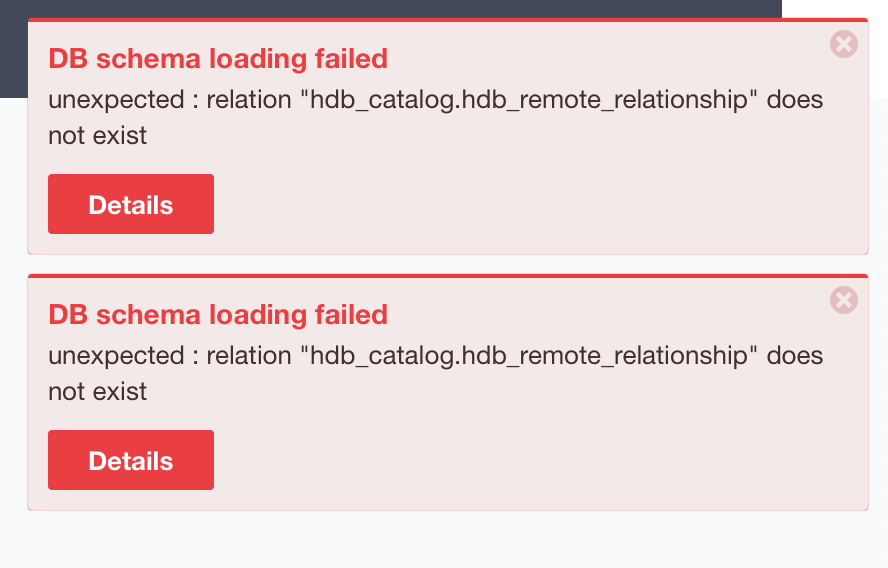
I tried doing a restore of the old database onto the new instance and now I get this error everywhere.
Tried doing a metadata reset, reimporting, etc. Nothing is working for me.

darknoon
on 20 Nov 2019
@darknoon
Since I can't start the remote joins branch using my existing database, I tried to import the metadata from the old database. It doesn't like that because the new database doesn't have matching tables.
This is not enough because the remote joins branch also has a different catalog (hasura metadata table) structure. And this is also why replicating the database is also going to throw the same error i.e. a hasura table (hdb_remote_relationship) is missing.
This is what you need to do on the database on which you want to run remote joins:
- Stop Hasura and
drop schema hdb_viewsanddrop schema hdb_catalog( this essentially completely removes hasura) using psql or some client. - Run hasura remote joins PR. This will install a fresh instance of hasura with all the required hasura tables (but empty).
- Import metadata you got from your beta instance. But remove the
computed_fieldsentries.
tirumaraiselvan
on 21 Nov 2019
@darknoon I'm closing this issue. If you would like to add something, feel free to re-open 🙂
 marionschleifer
on 8 Jan 2020
marionschleifer
on 8 Jan 2020
Related issues
 hooopo
·
3Comments
marionschleifer
·
3Comments
hooopo
·
3Comments
marionschleifer
·
3Comments
 anisjonischkeit
·
3Comments
anisjonischkeit
·
3Comments
 jjangga0214
·
3Comments
jjangga0214
·
3Comments
 lishine
·
3Comments
lishine
·
3Comments
Most helpful comment
@darknoon
This is not enough because the remote joins branch also has a different catalog (hasura metadata table) structure. And this is also why replicating the database is also going to throw the same error i.e. a hasura table (hdb_remote_relationship) is missing.
This is what you need to do on the database on which you want to run remote joins:
drop schema hdb_viewsanddrop schema hdb_catalog( this essentially completely removes hasura) using psql or some client.computed_fieldsentries.