Graphql-engine: Insert mutation problem
I am not able to make a mutaion and is getting the error:-
Message: field "todo_user" not found in type: 'todos_insert_input', Location: undefined, Path: undefined
Explorer :-
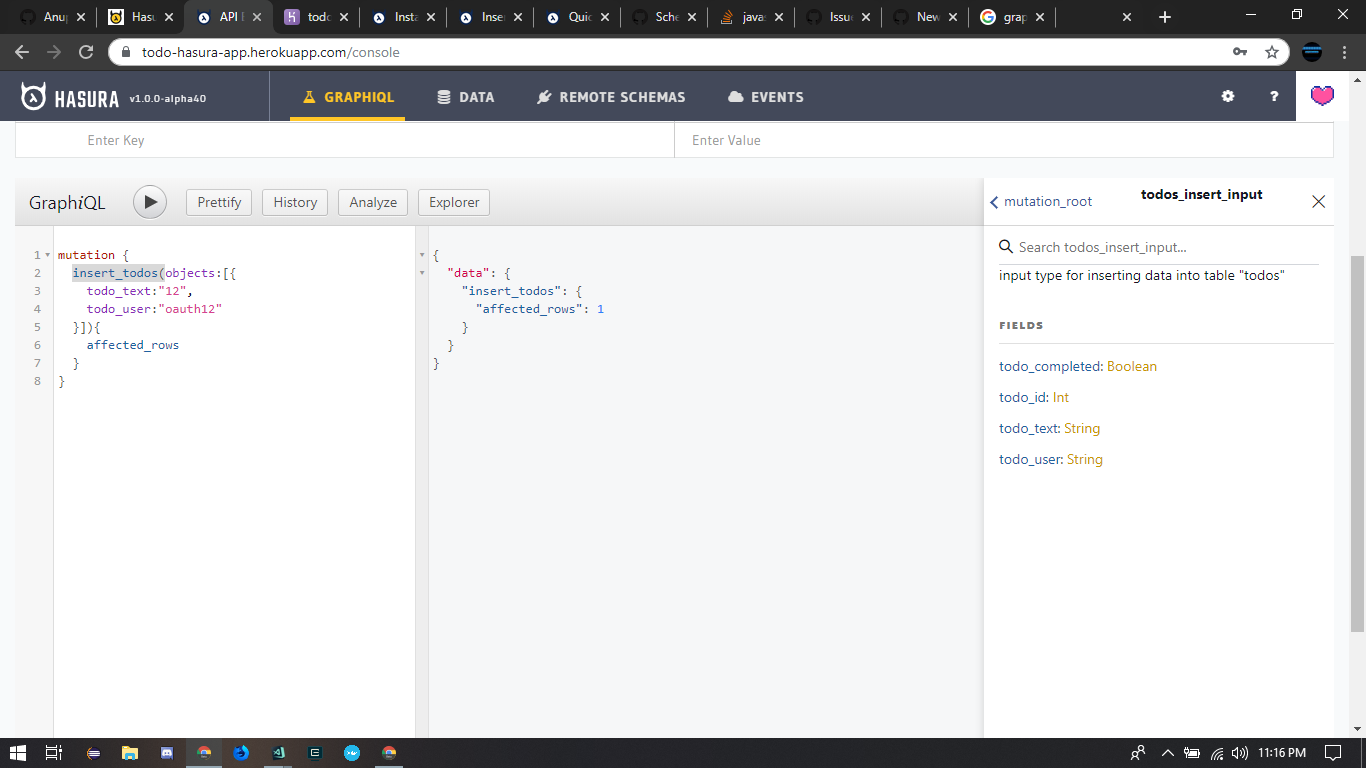
``
export const addTodo = gql
mutation($objects: [todos_insert_input]) {
insert_todos(objects: $objects) {
affected_rows
}
}
`;
insert_todos({
variables: {
objects: [
{
todo_text: "12",
todo_user: "oauth12"
}
]
}
,
 siddhant1
All 8 comments
@siddhant1 The screenshot shows no error?
If you've setup permissions, please check if the current role is allowed to insert on that column.
 shahidhk
on 20 Mar 2019
shahidhk
on 20 Mar 2019
Exactly , I am running the mutation in the graphiql and it runs perfectly (it's admin now) , when I tried running it from the frontend using a webhook it throws this error , also I have worked around with permissions and no luck (it throws different error) , but even if there is a permission error (I will look into it) the error is not helping me in this case
siddhant1
on 20 Mar 2019
It is a common pattern with Hasura. If you try to update a field you do not have permission to, Hasura will return back that the field does not exists. Because for that particular role (in your front end client), the field does not exist.
 elitan
on 20 Mar 2019
elitan
on 20 Mar 2019
Thanks for the help , it got solved :)
siddhant1
on 20 Mar 2019
I'm having the same problem even though the jwt is valid and the permissions line up. This error is baffling
 sbussard
on 21 Jun 2020
sbussard
on 21 Jun 2020
I'm having the same problem even though the jwt is valid and the permissions line up. This error is baffling
There are three potential problems:
- JWT claims are not correct
- Permissions are not correct
- Bug in Hasura
I encourage you to double check 1. and 2.
elitan
on 21 Jun 2020
Thank you for helping me understand the problem space. It turned out to be a permissions error.
sbussard
on 22 Jun 2020
Just ran into this issue because I updated the table columns without updating the permissions. Why not use a less obscure error message than field doesn't exist?
 BrianHung
on 24 Jun 2020
BrianHung
on 24 Jun 2020
Related issues
 cpursley
·
3Comments
cpursley
·
3Comments
 codepunkt
·
3Comments
codepunkt
·
3Comments
 tirumaraiselvan
·
3Comments
tirumaraiselvan
·
3Comments
 macalinao
·
3Comments
macalinao
·
3Comments
 stereobooster
·
3Comments
stereobooster
·
3Comments
Most helpful comment
There are three potential problems:
I encourage you to double check 1. and 2.